
Your Browsing History


Justin S.
Joined on 03/12/04
0
0
product reviews
- 4
Great drive for the price
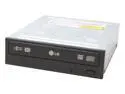
LG 16X DVD±R DVD Burner With 5X DVD-RAM Write 16X DVD+R 8X DVD+RW 8X DVD+R DL 16X DVD-R 6X DVD-RW 16X DVD-ROM 48X CD-R 32X CD-RW 48X CD-ROM Black E-IDE/ATAPI Model GSA-4167B BK
Pros: Excellent burn quality on good media, mine came with software CD, very quiet, will burn all major DVD formats (DVD-RAM is excellent for backups, do some research before buying to understand this little known format!)
Cons: While the unit is plug and play, you may not get everything out of it unless you're willing to do a bit of research. Some people claim that the drive burns low-quality discs poorly, but if you're burning important "memories of a lifetime".. why skimp?
Overall Review: My drive actually DID come with the software (and yes, I ordered this EXACT model, listed as OEM, not a different 4167 listing). It came with the CD of software as shown in the description (it was slid inside the drive's bubble wrap before shipping even). Not sure if it was a mistake or not but a nice bonus! (even if most of the software is about a version old. I didn't need it but someone starting out might find it very useful!) LG makes a very high quality drive. It won't do disc quality scanning but will do everything else. For me, DVD-RAM is the most important of this drive's abilities. But it will even burn Verbatim DVD+R Dual-layer media better than my other, much more expensive (premium brand name) DVD burner! An unbeatable value for price and quality.
12/18/2005See more detail
Rebadged Ritek discs with a bad reputation
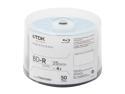
TDK 25GB 4X BD-R 50 Packs Spindle Disc Model 49024
Pros: Relatively cheap when on sale Nice cakebox packaging Might work well for short term/non-archival purposes
Cons: Disks received have RITEK-BR2-000 media ID codes, which if you search have very, very bad reputations. They may burn succesfully initially but after a short period of time can develop failures or die completely. It's part of the game of optical media now that so many companies just resell whatever they get cheap -- so your order may have a totally different type of discs than mine-- but given the poor reputation I'm not going to trust these. It's unfortunate that even though I haven't burned any of these discs that I can't return to Newegg because I had to open them to confirm what the Media ID code was.
Overall Review: I bought these discs as a test during the Black Friday sale. I did some searching and couldn't find much information about the actual Media ID (i.e., who REALLY makes the disc as TDK and Imation are just resellers). I did find that discs with TDK media IDs have generally good reputations and since these were labelled "Professional" I was hopeful that they'd be the best TDK could sell. I was pretty unhappy when I discovered that the discs inside were RITEK-BR2-000 which have horrible reputations for poor quality burns and prematurely failing after as little time as a few months to a year. I'm glad I didn't pay too much for them but had I known the Media ID I NEVER would have ordered them and instead stuck with the Verbatim discs I normally use.
12/2/2012See more detail
GREAT product!
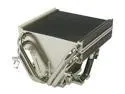
Thermalright XP-90 Multiple Heatpipes CPU Heatsink
Comments: This saved my Pentium D 830 from going to the trash (or at least sold off). I was running 75+C under load, which is past Intel's danger point, no matter what I did to cool it. I bought one of these and a Panaflo 92mm fan (don't forget to buy the fan, and the 775-adapter if appropriate!). I also used Arctic Silver 5 instead of the included thermal compound. Thermalright support recommended mounting the fan to point down, blowing air into the heatsink. I saw about a 3C improvement in cooling when the fan points down. Installation was much easier than expected (despite having to take out the motherboard). Just be sure you can clear any obstructions on the motherboard when mounting, since you swivel it in from the front (I couldn't mount it the first direction I tried as the fins prevented me from swivelling it into place). But once it's on it seems much more secure than the stock Intel heatsink! (plus, it weighs less!) Load temps have gone down from 75C to 60C on average. I'm sure the copper unit would be even better, but given this one does most of the cooling of the XP-90C at about 2/3rds the price, it seems like the better deal unless you are overclocking.
8/3/2005See more detail
Runs well, but much too hot
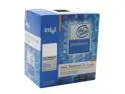
Intel Pentium D 830 - Pentium D Smithfield Dual-Core 3.0 GHz LGA 775 130W Processor - BX80551PG3000FN
Comments: I bought one of these as my old system fried and I wanted to get dual-core ASAP. I mostly do video/audio work, some light gaming, and I want stability over blazing speed. At the time, the AMD X2s weren't quite out yet and entirely out of my price range. Well, this thing has taken a LOT of work but I think I finally have it going (a month later of on and off tinkering with it). You absolutely MUST get an aftermarket cooler, unless you have a great AC system or live in a very cold climate. The stock cooler is worthless. I have never had to buy aftermarket cooling before (I don't overclock so I don't care about temps unless it's over the danger point). My temps under full load were 75C+, which is well over Intel's 69C guideline. Now with a Thermalright XP90 the highest I've seen is 65C (and normally loads are about 58-60C), with a mobo temp of 32-34C. Still not great but much better. It's pretty bad that it would probably take watercooling to get this thing down to where the AMD X2's run on air... System does run very smooth, and it's great being able to run 2 intensive programs at once without noticing any slowdown at all. Now that the AMD 3800+ X2s are out and about the same price, I would have to give them a serious look if I had it to do all over again. Intel really rushed the initial Pentium D 8x0 family to market and it shows, in performance and heat. They're definitely cheaper than AMD's chips, but the money I've thrown at this thing to cool it to usable temps kind of balances it out. (better heatsink, better case, etc). If you're building from scratch (Which you probably are if you're getting a Pentium D) take a long, hard look at the AMD competition. Warning if you use Windows 2000 SP4: Update Rollup 1 has a massive bug that causes the system to not idle properly -- the current fix is to replace HAL.DLL with the one the Rollup backed up. (search a bit for that so you understand the issues involved) Fixing that caused my test build to drop from 55C idle to 41C! Windows XP does not have this bug. (and it only affects the Update Rollup for 2000SP4)
8/2/2005See more detail