
Your Browsing History


Blake B.
Joined on 12/17/04
0
0
product reviews
- 9
Good little board
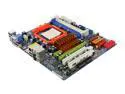
ASRock M3A785GMH/128M AM3 AMD 785G HDMI Micro ATX AMD Motherboard
Pros: Was able to unlock all four cores on an AMD 550 X2. FSB overclocked to 250 no sweat. Onboard graphics is pretty decent for everything besides more intense gaming... it even puts up some respectable numbers on 3DMark2001. I have the IGP overclocked to 850 core / 1333 mem without any added voltage.
Cons: This build is for my parents and not me.
Overall Review: Make sure to update the bios to the latest (v1.4 while writing this) from ASRock's website. I was not able to overclock the integrated graphics until I updated the bios.
3/19/2010See more detail
Wonderful processor
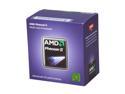
AMD Phenom II X2 550 - Phenom II X2 Callisto Dual-Core 3.1 GHz Socket AM3 80W Desktop Processor - HDX550WFGMBOX
Pros: Unlocked all four cores and overclocked to 3.65GHz with minimal voltage bump... all on an average (~$20) direct touch heat-pipe cooler.
Cons: This build is for my parents and not me.
Overall Review: True this doesn't have the unlocked multipliers that the black edition CPUs all have but after a very easy bump on the bus from 200 to 250 (making sure all HT multipliers, etc. are modified) I ended up using the 14.5 multi anyways. The included heatsink will work for stock but it's very small and all aluminum.
3/19/2010See more detail
Great laptop that can be made even better
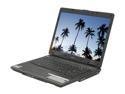
Acer Extensa 15.4" Intel Pentium T2370 1GB Memory DDR2 667 Windows Vista Home Premium LX.E970X.025
Pros: Cannot be beat when sold at the 399 price. I upgraded the CPU to a T5750 (2GHz 667FSB). This let the RAM run at 667 instead of 533 which was the biggest boost. Also, the system doesn't have to ramp up the CPU multiplier as much now with the T5750 (its lowest speed is 1GHz (166 x 6) compared to 800MHz for the T2370 (133 x 6)) so less battery usage.
Cons: Acer support gave incorrect information with regards to upgrading the CPU. They informed me it was unable to be upgraded when all I asked was if the BIOS would support the T5xxx series (also socket P). By the way it can support these processors such as the T5450, T5550, T5750. Not sure about the T7xx series with the 800MHz FSB.
Overall Review: This laptop worked just fine for everyday tasks without any modification. I prefer Windows XP so I wiped the hard drive clean and started from scratch; drivers are easy to find. If you are lucky enough to find a cheap processor (used or new) like I was then upgrading this already great laptop makes life that much better.
8/10/2008See more detail
Great fan!
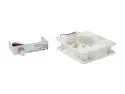
SilverStone FM122 Case Fan
Pros: I use this fan to cool the heatsink for my CPU and the amount of air it moves and the pressure it pushes it at is impressive. Most would consider this fan loud if let out full on. I use it close to that so that it runs at the same frequency as the FM-121 fan I have in the back of my PC that I let run all out but still is slower than this fan at full speed (weird like that). These fans are of great build quality and I haven't had a bad fan controller from either of my Silverstone fans.
Cons: They used to be a lot more pricey which was a big con but at their price now I might buy a few more for whenever I decide to build a new case.
11/30/2007See more detail
Very Surprised!
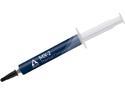
ARCTIC MX-2 (4g) Carbon-Based Thermal Compound, Non-Electricity Conductive, Non-Capacitive
Pros: I only expected a few degrees difference between this and the "silver compound" but after applying to my Opty 170 (no IHS) my temps went from 57 C (full load, core 0 the hottest) to 47 C (core 1 this time... go figure).
Cons: Like others have said, there's a small amount in the tube but it's enough for multiple applications if you know how much you really should use.
11/16/2007See more detail
Performance Update
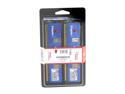
HyperX 2GB (2 x 1GB) DDR 400 (PC 3200) Desktop Memory Model KHX3200AK2/2G
Pros: Currently running at 266MHz (DDR532) 3-3-2-5 2.52V Had it up to 275MHz (2.66V was its sweet spot). Still trying to see if I can push it up to the next divider on my MB.
Cons: SPD values at rated speed comes up 3-3-3-8 and not the tighter advertised settings. However, this could help out some people who can change their bus speed but not their RAM settings with overclocking their CPU. The looser settings would help reduce the chance of the memory being the unstable part of an overclock.
2/17/2007See more detail