

Your Browsing History


Jeremy C.
Joined on 05/26/05
0
0
product reviews
- 5
Nice board, great price
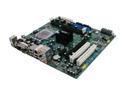
EVGA 112-CK-NF77-A1 LGA 775 NVIDIA nForce e-7150/630i HDMI Micro ATX Intel Motherboard
Pros: This board has just about everything I could need or want built in. It was an extremely easy system build, perhaps the easiest of the 8 or 9 I've built.
Cons: I suppose if you don't have an 8-pin power connector it could be a con, but my year and a half old PSU has one. For a few bucks you can get a converter which should work fine as long as you're not adding a lot of components and have sufficient wattage.
Overall Review: Vista installed easily and quickly. It did initially boot my hard drive with an existing XP install already on it before I formatted and started over. I bought this board with the ultimate goal of making a HTPC out of mostly spare parts I had. I added an E2140 for kicks as I found one for about the cost of a tank of gas. Once I get a new LCD next month, I'll see how the HDMI works. But so far, I'm very pleased with the board.
1/14/2008See more detail
Awesome Receiver - Update Firmware for most HTPC functionality
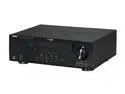
YAMAHA RX-V565 7.1-Channel Home Theater Receiver
Pros: Great sound quality! 4 HDMI inputs and plenty of other connections. Extremely easy to set up speakers with the Yamaha YPAO. Has every audio decoder you could really need.
Cons: Does not have multi-channel analog audio inputs to hook up an SACD player, etc. (Need to get the RX-V665 for mutli-channel). Firmware update process is somewhat tedious (but worth it once you get it right).
Overall Review: For an HTPC not using onboard audio/video, it is best to update the firmware to K032. You can then control the Audio and Video inputs to set an optical audio from a sound card (use AV4) to match an HDMI input (use HDMI4). Instructions for doing this are included with the firmware download from Yamaha. When converting the firmware .wav to cd format, follow Yamaha's instructions and do not use Windows Media Player to convert, it won't work so you need to find some other software to burn it to a CD. I have this set up in 6.1 matched with Polk TSi series in the front w/voice matched center from Newegg and Polk R150's for rear surround. The sound is phenomenal! Use "Direct" mode when playing DVD/DVD-Audio for the best quality sound when playing off of an HTPC.
3/14/2010See more detail
Yes, it smokes onboard audio!
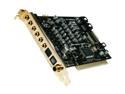
HT OMEGA STRIKER 7.1 Channels PCI Interface Sound Card
Pros: Fantastic audio quality Easy to intall. Optical output HT Omega is known to have great support, and the web site is very helpful for answering questions.
Cons: None.
Overall Review: I have this set up in a Windows 7-64 HTPC connected to a Yamaha RX-V565, and the quality and clarity of sound from this card is truly outstanding! I tested some DVD-Audio disks off of the onboard audio (on a different PC)that has a Realtek HD chip using HDMI output connected to the Yamaha reciever, and there is a noticeable difference when using this card in 6.1 DTS-ES playback. I'm not sure what a more expensive card would do that this doesn't, but I would buy this card again for another HTPC build without batting an eye.
2/28/2010See more detail
Nice enclosure
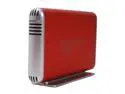
acomdata SMBXXXU2E-Red Aluminum 3.5" Radiant Red IDE / SATA USB 2.0 Samba Enclosure Kit
Pros: Nice looking enclosure. Keeps the drive cool despite no fan. IDE and SATA options make it versatile.
Cons: Not as easy to install the IDE drive as I would have liked. The Power connector for SATA gets a little bit in the way.
Overall Review: Set my WD 160 GB IDE drive to master (removed the jumper) and it worked right away on Windows 7. This is a well designed enclosure to keep the drive as cool as it does with no fan, the venting is very good.
12/7/2009See more detail
Great Cam, Bad CD
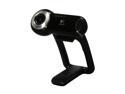
Logitech QuickCam Pro 9000 2.0 M Effective Pixels USB 2.0 WebCam
Pros: Cam works flawlessly out of the box.
Cons: The product CD was junk and was unreadable, causing my laptop drive to shake and buzz.
Overall Review: Downloaded the drivers in 2 minutes. If it wasn't for the drive, it would be 5 eggs. The CD didn't seem to damage my drive at least. Just save yourself the trouble and dowload from Logitech.
12/2/2009See more detail