
Your Browsing History


James P.
Joined on 02/06/04
0
0
product reviews
- 41
Don't let the bad reviews fool you, it's a great motherboard.
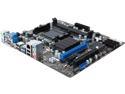
MSI 760GMA-P34 (FX) AM3+ AMD 760G USB 3.0 Micro ATX AMD Motherboard
Pros: After a year of usage this board has held it's own quite well. Out of the box, most of the default settings for the BIOS are already optimal, not it's really a drop in and go board. You might want to tinker with settings if you need to for adding drives and such, but otherwise, it's good to go. As drivers are concerned, if you use Windows 10, just stick to the default drivers from Windows unless you need support from Renesys or Realtek. The AMD drivers are okay, but really unnecessary unless you are really want them if you use the RAID setup or try to boost any performance from the AHCI controller. The board supports all the modern AMD FX CPUs especially the FX-8370. VERY GNU/Linux friendly board. Booting from a fresh partitioned Windows 10 system from power-on to login is "FAST" over SATA 6.0. I honestly can get to the desktop in less than 10 seconds sometimes. No UEFI support. No SecureBoot so any OS works! Honestly, is it even needed?
Cons: "READ THOROUGHLY!!!!!!!!!!!!!" as most of these are just minor noticeable issues SOME people might have but aren't really issues at all. Minor annoyances (oddly none of these were worth the loss of an egg): 1. MSI has stopped releasing BIOS updates. The board is a bit dated, but it's still solid. 2. You can not boot from the RAID array. The RAID setup is limited to being used within Windows. There is no actual RAID BIOS to create and destroy the arrays. To be honest. I use the SATA 6.0 chipset for my bootable drive. The main controller is limited to SATA 3.0. Not bad but a minor oversight. 3. Limited CPU Fan attachments. You might be only able to support a single fan water cooler off this design unless your unit uses molex connectors. 4. OCGenieLite is kinda more hands on than hands off. You really have to check the system BIOS settings to know how to overclock the CPU and RAM, but without overclocking it's still fast. 5. The board still uses an MBR friendly BIOS. Now take in mind you can use the Infinity 2.2+ GB drive subsystem to utilize a bootable GPT partitioned drive for Windows provided you have a flash drive to install Windows rather than a DVD bootable disk. GNU/Linux however supports the BIOS+GPT design quite well without the need for UEFI. UEFI is actually more a pain than it's worth. In actuality having a MBR BIOS might be beneficial to anyone diagnosing issues. 6. You will need a PCI-E x16 graphics card if you want to game. The Radeon HD 3000 does have support in Windows and possibly better support from X.org for GNU/Linux. If you are using this as a workstation unit for basic needs then don't worry about it. I dropped in a GeForce GTX 460 and it run quite well. 7. The board is a bit narrower than some MicroATX and BTX style cases are set up for. Make sure you support the power plug side when you plug things in to avoid flexing the board. A few rubber pegs glued to the case backwall should be adequate if needed to add to the case to avoid damage.
Overall Review: Overall it's a solid good buy. There's a lot of people here saying this and that, but really, if you read the reviews correctly and test and test settings before you commit to them, and learn that resetting a BIOS is actually easy to do, this board is a 5 star board. No board is going to be easy and simple. Just let that sink in. You do have to do some work to get things where you need them, but if you test settings, document them, and test as you go, the board will work for you rather than against you. If you need a good solid board for medium to light stuff, it's a keeper, and with some TLC, it can hold up to the heavy stuff at times too. I recommend an AMD FX 8370 CPU with a watercooler, Corsair DDR3-1866 RAM, and a GeForce GTX 10 series GPU for best results.
1/10/2017See more detail
Not even a year and the Wi-Fi is dead.
TP-LINK TC-W7960 N300 DOCSIS 3.0 (8x4) Wireless Wi-Fi Cable Modem Router
Pros: Supports most DOCSIS providers such as XFINITY and Comcast.
Cons: After about a year of usage the Wi-Fi is completely dead. Restarting it does absolutely nothing. Lack of updates and unable to update. Firmware is locked. USB is dead. In fact, it never worked. The ability to use shared storage and a printer never worked at all for me. Tech support is worthless. Not even helpful. Couldn't even give me a straight answer.
Overall Review: I can honestly say I should have just leased the router Comcast provided me. Utter waste of my time trying to get a product working that was broken out of the box and dead within less than a years time. I can say I will not be purchasing TP-Link products in the future.
9/4/2017See more detail
Two years after... A good monitor but with a few flaws.
Acer KA272U biipx UM.HX2AA.004 27" QHD 2560 x 1440 (2K) 1ms VRB 75 Hz 2 x HDMI, DisplayPort AMD RADEON FreeSync Technology Gaming Monitor
Pros: After owning this monitor for two years, I can say it is a good investment. The modest refresh rate of 75Hz is negligible against the extremely fast 1ms response time. Combined with FreeSync capabilities and using Radeon's Anti-Lag technology the monitor is blistering fast and for 1440p it's a good buy. When I actually got mine, it was one of the best values. Still feels solid after two years almost of usage. There are a few quirks that cpuld be better, such as...
Cons: 1. The driver package from Acer unfortunately has incorrect entries in the .inf file, which are easy enough to change to the included file names with a text editor. However, if you aren't comfortable editing the .inf file, you can safely use it without the driver package, but you will not get the correct color profile. Acer should look into fixing this. 2. The wake up from sleep is really fussy, but generally the best course of action is to push the big round button in on the rear to reset the detection and get the signal. It will wake up using this, so unless you turn the monitor actually off, it should be fine.
Overall Review: Overall, however, despite the shortcomings, the monitor is a 5* rater in my book. Response time beats refresh rate every time. So if you're wanting very low latency response time, and you have a video card with low latency support such as AMD Navi or Nvidia Ampere, this is a great monitor. For the price, its a winner.
7/19/2022See more detail
Great game
AMD Assassin's Creed Valhalla (Redemption Expiration Date 11/07/20)
Pros: Very fun game. Lots to keep you busy.
Cons: Other than a few glitches and crashes from bugs, none.
Overall Review: AC Valhalla really pulled me back i to PC gaming and showed where the value of PC gaming is.
9/16/2021See more detail
Great keyboard after a year of usage
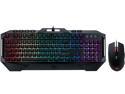
Rosewill FUSION C40 Gaming Keyboard and Mouse Combo, Mem-chanical Switches, 7 RGB LED Backlight Effects, 26-Key Anti-Ghosting, 6 Multimedia Keys, On-The-Fly Mouse 4000 DPI, Precision Optical Sensor
Pros: Was very cost effective and RGB works nicely to make keys readable without turning on other functions.
Cons: None really.
Overall Review: Very cost effective keyboard and mouse for what you get. You can get good keyboards and mice for less money.
9/16/2021See more detail
Great SSD
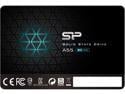
Silicon Power Ace A55 2.5" 1TB SATA III 3D NAND Internal Solid State Drive (SSD) SU001TBSS3A55S25NE
Pros: - Just as reliable as more expensive drives. - SATA-III is nearly universal to most systems. - Blazing fast reads and writes.
Cons: None
Overall Review: Bought this as a replacement drive and upgrade for my PlayStation 4. Games access data so much faster with an SSD on this console. This drive fits the bill and is very cost effective and performs well against more expensive solutions. A few screws and after reinstalling the PS4 OS update, everything ran fine.
12/13/2020See more detail