
Your Browsing History


Thomas B.
Joined on 10/30/04
0
0
product reviews
- 48
Best 8400GS?
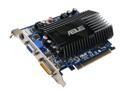
ASUS GeForce 8400 GS 512MB GDDR2 PCI Express x16 Graphics Card EN8400GS SILENT/HTP/512M
Pros: 512MB Ram, Silent, Pre-overclocked Pretty High. Good Temperatures!
Cons: None at all, really. I put this in my HTPC for the main reason that it provides the output connections I need to hook to my TV; and should provide a better image than the onboard nvidia 6100 I did have. I was also hoping this card, expecially because of it's high overclock, would be able to Run Guitar Hero 3 PC Game. It does run it on low settings, however, there is a very slight lag to it. It is playable, but not perfect. Not really a Con, but just know this isn't a Gaming Card. If you want a Gaming card get at least an 8600GT.
Overall Review: I have this in a SMALL HTPC case with very poor airflow, yet my temperatures are 45C Idle / 55C Max load. I find these temperatures pretty low as my 8800GT runs at 60C Idle / 80C Max load. This GPU is wonderful for an HTPC, or if you just want
5/8/2008See more detail
Not amazing, but ok
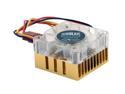
COOLER MASTER SLC-S41-U1 Aluminum Fan & Heatsinks
Pros: Nice small chipset cooler. Cheap price. Blue light.
Cons: NOT COPPER! On packaging this says product material: Aluminum! LOUD LOUD LOUD fan that vibrates whole computer and desk at 100% speed. Under 70% speed is still loud but no vibration, 50% speed it is ok.
Overall Review: Misrepresented item. It is an ok item but would be much better if copper.
2/27/2008See more detail
AWESOME Mobo!
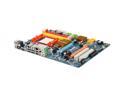
GIGABYTE GA-MA790X-DS4 AM2+/AM2 AMD 790X ATX Ultra Durable II AMD Motherboard
Pros: I purchased this mobo in 2/6/2008. I have used it in my main desktop computer ever since. It has seen many processor, video card, hard drive, and ram upgrades since I first got it. It is still running strong over 6 years later! I was thinking about upgrading recently and building a new computer from scratch, but honestly, my current built is so fast, there is no need to upgrade, and why fix something that isn't broken! I am truly amazed how long this motherboard has lasted and how well it has performed!
Cons: NONE
Overall Review: Current computer setup: CPU: Phenom II 945 RAM: 8GB DDR2 GPU: Radeon 6870 PSU: Thermaltake Purpower 500 HDD: Crucial M4 256GB
5/27/2014See more detail
Upgraded from AMD X2 6400+ 3.2Ghz Dual Core Processor
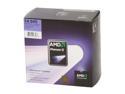
AMD Phenom II X4 945 - Phenom II X4 Deneb Quad-Core 3.0 GHz Socket AM3 125W Processor - HDX945FBGIBOX
Pros: Works in many motherboards, including older AM2/AM2+ motherboards. I have an older Gigabyte 790X motherboard(MA790X-DS4). I was looking for a new processor just beceause I had my AMD 6400+ for a few years now. Really, I didn't need to upgrade, but I wanted a quad core to maybe help shave a few minutes off video editing times. I didn't notice a huge increase in speed of my computer over the 6400+, in fact, all windows functions and normal programs seemed to fun the exact same. I did, however, find the 945 did speed up my video editing time(see other thoughts).
Cons: Wasn't a huge increase over my dual core AMD 6400+. Everything appears to run the same, but I do notice better video editing/creating times.
Overall Review: It used to take about 1 hour for my 6400+ processor to process a video file/create a video file that was about 10 minutes long. This new X4 945 does it in about 40minutes, so that is a nice time savor and worth the money I spent to upgrade! Plus now I can use the 6400+ in another computer build.
12/1/2010See more detail
GHWT was a joke...

Guitar Hero 5 Guitar Kit Game
Pros: none
Cons: With how HORRIBLE GHWT was for PC - I can't see myself every buying another GH product. In fact, I will never buy another game from the makers of GH(this includes all the companies that went into make it for the PC). Horrible companies that distrubute horrible products that don't work as advertised.
Overall Review: Stay away from this horrible brand of products! And NO, I don't have Rock Band, Never have. I was always a GH fan, but after their last releases, which REALLY LET ME DOWN, I can't even put money into these companies ever again.
4/9/2010See more detail
Power cord FRIED!
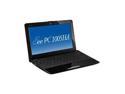
ASUS Eee PC Seashell 1005HA-PU1X-BK Crystal Black Intel Atom N280(1.66 GHz) 10.1" WSVGA 1GB Memory 160GB HDD Netbook
Pros: Great little computer. Netbooks are NOT super fast computers, don't expect them to run any 3D games! Sometimes youtube videos are even a struggle! But for on the go computing, this is a great device! Until the power cord burned out!
Cons: Slow speed, Why not give us a 2GHz processor at least? and 2GB ram standard? Power cord burned out! I gave 3 stars because of this; probably was a fire hazard, but luckily it just burned out and stopped working, without a fire. Other than that, the PC works fine for what it is.
Overall Review: So I have owned two Asus Eee PC's now for over 6 months. I have the 1101HA and this 1005HA. Today while using my eee pc, with the power cord plugged in, all the sudden my PC said it was on 'battery mode'. I was curious as it was plugged in, so I checked the cord, yup still plugged in. Then I picked up the block on the power cord, and it almost burned my hands! Hot enough to cook an egg! It burned itself out and most likely that was a fire hazard! Luckily I unplugged and no fire happened, but the AC charger is now no longer working(I haven't bothered trying it again, but I'd assume it isn't working, I don't want a fire so I'll just not try it).
2/28/2010See more detail