

Your Browsing History


Andrew S.
Joined on 08/01/05
0
0
product reviews
- 29
Great LCD Monitor
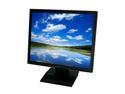
Acer 17" SXGA LCD Monitor 5 ms D-Sub V173 b
Pros: Clear, Bright, Large Display Area, Compact Casement and Quality Construction. Perfect for home or office. Price point was great, with free shipping at the time of purchase. My customers love them.
Cons: None
Overall Review: Thank you Acer and Newegg.com
9/25/2008See more detail
Great Drive Trays..!
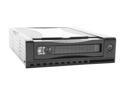
Athena Power MR-125B Black SATA Mobile Hard Drive Rack
Pros: Easy installation; Shallow depth so it fits almost all case/motherboard configurations; Excellent cooling characteristics; On/Off power button comes in handy should you need to shut down a drive for any reason when configured in a JBOD.
Cons: None
Overall Review: None
11/12/2008See more detail
Great Drive..!
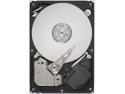
Seagate BarraCuda ES.2 ST3250310NS 250GB 7200 RPM 32MB Cache SATA 3.0Gb/s 3.5" Internal Hard Drive Bare Drive
Pros: Fast, Inexpensive, Quiet, Low Heat, Flexible - (able to set at 1.5 or 3.0) Have purchased several of these drives from Newegg with no problems at all. Recommended for primary drive, or secondary media storage. Great product from Seagate.
Cons: None
Overall Review: Have always used them in removable drive trays for added cooling; as with all my hard drive installations.
11/12/2008See more detail
Great Little Boards..!
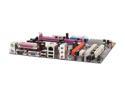
ECS GeForce6100SM-M (1.0) AM2 NVIDIA GeForce 6100S Micro ATX AMD Motherboard
Pros: Purchased two and the Installation war a breeze. After reading some of the other reviews I was a bit reluctant to make this purchase. I have had good luck over the years with ECS boards and although they all have there own idiosyncrasies, I have found them to be quite reliable. Installed XP pro on both without a hitch. NOTE: The “auto-run” feature on the supplied CD for driver installation “should not be used”. (will cause you endless grief). After XP has loaded, use the Start, Run, procedure to load the appropriate drivers to the operating system. XP pro had no problems when using this method. All drivers loaded well from included CD without having to update downloads from the web. <<IMPORTANT>> < Before you install anything > Make sure you recycle the CMOS jumper to the off position several times for a period of at least 5 to 10 seconds each, leaving it in the normally on position. This should elevate almost all the problems others have had with unrecognized memory, CPU voltage,
Cons: Supplied CD could use some help.
Overall Review: Great inexpensive board.
11/5/2007See more detail
Great for the Price..!

KINGWIN KF-72-BK Black HDD Mobile Rack
Pros: I have been running five of these trays for about eight months without any data problems. Would not build a PC without a Kingwin drive tray installed. This drive tray is also a great security feature if you are looking to make your PC inaccessible to others while you are away. (PC will no longer see the hard drive with the key selector in the off, or remove tray, position). Some reviews have stated that these trays are too deep or large for smaller non-tower cases. An easy fix for this problem is to remove the fan, (one small screw), as well as some of the excess plastic mounting structure that impairs the installation. (use the hand tool of your choice). I have used this procedure on many occasions and found it to work well with the added benefit of additional cooling for the hard drive installed.
Cons: The SATA models seem to have a problem with the Hard Drive LED. Intermittent operations of the hard drive LED are a bit disturbing at times. PATA drive trays do not have this bug and both LED's work extremely well.
Overall Review: Buy one..! You will enjoy all the added features they offer for easy computing.
11/5/2007See more detail
Great Sticks..!
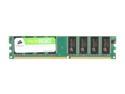
CORSAIR 1GB DDR 400 (PC 3200) Desktop Memory Model VS1GB400C3
Pros: As always, Corsair Mem is great..!
Cons: None
Overall Review: Haven't found a board that doesn't like it..!
10/31/2007See more detail