




 here!
here!
I’m your shopping assistant for PC builds, upgrades, and everything tech.
Got questions? Ask away!
Start a conversation
here!
I’m your shopping assistant for PC builds, upgrades, and everything tech.
Got questions? Ask away!
Start a conversation

Joined on 04/22/04
Super cheap, works great
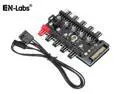
Pros: Cheap Works What more do you want?
Cons: None so far
Overall Review: So at first I was kinda bummed that my MB utility wasn't seeing the fan RPM from the hub. I figured maybe it just didn't do that, not a big deal, the PWM control was working properly so whatever. Then I read in the specs that it only reads the RPM on the #1 connector, and I had plugged my fans into the other side. Fixed that, and bam, it sees the RPM now. So yeah, don't be an idiot like me and all should be good.
Great board, zero issues so far
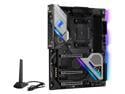
Pros: Attractive design (I think anyway) Future proof Decent RGB
Cons: RGB software is meh Wish there was a no-wifi version for less money Have to disassemble chipset cooler to get to M.2 slots
Overall Review: I like it overall and haven't had any problems. I would probably rate it 4 stars, but as usual I feel the need to offset some of the 1 star reviews for stuff that isn't ASRock's fault. I have not had any issue with fan noise, and my case is a O11 Dynamic XL sitting right next to me. I have a CM Hyper 212 CPU cooler, and four Corsair ML120 case fans. All those, and the Taichi's chipset fan, are near silent even under load. The loudest fan in my system is the power supply, it squeaks a bit because it's old, and it's on the opposite side of the case from where I sit. Having the M.2 slots underneath the MB armor is a bit annoying. Have to unscrew the whole thing and pull it off. And while you can secure the M.2 drive(s) with a tiny screw as usual it's best to not to do that so they make good solid contact with the heat pad on the bottom of the spreader. However, pulling that off is tricky, as the drive will be sticking up a bit and you don't want to knock it out of alignment while positioning this big metal plate. I think it's a very good design from a thermal standpoint, just a little difficult to work with. But you won't be doing that a lot, so whatever. The drivers are a bit confusing, at least at first. The first thing to install says AMD Radeon, and I skipped that because I have a Nvidia GPU. Then a bunch of "unknown device" stuff was in device manager. The AMD all in one driver is necessary, even though it kinda looks like a GPU driver at the first screen. It won't install the Radeon stuff unless it detects a Radeon card. RAID software is a bit wonky too, you may end up having to manually update drivers for that before it will work. Look in device manager for any unknown stuff, especially SCSI controller, RAID controller, things like that. Download the "SATA Floppy Image" driver from ASRock's site, update the drivers for the unknown devices by pointing them to the files in that download. Keep doing that until there are no unknown, or generic devices in device manager. And if you're trying to create an array and install Windows on it you'll need to point windows to those files during install. I've rambled on enough, it's a good board that doesn't lack anything really.
Amazing phone for the money
Pros: Great price. Unlocked, works on all carriers. Not much bloatware.
Cons: If it was 2X or probably more like 3X the price there would be features it lacks compared to the competition. But at $229 there are no cons. I'm very happy with it.
Overall Review: As for returns, Newegg DOES take them back. It's replacement only, but for you guys complaining about having to go through Motorola for a DOA phone I guess you didn't read the return policy.
Great laptop
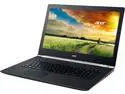
Pros: IPS screen, really nice. Didn't realize how much the standard LCD screens suck until I got this. SSD hard drive, this thing is screaming fast.
Cons: This isn't the absolute top of the line when it comes to gaming, graphic performance. It's very good, will run most anything at reasonable levels, but perhaps not at max. For the price this isn't really a con. The keyboard backlight is a bit much. Light bleed from the edges of the keys is distracting. Not a big deal. Windows 8, hate it, but that's the way it goes.
Overall Review: This is a really nice laptop. I have an older Acer from about four years ago that's still going strong, never had any issues with it. The Nitro has terrific performance, no regrets at all.
Good printer
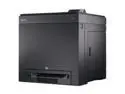
Pros: Good quality output.
Cons: Big, heavy for home use. But I knew that going in. 600X600 dpi, on the low side for modern printers. That said it produces nice crisp graphics. That resolution on a standard letter page is fine unless you're wanting to do high end photo reproduction.
Overall Review: To the person mentioning that it needs a dedicated circuit, it doesn't. Continuous power use is rated at 520w, which is on the high side. But your PC is probably pulling close to that already, maybe more (mine has a 700w power supply). If it's tripping the breaker then your circuit was pretty close to overloaded already. A standard 20 amp circuit will hit close to 2400w before tripping. And it doesn't trip instantly, you actually have to exceed that quite a bit for a few minutes before it trips.
Great board
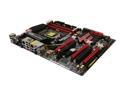
Pros: Solid components, well built board with every type of connection you'd ever want. And some you'll never use, lol. So far mine has been rock solid, even with some fairly high overclocks. Z68 Chipset, very nice. Very flexible and future proof. Although it remains to be seen how well the PCI-E 3.0 compatibility will work. Board layout is nice. I have yet to find one that is perfect, but this one avoids the more common issues. I really appreciate the SATA ports pointing forward instead of straight up.
Cons: Pricey. I have to wonder if $50 or so of the price isn't simply due to the fact that it's branded a Fatal1ty board and/or just a premium for being at the top of their lineup. Still, not a serious complaint, it's not lacking in features. Documentation. The Engrish docs are pretty bad. I wanted to set up my two SSDs in a raid 0 config. Questions like which SATA ports belong to which controllers aren't explicitly answered. The instructions for setting up raid are full of holes. Had to do a lot of guessing. For a premium board like this I would expect better documentation. The third video card slot is useless in most cases. Not a big deal for me since I don't plan on using it, but if you want to use a double width video card in that slot your case has to be larger than the standard ATX layout. While that is annoying I don't really see how it could be avoided either. Three modern video cards take up a lot of room.
Overall Review: This is my first ASRock and I'm loving it. Would definitely buy from them again.


