
Your Browsing History


Benjamin Y.
Joined on 06/25/10
0
0
product reviews
- 20
YOU CAN ALTER VCORE
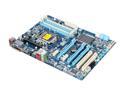
GIGABYTE GA-Z68A-D3H-B3 LGA 1155 Intel Z68 HDMI USB 3.0 ATX Intel Motherboard
Pros: this motherboard has been everything i've ever wanted.
Cons: absolutely none whatsoever. it's been a dream.
Overall Review: THIS BOARD DOES OVERCLOCK. certain people on here have not spent time to take a second look at their bios. the people saying that you cant alter the vCore are WRONG. i currently am using this board with my 2500k overclocked to 4.7 with a vcore of 1.4. THERE IS LITERAL NO VCORE OPTION. but what we have is DYNAMIC VCORE in voltage control. you pick increments of voltage to add or subtract from your vcore. simply bump your multiplier up one at a time while stress testing in between. eventually stock voltage wont do it for you any more this is where you bump up your DYNAMIC VCORE. then continue to overclock. it's really not that difficult and people who are claiming that you can't change core voltage clearly didn't read their manual nor look on the internet for help. you're welcome.
7/21/2011See more detail
Bummer
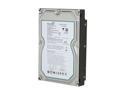
Seagate BarraCuda 7200.11 ST3500620AS 500GB 7200 RPM 16MB Cache SATA 3.0Gb/s 3.5" Internal Hard Drive Bare Drive
Pros: Solid and cheap. Awesome storage:price ratio.
Cons: I ordered two of these suckers and they worked just fine for months. now i just ordered two more and one came with a broken power connector and the other keeps failing after installing windows.
Overall Review: going to try and submit an RMA and hopefully it goes through even though the product is now deactivated.
2/12/2011See more detail
Heads Up!
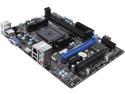
MSI A55M-E33 FM2+ / FM2 AMD A55 (Hudson D2) HDMI Micro ATX AMD Motherboard
Pros: Cheap. Came in a bundle with a 5800K for $300, it's a total bargain.
Cons: There's a lot of people reporting weird but fairly critical issues with this board. Mine in particular had a problem with video output. About every 15 seconds, the display would blink out and come back. After getting Windows up to date and installing the newest APU drivers, chipset drivers, and anything else I could find, the issue persisted. As a last ditch effort before sending out for an RMA, I updated the BIOS, and boom: flawless operation after that.
Overall Review: Usually I don't install anything off motherboard CDs but the MSI update utility is actually quite useful. It scans your hardware and phones home to MSI to check for software/driver/BIOS updates.
7/26/2014See more detail
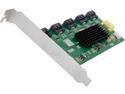
SYBA SI-PCI40074 SATA III (6.0Gb/s) 1:5 (5x1) Internal SATA II Port Multiplier (PM)
Pros: This is more just to point out the flaw in the previous review. The idea is that you're splitting a SATA III connection down to five SATA II connections. So you'd be choosing 5 1.20Gbps drives instead of 1 6Gbps drive. So if you're plugging this into a SATA II port, you're getting 5 .6Gbps drives. Keep in mind, these are all theoretical numbers.
Cons: ...
Overall Review: Keep in mind, these are all theoretical numbers and largely depend on many factors not controlled by this card itself.
12/23/2013See more detail
ALMOST perfect
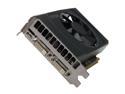
EVGA GeForce GT 640 2GB DDR3 PCI Express 3.0 x16 Graphics Card 02G-P4-2643-KR
Pros: Beautiful little card. Pumps out Starcraft 2 on medium settings with ease and runs my dual monitor setup nearly flawlessly(see cons). Runs incredibly cool and NEEDS NO EXTRA POWER so that's great for people missing 6-pin connectors and trying to beef up an old machine.
Cons: I have a weird issue where it won't show any display until Windows is fully loaded, but only while using two monitors. Seemingly, a hardware issue. No skin off my back because this is only a temporary card for me, but something people should know.
Overall Review: I bought this card because I was caught in a limbo of selling my 470 and purchasing a 670. Don't expect to be maxing out any current games but it's perfect for a high-end media center or breathing new life into old machines. Would definitely recommend for a budgeted gamer or workstation build.
7/13/2012See more detail
What?
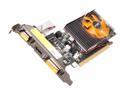
ZOTAC GeForce GT 520 (Fermi) 1GB DDR3 PCI Express 2.0 x16 Low Profile Ready Graphics Card ZT-50603-10L
Pros: ok listen.
Cons: just wanted to wipe the last comment on the page.
Overall Review: DO NOT (as that poster said) EVER RUN ANY KIND OF MASS DRIVER INSTALLER. DRIVERSWEEPER IS INSTANT VIRAL INFECTION. thanks, your local computer repairman.
1/11/2012See more detail