
Your Browsing History


THADDEUS G.
Joined on 08/23/13
0
0
product reviews
- 3
Works as intended
![ORICO 4 Bay External Hard Drive Docking Station USB 3.0 to SATA I/II/III for 2.5''/3.5'' HDD SSD with Hard Drive Clone Function Slope Design Support UASP [4 x 20TB]-6648US3](https://c1.neweggimages.com/ProductImageCompressAll125/1B0-0003-000F8-01.jpg)
ORICO 4 Bay External Hard Drive Docking Station USB 3.0 to SATA I/II/III for 2.5''/3.5'' HDD SSD with Hard Drive Clone Function Slope Design Support UASP [4 x 20TB]-6648US3
Pros: Allows me to have 4 drives through a single USB 3.0 port.
Cons: Didn't saturate the USB 3.0 port.
Overall Review: It did as well as I expected. Since I'm using this for backups of a network shared drive, the fact that it doesn't saturate the USB 3.0 port is a non issue. It gives me most of the 1000Mb/s (125MB/s) speed that my network is very capable of. My tests mainly used 4 4TB drives that performed at 150MB/s each and 550MB/s when in a Stripped Storage Space on a Sata channel. On their own and in a pool they only reached 100MB/s through this adapter. I'm assuming this is the cap. I didn't bother using a SSD since I have another ORICO product that encloses that and it gives me 350MB/s (Sata gives 550MB/s) which leads me to the conclusion that this is a USB 3.0 problem. Please note that all of these tests were on the same system. My network usage wasn't tested. I used Crystal Mark for the benchmarks. If someone is using a pooling solution for backups, this is a decent product. If you want speed, use a SAS enclosure. I was a bit annoyed that it didn't have an eSata port like it's smaller siblings. That's on me for making a bad assumption. I wonder how it would have fared over eSata.
8/28/2016See more detail
Works great
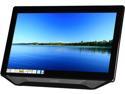
Hanns-G HT231DPBU Black 23" Touchscreen Monitor Multi-Touch (10 points) 250 cd/m2 80000000:1 Built-in Speakers
Pros: Very reactive. Bright and clear. At least two point touch works. The screen is well build, though the boarder is a bit much. The touch screen is easy to use and is detected in Windows 7,8, and 8.1. It is also detected in Ubuntu, Kubuntu, Mint [KDE], and Mint [MATE]. Windows 7,8, and 8.1 can use swipe. I actually like the kick stand. By default, it pitches the screen to about 70 degrees. It makes it so it doesn't feel like it's going to fall down when I swipe or poke the screen. When I use this monitor on my bed, I can extent the distance and the monitor can stay standing on an unstable surface. The headset port is a nice touch. Good if someone wants to use the speakers on the monitor but then later needs quiet in the room.
Cons: -- Monitors/Packages Fault -- The monitor comes with a VGA cable. I don't think there are many people buying a 23" touch screen that lack a DVI input port on their systems. More to the point, I have eight VGA cables. I have one DVI-D to HDMI cable and I gave my other DVI cable to my sister. I had to buy both. Worse yet, I can't aWay the vga cables away (due to market saturation) to buy another DVI cable. Please start shipping DVI cables. Speakers are business laptop grade. They're ok, but I wouldn't bother with them. A fifteen dollar pair will go further. Ditch the speakers and include a DVI cable. The screen is heavy. Not so much an issue since it's meant for a desktop. The boarder around the screen is a bit crazier than normal. It's 1-1/4". My AOC is 3/4". -- Not Monitors Fault -- Linux isn't as far along as Microsoft when it comes to touch. Debian 7.3.0 (Gnome) outright lacks any touch support. All Ubuntu derivatives have click and double click, but lack any sort of swipe support. They also lacked a preinstalled onscreen keyboard, which is odd since most distro's come packed with a ton of stuff I don't want. To install a keyboard (Ubuntu based only) run "sudo apt-get install onscreen"
Overall Review: I purchased this monitor for a laptop. The screen on the laptop stopped working due to some issue not involving the screen, the inverter, or a hard reset. After taking it to three repair shops who all wanted ~70USD/h and all wanted to test/swap the screen/inverter at my cost even though I was holding the old inverter in my hand, I got a bit fed up. I'll be honest. I use my laptop for opnr. That, and I'm broke. So I came up with the idea to replace the screen with a touch monitor. The idea was, I could place the laptop on a nearby surface and use the monitor exclusively. I've spend the last week working out how to do it. It's been rough. So, my end results -- the monitor is too big. It's a pain to prop on an unstable surface. It works, but I feel like I'm trying too hard. I didn't consider that a laptop sits further away due to the base and a touch screen would need to be as close as the keyboard was. So I have a 23" monitor about two and a half feet away from my face. My idea failed. But! I learned a lot. Science got done and I made a neat blog for the people who are still alive. I tried to use it with my normal desktop software, Irfanview, CDisplayEX, and MPC. Swipe is a no go with Irfanview due to mouse clicks being in reverse. The newest version of CDisplayEX works great with swipe. MPC is always good. I ended up using a student copy of 8.1 and moving from the safe harbours of 7 to the dead lands of 8.1 for the windows 8.1 picture viewer. I had to replace Irfanview with that. The 7 version doesn't have a way to set fullscreen on open options, nor a way to quickly close it once at the end of a long list of pictures. Sliding from top to bottom closes a windows 8 application. I wish CDisplayEX would have this as an option. I hate ALL cbz viewers on the Microsoft store. All is not lost however! I like the monitor so much that I'm going to replace my AOC and use it in place. That is if my sister doesn't buy it off me. She used Photoshop CS6 on it for a few hours and positively loved it. Now that I know that a 23" monitor is a no go, I'm going to look into smaller ones. I'm thinking a 15" on it's side would be good enough for Manga. If I could find a way to rotate the screen with a five point touch, that would be great. I say, this monitor is great. There is no reason to remove an egg. The problems mentioned above are minor at worst and easily over come. I give it 5/5.
2/4/2014See more detail
When it finally works, it works well.
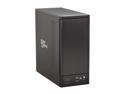
Sans Digital 8-Bay eSATA RAID 0/1/10/5/JBOD Tower Storage Enclosure w/ 6G PCIe Card TR8M+B (Black)
Pros: Adds 8 drives to any PC with another PCI-Express 2.0 x1 Slot to spare.
Cons: Included HighPoint RocketRAID 622 Card won't run in Debian 7 or Mint 15 without rewriting the drivers.
Overall Review: When I first bought this I has the displeasure of a malfunctioning bottom multiplier board in the enclosure. It took me five months to have it replaced. I spent the first month in emails with a RMA agent who walked me through every test I had already performed and mentioned in my initial report before finally agreeing with me a solid month later. It took four months to arrive at my office. When I replaced the board the enclosure worked, but still had one issue that was related to the included card. During a large file transfer the multiplier board would do a re-sync every few minutes which would lock the computer up. I finally figured out that I needed the newer 1.3 drivers that were on the HighPoint website as the ones included on the CD were horrendously out of date. Once I had the drivers updated to 1.3 the enclosure worked fine. I did try using the included raid features but learned quite fast that it wasn't a good idea. Raid 0 overloads the card, Raid 5 shouldn't be attempted for any reason. The card and enclosure work best on Windows 7. Linus support isn't. The drivers aren't in the Linux distro and compiling them on anything newer then Debian 5 won't. Rewriting the drivers may work but due to DMCA the drivers have to be rewritten by the end user and the rewrite is a few hundred lines. Needless to say, I'm using this in Windows 7 x64. I hope newer drivers are written for Linux but I'm not holding my breath. All in all, a good purchase. I wish I had opted for one that had USB 3.0 so I could break away from the included card for a more universally accepted protocol.
8/23/2013See more detail