
Your Browsing History


Jason F.
Joined on 02/18/03
0
0
product reviews
- 11
Does the Job
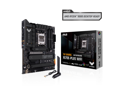
ASUS TUF GAMING X670E-PLUS WIFI AMD X670 AM5 Ryzen Desktop 9000 8000 & 7000 ATX motherboard 14+2 Power Stages, PCIe 5.0, DDR5, 4x M.2 slots, USB 3.2 Gen 2x2 Type-C, USB4 support, WiFi 6E, 2.5Gb
Pros: Nice layout, plenty of connectivity and storage options
Cons: Memory issues (get into that later). Really Asus, you put it into your Bios to download Armory Crate? I get that it's useful, but you shouldn't try to force installs of your extra software.
Overall Review: Only real problem I had with the board was whatever stick of memory I had in slot 4 would only show up as a generic 2gb stick. It would do the same thing if I swapped the sticks (always in slot 4) so I know it wasn't the ram. Got onto an Asus support chat and they recommended flashing the latest beta bios as it had a new AGESA and that did the trick. I normally don't like beta Bios, but in this case it was a necessity.
10/9/2022See more detail
Not as Advertised
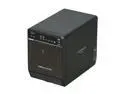
Mediasonic HF2-SU3S2 Metal 3.5" Black SATA I/II/III USB 3.0 & eSATA 4 Bay External Enclosure
Pros: It will connect with all four drive positions filled via eSATA (if you use a port multiplier compatible controller) and work just fine.
Cons: Like others, I have yet to find a usb 3.0 controller that does not drop out with this item connected to it. It makes long file transfers from either direction unusable. It is advertised as a USB 3.0 device, but if it can't hold a stable connection, even with the exact card and firmware the vendor specifies in their tech support, then that feature does not work.
Overall Review: I still use the device by an esata connection, to hold backup drives but consider the device a failure for it's purchased purpose (a flexraid media server). Just make sure of your expectations prior to purchasing.
10/29/2012See more detail
Worked Fine
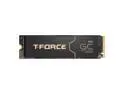
Team Group T-FORCE GC PRO M.2 2280 4TB PCIe Gen 5.0x4 with DRAM CACHE with NVMe 2.0 3D NAND Internal Solid State Drive (SSD) TM8FFL004T0C129
Pros: Just got through cloning my sons system drive to this one, via an external enclosure and not so much as a hiccup. Given the heat involved in transferring a full 2tb drive, that's an accomplishment.
Cons: Got a bit hot in the transfer process while cloning the system drive to it, but it was in an external enclosure. Not much heat dissipation in those, so I'll give it a pass. I have no doubt it wouldn't get as hot in a proper slot, with heat sink, on a mainboard.
Overall Review: Good drive for the money.
12/11/2024See more detail
So Far So Good
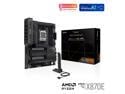
ASUS ProArt X870E-CREATOR WIFI AMD AM5 X870E ATX Motherboard PCIe 5.0 x16 slots with full support for next-gen GPUs, 16+2+2 power stages, DDR5, dual USB4, 10 Gb & 2.5 Gb LAN, WiFi 7, four M.2 slots
Pros: Lots of high bandwidth USB ports, 3 PCIE slots (if you need them) and good UEFI updates as the AGESA gets updated.
Cons: Only thing I found questionable was the first boot. I have built AMD DDR5 systems before, but have never had them take as long to train memory as this one did. It was so long I ended up turning it off and put a lower total size kit in, to see if it made a difference. The first kit was 2x32gb and a 2x16gb kit made it only about a 5 minute wait. I had updated the UEFI via the BIOS flashback feature, so it had to finish the update and reboot again after memory training finally was done. I was later able to put in the 2x32gb kit and it booted with only a minute or two of training. May have been the perfect storm of a pending update and large memory kit, may have been something else. In the end it worked fine. System was as follows Asus ProArt X870E MB AMD 9950X G Skill Trident Z5 Neo 2x32 kit Corsair MP700 M.2 2tb system drive Crucial 4tb M.2 D: drive AMD 7900XTX Graphics Card Fractal Designs Meshify 2XL case
Overall Review: Overall I would give this board an excellent rating, only thing that really wasn't picked up by windows after the board exchange was the 2.5gb NIC. Make sure you have that driver downloaded beforehand or have another computer to do it on (if your hardwired). This is not an ASUS problem, but a Microsoft one. I mean it's an Intel NIC, it should be picked up.
12/10/2024See more detail
Mostly Good
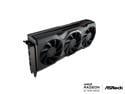
ASRock Radeon RX 7900 XTX 24GB GDDR6 PCI Express 4.0 Video Card RX7900XTX 24G
Pros: Fast as a thief, installed quite easily with running DDU first.
Cons: Does not always go to sleep properly, sometimes requiring a reboot to get out of sleep. Not every time thankfully
Overall Review: Overall it's a good card. I'm not going to get into what stepping AMD used for its chips, that's kind of beyond this kind of review. At $999 its a good deal compared to the 4080 at $1200 plus, take that away and price them the same I would probably go for the 4080.
12/18/2022See more detail
Good Product
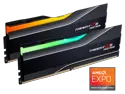
G.SKILL Trident Z5 Neo RGB Series AMD EXPO 32GB (2 x 16GB) 288-Pin PC RAM DDR5 6000 (PC5 48000) Desktop Memory Model F5-6000J3038F16GX2-TZ5NR
Pros: Works well, fast as a politician's hand in your wallet.
Cons: DDR5 seems a little flakey, but I don't think it's this ram.
Overall Review: Was getting initially a bug where only 2gb would be recognized in slot 4 of my Asus motherboard. I knew this wasn't the ram as when I swapped slots it still did it in slot 4. A beta bios with a new AGESA cleared it up, so if you run into that, don't automatically blame the ram.
10/9/2022See more detail