




 here!
here!
I’m your shopping assistant for PC builds, upgrades, and everything tech.
Got questions? Ask away!
Start a conversation
here!
I’m your shopping assistant for PC builds, upgrades, and everything tech.
Got questions? Ask away!
Start a conversation

Joined on 09/20/08
Works but speed limited because of intel 6th Gen platform
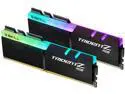
Pros: RGB 3600MHz 16-16-16-36 looks very fancy
Cons: RBG not compatible with iCUE since it only works with Corsair products, I used the G.SKILL Trident Z Lighting Control software instead and it works I was unable to go past 3100MHz with my 6700k and my EVGA Z270 FTW K so I'm guessing it's a hardware limitations, it's not a RAM issue
Overall Review: it's still an excellent product and I'll do an updated review when I upgrade my system soon
Execellent Keyboard

Pros: Quality RGB Hot-Swappable switches RGB software is easy to use Better value
Cons: custom profiles can't be saved to the keyboard's firmware...for now swapping out the switches is difficult
Overall Review: I enjoy using this keyboard and it was the best value for a premium product, I wish evga would update the rgb software so I can save my custom profile to my keyboard without having to rely the software running all the time
Works with my dell 7567
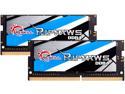
Pros: Best value and better value when on sale Tighter cas timing More responsive
Cons: None
Overall Review: It takes a minute or two for my laptop to recognize the ram for the first time then boots up normally I’m using the latest bios
Best Cheap 120mm Blue LED Fans
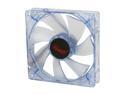
Pros: -Bright Blue LEDs -Quiet-ish -Lots of Airflow -Long Sleeve Cable
Cons: -LEDs becomes dim over time (I had my 5 fans for over 7 months now and I realize it's half the brightness at full speed now when I first got back in January) -slightly loud when using lots of fans like around 3-4 or more
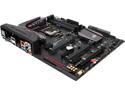
Pros: DDR 4, dark theme and not too bright, 8 sata III ports, 8 USB ports, leds, pci-e 3G, M.2 slot, fancy bios, runs a lot cooler compared to my 2600k system
Cons: 1. I get 101 and 124 Windows 7 BSOD only on idle even when it's overclock or on stock settings but I set the CPU idle state to 100% and it seems to fix it 2. Ubuntu 15.10 64Bit kinda works but it lock/freezes up then it auto restart around 5-30mins (could be that OS doesn't fully support skylake platform yet) 3. no AUX power connector for muli-gpu setup
Overall Review: (CPU Idle with 5% state: 15C, CPU Idle with 100% state: 20C, Full Load: 70C) CPU: 6700K OC at 4.8GHz (1.392V) CPU Cooler: Corsair H100i Motherboard: ASUS Z170 Hero (BIOS Version 1102) Case: CM690 II Advance GPU: EVGA GTX 970 SSC (3975) in SLi SSD: Samsung 840 EVO 256GB HDD: 2TB WD Black, 2TB WD Green
best 3.5" USB3.0 card reader
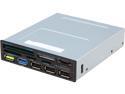
Pros: every thing works without a problem
Cons: non


