
Your Browsing History


John S.
Joined on 04/20/01
0
0
product reviews
- 17
This Is A Great Motherboard at an Economical Price
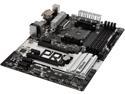
ASRock X370 PRO4 AM4 AMD Promontory X370 USB 3.1 HDMI ATX AMD Motherboard
Pros: [I was never very happy with my first review of this motherboard; so, I'm starting over.] This is Asrock's "budget" X370 motherboard, which is perhaps made clear by the graphics ports on the back that can be used by AMD processors with integrated graphics. While the "premium" motherboards offer more features, unless you specifically need some of these, this more economical motherboard may be the better choice. In my case, I felt it would be a good match for my "budget" CPU, a Ryzen 5 2600. Although not overly expensive, this motherboard appears to be well designed and well built. A new chipset, X470, was released to accompany the new 2000 series Ryzen processors; however, these new X470 motherboards tended to be fairly expensive at the time that I was shopping for something to use with a Ryzen 5 2600. This less expensive motherboard supports the new Ryzen 2000 series processors out of the box with a "2000 Ready" BIOS. The BIOS offers plenty of options for most overclockers, and the motherboard works well with AMD's Ryzen Master utility.
Cons: As a result of this board having 3 graphics ports on the back, a few other ports seem to have been crowded out. There are only 3 audio ports (line in, microphone, and front speakers). You will need to connect a case HD audio port, in order to get a wider range of analog audio connections. There is only one PS/2 port (though this is a minor issue). This board is a bit narrower (front to back) than regular ATX boards; consequently, the side closest to the front of the case, doesn't reach any standoffs for support. This leaves that part of the motherboard, with the RAM slots and the main power connector, only partially supported; so, it will flex under pressure. I can't find any reason to recommend Asrock's A-Tuning overclock utility. (AMD's Ryzen Master seems to be a better choice.) The USB 3.1 ports are Gen. 1 (5 GB/sec), not Gen. 2 (10 GB/sec). I ran into a problem accessing the Asrock Rebate Form (clicking on the link deadends at a 404 error page). It turns out that the problem was with the hyperlink in the PDF instructions on Newegg's site. This link misdirects you to an address ending in ".asp2". I had to remove the 2 from the end of the address in order to get to Asrock's online rebate form. Asrock responded to my email about this issue within 24 hours, which I find acceptable. I tried to contact Newegg about this, but their customer service was backed up with long wait times (both chat and phone).
Overall Review: The motherboard came with BIOS version 4.50, which supports the Ryzen 2000 CPUs, but there is an updated version available, version 4.70. I noticed that the fan controller defaults to monitoring the "CPU" instead of the "Tctrl" temperature. I believe that the Tctrl temperature is the better one to monitor for this purpose. It tends to be significantly higher than the CPU temperature. I assume that the lower "CPU" temperature is more like a motherboard socket temperature, while "Tctrl" is an internal die sensor.
5/24/2018See more detail
Not quite what I expected
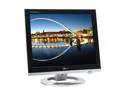
LG 19" Active Matrix, TFT LCD SXGA LCD Monitor 8 ms D-Sub, DVI, USB L1920PQ
Pros: This is a stylish looking monitor, and it comes with both DVI and Analog video cables. It also includes a USB cable for hooking up the USB ports on the monitor to your computer. Up against comparable LCD monitors, i.e., those with TN panels, it is a very nice option. There is only slight blurring when watching fast action, such as the wings on the dragon in the 3DMark Dragothic benchmark, which makes me think that the listed 8ms response time is accurate.
Cons: The specifications on this monitor might lead you to believe that it is using a PVA or IPS panel (i.e., 16.8 million colors and 170 viewing angles for both horizontal and vertical), but I don't think this is the case. It shows the characteristics of a TN panel, instead. In particular, when you view the monitor from an angle below straight-on, the image quickly darkens. While the image remains viewable from the side fairly well, it takes on a yellowish tinge, which again is characteristic of TN panels. There also is a slight amount of backlight bleed along the edges of the screen, but this is really only noticable with a black screen, such as seen during bootup.
Overall Review: I would have rated this monitor higher if the spcifications were more in keeping with what this LCD actually delivers. In other words, if this monitor was listed as 6-bit plus FRC and with a vertical viewing angle that is less than its horizontal viewing angle, I would have known better what to expect, and I would have rated the monitor differently based on those expecations. LG's website doesn't have any information available on this particular monitor. They list a L1920PL, but this appears to be a very different monitor, as they specify it as having a 25ms response time. I suspect that the L1920PL does use something other than a TN panel, but I've not seen one.
5/25/2006See more detail
More a preview as I haven't been able to install yet.
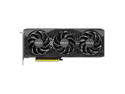
PNY GeForce RTX 5070 OC 12GB 192-Bit GDDR7 PCI Express 5.0 DLSS 4.0 Graphics Card
Overall Review: I haven't been keeping up with the computer graphics card scene lately (this card is meant to replace a RTX 2060), and I didn't do my due diligence with regard to "16 Pin (12+4Pin) 12VHPWR Power Supply Adapter is NOT included." I assumed my recently purchased Corsair RM1000x had such a connector, but it didn't, which meant I needed to add about $33 to cost of this product to get such a connector from Corsair. I just wanted to help prevent someone else from making the same user error that I did. Make sure your power supply does have such a connector. If doesn't, research the cost of getting hold of an adapter; it might be costly enough to take a pass on this refurbished item and go for a full retail item that does include the adapter, instead. I intend to update with a proper review after I get my necessary power connector from Corsair.
9/18/2025See more detail
Capable of More Than DDR4 2400
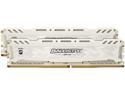
Ballistix Sport LT 8GB (2 x 4GB) DDR4 2400 (PC4 19200) Desktop Memory Model BLS2K4G4D240FSC
Pros: As part of a budget-limited CPU, motherboard, and memory upgrade to my current system (trying to stay under $400, total), I bought this memory kit. Ideally, I would have picked up a DDR4-3200 2x8GB kit, but I went cheap, for now, hoping to make do with this, until some indefinite time in the future. I tend to have a positive bias in favor of Micron; I like that they make both memory chips and modules. So, I was hopeful that these memory modules would be capable of some decent overclocking, and this has proven to be true. DDR4-3200 speeds seem to be too much to ask, but they work well at DDR4-3066. At this speed, I currently have the timings set to 15-16-16-16-35-51-1T at 1.325 volts with DDR4's Gear Down Mode disabled.
Cons: No cons, really, except maybe to wish memory prices were lower.
Overall Review: I am using this memory on an Asrock X370 PRO4 motherboard with a Ryzen 5 2600 CPU. AMD uses DDR4's "gear down mode" by default at speeds of 2666 MHz (and over). It seems to function as an alternative to using CMD 2T. One thing to be aware of is that gear down mode will round up some odd numbered timings, such as CAS, to an even number. When I am toying with different memory speeds and timings, I boot directly to CD or USB stick with MemTest86 on it, to test for stability. This way I don't have to worry about corrupting anything on my OS drive; plus, MemTest86 provides a quick measurement of memory bandwidth.
5/23/2018See more detail
A Great Budget CPU

AMD Ryzen 5 2nd Gen - RYZEN 5 2600 Pinnacle Ridge (Zen+) 6-Core 3.4 GHz (3.9 GHz Max Boost) Socket AM4 65W YD2600BBAFBOX Desktop Processor
Pros: I purchased the Ryzen 5 2600 as part of an upgrade for my aging Phenom II X4 960T computer. I was trying stay in the $300-$400 dollar range for this upgrade, which ended up including the Asrock X370 PRO4 motherboard and Crucial's Ballistix Sport DDR4-2400 (2x4GB kit). I had originally been looking at the Ryzen 5 1600, but the recent availability of the Ryzen 5 2000 CPUs tempted me into taking advantage of their modest improvements. I also considered Intel's 6 core, i5-8600K, but the Intel solution pushed my budget envelope even more. (Beyond the cost of the processor itself, the Intel motherboards tended to be more expensive, and a third party heatsink was required.) Despite the 2600 running at about the same speed of my 960T (the 960T was overclocked to 3 .8 GHz when running four cores and 3.6 GHz when running 6 cores), I estimate that the 2600 delivers close to 50% more computing power than the 960T. World of Tanks, for example, had been CPU bottlenecked by the 960T, but that is no longer the case with the Ryzen 5 2600. Although the 2600 chip is capable of 3.9 GHz boost speeds, I more typically see long-term boost speeds of 3.65 GHz while playing WoT, for example. More importantly, this processor is doing a much better job of balancing workloads across cores. The 960T tended to bottleneck WoT, in large part, because it had one core running at 100%. The 2600 does a much better job of using all available cores. I experienced no difficulty running this CPU on a X370 motherboard (that came with a "2000 ready" BIOS installed).
Cons: The weakest aspect to the 2600 retail package is the Wraith Stealth heatsink. This cooler consists of a 90 mm fan mounted on top of a round aluminum heatsink that stands only 20 mm tall (about 3/4 of an inch, not counting the fan). Part of the disappointment is that this is a step down from the Wraith Spire cooler, which the Ryzen 5 1600 comes with. The Stealth cooler is adequate for everyday use. (For example, while playing WoT, which only uses about 30% of the CPU's capacity, the temperatures were around 60-65 deg. C.) However under more intense workload, such as Prime95, the temperatures were up close to 80 deg. C. This high temperature is not enough to cause thermal throttling, but it made me uncomfortable. I suspect that other heavy workloads, such as a video encoding project, would lead to high tempertures, as well. It probably could go without saying (as it is generally true for all stock heatsinks), but I would not use this heatsink for overclocking and certainly not at voltages beyond the default setting.
5/23/2018See more detail
A Good All-Around Monitor
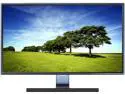
SAMSUNG 23.6" PLS LCD Monitor 4 ms D-Sub, HDMI SE390 Series S24E390HL
Pros: I bought this refurbished monitor two months ago, which seems to be long enough to be able to say that it turned out to be a good purchase. At the time, I'll admit that I was apprehensive about taking a dip into the refurbished equipment market. Back then, I was looking for a 1080p monitor, and like all monitor shoppers, I was looking for something that offered the best combination of good color reproduction, deep contrast, wide viewing angles, and fast response times. I assumed that I would have to make some sort of compromise, by settling for either an ISP panel monitor (if I wanted wider viewing angles) or a TN panel monitor (if I favored fast response times). Fortunately, I ran across a review of the Samsung S24E390HL monitor on the internet. This favorable evaluation appeared to describe just what I was looking for, that is, a good all-around monitor with a good viewing angles and a reasonably fast response time. Typically, this monitor sells for a bit more than many of the other monitors in its size and resolution class; so, the possibility of getting a refurbished model, at a price closer to the budget monitor range, was irresistible. I am quite pleased with this purchase. It has lived up to my expectations for it, which were based on the professional review that I had read of it. I can add that this monitors appears to have been factory refurbished, as it came in a brown shipping box with the Samsung brand printed on it. The box and packing had more of the appearance of a OEM item than a retail one, but everything looked new. For example, the plastic on the monitor was protected from scratches by the clear plastic tape that you typically have to peel off of newly purchased electronics. Externally, I would say that there was no way to distinguish this monitor from a new one, beyond the box that it came in.
Cons: This monitor only has two video connectors on the back, a HDMI port and a VGA port; there is no DVI port. It only comes with a VGA cable. (It does have an audio-out, headphone socket; so, it can make some use of the HDMI cable's audio capability.) The stand and the overall appearance of this monitor are very stylish, but it can only be adjusted for tilt, not for height, and it cannot be rotated to portrait mode. The power switch and the menu navigation duties are combined into a single, small, joystick-like device on the back of the monitor. This is more clumsy to use than your simple power button, but it works well enough for navigating the monitor's menu. In a dark room, and with a dark screen, you can see some light bleed, but it is not something that I notice during normal usage. Overall, I consider these criticisms to be minor.
5/7/2016See more detail