
Your Browsing History


Nathan F.
Joined on 10/24/03
0
0

product reviews
- 3
Goodenough
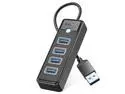
4-Port USB HUB 3.0, ORICO USB Splitter for Laptop with 0.5ft Cable, Multi USB Port Expander, Fast Data Transfer Compatible with Mac OS 10.X and Above, Linux, Android-Black
Pros: - 2/3 of USB 3.0 speeds - Light is soft and difused
Cons: - Faster would be nice but, honestly, it's fine.
Overall Review: I tested a USB SSD attached via this hub in CrystalDiskMark and was able to get 405.8 MB/s. That's only about 2/3 of the theoretical maximum of 640 MB/s for a USB 3.0 5Gbps device (capital B for Bytes, lowercase for bits), but still significantly faster than USB 2.0. When directly attached to the same USB 3.0 10Gbps port that I connected the hub to, the same SSD can do over 960MB/s, so the slowdown comes entirely from the hub. It has a soft blue light, which is nicely diffused, and seems to work fine.
12/4/2023See more detail
Does NOT have 60W power delivery, otherwise it's fine
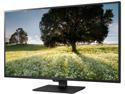
LG 43MU79-B Matte Black 43" (42.51" Diagonal) UHD 3840 x 2160 4K Monitor, 350 cd/m2, HDMI, DisplayPort, USB Type-C, Tilt, VESA Compatible
Pros: - Big, beautiful screen. Big enough that you don't have to scale things - Identical to the LG 43UD79-B except with a better warranty (3-year vs 1-year). (Some of the specs are different, but the specs seem to be wrong - see below.)
Cons: - Despite being advertised both here and on LG's website as having "1 x USB Type-C (60W PD, DP Alt. Mode, Data), UHD@60Hz", it does NOT in fact have 60 Watt Power Delivery ("60W PD"). The max the USB Type-C port can put out is 5V @ 1.5A, which is only 7.5W - not enough to power a laptop. - There's a "shadow" around the edges if you're a normal distance from the monitor. This has been widely covered in reviews of the monitor's twin, the 43UD79-B - FreeSync and faster refresh rate would both be nice to have - It nags you to only use the included cables, but it has 6 inputs and only includes 2 cables. (You can disable the nagging.)
Overall Review: After finding that the monitor did not support 60W PD, I contacted LG and talked to about a dozen people. No one would directly admit that their specs were wrong, but they did agree to trade my 43MU79-B for the 43UN700-B (this year's refresh) which does actually support 60W PD. It's an improvement, although it doesn't seem completely reliable, because I just found my laptop plugged into the screen but completely dead. I think maybe it stops providing power when the screen goes to sleep? I ended up going back to a stand-alone dock. All-in-all, if you don't need a laptop dock and just want a big monitor, this one is fantastic for working on and decent for gaming. But if you want it to be a laptop dock, you might want to keep looking or else get a standalone dock. Oh, and one other note: the USB ports operate at USB 2.0 speed (480mbps) when sending a 4k60 signal over the Type-C input. However, this is due to a limitation of USB Type-C, and LG made the right call here - the alternative option is to provide 5gbps USB data but limit the video signal to 4k30, and I certainly don't want that. I assume that if the video comes in a different port that the USB ports will operate at full speed, but I didn't actually test that.
12/15/2019See more detail
Suprisingly small, perfect for light usage
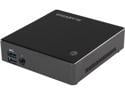
GIGABYTE GB-BXA8-5545 Mini-PC Barebone
Pros: - Surprisingly small - I was expecting something closer to the size of a mac mini, but this is significantly smaller. - Extremely fast and easy to assemble, at least once you get the bottom unscrewed (more on that below). - Solid construction: I'm confident that it can take a bit of abuse and keep on running smoothly. - Fast enough CPU & GPU for basic Office/Internet usage and possibly some light gaming. - All USB ports are 3.0 - I'm not sure why so many systems still ship with USB 2 plugs. - Super-fast boot time: only 1-2 seconds on the BIOS, and then only a few seconds more to get to the Windows desktop. - Acceptable fan noise at full load: audible but not loud.
Cons: - Bottom screws were difficult to remove initially - they were small enough that I had to use a smaller screwdriver, but they were in so tightly that I had use needle-nose pliers to grip and turn the screwdriver (without the pliers, it just hurt my fingers and didn't actually turn the screw. - Drivers came on a CD. There is no CD drive on this computer, making that fairly useless. - Windows 8 didn't recognize the WiFi card so I had to find an ethernet cable to to get it online to download the drivers. - Although certainly within the acceptable range, the fan was a little louder than I expected when under a moderate workload. - It initially only recognized half of my RAM, similar to what another user reported. Removing and re-seating the RAM fixed this issue. - The only 1/8 inch audio output is the headphones plug on the front. So if you're going to be using this with "regular" speakers, you'll have to have a cable sticking out of the front all of the time. - Only 2 USB ports on the back. So if you want to plug in a keyboard, mouse, and printer, you'll need to either plug one of them into the front, just like with the audio (or buy a hub, I suppose.) - I'd prefer to see higher speed RAM supported since that's a bit of a graphics bottleneck, but I don't know if that is within Gigabyte's control or not.
Overall Review: Overall, I'm very happy with this system. Even though I listed a lot of Cons, none of them were a big deal and the Pros far outweigh them. The computer gets warm to the touch but certainly not hot. My build included a 240GB Crucial M500 mSATA SSD and 2x4GB G.Skill DDR3L 1333 RAM - faster than this system supports but less expensive then the slower RAM. I set this one up for a family member who will mostly be using it for email and Facebook, and it's more than adequate for her needs. I think I might just build one of those for myself once they release an updated Kaveri edition.
3/20/2014See more detail