
Your Browsing History


Brian D.
Joined on 02/27/04
0
0


product reviews
- 13
Awesome tablet, with a couple caveats
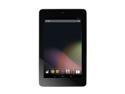
ASUS Google Nexus 7 Tablet 32GB - Brown
Pros: *The screen is amazing - very crisp, with deep blacks, great viewing angles, and accurate color representation. Coming from a Super AMOLED screen on my phone, I was a bit worried, since this is a basic ISP panel, but it's awesome. Touch response is quick and accurate as well. *Super-quick quad-core CPU - this had taken almost everything I've thrown at it with little slowdown. Oddly, Facebook sometimes gives it pause, but most people I know have some problems with the Facebook mobile app. Installs apps super-quick after downloading, and loads them up quickly as well. *Smooth, fast graphics - I can't believe how good the graphics are getting on tablets these days. No complaints - 3d games play smoothly, with very little lag or stuttering. *Super-quick Wifi - I have a 25Mbps Fios connection, and this tablet maxes it out, even over wifi-G. Downloaded a 1.3 GB game in a few minutes. *Jelly Bean 4.2 interface - Smooth animations, and I love the widgets available. *Swype-like keyboard in 4.2 (you might have to upgrade out of the box) - I got hooked on Swype on my Samsung GS II phone, but was worried about how it would work on a tablet with the larger screen. While the keyboard isn't actually Swype, but rather an Android-stock knock-off, it works very well. Only complaint is that the function to add words to the dictionary after manually spelling them out is not always available. *Media - video playback is superb, due to the great screen, and the sound is decent-ish without headphones. Plug headphones in, and the sound is great - not distorted, with decent dynamic range. Netflix works great, as does Youtube, Vimeo, and other streaming apps. *Form factor/feel - despite minor issues with build quality I touch on below, this is pleasant to hold. Enough heft you know it's not a cheaply made device, but not too heavy, with a nicely textured rubber back. The closest thing I can compare it to is the Nook Color - the rubberized back makes both devices easy to hold, although this has a glass bezel, so it gets thumbprints easily. No worries - the glass cleans nicely with a cloth, or in a pinch, the tail of a t-shirt. *Battery life - lasts from morning to night, while checking email, web, Facebook, etc., watching Youtube videos, and playing lots of games (usually Angry Birds or Minecraft). Easily lasts 12 hours of light-to-medium intermittent use throughout the day. *Standard Micro-USB port - THANK YOU! So many tablets these days use proprietary charging/data ports, so this was very refreshing, and since I have several high-current USB chargers, I'm not lacking for places to plug this thing in, when the battery finally does die.
Cons: *Build quality - as I mentioned above, there are a couple minor issues. For one, there's a plastic trim ring running around the device, that has a bit of flex in it. And due to this, it appears the glass on the left side (viewing it in portrait mode) is pushed up a bit. This is only an illusion - the plastic trim ring has warped a bit, so that the edge of the glass is exposed by a hair's breadth, where on the other sides of the device, the plastic trim is raised above the glass ever-so-slightly. If I'd spent $500 on this, I might have returned it, but it's acceptable given the price. Although I do hope Google/ASUS do change this bit of the design on future revisions, as I've read about it in other reviews. This is what I docked the star off for. *No SD card - worth noting, but since I knew this going in, I didn't dock a star. I know Google/ASUS wanted to charge a premium for extra storage, but come on - microSD ports wouldn't have added a lot of cost, and wouldn't have required much space. This was a very Apple thing to do. That said, 32GB is a lot of storage, and with so many cloud services supported, I mainly only need the local storage for games and to sync Google data.
Overall Review: For background - I have had a budget Android tablet and several Android phones for personal use, and I have an iPad and an iPhone for work, and my wife has a Nook Color, so I am well-versed in mobile technology and capability. I've had this tablet for around a month, and overall, I quite like it. I got it primarily for web-browsing, ebooks (via the Nook app), and games, with some light productivity, mostly around the house. I had expected to continue to use my mobile to listen to music at home, and to check Facebook and email, since it's "pocketable" and I have it on my most of the time. As it turns out, the Nexus, while not something I'd take out with me running errands, fits nicely in a front pants pocket, and I find myself using it almost exclusively as my mobile device while I'm at home, for everything but phone calls. Some apps I'd recommend: Spotify - the best streaming music service I've tried, the app works great on this tablet Grand Theft Auto Vice City - if you liked the original, it will be a blast form the past Minecraft PE - Minecraft, on a tablet Angry Birds Star Wars - best Angry Birds game so far, IMO Google Drive - If it's not already installed (can't remember) get it - this is a great little content creation tablet Nook for Android - great reading app, and it works with ePub format, unlike the *other* ebook vendor's reading app (cough, cough) Marvel Comic reader - I'm not a huge comic fan, but after reading a couple free issues, this is the way comics should be read Unified Remote - great remote app to control your PC, with mouse and keyboard capability, it's an awesome app for anyone with a home theater PC who doesn't want to drag out a full-size keyboard. Get the free version for basic mouse/keyboard/media capability, get the full version for several dozen apps, including every flavor of media player/center, file broswers, power, etc. My favorite Android app hands down. Advanced Task Killer - lets you easily and quickly shut down background apps, either from a menu, or with a one-touch widget ES File Explorer - easily navigate local storage, and also browse UPnP networked storage. I use this to pull down movies off my server.
12/15/2012See more detail
Easy to build in, compact and flexible
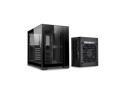
LIAN LI O11D MINI-X Black With SP750 (750W) SFX PSU / Aluminum / Tempered Glass ATX Mini Tower Computer Case -- O11D MINI750-X
Pros: - Great flexibility - Lots of space in both main and PSU compartment - Modular back panel is easy to use - Looks great - SOLID metal panels. No bending, denting or flexing. - Many different fan mounting options - Great PSU
Cons: - 2.5" drive mounts are a little wonky - Cable management slightly lacking - Plastic feet look slightly cheap compared to the rest of the case - Short-ish front panel connectors
Overall Review: Overall I'm very pleased. This was a great case to build in, with flexible motherboard configuration, fan mounting options, and a great clean look. This thing is solid - the top and side panels almost feel like they're milled out of aluminum billet. And the frame is steel, which was helpful when installing a magnetic GPU brace. If you're installing 2.5" drives in the side panel, beware that while there's a passthrough hole for the SATA cables to go, it's a very tight fit to get two cables to pass through next to each other, especially if you have stiff SATA cables. The front panel connectors almost didn't reach the header on my motherboard. I had to separate the front panel connectors from the rest of the case cables to give it an extra inch or two. Cable management is...not awful. There are lots of tiedown spots, but it was just a little difficult to get all the cables to cooperate without bundling them together, which creates extra work if I need to upgrade anything or replace fans down the road. And finally the plastic feet aren't horrible but I'd have rather had metal feet, or piano black to match the black glass bezels.
1/31/2023See more detail
Amazing price for a backup/storage drive
Team Group CX2 2.5" 2TB SATA III 3D TLC Internal Solid State Drive (SSD) T253X6002T0C101
Pros: - Great price per TB - Faster than expected at this price
Cons: - Not going to win any speed contests - No SATA cables or mounting screws
Overall Review: I got two of these to create a single 2TB mirrored storage space in Windows 11. At this price, it was worth a shot, and I wasn't disappointed. When backup up or viewing files, there's no noticeable slowdown. Since the price has gone down even further, I would highly recommend picking up a couple to augment your storage. Note: Diskmark was run on the storage pool so individual drives may perform differently
1/31/2023See more detail
Blown away - super fast and competitively priced
Kingston KC3000 M.2 2280 1024GB PCIe 4.0 x4 NVMe 3D TLC Internal Solid State Drive (SSD) SKC3000S/1024G
Pros: - Amazingly fast installs - Very quick bootup times - Decent price per TB and performance
Cons: - Oddly slow random small file writes - see benchmark. Slower than Solodigm P41 in Crystal Diskmark, but not at all noticeable in real world performance
Overall Review: I got the 1TB model as a boot drive and primary install drive for a gaming PC build, and it's been great. Crazy fast, quick boot times and load times. No complaints.
1/31/2023See more detail
Great price, decent performance
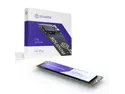
Solidigm P41 Plus 2TB M.2 2280 PCIe 4.0 NVMe Gen4 Internal Solid State Drive (SSD) SSDPFKNU020TZX1
Pros: - Good enough performance for what I needed - Price per TB is great
Cons: - PCIE 3.0 drives with TLC and/or DRAM are faster (but still more $$)
Overall Review: - I got the 2TB model as a second NVME storage drive to augment my stupid fast Kingston KC3000 1TB primary drive, and it's performing fine. Not super fast, but as a large, cheap storage/backup/second install drive, it does the job. - This would be a great choice for a budget system or a secondary storage/install drive for a performance oriented system - If you need faster performance, a DRAM PCIE 3.0 drive is probably a better deal
1/31/2023See more detail
Great time to buy a very capable CPU
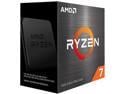
AMD Ryzen 7 5700X - Ryzen 7 5000 Series Vermeer (Zen 3) 8-Core 3.4 GHz Socket AM4 65W None Integrated Graphics Desktop CPU Processor - 100-100000926WOF
Pros: - Price per performance - Lower TDP than 5800x - Definitely good enough for gaming
Cons: - Platform has limited lifespan
Overall Review: I debated building an AM5 system, but when the prices dropped on this and related hardware I couldn't justify the extra 300-500 bucks it would cost to get into AM5. And so far, I'm not regretting it - by far the best-performing CPU I've owned, and it pairs nicely with the 6800XT to make for a gaming beast, even in VR, with reasonable power consumption. I'll probably buy into AM5 next year and give this to my kids, but for the time being it's very capable.
12/6/2022See more detail