




 here!
here!
I’m your shopping assistant for PC builds, upgrades, and everything tech.
Got questions? Ask away!
Start a conversation
here!
I’m your shopping assistant for PC builds, upgrades, and everything tech.
Got questions? Ask away!
Start a conversation

Joined on 08/31/05
Replacement for PS3 hard Drive
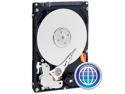
Pros: Works as it should, lots of space, no installation problems
Cons: none
Overall Review: I didn't look very hard, but all the online tutorials I found to replace the PS3 hard drive were out-of-date (forums, youtube, etc.). My 80 gig PS3 was purchased in Oct 2008, and all the online tutorials predated that and don't apply. Key differences: 1) Sony changed the way the drive needs to be inserted... it's still dead-easy, just different. 2) formatting/initializing your new drive is now done differently, I think the best discussion I found was on the Sony site. Other thoughts: When you are backing up your existing PS3 drive to a USB HD, the USB HD needs to formatted as FAT32, not NTFS.
Just died, lasted 2 years, 2 months
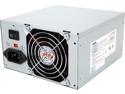
Pros: Cheap
Cons: Not very quiet, short lifespan
Overall Review: I bought it in 2011 for $26... hoping I was getting a bargain or at least a good value. Installed in a system with a modest graphics card, low game usage, and - at various times - 2-4 HDDs. The two 80mm fans were VERY loud during modest gaming.
Quiet!
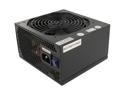
Pros: Very quiet
Cons: None yet, but only recently purchased
Overall Review: I replaced a perfectly functional Cooler Master 600W with this power supply because I got tired of what sounded like a window air conditioner under my desk. This OCZ PSU is so quiet that the hum of the CPU fan is all I can hear.
Worked perfectly
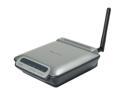
Pros: I installed it at a friend's house, and it worked exactly as advertised, i.e., pressed and held the auto-connect button, it found his (unsecured) wireless network, and boosted the signal. No problems or attention needed since (2 months).
Cons: Before successfully installing it at a friend's house, I tried testing it on my home network. It may have gotten confused by the multitude of networks that it could "see" in my neighborhood. Without wiring it to a PC, I couldn't really tell if it was working, but I didn't spend much time on it.
Overall Review: The auto-connect feature is great, but (I believe) will only work on an unsecured network. So anyone with standard WEP security will need to hook the unit up to a PC (ethernet cable included), and set up the unit in their browser.


