




 here!
here!
I’m your shopping assistant for PC builds, upgrades, and everything tech.
Got questions? Ask away!
Start a conversation
here!
I’m your shopping assistant for PC builds, upgrades, and everything tech.
Got questions? Ask away!
Start a conversation

Joined on 03/26/03
Fantastic Board
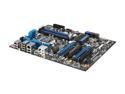
Pros: Once again Intel has produced an Extreme motherboard that meets that title. I have 2 units with this motherboard and built one for a friend. They previously had a HP computer and can't believe the vast difference from that system to their new one. So would I suggest this to a friend - I BUILT one for them!
Cons: The SATA connections still baffles me as to why Intel puts them "sideways" on the Extreme boards instead of being able to get to them easily from outside the case. But not a big enough con for me to deduct an egg.
Overall Review: Don't crimp on the processor or the RAM- the i5 2500 and above make this board a pleasure to experience and GSkill 1600 DDR3 8gb is a perfect starting point. I am going to try advancing to 16gb (the board is rated at 32gb) to see if going from 4gb to 8gb has the same influence on this board as 4gb to 8gb did. The 8gb just added so much umph to the operating system and the applications.
Flaky Motherboard
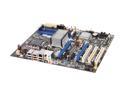
Pros: Works with Virtualization for Windows 7 XP mode(s) both 32bit and 64bit installations when it isn't freezing or rebooting.
Cons: I have RMA'd 3 motherboards back to Intel that were locking up or random rebooting. Intel had me test memory, video, power supply, hard drive, and DVD drive. I now have one just sitting on a desk since I ordered a NEW one from NewEgg that is doing the same thing. Intel's motherboards were ALL refurbed
Overall Review: Intel community web page has 11 PAGES of postings from May 2009 to Dec 1 2009 of users having the same issues and ONLY a HAND FULL of Intel Company Employees saying to call Customer Support. Well Customer Support in outside of US apparently doesn't know that because they keep blaming other components. It is hard to believe that such a wide variety of hardware would display EXACTLY the same issues and when those components are put into another MBD manufacturers system there are no repeats.
Coolest CPU air cooler
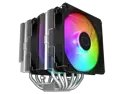
Pros: Everything included to mount this TOWER cpu cooler in the system.
Cons: None (yet)
Overall Review: I would recommend this air cooler for a mid-range gaming system. I would purchase this again
ASUS Prime Z690-P D4
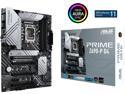
Pros: This was to replace a system I built 12 years previously. This motherboard has everything I needed for my build - SATA, M.2, USB, and slots for my 2 video cards PLUS additional slots available. I went with Gen 12 Intel i7 - k version. The end result was a very quick and responsive desktop.
Cons: The motherboard documentation came in CHINESE only - had to go online to get an English version of the setup. The memory didn't synch to the RAM speed purchased and it wasn't suppose to require overclocking. Overclocking wasn't documented and I "accepted" the memory speed the motherboard recognized. I would have been happier if the memory speed was fully utilized without jumping through hoops.
Overall Review: I would recommend this motherboard to others.
Thermaltake V100 Mid-Tower Chassis
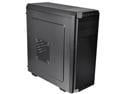
Pros: ATX board fit perfectly, plenty of room for air flow, 3.5 ssd drive bays provided, 5.25 external bays easy to install Blu-Ray drive, good upper and lower ventilation'
Cons: Power supply at bottom of case inside an enclosed space making it challenging to route cables to upper connections.
Overall Review: Would recommend to others BUT make sure you have a power supply with longer cables to route to upper part of case.
LG BluRay Disc Drive
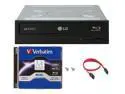
Pros: Easy install in new case/system. Reading is super fast on CDs, DVDs, and Blu Ray media.
Cons: None
Overall Review: Would definitely recommend the drive.
Thermaltake VT100 Mid Tower Case
Pros: I have used this case on a previous build and was pleased to see it was still available. There is plenty of room for even the high cpu cooler I selected for the current system. Since I still use CDs, DVDs, and BlueRay disks, this case allows for their installations. Cons: I wish there was an easier installation for the power supply. The enclosed area requires the routing of the power cables up the back of the case and makes some connections to the motherboards challenging. Especially the motherboard connections up against the bottom enclosure.


