
Your Browsing History


Richard N.
Joined on 05/13/04
0
0

product reviews
- 6
Very good fans
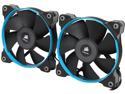
Corsair Air Series SP120 120mm PWM High Performance Edition High Static Pressure Fan - Twin Pack (CO-9050014-WW)
Pros: These fans move allot of air at low rpm's and they look great.
Cons: Didn't come with the voltage adaptors or radiator screws.
Overall Review: While these fans look and perform great, I have had them for about a month now and had to rma them back after only two weeks because one of the fans started making a grinding kinda sound when my computer would first boot up. More on this in a minute. I'm not sure which models/package you have to purchase to get the voltage adaptors but this set wasn't it. For me, that really isn't important because my board controls all my fan speeds anyway. They also don't come with radiator screws for your liquid cooler which doesn't make sense considering they market these fans specifically for use with water cooling radiators. They come with just standard screws so I would have to say epic marketing fail there. Those two things are really nothing more than very minimal annoyances at best. However, the grinding sound they started making wasn't a minimal annoyance. The rest of this review is geared toward Newegg themselves. I had to call NewEgg directly to get these fans replaced because I have them setup as a push/pull on my radiator and have no other fans I could use (old ones died. that's why the purchase of these) so I couldn't just take them off and wait for a new set to arrive after. I use my computer for video editing which helps to pay the bills so being down while waiting on new fans isn't an option. I explained this to the customer service agent. I was placed on hold for maybe a minute so she could put through a order to send me new fans first and a postage paid rma to send the old ones back. THIS is why I always shop with NewEgg for my computer needs. You can't beat their prices or their customer service. Anyone that complains about NewEgg customer service is usually someone that didn't pay attention to what they were buying and had to deal with shipping it back. And we all know the majority of people are big babies that want everything handed to them with minimum work put into it. NEWEGG CUSTOMER SERVICE IS THE BEST!
3/22/2015See more detail
Great Ram but....
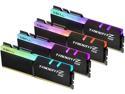
G.SKILL TridentZ RGB Series 32GB (4 x 8GB) 288-Pin PC RAM DDR4 3200 (PC4 25600) Desktop Memory Model F4-3200C16Q-32GTZR
Overall Review: I really like G Skill ram and these chips are great except for the fact that one chip just flat out died on me and another was questionable after only a couple weeks. They have been RMA'd back.
6/5/2020See more detail
Good but could be better

MSI MPG EZ120 ARGB-3B Fan - 120mm ARGB Fan, Patented Magnetic Connector Block, Daisy-Chain Connection, Fluid Dynamic Bearing + Extra nut Fixing, Fan hub, Mystic Light & Cooling Wizard Support, 3 Packs
Pros: Vivid lighting Great static pressure
Cons: The lighting software
Overall Review: I bought these fans a few weeks ago and finally had the time to install them. These fans look very good and move lots of air. The connections are simple, for pc enthusiasts anyway. There are 3 ways to connect these fans to your motherboard, a jaf header connection, a USB header connection, and standard 5v header with a RGB header. I do not have jaf headers on my motherboard (They look like mini usb header ports) so I can't comment on the function of those. I attempted to connect these fans through the 5v/rgb header ports on my board and the fans spun up and lighting came on. The only problem was I couldn't control the fans. This connection isn't recognized in MSI Center because this connection allows the motherboard to control the fans so MSI center won't show you Mystic lighting as an option to install. But again, I couldn't control them because my motherboard app doesn't see them nor does any other motherboard app I tried to use. The only way I gained control of these fans was through the USB header connection. Once I used that one MSI Center picked up the fans with no issue and allowed me to install Mystic lighting and fan control. The real issue with these fans is the software, I:E Mystic lighting. When trying to change my lighting scheme I have to hit the 'Apply" button 4 times, sometimes more, to get my scheme to actually set. You have the option to control one set of fans or all of them at once. When trying to change one set to a different color scheme and leave my other sets unchanged It's a real PITA. Everything finally applies but you should have to hit the apply button multiple times to get it to work. So the software needs some serious optimizing for performance.
3/1/2026See more detail
Very poor software
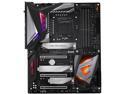
GIGABYTE Z390 AORUS MASTER LGA 1151 (300 Series) Intel Z390 ATX Intel Motherboard
Pros: Lots of power. looks great
Cons: very poorly designed software.
Overall Review: It's been a long time since I have owned a Gigabyte board and that one wasn't the greatest so I thought I would give them another chance after all these years. yeah, that was a mistake. Their RGB software and live update apps completely STINK! There is NO support for other RGB apps such as ASUS's Aura. In fact, I tried installing this software and it crashed my PC! This board ONLY wants to run THEIR software and again, it STINKS! Their live update app refuses to update anything. All I get is "Update failed" on EVERYTHING I try to update from them. I have tried everything I can to fix this issue but nothing works. When I installed my GPU onto the board, it feels and looks as though the card is lifted slightly at the retention clip like the board is bent somehow or something.so from time to time my GPU (RTX 2070 Super) won't power on like normal, it has 3 red lights near the power plugs that light up and all the fans ramp up to 100% and the pc won't boot. I have to power the system off and on again and it goes to normal. Their is NOTHING wrong with the GPU itself. And lastly, the bios is finicky. Not too many problems, just annoying little ones I can certailny do without. This board is being RMA'd back for a full refund!
5/18/2020See more detail
Rip off
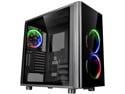
Thermaltake View 31 RGB Dual Tempered Glass ATX Tt LCS Certified Black Gaming Mid Tower Computer Case CA-1H8-00M1WN-01
Pros: Tons of space
Cons: Not as advertised fans
Overall Review: I bought this case because it is designed for water cooling. There are, for the View 31, 2 to choose from, one with only 2 fans and this one with 3 fans of better quality and functionality. So I opted for this one because for what I am building it fits. Well I finally got around to building this system(I got kids, house, etc. so I'm always busy) and I discovered the fans they are advertising here aren't the fans you get. The box CLEARLY states it is the limited edition with 3 riing 14 fans. O'K, great for me! Until I tried installing the software for the fans and it tells me there are no fans detected. Well after doing some research, I discovered the 3 riing 14 fans they advertise here on NewEgg ARE NOT THE ONES INSTALLED IN THIS CASE! The ones that are advertised being in this case come with the digital control box. The ones they put in this case have the analog control box with the 3 buttons on it. I E-mailed Thermaltake about this and have yet to hear from them. If you look for these fans you are going to find multiple versions of them and probably have no clue what you're buying because of it. I really believe Thermaltake is doing this intentionally so they can get even more money out of their disappointed customers. Everything else for this case is fine and works very well for me. I just wish I got the fans they advertise on the box so I can control my fans lighting and rpm's. I would have given this case 5 stars if i didn't feel so ripped off.
6/10/2018See more detail
Average at best?
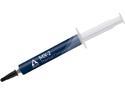
ARCTIC MX-2 (4g) Carbon-Based Thermal Compound, Non-Electricity Conductive, Non-Capacitive
Pros: Non conductive
Cons: None, see other thoughts.
Overall Review: My paste of choice has always been Arctic Silver 5 but I decided to try this because it's non conductive in nature. What can I say about this stuff? Well, as my title suggests, it's average. I don't believe it gives you the cooling performance it claims. Now with that being said, I used this product on my new Intel Core I7 5820K which was a brand new build so I have no referance of compairison with any other product like Arctic Silver 5. I can however tell you my cousin built the same computer as I, same cpu, mobo, ram, etc., he is using the Corsair H100i. Whereas I am using the Corsair H80 to cool our cpu's. He stuck with using the paste that was pre applied to his block and I used this stuff. The end results are we are running at about the same temps, 34c idle and 62c load. We are both overclocked to 4ghz. With my cousin having a double rad and I only a single, you would think he would get better cooling them me. Could this be because he stuck with using the factory pre applied thermal paste? Yes, it could. I do know that stuff is bottom of the barrel in performance. He could get better temps than me if he uses something better, perhaps even this stuff. One could also make the assumption with me having the single rad using this stuff and he having the double rad using factory paste, this stuff wins in cooling performance with us running at the same temps. I think im going to get some more AR5 and reseat my cpu, let it burn in for a couple days, and see if I get lower or the same temps.
3/22/2015See more detail