




 here!
here!
I’m your shopping assistant for PC builds, upgrades, and everything tech.
Got questions? Ask away!
Start a conversation
here!
I’m your shopping assistant for PC builds, upgrades, and everything tech.
Got questions? Ask away!
Start a conversation

Joined on 07/02/03
RAID0 is 200mb/sec
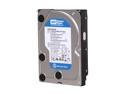
Pros: The 640AAKS is the best desktop drive on the market right now IMO. It's half the platters with more space than all the other drives at ~$0.17/gb. So it's faster, quieter, and more reliable than any drive in that class. Note the 500AAKS & 7200.11 have four platters and the 640AAKS only two platters--fewer moving parts. According to WD 32mb cache showed minimal speed improvement over 16mb cache. I decided to go with fewer platters over more cache.
Cons: I used a 7200.10 on a prior build and it was quieter. These are quiet, but they do make noise. Under load it sounds like low frequency wind blowing through a tube. NewEgg MUST get Memphis packaging QC up to standards. Is being cheap on packing tape worth the RMAs? I was shocked to see how poorly packaged my expensive order was. I've never had a problem before, but this was unacceptable. The box was half open with the 3 HDs exposed. They were hot from sitting open to the sun. I was concerned one would fail. A single short strip of tape was used to inadequately cover the box top. TAPE IT PROPERLY!
Overall Review: I have three and they run great. My numbers: 1 640AAKS = 110mb/sec 2 640AAKS Matrix Raid 0 = 200mb/sec
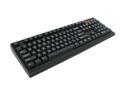
Pros: -The keys are extremely responsive making typing fast and easy. -This replaces a Logitech media keyboard I used for four years and will not miss. -It rocks to finally have a keyboard without a windows key on the left side. -The footprint gives wiggle room on the keyboard tray during gaming.
Cons: Extremely responsive keys: If you brush a key it will activate. Each keystroke has 8mm of linear travel. It feels like it only takes 2mm to activate the key. There is much more room to the bottom of the stroke after the signal. In SWTOR the bug report button is the "\" key. I accidentally hit that thing all the time, and can't disable the keybind. The volume +/- can be awkward to use. I miss having volume control done with one hand. I also miss the calculator button.
Overall Review: -Tactile response is similar to an IBM from the late '80s, but with more of a spring loaded feel. -The downstroke is more fluid and smooth than the upstroke. -There is a gritty feel to the spacebar and larger keys when hit off center. I am on the fence about the value of this purchase. I was going to buy a Sidewinder x4, but was curious to try something different. It's been a month and I have typed over 100 pages for grad school. Typing has been a joy. Outside of MS Word there are some input issues. I have to slow down my typing to avoid mistakes in text boxes. And I am still trying to break decades of muscle memory to adjust to this board.
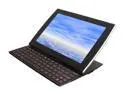
Pros: -The only tablet on the market with every feature I need -Used as a media device for teaching -Can do mini-HDMI to VGA w/ ASUS cable (not included). -Full size USB 2.0 -Finally able to work in bed reading/writing in PDF -Shed 8lbs off my shoulder (fits Case Logic VNA-210) -Makes life in grad school easier I have owned this tablet for over a month, and am still in the euphoria phase while using it. As a graduate student and TA, who uses smart classrooms, this is a very convenient tool. My lectures used to run off my laptop plugged into a media center. This tablet can do everything my old Thinkpad did, but at a fraction of the weight. Lugging a heavy satchel around campus, and reading journals in an office chair, was wrecking my neck/shoulder. Now I feel naked walking to class carrying a two pound sleeve. My body thanks you ASUS!
Cons: -Polaris will not read .doc files vertically -LED backlight bleed through -Will not play embedded movies in PowerPoint -Android OS can be obnoxious, especially when writing/editing or using the mobile side of websites -Files will not always display through a USB link to a PC The tablet has to be power cycled to copy certain files back to the PC. My PDF annotated notes save, but some did not display while reading the file copied back to a PC. It seems to copy a shadow file in RAM unless it is power cycled. I thought the problem was a difference between Win7 and Android PDF readers, but this is an OS file structure or portable device USB link issue. A power cycle on the tablet fixes it. These cons are related to a new technology. Android and tablets are still in a growing pain phase. None of these issues would prevent me from buying this product again.
Overall Review: Two essential apps for work: 1) RepliGo PDF reader 2) Documents To Go Polaris is good for PowerPoint, but it can be quirky and unstable when editing and writing notes. Doc2Go is more reliable for .doc files. This is the first touch device I have owned. It took a few weeks to find the right apps and get comfortable with the UI. RepliGo reader is hands down the best PDF app. It has the highest text clarity and functionality. One touch page turns, easy edit tools for annotation, and a night/day reading feature. Some people complain the keyboard should have a pointing device, but I have no issues moving from keyboard to screen. It is intuitive. What can be frustrating is drag selecting for a copy/paste or underlining text in PDFs. The screen is more responsive to a finger than a stylus, so there is no easy fix for this UI issue. I am 6'2" with long fingers. Typing on the keyboard is not a problem and I have no issues using shift or the spacebar, which is a common
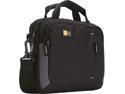
Pros: Got this for an ASUS SL 101 and it fits perfectly. There is enough room for the tablet, a wallet, phone, keys, pens, and an 8oz water bottle. And that is it.
Cons: None if you are a minimalist. The photos are misleading as to size, shape, and capacity. The video is for a different product.
Overall Review: The video for the VNA-210 is of the VNA-214. Understand that this case is tiny. There is no secondary pocket or room for a file folder in this 10 inch case.
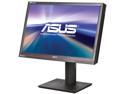
Pros: Text clarity was one of my main concerns while looking for a new screen. This was absolutely worth the money. I am a grad student and got frequent headaches writing papers on my older Dell TN panel. This fixed that problem. Movies and games look amazing. What is especially vivid are blues and greens. When I first played League of Legends on this monitor, I just sat and marveled at the color brilliance. My team lost several games while I was a space cadet. This is a night and day difference over the older LCDs. Blacks are deep black.
Cons: None
Overall Review: I spent two weeks reading every review on monitors in the 24"-30" range and they all had some kind of major issue. This monitor has no issues.
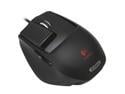
Pros: Overall, this mouse is an improvement to the G5 which it replaced. After four years of gaming, the teflon pads on the G5 wore out and it started to drag on a Steel series gaming pad. This G9X has way more features like custom LED colors. It is wider than the G5 and gives more palm support. I was looking for a body like this mouse and it delivers.
Cons: The two custom grips would be ideal if they merged the body of the Wide Load satin grip with the functionality of the DryGrip and it's thumb buttons. Also, the G5 was a very rugged mouse and my concern is this more delicate, feature packed mouse, won't last as long.
Overall Review: I am 6'2" with long fingers, but find myself using the smaller precision grip for two reasons. The sandpaper feel of the DryGrip body is great for gaming, and the mouse 4 button is stiff, responsive, and easier to use. I prefer the wideness and palm support of the satin body, but the mouse 4 button on that grip has issues. The location is a few centimeters back toward the thumb joint. It is more awkward to press, and has a button that feels thinner and looser compared to the DryGrip. The downside of the DryGrip is there is very little palm support and my hand will ache after a few hours, so I'll switch grips. This is superior to the G5 and I am very pleased.


