




 here!
here!
I’m your shopping assistant for PC builds, upgrades, and everything tech.
Got questions? Ask away!
Start a conversation
here!
I’m your shopping assistant for PC builds, upgrades, and everything tech.
Got questions? Ask away!
Start a conversation

Joined on 10/26/05
A superb monitor
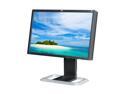
Pros: This wide-gamut monitor has at last allowed me to preview what I will get when I print photographs. It covers the Adobe RGB gamut well, and once properly adjusted will match what one sees looking at a print in indirect daylight. Every pixel on mine is perfect and, surprisingly, it synchronizes to some low resolutions that confuse my old CRT. The colors are relatively invariant to off-angle viewing. It is comfortable to use thanks to its adjustability.
Cons: I do get the slight difference in color temperature from left to right that has been reported elsewhere, but this is apparently inherent to the nature of the panel and not specific to this make. The out-of-the-box image settings also need considerable adjustment for accuracy in previewing photographs.
Overall Review: I would suggest, first, adjusting the monitor to one of the sets of parameters at the UK "tftcentral" site: Brightness 17, Contrast 65, and RGB 251, 235, 242 work well for me. Then very carefully compare a print from your printer and preferred paper to the display in your usual room lighting. A little tweaking of the video-card settings can then be used for gamma adjustment, etc. The brightness is far less than the manufacturer's default, but if you hold a print up to the monitor (or, for me, at an angle to it, as my light comes mostly from one window to the side) you will see that the brightness of the image in the monitor corresponds very well to that of the print in room lighting. I did not use a colorimeter, though the settings I found online were obtained with one. Given the considerable variation in reported results with different colorimeters (or even the same one) I just decided to compare my prints to the display. The results have been quite satisfactory.
Mixed results
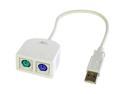
Pros: This product allows one to keep using old PS/2 peripherals with recent motherboards.
Cons: I had problems using it with an Asus ASUS M4A89GTD PRO/USB3 AM3 motherboard running Ubuntu 9.10. The mouse froze intermittently. But other users have also reported problems with PS/2 peripherals under Ubuntu; the Kingwin adapter might work quite well in other software environments.
Overall Review: Eventually I settled on an internal USB-to-PS/2 adapter, which has not been without its problems but which I've been able to make fairly reliable. This has enabled me to continue using my old, expensive ergonomic keyboard and PS/2 based KVM switch.
A fast, solid board
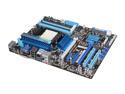
Pros: Has performed flawlessly. USB3, built-in RAID, innumerable features.
Cons: None so far.
Overall Review: The board has been running almost nonstop for the year and a half since I received it. (I've got a four-core AMD Phenom II 955 in it and 8 GB of RAM.) I've never bothered to decipher all the overclocking features nor the "core unlocker," as my Linux Mint 9 uses all four cores without it. I added an 8000-series 3ware RAID card just to avoid any complications with Linux software RAID, but someone more proficient than I could probably set up the built-in SATA RAID.
Fast and reliable
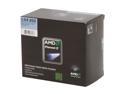
Pros: It's working reliably and stays cool with the supplied fan. Needless to say, the new setup is quite a bit quicker than my old Athlon 64 3200+.
Cons: None.
Overall Review: Linux users should note that "sudo cpufreq-set -d 800M" will fully enable the frequency scaling built into the processor, helping to keep things cool and lower your power bill a little!
With a little attention, it's working well
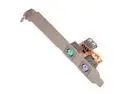
Pros: This adapter has allowed me to continue to use my old, expensive ergonomic keyboard and customized trackball in a new system with only one PS/2 port. It works more reliably than a PS/2 splitter I bought at the same time.
Cons: The adapter worked very irregularly after I installed a video card -- the mouse would move only in spurts -- but moving the adapter's jacks from a lot adjacent to the video card to one farther away solved that problem.
Overall Review: I've had some glitches under Ubuntu 9.10 (9.2.6.31-17.54-generic kernel) -- mouse freezes sometimes after a while -- but I've found that a quick "sudo modprobe usbhid" will bring it back. I may try putting "noapic irqpoll" in the kernel arguments (in the grub menu), which has been recommended for the problem, but the mouse has behaved well for a while since the last modprobe.
Working perfectly
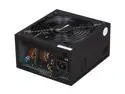
Pros: The power supply works without a glitch in my system with its quad-core processor, modest graphics card, and two drives.
Cons: None.
Overall Review: I opted for a little overkill in the power supply as I wanted to leave open the option of adding a power-hungry GPU-based coprocessor board.


