
Your Browsing History


Joseph C.
Joined on 09/14/03
0
0
product reviews
- 3
Great Processsor
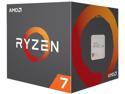
AMD Ryzen 7 1st Gen - RYZEN 7 1700 Summit Ridge (Zen) 8-Core 3.0 GHz (3.7 GHz Turbo) Socket AM4 65W YD1700BBAEBOX Desktop Processor
Pros: CPU does a good job chewing through most all but the hardest computational tasks. I haven't overclocked it too much, but seemed to hit 3700 without much effort. Included CPU fan is very quiet unless you manually spin it up to 100%, and even then it is still just audible, but not distracting.
Cons: The thermal compound that comes with the included heatsink is sufficient. You'll want to replace with a good quality thermal compound like the Noctua NT-H1 and that'll bring the temps down a few more degrees C.
8/30/2018See more detail
Decent rackmount mining case
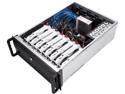
Rosewill RSV-L4000C - 4U Rackmount Server Case / Chassis for AI / Bitcoin Mining Machine, Supports 8 Graphic Cards
Pros: Lots of space for 8 1060 video cards in my case... I turned the power limit down to 70 and max temp to 75 in afterburner and all the cards seem to be pretty happy. it mounts in a rack and helps optimize airflow.
Cons: There needs to be a platform to rest the riser cards on so the graphics cards sit level. I wound up using a small strip of drywall about 2 inches wide that set perpendicular to the riser cards. Motherboard holes for standoffs weren't aligned properly for my BTC Mining Pro motherboard which is standard ATX... Not sure how they could mess these holes up!?!??
Overall Review: Wish there more more hard drive mounting options. I had issue with the supplied Hard drive caddy fitting properly. Wound up must nestling it on top of the power supply. Also, wound up taking the front door, it restricted airflow too much with the filter and door in the way. Make sure you turn the fans so they push air over the Motherboard towards the graphics cards and out the front of the case, instead of all of that hot air blowing over all of your components. Temps seemed to drop once I did this. Lots of room for improvement, especially at the price I paid for it, with no decent fans included. It is now 20 dollars less and includes a free gift .
8/30/2018See more detail
Great Thermal Compound
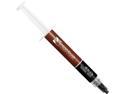
Noctua NT-H1 3.5g, Pro-Grade Thermal Compound Paste (3.5g)
Pros: Easy to apply and comes out of the syringe smoothly. Brought my CPU and GPU temps way down over what was on there stock... Some of my video cards have dropped between 8 and 10 C. 1060's, 1080, 1080ti and RX580. I couldn't believe how much of a difference good thermal compound would make.... I would of been happy with a degree or two. I only put a small ball, less than a size of a bb on and the heatsinks do a good job of spreading the rest around without any air pockets. I have used 1 tube to replace the thermal compound on 3 - 4 CPUs and about 11 or 12 GPUs and I still have more left in the tube... It is getting low, but you just don't need a lot to cool effectively.
Cons: I didn't have any issues with the product...
Overall Review: Would purchase again!
8/30/2018See more detail