
Your Browsing History


Michael L.
Joined on 07/11/08
0
0
product reviews
- 5
Good entry level VC
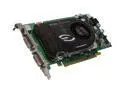
EVGA GeForce 8600 GTS 256MB GDDR3 PCI Express x16 SLI Support Graphics Card 256-P2-N761-TR
Pros: HDCP is supported Dual DVI output supported Easy install under Vista
Cons: None
Overall Review: You will need 6-pin PCI-e power from your PSU if you want this card to run optimally. The documentation suggests that it will run just off the power from the motherboard but i would not care to bet on that. The card took my new Inspiron 518 from 3.4 (onboard video) to 5.6 on the Vista rating scale. Whatever card you buy do make sure it supports HDCP if you plan to ever watch blu-ray or HD-DVD movies on your PC.
9/8/2008See more detail
It works, mostly
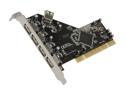
Koutech PCI to USB2.0 Card Model IO-PU520
Pros: Vista picked it up without any problem.
Cons: For some odd reason the card won't recognize that i have an iPod plugged in unless I turn the iPod off and then back on. This is annoying because sometimes I turn on my PC just to charge my iPod. On my "native" USB ports the iPod is turned on automatically when the PC is turned on. For my other peripherals it is fine. I'm not prepared to blame the card because it could be a quirk of the BIOS. I moved the iPod to a native port so, problem solved.
10/26/2009See more detail
Plug and play
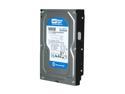
Western Digital Blue WD5000AAKS 500GB 7200 RPM 16MB Cache SATA 3.0Gb/s 3.5" Internal Hard Drive Bare Drive
Pros: Plug it in, format it, done. Runs quiet too.
Cons: None. Like any HDD you cross your fingers and hope it will last. This one is replacing a Hitachi that is throwing bad sectors.
Overall Review: When Newegg says "bare" they really mean it. This drive came in bubble wrap and tape. It didn't even have a jumper. Of course that isn't a problem if you have a draw full of parts but something to be aware of.
10/26/2009See more detail
A bit of a challenge to set up
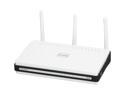
D-Link Xtreme Gigabit Router (DIR-655) Wireless N300, USB SharePort, Gigabit
Pros: My wireless speedtest went from 13.76Mb/s to 24.7Mb/s. My old router was clearly a bottleneck even though clearly my wrt54g should technically been able to handle 24Mb/s but it never could get above 12-13. I also can get a lot more active connections on a well seeded torrent. Lastly, my wireless transfer on my home network went from 5 min 32 sec for a 700MB file to 1 min 30 seconds for the same 700MB file. I guess my trusty old Linksys was just showing its age and needed replacing.
Cons: The LEDs are absolutely obnoxious. There is even a blinking light to indicate all is well. Why on earth would they make one of the LEDs blink to indicate the router is on? I took an egg off solely for the LEDs. The setup is sure to confuse people not familiar with home networking.
Overall Review: The firmware is quite good and compares favorably to Tomato (which is what I was running on my Linky). The best advice I can offer on setup is to break down your network to make it look like the pictures in their setup program. This means connecting your PC directly to your cable modem. The setup program originally tried, valiantly, to actually log into to my linksys and grab the settings but in the end that was a ridiculous overreach by the d-link folks.
9/1/2009See more detail
Runs cool and quiet
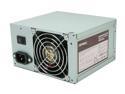
Antec earthwatts EA500 500W Continuous Power ATX12V v2.2 80 PLUS Certified Active PFC "Compatible with Core i7/Core i5" Power Supply
Pros: Whisper quiet Fit perfectly in my Inspiron 518
Cons: Wire management could have been better thought out
Overall Review: This PSU is very quiet. In fact, I have to put my ear right next to the box to even hear it. If the HD is seeking it will actually drown out the PSU. When I put my hand to the back of the PSU it is blowing much cooler air than my stock [censored] PSU was.
9/8/2008See more detail