

Your Browsing History
Most customers receive within 4-6 days.


Meet Your Seller


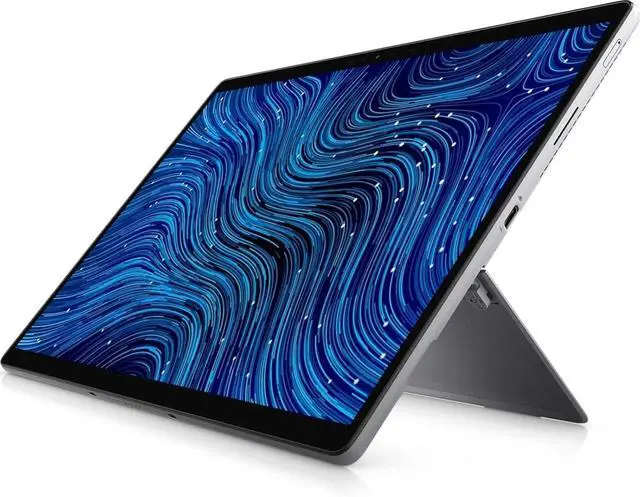
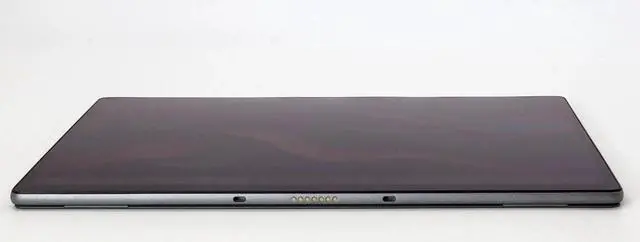
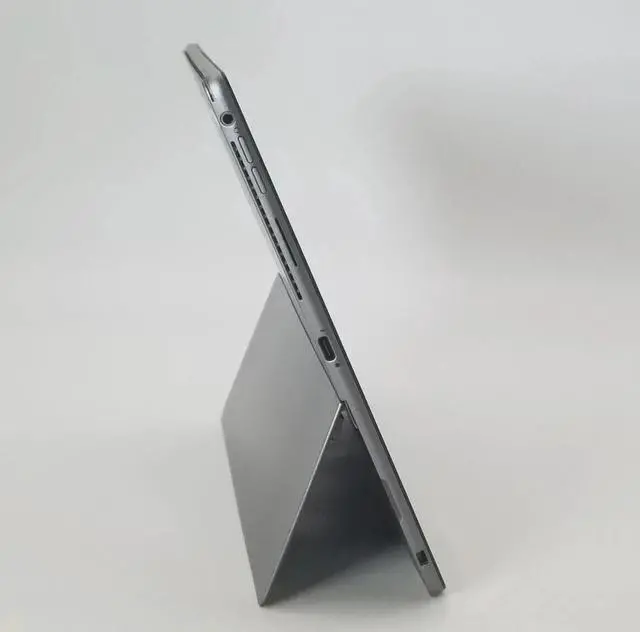
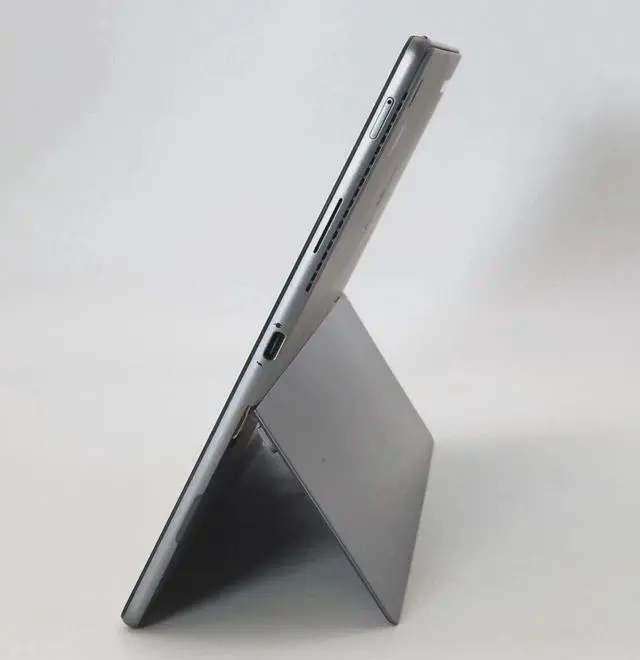
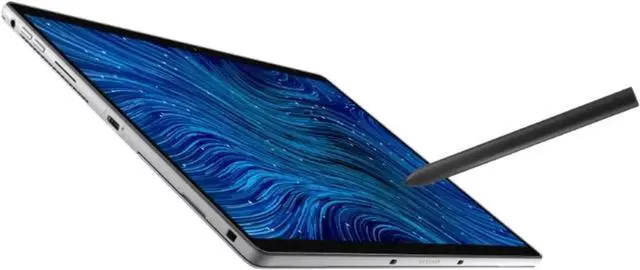
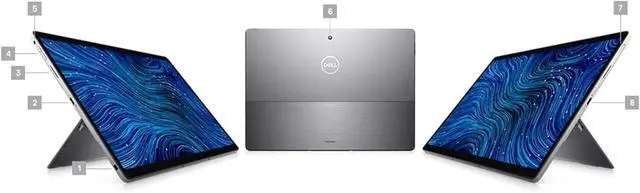
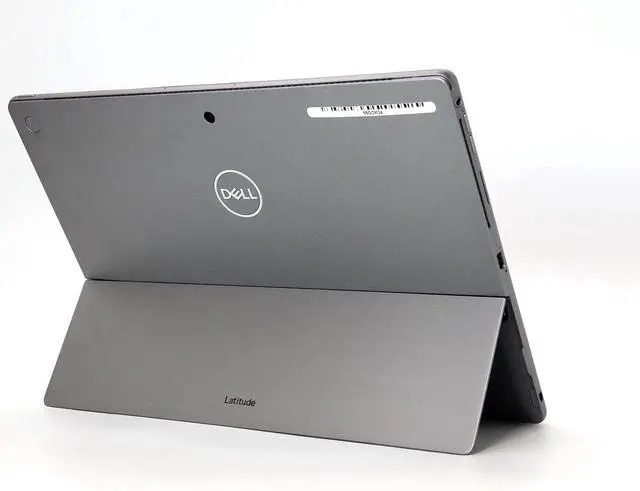


Dell Latitude 7320 - 13.3 inch FHD(1920 x 1080) Touch Detachable Tablet, Intel Core i5-1140G7 Processor-1.80 GHz, 16 GB RAM-512 GB SSD, Intel Integrated Graphics, "Keyboard Not Included" - Win 10 Pro
REFURBISHED Product Type
- Brand Dell
- Model Name Dell Latitude 7320
- Screen Size 13.3 Inches
- Hard Disk Size 512 GB
- CPU Model Core i5
- Ram Memory Installed Size 16 GB
- Operating System Windows 10 Pro
- Graphics Card Description Integrated
- Graphics Coprocessor Intel
Overview
Specs
Reviews

Any questions? Our AI mode will help you find out quickly.
Try me now
Keyboard Not Included.
Specifications
Key Highlights
Pro Tip: Maximizing Your Digital Setup
Unleash your digital potential with the HP 15.6-inch FHD Touch-Screen Laptop (15-fc0025dx), a high-performance Natural Silver powerhouse engineered for the demands of 2026. This portable thin-and-light laptop is optimized for fast multitasking, combining the efficiency of a 6nm AMD Ryzen 5 7520U processor with the speed of 8GB LPDDR5 RAM. Whether you are looking for the best budget laptop for students, a reliable home office computer, or a premium touchscreen PC, the 15-fc0025dx delivers a seamless Windows 11 Home experience with an intuitive micro-edge touchscreen display.
From AI-enhanced video conferencing to long-lasting battery life, this eco-friendly HP laptop is built to keep you productive on the go. Its 512GB PCIe NVMe SSD offers storage speeds up to 15x faster than traditional hard drives, ensuring rapid boot times and instant access to your most critical files. Experience the perfect blend of style and substance with a sleek matte finish, numeric keypad, and a vibrant high-definition screen that makes it the top-rated choice for everyday computing.
As a high-performance AMD Ryzen laptop, this device is specifically designed to bridge the gap between affordable laptops and workstation power. The integrated AMD Radeon Graphics and flicker-free display technology provide a superior streaming and entertainment experience, while the HP True Vision HD camera ensures crystal-clear virtual meetings. For users prioritizing privacy and security, the built-in camera shutter and dedicated mic mute key make this the best secure laptop for remote work and online learning in the modern digital era.
Specifications
- Processor: Intel® Core i5-1140G7 (4 Cores, 8 Threads, 1.80 GHz Base, up to 4.20 GHz Turbo, vPro enabled).
- Graphics: Intel® Iris® Xe Graphics (Integrated).
- Display: 13.3-inch FHD+ (1920x1080) Touch, 500 nits, Gorilla® Glass 6 DX, 100% sRGB.
- Aspect Ratio: 3:2 (Optimized for documents and web browsing).
- Memory: 16 GB LPDDR4x (Soldered).
- Storage: 512 GB PCIe NVMe SSD (User-replaceable M.2 2230).
- Operating System: Windows 10 Pro (Eligible for Windows 11 Pro).
- Cameras: 5MP Front-facing (1080p) and 8MP Rear-facing camera.
- Security: Windows Hello (IR Camera), optional Fingerprint Reader.
- Wireless: Intel® Wi-Fi 6 ($802.11ax$) and Bluetooth 5.1.
- I/O Ports:
- 1x Universal Audio Jack.
- 2x Thunderbolt 4 with Power Delivery & DisplayPort.
- 1x Wedge-shaped lock slot.
Key Highlights
- Brilliant Display: The 500-nit screen is significantly brighter than standard laptops, making it usable in outdoor environments or brightly lit offices.
- 3:2 Aspect Ratio: The taller screen allows you to see more of your work with less scrolling, which is a major advantage for spreadsheets and long PDFs.
- Thunderbolt 4 Versatility: With two Thunderbolt 4 ports, you can charge the device and run two 4K external monitors simultaneously via a single dock.
- vPro Manageability: The "G7" series processor includes Intel vPro, providing enterprise-level security and remote management features for IT departments.
- Rugged Mobility: Despite its slim profile, the 7320 Detachable is tested to MIL-STD 810H standards, ensuring it can handle the bumps and vibrations of daily travel.
Pro Tip: Maximizing Your Digital Setup
Since the keyboard is missing, here is how to turn this tablet into a full workstation:
- Essential Accessories: Look for the Dell Latitude 7320 Detachable Travel Keyboard. It features a magnetic dock that also houses and charges the Dell Active Premiere Pen, ensuring your stylus is always ready to go.
- Desktop Mode: Use a Thunderbolt 4 Docking Station (like the Dell WD22TB4). This allows you to drop the tablet on your desk, connect one cable, and instantly have a full desktop experience with a mouse, keyboard, and monitors.
- SSD Expansion: If 512GB isn't enough, this tablet features a small door on the back for easy access to the M.2 2230 SSD. You can upgrade this yourself to 1TB or 2TB without disassembling the whole screen.
- Battery Longevity: Use Dell Power Manager to set a "Charging Limit" to 80% if you plan to keep the tablet plugged into a dock most of the time. This significantly reduces the risk of battery swelling.
Warranty & Returns
Warranty, Returns, And Additional Information
Warranty
- Please contact the Seller directly for warranty information. Warranty information may also be found on the Manufacturer's website.
- CONTACT
Return Policies
- Return for refund within: 30 days
- Return for replacement within: non-replaceable
- This item is covered by DISCOUNT TECH Return Policy
Manufacturer Contact Info
- For a directory of all our manufacturers, please click below.
- Manufacturers Directory
LOADING...