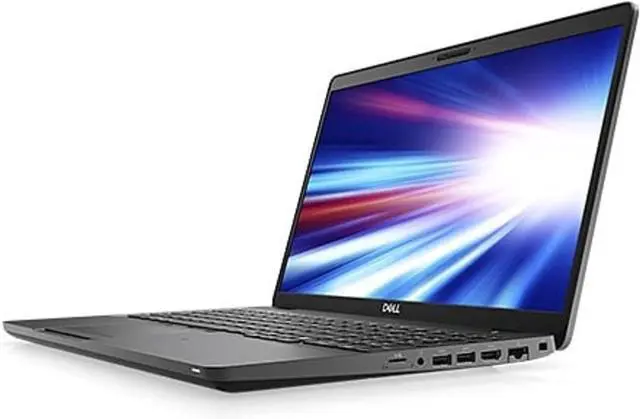
"ITEM IS IN EXCELLENT LIKE-NEW CONDITION
This item is professionally refurbished by Dell through their official Dell Refurbished channel. Fully tested, cleaned, and certified to be 100% functional"
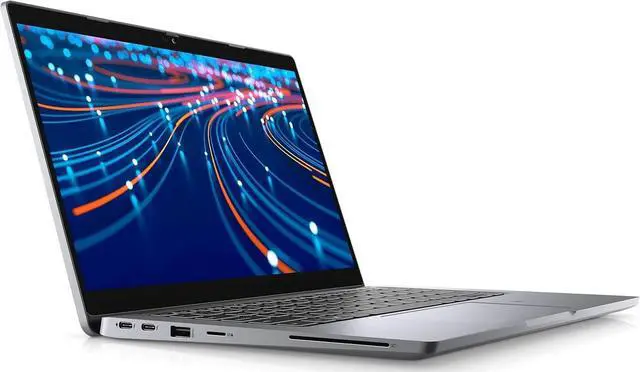
Maximize your productivity with the Dell Latitude 5320, a high-performance 13.3-inch laptop designed for the modern professional. In 2026, this machine remains a standout for its balance of power, portability, and enterprise-grade security. Powered by the 11th Gen Intel Core i7-1185G7 processor with vPro technology, it delivers a base clock speed of 3.0GHz and a turbo boost up to 4.8GHz, ensuring smooth multitasking and rapid data processing for even the most demanding applications.
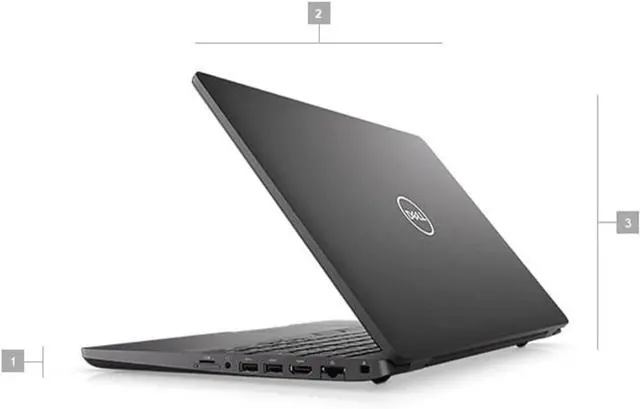
The Latitude 5320 is built for life on the move, featuring a compact Black chassis that weighs just under 2.7 lbs. It is equipped with 16GB of DDR4 RAM and a lightning-fast 512GB NVMe SSD, providing ample space and speed for your projects. The FHD (1920x1080) Non-Touch Display includes ComfortView Plus to reduce blue light, while the high-quality webcam and AI-driven noise cancellation ensure you always look and sound professional during virtual meetings.
Specifications
- Processor: Intel® Core i7-1185G7.
- Graphics: Intel® Iris® Xe Graphics (Integrated).
- Display: 13.3-inch FHD (1920x1080) Anti-Glare, Non-Touch, 250 nits brightness.
- Memory: 16GB LPDDR4x (Soldered, dual-channel).
- Storage: 512GB M.2 PCIe NVMe Class 35 Solid State Drive.
- Operating System: Windows 10 Pro (Includes license for Windows 11 Pro upgrade).
- Keyboard: Backlit Keyboard, English (US).
- Wireless: Intel® Wi-Fi 6 and Bluetooth® 5.1.
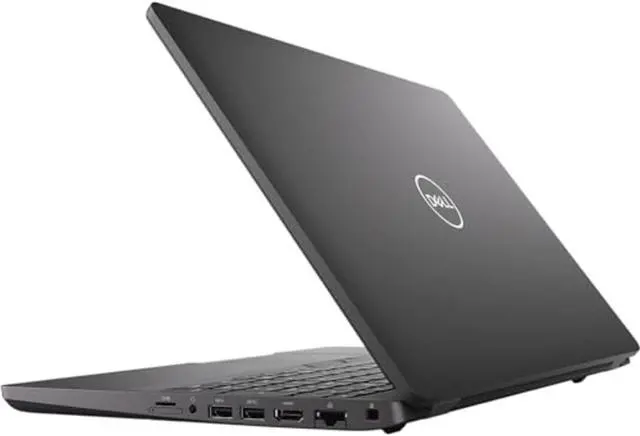
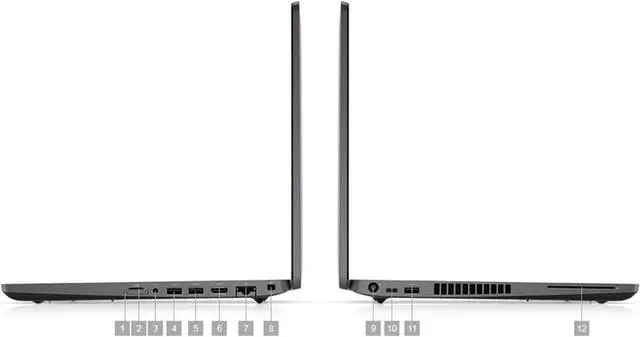
- I/O Ports:
- 2x USB 3.2 Gen 1 Type-A (one with PowerShare).
- 1x HDMI 2.0.
- 2x Thunderbolt 4 with Power Delivery & DisplayPort.
- 1x microSD card reader.
- 1x Wedge-shaped lock slot.
- 1x Universal Audio Jack.
- Battery: 4-Cell 63Whr Battery with ExpressCharge capability.
Key Highlights
- Intel® vPro Platform: The i7-1185G7 is a vPro-enabled chip, providing hardware-level security and remote management capabilities essential for corporate IT departments.
- Compact & Lightweight: At just 1.2 kg, this is one of the more portable 13-inch business laptops, making it ideal for frequent travelers or hybrid workers.
- Thunderbolt 4 Connectivity: Dual Thunderbolt ports allow for high-speed data transfer and the ability to drive two 4K displays or one 8K display through a single cable.
- Dell Optimizer: Built-in AI learns how you work to improve battery performance, audio settings, and application speed in the background.
- ExpressConnect: Automatically joins the strongest access point in the office and prioritizes bandwidth for conferencing applications like Zoom or Teams.
Pro Tip: Maximizing Your Digital Setup
To get the most out of your Latitude 5320, consider these professional optimizations:
- Thunderbolt Docking: Use a Dell WD19TBS or WD22TB4 dock. A single cable will charge your laptop, connect your peripherals, and power multiple monitors, keeping your desk clutter-free.
- Privacy Features: Check your specific unit for the SafeShutter. This is an automatic mechanical camera shutter that knows when to open and close by syncing with your video conferencing apps.
- Battery Health: Use the Dell Power Manager app to set a "Primary AC Use" profile if you keep the laptop plugged in most of the time. This limits the charge to 80% to prevent battery swelling and extend its lifespan.
- BIOS Updates: Business laptops receive frequent security patches.13 Use the pre-installed Dell Command | Update tool once a month to ensure your firmware and drivers are always current.