

Your Browsing History


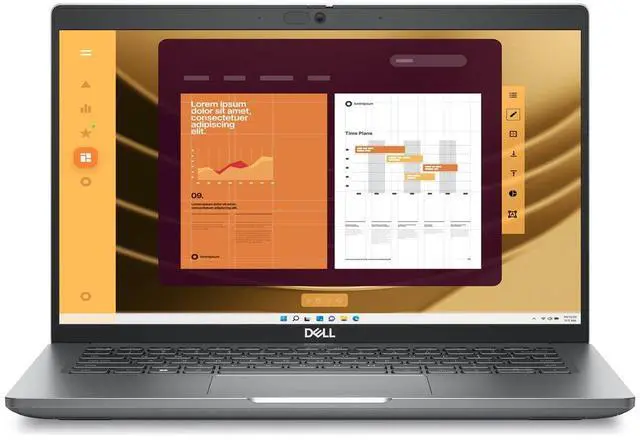
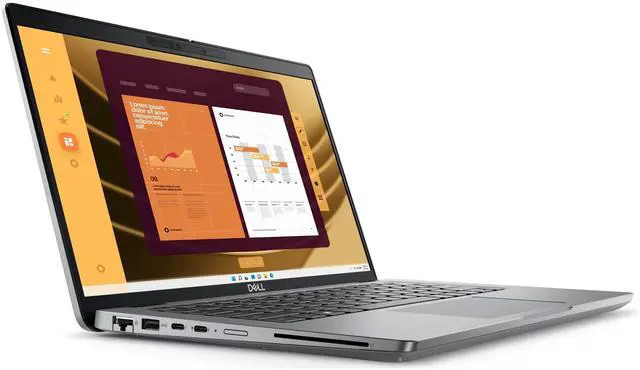
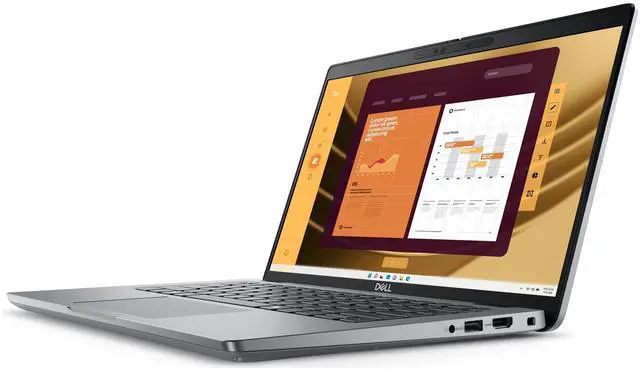
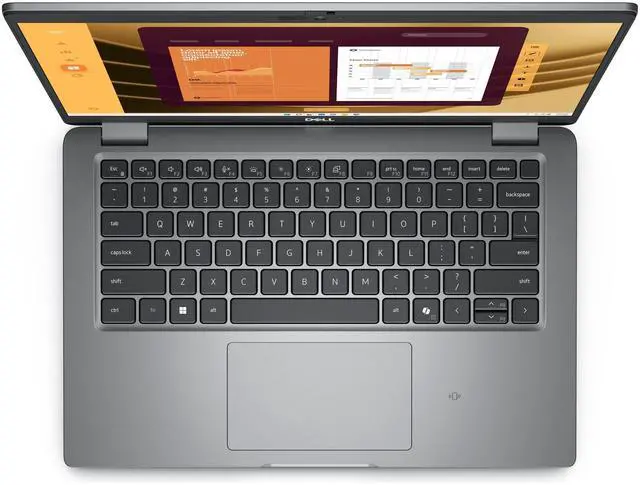
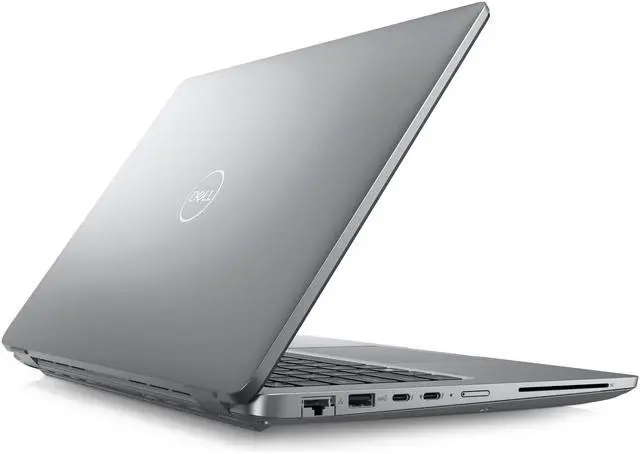
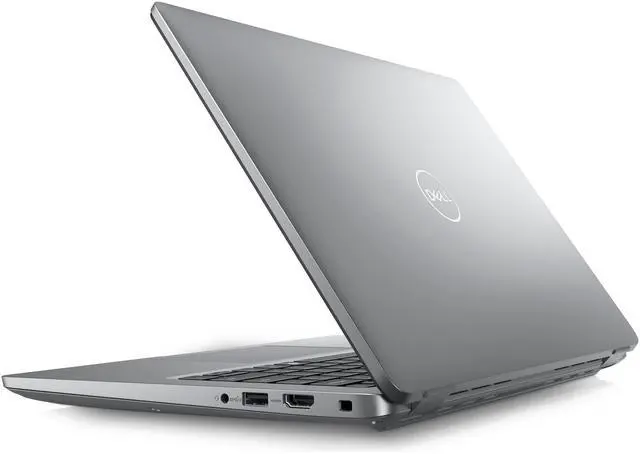


Dell Latitude 5450 14" FHD IPS Touch Intel Core Ultra 5 135U vPro 1.60 GHz up to 4.40 GHz 16GB DDR5 512GB SSD Intel Graphics FP Reader, NO OS, Gray New Damaged Box - 5450Ultra5
Free Intel AI Software w/ purchase, limited offer
- Intel Core Ultra 5 135U vPro 1.60 GHz (12 MB cache, 12 cores, up to 4.40 GHz) | Intel Graphics
- 16 GB DDR5-5200 | 512GB M.2 PCIe NVMe, SSD
- 14", FHD 1920x1080, 60Hz, IPS, Touch, Anti-Glare, 300 nit, 72% NTSC, 100% sRGB
- 802.11ax, Bluetooth 5.3 wireless card
- NO OS | Smart card | Fingerprint Reader
Overview
Specs
Reviews
See all Q & A 
Any questions? Our AI mode will help you find out quickly.
Try me now
Intel Core Ultra 5 135U vPro 1.60 GHz (12 MB cache, 12 cores, up to 4.40 GHz) | Intel Graphics
16 GB DDR5-5200 | 512GB M. 2 PCIe NVMe, SSD
14", FHD 1920x1080, 60Hz, IPS, Touch, Anti-Glare, 300 nit, 72% NTSC, 100% sRGB
802.11 ax, Bluetooth 5.3 wireless card
NO OS | Smart card | Fingerprint Reader
**New Damaged Box
16 GB DDR5-5200 | 512GB M. 2 PCIe NVMe, SSD
14", FHD 1920x1080, 60Hz, IPS, Touch, Anti-Glare, 300 nit, 72% NTSC, 100% sRGB
802.11 ax, Bluetooth 5.3 wireless card
NO OS | Smart card | Fingerprint Reader
**New Damaged Box
Warranty & Returns
Warranty, Returns, And Additional Information
Warranty
- Limited Warranty period (parts): 1 year
- Limited Warranty period (labor): 1 year
- Read full details
Return Policies
- Return for refund within: 15 days
- Return for replacement within: 15 days
- This item is covered by Newegg.com's 15-Day Return Policy.
- Read full return policy for details.
Manufacturer Contact Info
- Manufacturer Website
- Support Phone: 1-800-WWW-DELL
- Support Website
- View other products from DELL
LOADING...
Learn about this product
The Dell Latitude 5450 is a 14-inch business laptop with a touchscreen, Intel Core Ultra 5 135U vPro, 16GB DDR5, and 512GB SSD, making it well suited for office users, remote workers, and IT-managed fleets that need strong everyday productivity, modern ports, and wired or wireless connectivity in a portable design.
Recommended For
- IT-managed office users who need a 14-inch business laptop for email, documents, browser-heavy workflows, Zoom, and docking at a desk. Latitude 5450 is positioned as a business system with vPro options, Thunderbolt 4, HDMI, RJ45, smart-card support, and enterprise deployment features.
- Hybrid workers who move between home, office, and client sites and want built-in ports instead of carrying adapters. Real-world positioning favors users who plug into monitors, wired networks, docks, and standard office peripherals.
- Business users who value security and admin features more than entertainment features, such as employees in finance, healthcare, government, or corporate environments using fingerprint/smart-card style sign-in, vPro fleets, and standard productivity apps.
- Users planning to install their own operating system, including Windows image deployment or Linux setup, because this listing ships with no OS and Dell officially offers Ubuntu configurations for the Latitude 5450 platform.
- Users who mainly run office apps, web tools, remote work software, and light coding rather than GPU-heavy work. Community feedback and Core Ultra 5 U-series benchmarking point to solid everyday productivity, but not a creator- or gaming-first tuning.
Real-World Use Scenarios
- A remote employee can use the Latitude 5450 for daily office work, web apps, video meetings, and document editing with a generally smooth experience; reviews consistently place it as a business-first laptop with a comfortable keyboard, solid webcam quality, and enough performance for typical productivity workloads.
- A hybrid worker can dock it at a desk and run a practical multi-screen office setup for email, spreadsheets, Teams or Zoom, and browser tabs; Dell’s Thunderbolt 4 support and business docking features make it a better fit for desk-to-meeting-room use than for standalone high-performance workloads.
- A student or analyst can carry it between classes, offices, or client sites for note-taking, research, and presentations; the 14-inch form factor is portable enough for daily travel, but community discussion suggests battery life and sleep behavior may matter more than raw speed when commuting all day.
- An IT-managed business user can use it in security-sensitive environments for sign-in, internal apps, and corporate deployment workflows; the fingerprint reader, smart card support, vPro platform, Ethernet, and standard business connectivity align with managed office and fleet use rather than consumer entertainment use.
- A user installing Windows or Linux for development, admin work, or dual-boot use should expect it to handle coding tools, terminals, browsers, and office apps well, but not as a machine for heavy GPU work or advanced 3D creation; community reports show Linux use is feasible, with battery tuning sometimes needed after setup.
- Someone using it for light creative work such as presentation design, photo selection, or color-aware content review can expect a more usable screen than many basic office laptops because this configuration includes a 100% sRGB touch display, but integrated graphics keep it in the light-editing tier rather than video-production or CAD-heavy use.
Spec Summary
| Attribute | Value |
|---|---|
| Best For | Business and mainstream 14-inch productivity use with a 12-core Intel Core Ultra 5 processor, 16 GB DDR5 memory and a 512 GB NVMe SSD; suited to everyday office workflows and external-display/dock setups |
| Processor And Core Count | Intel Core Ultra 5 135U (Intel Core Ultra 5 series), 12-core processor, 1.6 GHz base clock with a listed max up to 4.3 GHz, 12 MB L3 cache and 12 MB L2 cache |
| Memory Configuration | 16 GB DDR5 installed (RAM type DDR5); system maximum listed as 16 GB |
| Storage And Expansion | 512 GB NVMe PCIe SSD (no HDD, no optical drive listed) |
| Display Spec | 14.0-inch 1920 x 1080 (FHD) capacitive touch LED display, 60 Hz refresh rate |
| GPU And VRAM | Integrated Intel Graphics using shared system memory |
| High Speed I O | 2x Thunderbolt 4 / USB4 (40 Gbps) supporting DisplayPort Alt Mode and Power Delivery, 2x USB 3.2 Gen 1 ports (one with PowerShare), HDMI 2.1 output, 1x universal audio jack, Gigabit Ethernet |
| Wired And Wireless Networking | Wi‑Fi 6 (802.11ax) and Bluetooth 5.3 wireless; wired Gigabit Ethernet (10/100/1000 Mbps) |
| Battery And Power | 3-cell, 42 Wh battery; AC adapter listed as built-in media (batteries not required/ not included) |
| Webcam And Privacy | 1080p webcam |
| Keyboard And Control | Backlit keyboard with multi-touch precision touchpad and capacitive touch-screen input |
| Audio Setup | Stereo speakers with a universal audio port |
| Portability | Color: Gray; device dimensions listed as 12.7 x 8.5 x 0.88 inches; weight given as 3.09 (unit not specified) and package weight 2.5 kg |
| External Display And Docking Fit | Supports external displays and docking via HDMI and Thunderbolt 4; compatible with external displays, docks, storage devices and common USB/Bluetooth peripherals |
| Model Identifiers | Dell Latitude 5450 (model 5450), part number 5450Ultra5-NDB; manufacturer Dell |
| Operating System | No operating system installed |
Reference Q&A
Q: Should I choose the Dell Latitude 5450 or Latitude 7450 for business work?
A: Choose the Latitude 5450 if you want a more practical 14-inch business laptop with broader configuration flexibility, including touch display options, H-series Core Ultra options, and even an RTX 2050 option in the platform family. Choose the Latitude 7450 if lower carry weight and a more premium thin-and-light design matter more than upgrade flexibility. In short: the 5450 fits mainstream office deployment and mixed-use productivity, while the 7450 fits portability-first business users.
Q: Is the Core Ultra 5 135U Latitude 5450 enough, or should I look for a Core Ultra H-series configuration?
A: The Core Ultra 5 135U version is the right choice for everyday business tasks such as web apps, Office, video calls, remote work, and light multitasking. Move to an H-series Latitude 5450 if you expect heavier sustained workloads such as large spreadsheets, code builds, analytics, or more demanding multitasking. Dell’s own configuration page shows that H-series versions gain Intel Arc graphics when paired with at least 16 GB dual-channel memory, which makes the higher-tier setup more appropriate for performance-first buyers.
Q: Dell Latitude 5450 vs Latitude 3450: which one makes more sense?
A: Choose the Latitude 5450 if you want the safer long-term business buy. It sits higher in Dell’s lineup, and common buyer discussions frame it as the more full-featured mainstream corporate model with stronger configuration headroom and better fit for heavier daily use. Choose the Latitude 3450 if the priority is staying within a lower budget for standard office tasks and you do not need the 5450’s more premium configuration range.
Q: Is this Latitude 5450 better than the previous Latitude 5440 generation?
A: The Latitude 5450 is the better choice if you want a newer platform with Intel Core Ultra options, newer AI-era architecture, and a wider path to higher-end graphics and processor configurations. The Latitude 5440 still makes sense if price is the main factor and you only need conventional office performance. For most buyers comparing generations directly, the 5450 is the more current platform and the better fit for longer deployment cycles.
Q: Should I buy the Latitude 5450 or move up to a Precision 3590?
A: Choose the Latitude 5450 for mobile office work, meetings, browser-based workflows, and general business use in a smaller 14-inch form factor. Move to the Precision 3590 if your work benefits from a larger 15.6-inch workspace or workstation-style configurations, especially when professional apps or GPU-assisted workloads are part of the job. The trade-off is straightforward: the Latitude 5450 is the more portable business notebook, while the Precision 3590 is the better fit for performance-oriented workflows.
Q: Is this a good travel work laptop?
A: Yes for business travel and daily office use. The Latitude 5450 is relatively portable at 3.09 lb, has a 14-inch FHD touch display, built-in Ethernet, HDMI 2.1, and two Thunderbolt 4 ports, which fits the common buyer pattern of wanting a work laptop that travels well and docks easily. The main trade-off is battery size: this configuration lists a 3-cell 42 Wh battery, which is practical for moderate workdays but not ideal if all-day unplugged runtime is your top priority.
Q: Is it good for note-taking, meetings, and office work?
A: Yes. This configuration is well suited to note-taking, video meetings, web apps, spreadsheets, documents, and general multitasking. The Core Ultra 5 135U, 16GB RAM, 512GB SSD, touch screen, 1080p webcam, backlit keyboard, Wi‑Fi 6, and fingerprint reader all align with the repeated retail buying concerns around productivity, video calls, and everyday business use. It is a stronger office machine than entry-level consumer laptops, but it is not aimed at heavy graphics or workstation-class workloads.
Q: Who is this laptop best suited for?
A: It is best for business users, remote workers, students in office-heavy programs, and buyers who want enterprise features rather than maximum entertainment value. The useful fit here is someone who cares about security and connectivity features such as vPro, a fingerprint reader, smart card support, Ethernet, HDMI, and Thunderbolt 4. It is less suitable for buyers who mainly want gaming performance, a high-resolution display, or a consumer-focused media laptop.
Q: What are the main trade-offs versus a consumer laptop or 2-in-1?
A: The Latitude 5450 favors business practicality over premium consumer extras. Compared with many consumer laptops or 2-in-1 models, it gives you better port selection and business features, but this configuration keeps a standard 60 Hz FHD panel, integrated Intel graphics, and a smaller 42 Wh battery. In short: it is the better choice for office reliability, docking, and security, while a consumer 2-in-1 may be better if you want a brighter or sharper screen, lighter design, stronger media focus, or pen-first tablet-style use.
Q: Is this better than a similar alternative if I only need basic home use?
A: Not necessarily. If your needs are basic browsing, email, streaming, and light schoolwork, a cheaper mainstream laptop can be the better value. The Latitude 5450 makes more sense when you specifically want business-oriented features such as vPro, fingerprint login, smart card support, RJ45 Ethernet, and strong docking support. For simple home use, you may pay extra for capabilities you will not use.
Q: Is the Dell Latitude 5450 a good buy for office work, web use, and coding?
A: Yes, for typical business and study workloads it is a sensible fit. The Core Ultra 5 135U, 16GB RAM, and 512GB SSD are enough for office apps, many browser tabs, video calls, and programming. The main trade-off is that this configuration uses integrated Intel graphics, so it is not the right choice for heavier gaming, 3D work, or GPU-heavy creative tasks.
Q: Who is the Latitude 5450 most suitable for?
A: It is best suited to business users, students, and remote workers who want a 14-inch laptop with modern ports, Ethernet, Wi‑Fi 6, a fingerprint reader, smart card support, and a touch display. It makes more sense as a productivity laptop than as a media-first or gaming laptop.
Q: What are the main trade-offs of this Latitude 5450 configuration?
A: The main compromises are battery size, graphics performance, and setup convenience. A 42Wh battery is modest for a 14-inch work laptop, integrated Intel graphics are fine for basic use but limited for demanding visual workloads, and this specific listing ships with no operating system, so it is better for buyers comfortable installing Windows or Linux themselves.
Q: Is this a good choice if I want Linux or a no-OS laptop I can set up myself?
A: Yes, this listing is a practical option for buyers who plan to install their own OS. Community discussion around the Latitude 5450 regularly brings up Linux use, and the hardware profile is a normal business-laptop setup rather than something unusually dependent on proprietary graphics. The key decision point is whether you are comfortable handling OS installation and driver setup yourself.
Q: Is the screen good enough for general work and note-taking?
A: Yes. For everyday productivity, the 14-inch FHD IPS touch display is suitable for documents, browsing, meetings, and handwritten or touch-based navigation. The trade-off is that this is still a 60Hz business display, so buyers focused on high refresh, deeper contrast, or premium media quality may want a higher-tier panel.