




 here!
here!
I’m your shopping assistant for PC builds, upgrades, and everything tech.
Got questions? Ask away!
Start a conversation
here!
I’m your shopping assistant for PC builds, upgrades, and everything tech.
Got questions? Ask away!
Start a conversationShipped by Hebei XG Technology Co., Ltd.





Any questions? Ask CelesteSM will help you find out quickly.
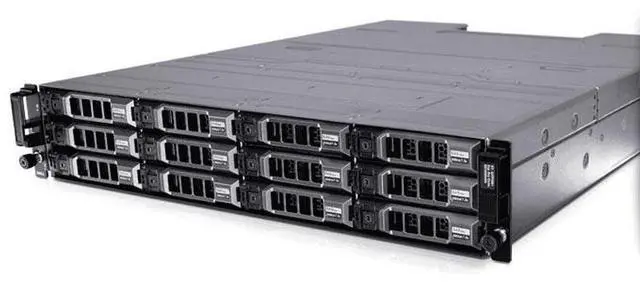
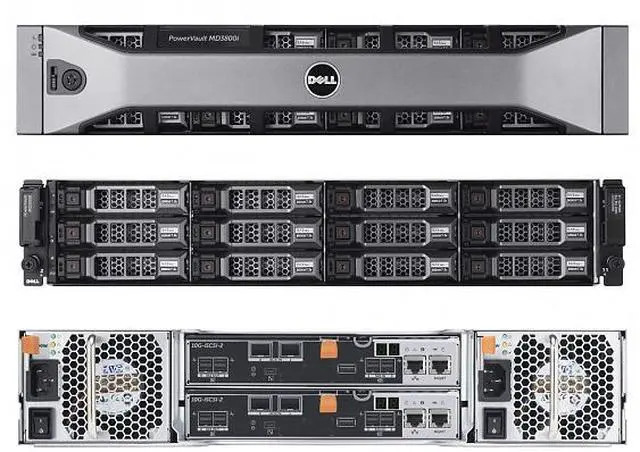
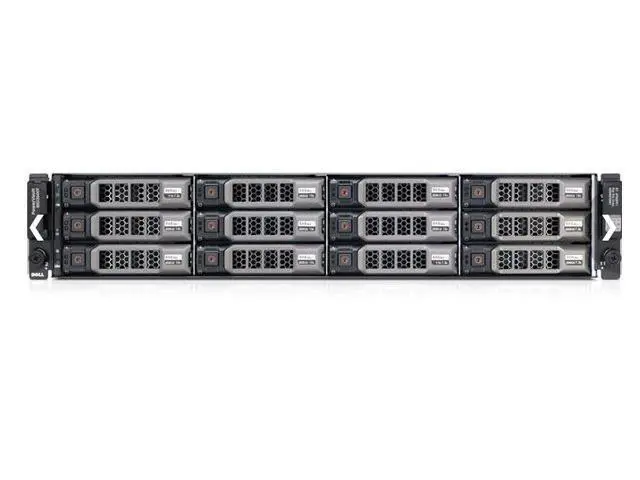
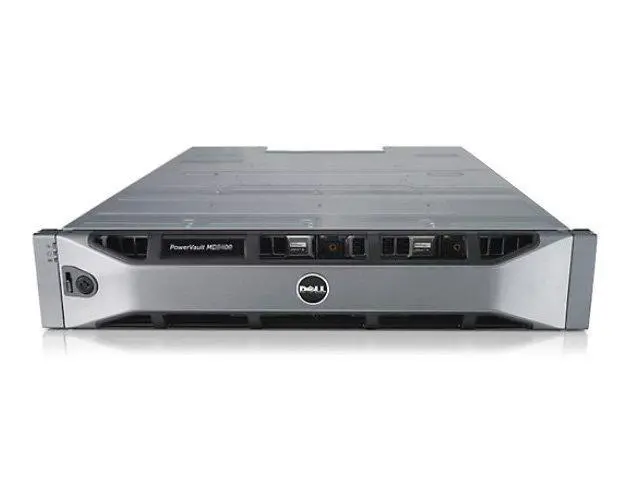
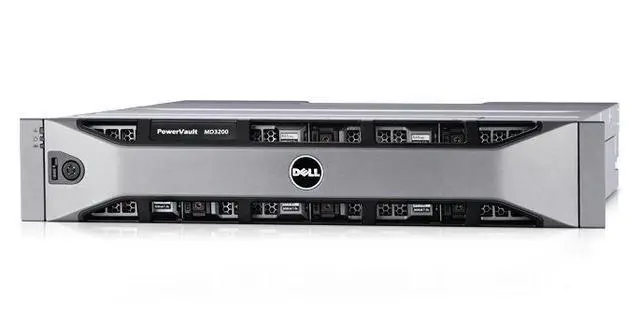
1. Optimal Storage Density:The 2U form-factor combined with 12 x 3.5-inch drive bays of the Dell 3800I offers an excellent storage density. It allows businesses to maximize data storage within a limited rack space, suitable for small to medium-sized enterprises looking to manage growing data volumes efficiently.
2. Dual-Controller Resilience:The dual-controller design provides high-level system resilience. In the event of a controller failure, the redundant controller ensures seamless operation, maintaining continuous data access. This is vital for applications where downtime can lead to significant losses.
3. Flexible Storage Customization:As the storage comes without pre-installed disks, users have the flexibility to choose from a wide range of storage media. Whether it's high-capacity HDDs for bulk data storage or fast SSDs for applications demanding quick data transfer, the 3800I can be tailored to meet specific business needs.
4. Power Redundancy Assurance:With two 600W power supplies, the 3800I ensures power redundancy. This safeguard against power failures keeps the storage system operational, protecting valuable data from potential loss due to power outages and maintaining business continuity.
5. 3-Year Warranty Support:The 3-year warranty offered with this new Dell 3800I storage solution provides peace of mind. Dell's reliable after-sales service and support mean that any potential hardware issues will be addressed promptly, ensuring the long-term reliability of the storage investment.
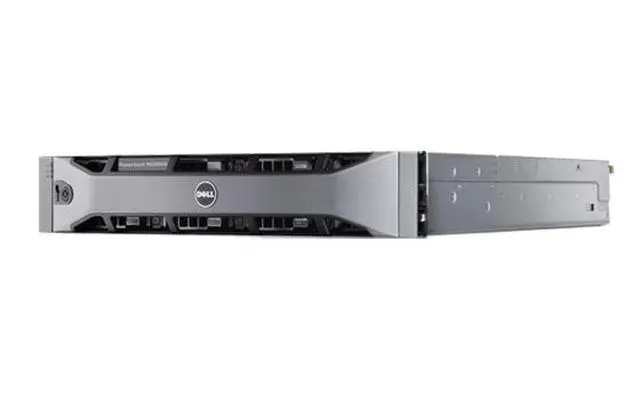
The Dell 3800I is a 2U diskless storage system with 12 x 3.5-inch bays, dual controllers, and dual 600W power supplies, making it suitable for businesses that need a rackmount storage platform with high availability and flexible drive configuration.
| Attribute | Value |
|---|---|
| Best For | Small-to-medium businesses and dense rack storage deployments that need high-capacity, redundant on-premises storage; 2U/12-bay disk-less chassis lets you choose HDDs for bulk capacity or SSDs for higher performance |
| Form Factor & Drive Bays | 2U rack chassis with 12 x 3.5-inch drive bays (disk-less, user-populated) |
| Controllers & Resilience | Dual-controller architecture providing controller-level redundancy to maintain continuous data access if one controller fails |
| Power And Redundancy | Two 600W redundant power supplies to sustain operation during a single power-supply failure |
| Storage Configuration | Ship disk-less (no drives included); supports user-installed HDDs or SSDs for configurable capacity and performance |
| Warranty & Support | 3-year hardware warranty included |
| Model Identifiers | Dell 3800I |
| Appearance | Silver chassis color |
| Listing Info | First listed on Newegg June 11, 2026 |
| Product Category | DELL — Barebone PCs |
Q: Should I choose the Dell 3800I 12-bay array or a newer Dell PowerVault ME5012?
A: Choose the newer PowerVault ME5012 if you want a current Dell entry-storage platform with ongoing positioning around simple block SAN/DAS deployment, broader modern feature support, and easier long-term standardization. Choose the Dell 3800I if your priority is a 12-bay dual-controller iSCSI array that fits an existing MD3/MD3800 environment, uses familiar management, or matches an older compatibility plan. In practical buying terms, the ME5012 is the better fit for new deployments, while the 3800I is the more natural fit for like-for-like replacement or expansion decisions.
Q: Is a 12 x 3.5-inch array like the Dell 3800I better than a 24-bay 2.5-inch model?
A: Choose the Dell 3800I-style 12 x 3.5-inch platform when you want higher raw capacity per rack unit using large nearline drives, especially for backups, archives, and general virtualization storage where capacity matters more than spindle count. Choose a 24-bay 2.5-inch model when you want more drive slots for SSD-heavy layouts or higher IOPS-oriented configurations. The trade-off is straightforward: 3.5-inch favors capacity efficiency, while 2.5-inch favors density of drives and performance-oriented media choices.
Q: Should I buy a diskless Dell 3800I or a pre-populated array?
A: Choose the diskless Dell 3800I when you need control over drive type, capacity mix, or replacement strategy, such as building around bulk NL-SAS drives, adding SSDs selectively, or matching an existing spare-drive pool. Choose a pre-populated array when you want a faster deployment path with a validated starting configuration and less planning around media selection. The diskless option is usually the better choice for buyers optimizing cost per usable terabyte or standardizing on drives they already support internally.
Q: Is the Dell 3800I a better fit than a higher-capacity 60-bay array such as Dell MD3860i-class storage?
A: Choose the Dell 3800I when you want a simpler 2U footprint with 12 large-form-factor bays and lower starting complexity for branch offices, SMB virtualization, or moderate shared-storage needs. Choose a 60-bay class system when your priority is much larger scale inside one chassis and you expect capacity growth to outweigh rack-space efficiency at the array level. The 3800I is the better fit for contained deployments; a 60-bay platform is the better fit for consolidation and larger growth plans.
Q: Should I choose a dual-controller array like the Dell 3800I or a simpler single-controller storage option?
A: Choose the Dell 3800I when continuous access matters and you want controller-level redundancy for shared business storage. A dual-controller design is the stronger match for production virtualization, departmental databases, and multi-host environments where planned and unplanned interruptions matter. Choose a simpler single-controller option when the workload is less critical, the budget is tighter, or the array is used for secondary storage. The main trade-off is resilience and availability versus lower entry cost and simpler configuration.
Q: Does this storage system come with drives, or do I need to buy them separately?
A: You need to buy drives separately. This Dell 3800I is a disk-less 2U storage system, so it is intended for buyers who want to choose and install their own drives. That gives flexibility, but it also means the total cost, deployment time, and compatibility planning depend on the drives you add.
Q: Who is this Dell 3800I best suited for?
A: This model is best suited for businesses or IT environments that need rackmount storage with higher uptime expectations, flexible drive selection, and room for larger-capacity 3.5-inch disks. Its 12-bay 2U design, dual controllers, and redundant power supplies make more sense for shared storage, backup, archive, or departmental infrastructure than for casual home use.
Q: Is this a good choice if uptime and redundancy matter?
A: Yes, that is one of its main reasons to buy it. The dual-controller design helps maintain access if one controller fails, and the dual 600W power supplies add power redundancy. This does not replace the need for proper RAID planning, compatible drives, and backups, but it is a better fit for environments where downtime is costly.
Q: Can I mix and match drives, or should I plan the drive setup carefully?
A: You should plan the drive setup carefully. Retail Q&A for comparable disk-less storage products repeatedly shows that buyers ask about drive type, capacity, and whether all drives must match. For this Dell unit, the safe decision is to confirm drive compatibility and design the full storage layout in advance, especially if you want a specific RAID or performance target.
Q: Is this plug-and-play, or does it require storage planning and setup work?
A: It requires planning and setup work. Because it ships without disks, you cannot treat it like a simple ready-to-use external drive. Buyers should expect drive installation, storage configuration, and environment planning before it becomes useful in production. It is a better fit for managed IT deployment than for users who want a quick consumer-style setup.
Q: Who is the Dell 3800I a good fit for?
A: The Dell 3800I is best suited for buyers who need shared storage with redundancy, not just raw drive bays. Its dual-controller design, dual power supplies, and 12-bay 2U chassis make it more appropriate for SMB storage, lab environments, or workloads where storage availability matters. It is less suitable if you only need a simple single-server bulk storage box.
Q: Is the Dell 3800I worth buying over a regular 12-bay server?
A: It is worth buying if you specifically need a storage array with controller and power redundancy. It is usually a weaker choice than a regular 12-bay server if your goal is only inexpensive bulk storage, because this listing is disk-less and the platform adds complexity that many single-host setups do not need.
Q: What are the main trade-offs of buying this disk-less Dell 3800I?
A: The main trade-offs are setup cost and deployment complexity. Being disk-less gives flexibility to choose your own drives, but it also means the total cost will be higher once disks, compatible networking, and any needed rails or accessories are added. Compared with simpler storage options, it also requires more planning to deploy correctly.
Q: Is the Dell 3800I a good choice for a homelab or beginner storage setup?
A: Usually only if you want to learn enterprise shared storage or need redundancy features. For beginners or home users with simple NAS goals, it is often more system than necessary. A standard server or simpler DAS/NAS option is typically easier to manage and may better match small-scale storage needs.


