






Welcome to ANTIEE
We are a manufacturer specializing in various laptop batteries and tablet batteries. We emphasizes the basic product concept of high-quality, safety and reliability. ANTIEE Laptop batteries are 100% DIRECT from Manufacturer with over 10 years' laptop battery production experience.
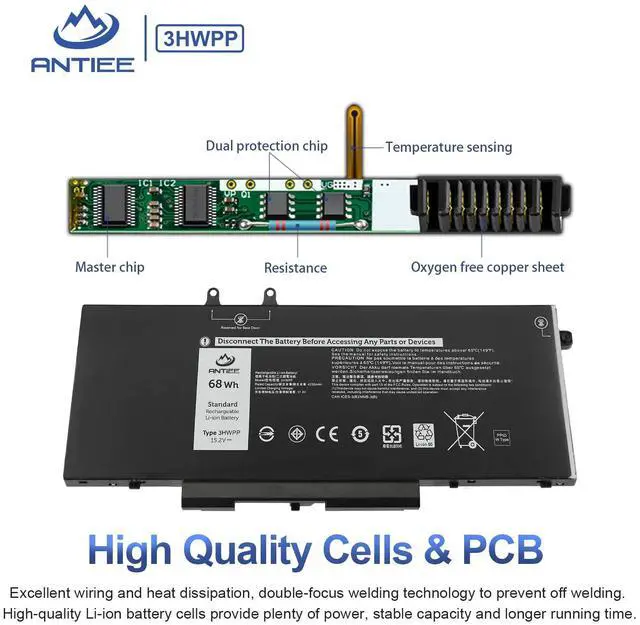
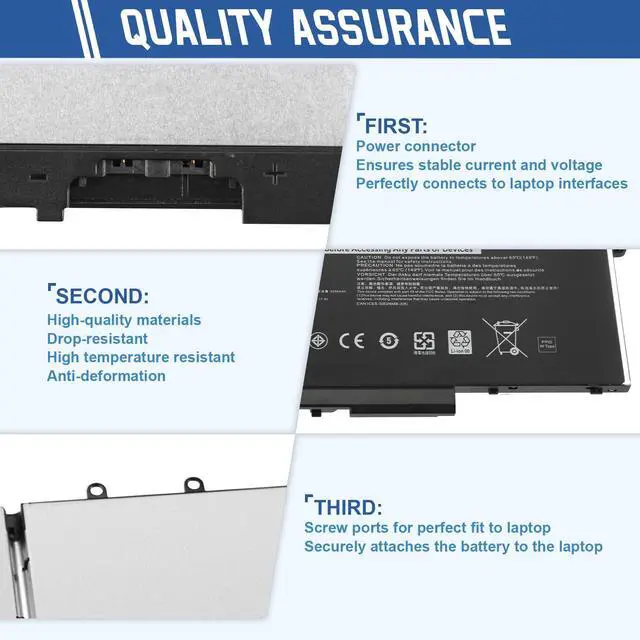
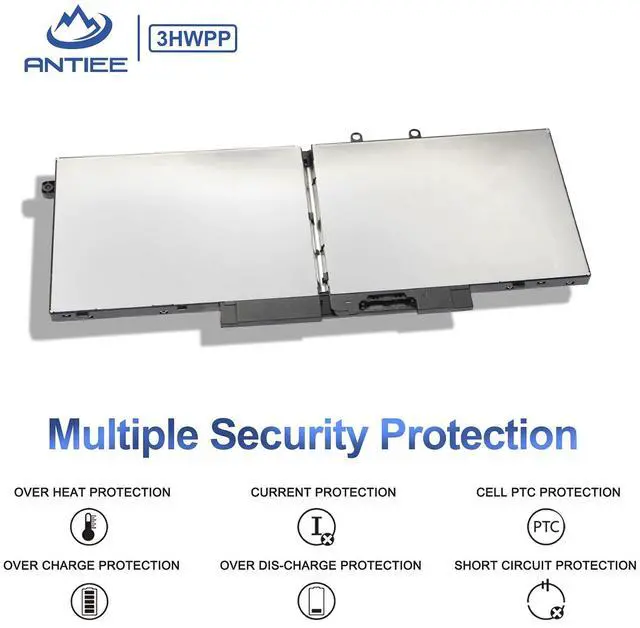
We are always working hard to ensure high quality laptop battery standards through multiple quality checks. With multi-protections such as short circuit, overheat, and overload, you can rest assured that you are in good hands. ANTIEE promises to deliver each customer to valuable, efficient and reliable battery. Let your notebook get more freedom.

SPECIFICATION
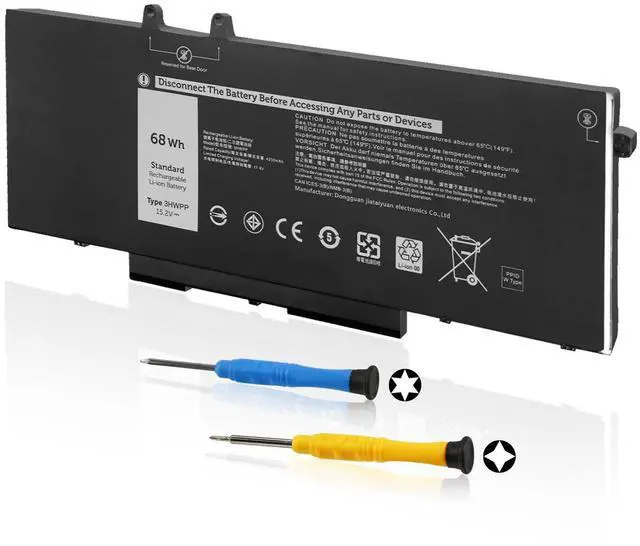
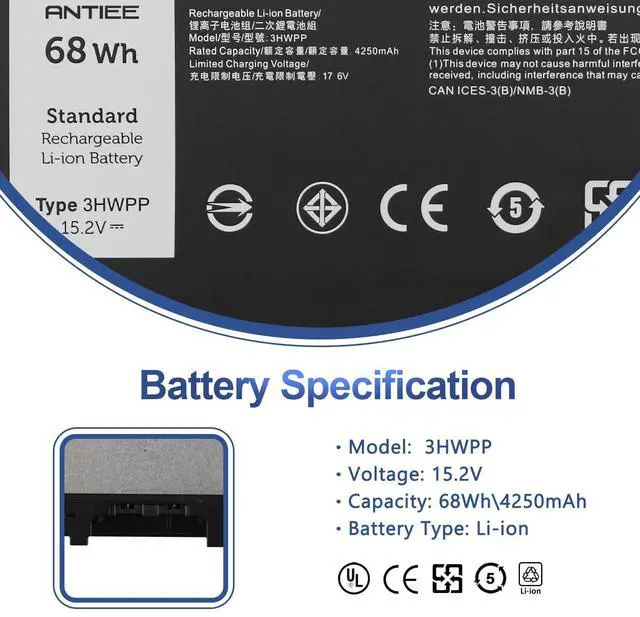
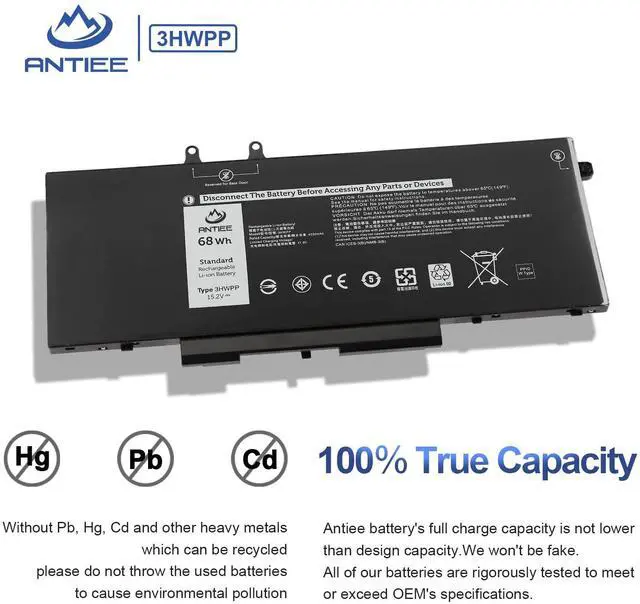
- Battery Model: 3HWPP
- Voltage: 15.2V
- Capacity: 68Wh 4250mAh
- Cell: 4-Cell
- Condition: Brand new
- Battery Type: Li-ion
- Size: 9.5×4.2 inches
REPALCE PART NUMBER
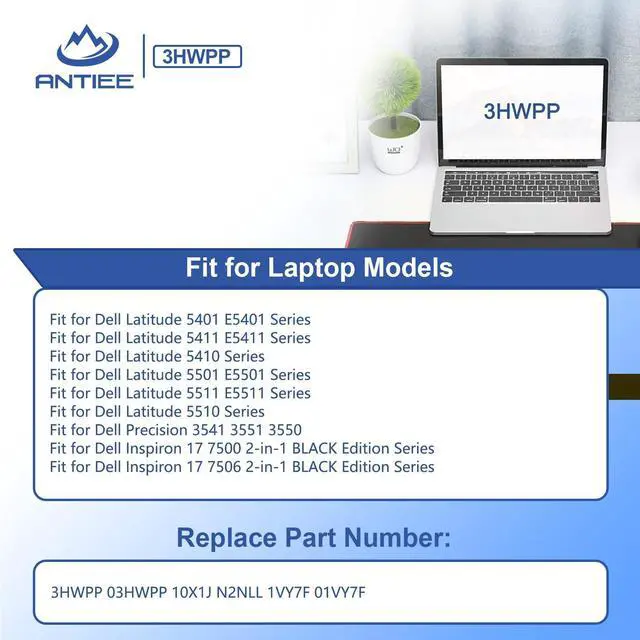
- 3HWPP 03HWPP 10X1J N2NLL 1VY7F 01VY7F
COMPATIBLE LAPTOP MODELS: (Please "Ctrl+F" search your laptop model)
- Dell Latitude 5401 E5401 Series
- Dell Latitude 5411 E5411 Series
- Dell Latitude 5410 Series
- Dell Latitude 5501 E5501 Series
- Dell Latitude 5511 E5511 Series
- Dell Latitude 5510 Series
- Dell Precision 3541 Mobile Workstation (P80F003)
- Dell Precision 3551 Mobile Workstation (P80F004)
- Dell Precision 3550 Mobile Workstation (P80F002)
- Dell Inspiron 17 7500 2-in-1 BLACK Edition Series (NOT fit for Dell Inspiron 17 7500 2-in-1 SILVER Edition)
- Dell Inspiron 17 7506 2-in-1 BLACK Edition Series (NOT fit for Dell Inspiron 17 7506 2-in-1 SILVER Edition)
ATTENTION PLEASE:
- 3HWPP battery for -- Dell Inspiron 17 7500/ 7506 2-in-1 BLACKEdition(ON SALE)
- JK6Y6/H5CKD battery for -- Dell Inspiron 17 7500/ 7506 2-in-1 SILVEREdition (If you need to choose this battery model, please swipe the page to the list to learn more)
- There are 3 battery models for the Dell Latitude 5501 5511 and Dell Precision 3541 3551 laptops. We strongly recommend that you open the back cover of your laptop to confirm the original battery type before placing your order.
PACKAGE INCLUDES:
- 1 X 3HWPP Battery
- 2 X Screwdriver
 3HWPP battery |  H5CKD battery |  JK6Y6 battery | |
|---|---|---|---|
| Customer Reviews | — | — | — |
| Price | — | — | — no data |
| Voltage | 15.2V | 11.25V | 15V |
| Capacity | 68Wh 4250mAh | 40Wh 3378mAh | 53Wh 3360mAh |
| Compatible models | Dell Inspiron 17 7500/ 7506 2-in-1 BLACK Edition | Dell Inspiron 17 7500/ 7506 2-in-1 SILVER Edition | Dell Inspiron 17 7500/ 7506 2-in-1 SILVER Edition |

Preparation Before Installing a New Battery
- First check if the battery is the same size as your original battery after receiving it.
- Before disassembling your laptop, put the old battery charge below 25%.
- We recommend that you search for battery removal tutorials on the Internet in advance, or seek help from a professional technician. We won't responsible for any damage due to improper operation.
- When installing the battery, pay attention to whether the battery cable is fixed. If the battery cable is not installed correctly, the battery may not be charged.

Usual Troubleshooting Methords
Why doesn't your laptop detect the battery or display the battery level properly after installing the battery?
- Could be caused by battery loose. Please check whether the battery cable is installed properly.
- May be due to conductive material damaged which the laptop motherboard and battery anode and cathode contact position, you can try to confirm it with your original battery.
- Check whether the battery drive is in normal condition, if not, download the corresponding driver software to update.

Laptop Battery Manual
- New battery: Discharge the new battery to 10% (not 0%), then charge it to 100%. Cycle 3-5 times to activate its maximum capacity before use.
- Overuse: Do not run out of battery power to 0%, the lithium battery will turn on the charge protection so that it can not be recharged, which is the nature of lithium batteries.
- Long-term storage: Charge it to around 50% when you store it long term. (Charge it once a month) Do not store at low power to prevent reduce the lifespan of a battery.
- Adapter: Always use the proper ac adapter charger for your device.


ANTIEE was born from a simple belief
-------your laptop deserves a battery that works as hard as you do.

For years, we experienced the same frustrations as every user —
- Batteries aging too fast
- Sudden shutdowns during important work
- Replacement batteries that failed to deliver reliability
So we built ANTIEE to change that.
Every ANTIEE laptop battery is engineered around three promises:
• Reliable Power — consistent performance for work, study, travel, and creation.
• Proven Safety — multi-layer protection against overcharge, overheat, and short-circuit.
• Extended Lifespan — high-grade cells and optimized BMS calibration for longer cycle life.

We offer replacement batteries for almost all laptop brands
Batteries for HP Laptop
![A1708 Battery Replacement, A1713 Battery for MacBook Pro 13 Inch A1708 [Late 2016, Mid 2017] EMC ...](//c1.neweggimages.com/sellingpilot/modules/product/a-plus/0087e77eabe99466aa3df2a09b6206cde1adfc1804637149c4ab5ba1bd008c05.jpg)
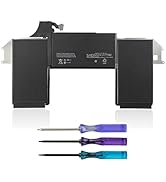
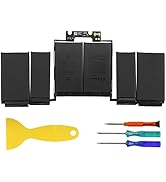
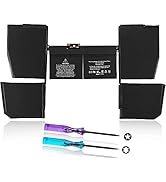
Batteries for Apple MacBook
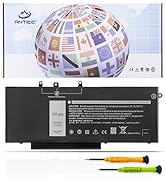
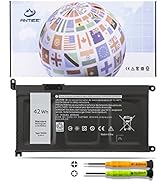
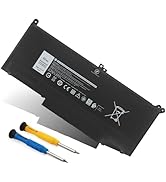
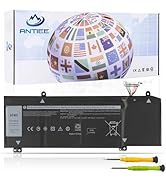
Batteries for Dell Laptop
What should you do if you receive a defective product?
1.Please feel welcomed to notify us of any inconvenience or fault in our battery. Via "Your Orders" tab in account.
2.For 12 months from the date of purchase, if the product fails, we will provide you with a free replacement.
3.Providing every customer with guaranteed after-sales service is our aim.
Why is my HP laptop only charged to 80%?
? Hardware problem: Please re-install the battery and re-plug the battery interface.
? Software Issue: The HP Battery Health Manager settings are located in the BIOS, which you can access by pressing F10 during startup.
The “Maximize My Battery Health” setting limits the maximum state-of-charge on the notebook battery to 80%, which has been proven to optimize battery health and helps mitigate battery swelling due to high state-of-charge. If not required, Change this setting.
If your battery is still defective, we will be responsible for your situation.
How to maximize battery life?
1.Lithium batteries have no memory effect. It does not need to be fully charged and discharged deliberately, and it is generally enough for normal use.
2.The only thing to note is that lithium batteries have a "self-discharge" feature. During the storage period, the power will still decrease slowly.
3.Long-term storage with the battery discharged to 0% may damage the battery and render it unusable.
4.When not using the laptop for a long time, charge the battery to 50%, turn off and remove the transformer, recharge the battery to 50% every three months.
![A1708 Battery Replacement, A1713 Battery for MacBook Pro 13 Inch A1708 [Late 2016, Mid 2017] EMC ...](http://c1.neweggimages.com/sellingpilot/modules/product/a-plus/0087e77eabe99466aa3df2a09b6206cde1adfc1804637149c4ab5ba1bd008c05.jpg)
Welcome to ANTIEE
We are a manufacturer specializing in various laptop batteries and tablet batteries. We emphasizes the basic product concept of high-quality, safety and reliability. ANTIEE Laptop batteries are 100% DIRECT from Manufacturer with over 10 years' laptop battery production experience.
We are always working hard to ensure high quality laptop battery standards through multiple quality checks. With multi-protections such as short circuit, overheat, and overload, you can rest assured that you are in good hands. ANTIEE promises to deliver each customer to valuable, efficient and reliable battery. Let your notebook get more freedom.
SPECIFICATION
- Battery Model: 3HWPP
- Voltage: 15.2V
- Capacity: 68Wh 4250mAh
- Cell: 4-Cell
- Condition: Brand new
- Battery Type: Li-ion
- Size: 9.5×4.2 inches
REPALCE PART NUMBER
- 3HWPP 03HWPP 10X1J N2NLL 1VY7F 01VY7F
COMPATIBLE LAPTOP MODELS: (Please "Ctrl+F" search your laptop model)
- Dell Latitude 5401 E5401 Series
- Dell Latitude 5411 E5411 Series
- Dell Latitude 5410 Series
- Dell Latitude 5501 E5501 Series
- Dell Latitude 5511 E5511 Series
- Dell Latitude 5510 Series
- Dell Precision 3541 Mobile Workstation (P80F003)
- Dell Precision 3551 Mobile Workstation (P80F004)
- Dell Precision 3550 Mobile Workstation (P80F002)
- Dell Inspiron 17 7500 2-in-1 BLACK Edition Series (NOT fit for Dell Inspiron 17 7500 2-in-1 SILVER Edition)
- Dell Inspiron 17 7506 2-in-1 BLACK Edition Series (NOT fit for Dell Inspiron 17 7506 2-in-1 SILVER Edition)
ATTENTION PLEASE:
- 3HWPP battery for -- Dell Inspiron 17 7500/ 7506 2-in-1 BLACKEdition(ON SALE)
- JK6Y6/H5CKD battery for -- Dell Inspiron 17 7500/ 7506 2-in-1 SILVEREdition (If you need to choose this battery model, please swipe the page to the list to learn more)
- There are 3 battery models for the Dell Latitude 5501 5511 and Dell Precision 3541 3551 laptops. We strongly recommend that you open the back cover of your laptop to confirm the original battery type before placing your order.
PACKAGE INCLUDES:
- 1 X 3HWPP Battery
- 2 X Screwdriver
3HWPP battery | H5CKD battery | JK6Y6 battery | |
|---|---|---|---|
| Customer Reviews | — | — | — |
| Price | — | — | — no data |
| Voltage | 15.2V | 11.25V | 15V |
| Capacity | 68Wh 4250mAh | 40Wh 3378mAh | 53Wh 3360mAh |
| Compatible models | Dell Inspiron 17 7500/ 7506 2-in-1 BLACK Edition | Dell Inspiron 17 7500/ 7506 2-in-1 SILVER Edition | Dell Inspiron 17 7500/ 7506 2-in-1 SILVER Edition |

Preparation Before Installing a New Battery
- First check if the battery is the same size as your original battery after receiving it.
- Before disassembling your laptop, put the old battery charge below 25%.
- We recommend that you search for battery removal tutorials on the Internet in advance, or seek help from a professional technician. We won't responsible for any damage due to improper operation.
- When installing the battery, pay attention to whether the battery cable is fixed. If the battery cable is not installed correctly, the battery may not be charged.
Usual Troubleshooting Methords
Why doesn't your laptop detect the battery or display the battery level properly after installing the battery?
- Could be caused by battery loose. Please check whether the battery cable is installed properly.
- May be due to conductive material damaged which the laptop motherboard and battery anode and cathode contact position, you can try to confirm it with your original battery.
- Check whether the battery drive is in normal condition, if not, download the corresponding driver software to update.

Laptop Battery Manual
- New battery: Discharge the new battery to 10% (not 0%), then charge it to 100%. Cycle 3-5 times to activate its maximum capacity before use.
- Overuse: Do not run out of battery power to 0%, the lithium battery will turn on the charge protection so that it can not be recharged, which is the nature of lithium batteries.
- Long-term storage: Charge it to around 50% when you store it long term. (Charge it once a month) Do not store at low power to prevent reduce the lifespan of a battery.
- Adapter: Always use the proper ac adapter charger for your device.
ANTIEE was born from a simple belief
-------your laptop deserves a battery that works as hard as you do.
For years, we experienced the same frustrations as every user —
- Batteries aging too fast
- Sudden shutdowns during important work
- Replacement batteries that failed to deliver reliability
So we built ANTIEE to change that.
Every ANTIEE laptop battery is engineered around three promises:
• Reliable Power — consistent performance for work, study, travel, and creation.
• Proven Safety — multi-layer protection against overcharge, overheat, and short-circuit.
• Extended Lifespan — high-grade cells and optimized BMS calibration for longer cycle life.
We offer replacement batteries for almost all laptop brands
Batteries for HP Laptop
Batteries for Apple MacBook
Batteries for Dell Laptop
What should you do if you receive a defective product?
1.Please feel welcomed to notify us of any inconvenience or fault in our battery. Via "Your Orders" tab in account.
2.For 12 months from the date of purchase, if the product fails, we will provide you with a free replacement.
3.Providing every customer with guaranteed after-sales service is our aim.
Why is my HP laptop only charged to 80%?
? Hardware problem: Please re-install the battery and re-plug the battery interface.
? Software Issue: The HP Battery Health Manager settings are located in the BIOS, which you can access by pressing F10 during startup.
The “Maximize My Battery Health” setting limits the maximum state-of-charge on the notebook battery to 80%, which has been proven to optimize battery health and helps mitigate battery swelling due to high state-of-charge. If not required, Change this setting.
If your battery is still defective, we will be responsible for your situation.
How to maximize battery life?
1.Lithium batteries have no memory effect. It does not need to be fully charged and discharged deliberately, and it is generally enough for normal use.
2.The only thing to note is that lithium batteries have a "self-discharge" feature. During the storage period, the power will still decrease slowly.
3.Long-term storage with the battery discharged to 0% may damage the battery and render it unusable.
4.When not using the laptop for a long time, charge the battery to 50%, turn off and remove the transformer, recharge the battery to 50% every three months.