





GBLGBD Laptop Battery
100% Brand New, OEM Manufactured, You Can Count On

You're Finally Here, Welcome!
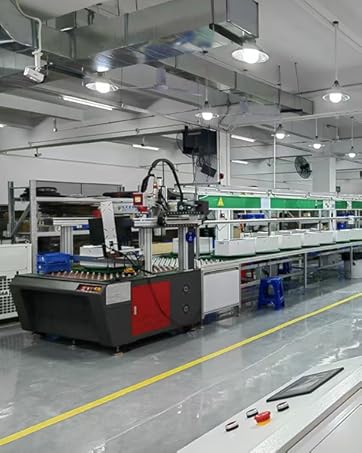
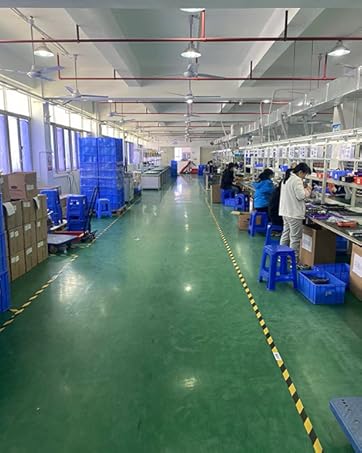
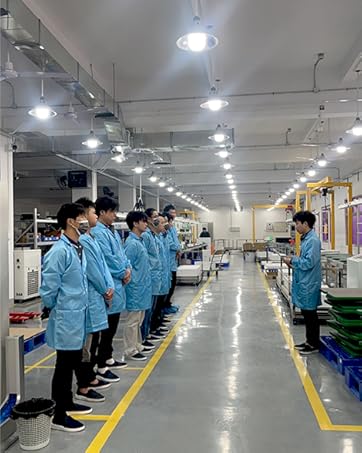
GBLGBD is an advanced & professional laptop battery OEM manufacturer brand, we are focus on elaborate design and manufacture safe & high-quality products.
We are strive to offer every customer with A+ grade batteries, sincere services and good shopping experiences, to improve your work and life.
Enjoy yourself away from AC adapter by restoring your laptop with our excellent batteries.


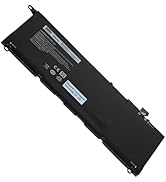
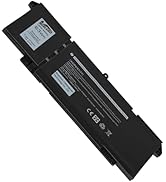
GBLGBD Battery Best Sellers
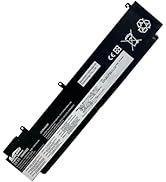
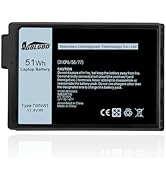
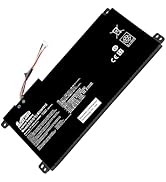
GBLGBD Battery Recommendations
How should I charge my laptop battery?
1. Li-ion batteries: Have no "memory effect," so you don’t need to fully discharge them before charging. Overcharging (keeping them at 100% for long periods) can degrade their health.
2. Avoid full charges and discharges: Keep the battery level between 20% and 80% as much as possible. Studies show that Li-ion batteries degrade faster when frequently charged to 100% or drained below 20%.
3. Unplug When Not Needed. Don’t leave your laptop plugged in indefinitely after it reaches full charge.
4. Avoid Extreme Temperatures(ideally between 10°C and 30°C).
How to keep the battery in good health and have a longer life?
1. Charge your laptop in a cool, well-ventilated environment. High temperatures (e.g., leaving it in a hot car) can damage the battery even while charging.
2. In daily life, manage power settings. On Windows: Go to Settings > System > Power & battery and adjust the power plan to prioritize battery life (e.g., set the screen to dim after a short period, enable "Battery saver"). On macOS: Go to System Preferences > Battery and use "Low Power Mode" when running on battery.
3. Reduce power consumption, close unused apps.
How to manage the battery periodic maintenance?
1. Calibrate the Battery (Occasionally)
Some laptops may need periodic calibration to ensure the battery level indicator is accurate.
How to calibrate: Discharge the battery to around 10%, then charge it to 100% without interrupting the process. Do this once every 3–6 months (no need to do it frequently).
2. Check Battery Health
On Windows: Use the command powercfg /batteryreport to generate a battery report and view its capacity and wear level.
On macOS: Go to System Preferences > Battery > Battery Health to see if your battery needs replacement.
Is the GBLGBD laptop battery rechargeable?
Yes, all of our laptop battery is li-ion or lithium-polymer battery, definitely rechargeable, but be sure to charge with the original AC adapter.
Is GBLGBD laptop battery easy to install?
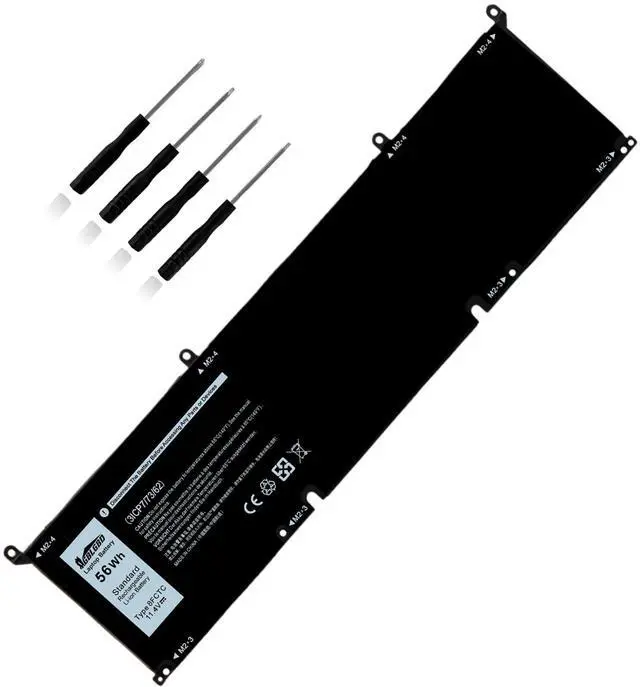
Yes, it comes with package including 5-IN-1 toolkit and user manual, easy and quick to install. Also, you could browse our YT videos with the installing steps.
Does it come with tools?
Yes, most of laptop batteries comes with toolkit that you need to open the laptop back cover.

Compatible with Laptop Models:
(1)Dell Alienwar M15 R3 Series;
(2)Dell Alienwar M15 R3 2020 Series;
(3)Dell Alienwar M15 R4 Series;
(4)Dell Alienwar M15 R4 2021 Series;
(5)Dell Alienwar M15 R5 Series;
(6) Dell Alienwar M15 Ryzen Edition R5Series;
(7)Dell Alienwar M15 R6 Series;
(8)Dell Alienwar M15 R7 Series;
(9)Dell Alienwar M15 R7 AMD Series;
(10)Dell Alienwar M15 2020 ALW15M-5758W Series;
(11)Dell Alienwar M16 R1 Series;
(12)Dell Alienwar M16 R1 AMD Series;
(13)Dell Alienwar M17 R3 2020 Series;
(14)Dell Alienwar M17 R3 P45E Series;
(15)Dell Alienwar M17 R4 Series;
(16)Dell Alienwar M17 R4 2021 Series;
(17)Dell Precision 5550 Series;
(18)Dell Precision 5560 Series;
(19)Dell Precision 5570 Series;
(20)Dell Precision 5550 2020 Series;
(21)Dell XPS 15 9500 Series;
(22)Dell XPS 15 9510 Series;
(23)Dell XPS 15 9520 Series;
(24)Dell XPS 15 9530 Series;
(25)Dell XPS 15 9500 2020 Series;
(26)Dell XPS 15 9500 Core i7 4K UHD Series;
(27)Dell Alienware M15 2020 ALW15M-5758W Series;
(28)Dell G15 5510 Series;
(29)Dell G15 5511 Series;
(30)Dell G15 5520 Series;
(31)Dell G15 5525 Series;
(32)Dell G15 5530 Series;
(33)Dell G15 5535 Series;
(34)Dell G15 5515 Ryzen Edition Series;
(35)Dell G15 5521 Special Edition Series;
(36)Dell G16 7620 Series;
(37)Dell G16 7630 Series;
(38)Dell G7 15 7500 Series;
(39)Dell G7 15 7500 i7-10750H RTX 2060 Series;
(40)Dell Inspiro 15 7510 Series;
(41)Dell Inspiro 16 5620 Series;
(42)Dell Inspiro 16 7610 Series;
(43)Dell Inspiro 16 Plus 7620 Series;
(44)Dell Inspiro 16 Plus 7630 Series;
(45)Dell Inspiro 16 7630 2-in-1 Series;
(46)Dell Inspiro 16 7635 2-in-1 Series;
(47)Dell Vostro 15 7510 Series;
(48)Dell Vostro 7620 Series;
(49)Dell P91F P91F001 Series;
(50)Dell P45E P45E001 P45E002 Series;
(51)Dell P87F P87F002 P87F003 Series;
(52)Dell P100F P100F001 Series.
Replacement for Battery Original Part Numbers:
69KF2, 8FCTC, 08FCTC, 070N2F, 70N2F, M59JH, 0M59JH, P8P1P, 0P8P1P, DVG8M, 0DVG8M.
NOTE:
Please check your battery part number, shape, size, connector type and laptop model before buy, thanks.

8FCTC Replacement Battery

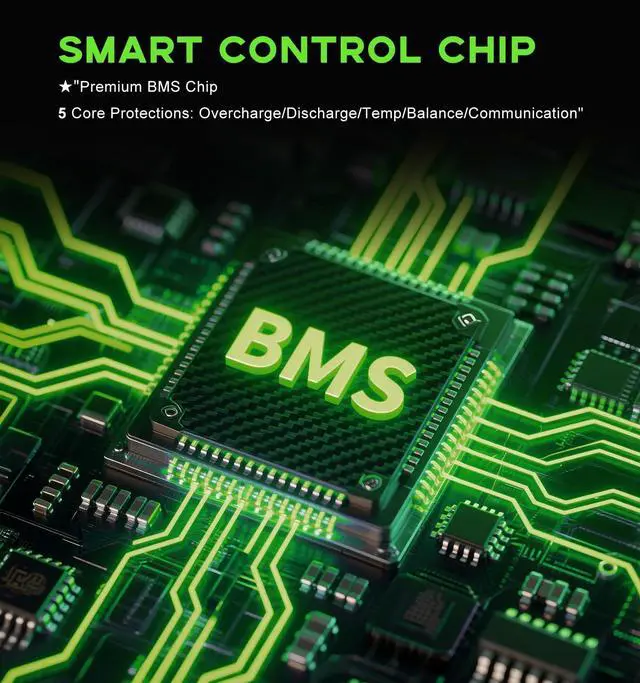
SAFETY INSURANCE with Strict Protections
- Voltage Protection
- Reserve Protection
- Anti-static Protection
- Over-power Protection
- Over-charge Protection
- Electromagnetic Safety
- Over-current Protection
- Short-circuit Protection
- Over-discharge Protection
- Over-temperature Protection
- WHAT CAN YOU GET:
- 1 x 8FCTC battery
- User Manual
- 5-IN-1 Screwdrivers Toolkit
WHY Choose GBLGBD?
Why Choose GBLGBD?
- GBLGBD is a registered US brand in the laptop battery market.
- Compatible with laptop, safety and stability.
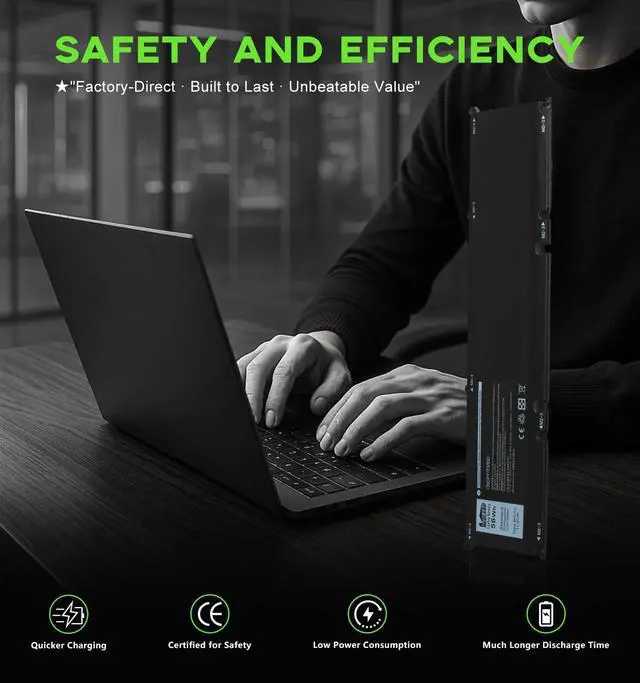
- Quicker charging, true capacity to ensure efficiecy and much longer discharge.
- Economical replacement for costly OEM batteries.
- 100% compatible to meet OEM specifications for safety and efficiency
- Made of high quality materials and circuit board to ensure durability and performance.
- 7x24 message support, 30 days for return or exchange.
- GBLGBD 8FCTC Battery KEY FEATURES:
- Quicker Charge
- Perfect Fit for Replacement
- Super Safe with CE / FCC / RoHS
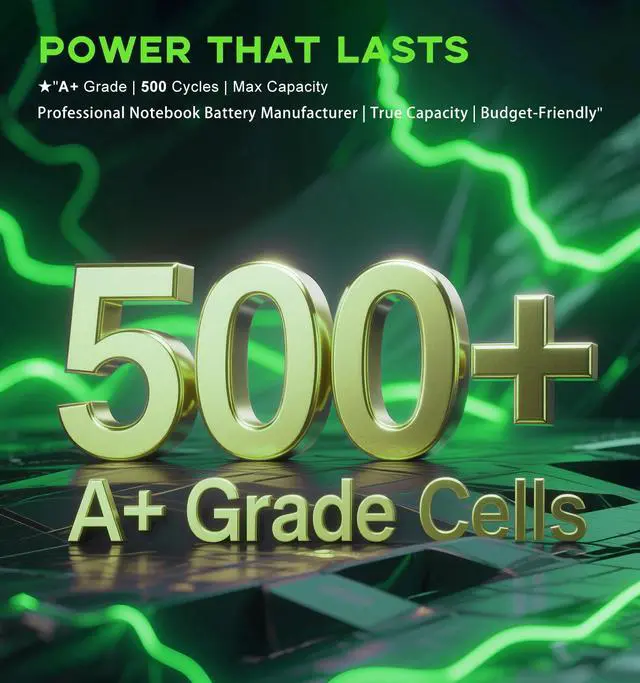
- Extended Battery Life for 500+ Cycles
- Easy & Fast Installation with Toolkit & User Guide
- Efficient with Stable Output Base on A+ Grade Cells
- Longer Discharge for Use Rely on 100% True Capacity

Battery Maintenance Tips
- Keep your laptop and battery away from extreme temperatures. High heat, such as leaving laptop in a hot car, can significantly damage battery. On the other hand, extremely cold temperatures can also affect performance. If working in a cold environment, try to keep laptop in a warm bag or case when not in use. Our batteries are designed to withstand normal temperature variations better, but still important to follow these general guidelines for optimal performance.
- Avoid overcharging. Once reaches 100%, unplug charger. Overcharging can cause battery to heat up, which may gradually reduce its capacity over time. Similarly, don't let battery drain completely before recharging. Modern lithium - ion batteries perform best when they are kept between 20% and 80% charge. If you're using laptop on the go and notice battery level dropping to around 20%, time to charge.

Replacement Installation Suggestion
- Prior to installing, power down your device and unplug from all power sources. Screwdriver (package included) required for battery cover removal. Choose a clean, stable workspace to prevent misplacing tiny components.
- Inserting new battery, handle it gently to avoid dents or scratches. Align battery connectors precisely with laptop slots, ensuring a snug fit. Laptops with locking mechanism, slide or press it firmly to secure battery in place. tightening may damage laptop shell. Our batteries are custom - engineered for your specific model, reducing the chance of installation hitches.
- Once installed, don't power on laptop immediately. Double - check battery is fully seated and all connections are tight. Reconnect AC adapter and boot up your device. Check system settings or battery icon to confirm laptop recognizes new battery.

Replacement Battery Troubleshooting
- If replacement battery refuses to charge, start checking the basics. Ensure AC adapter is firmly plugged into both battery and a working power outlet. Sometimes, a loose connection can mimic a charging issue. Inspect charging cable for visible damage like fraying or kinks; a damaged cable may disrupt power flow. Additionally, try removing and reinserting battery to re - establish connection. If problem persists, reboot laptop in Safe Mode to rule out software glitches.
- Experiencing shorter - than - expected battery life? First, adjust laptop power settings. Dim screen brightness, close unused applications, and disable power - hungry features. Background processes can drain battery significantly. If problem continues, check for any recent software updates might be causing excessive power consumption. It's also possible battery needs to be calibrated. Fully charge, then discharge until laptop shuts down, repeat this cycle few times.
 GBLGBD 8FCTC Battery Replacement for Dell Alienwar M15/16/17, G15 G16 G7, Pre... |  GBLGBD SA04XL Replacement Battery SA04055XL L43267-005 for HP Envy X360 17-CG... |  GBLGBD B31N1912 Battery 42Wh 3-Cell, Compatible with ASUS VivoBook E410MA E41... |  GBLGBD G91J0 41Wh 3-Cell Replacement Battery Compatible with Dell 3510 3511 3... |  GBLGBD LK03XL Replacement Battery for HP Pavilion x360 15m-cn0012dx/15m-cn001... |  GBLGBD J0PGR Replacement Battery for Dell Latitude 12 5290 5285 2-in-1 T17G T... | |
|---|---|---|---|---|---|---|
| Customer Reviews | — | — | — | — | — | — |
| Price | — | — | — | — | — | — |
| Voltage | 11.4V | 15.2V | 11.55V | 11.25V | 11.55V | 7.6V |
| Capacity | 4912mAh | 3682mAh | 3500mAh | 3645mAh | 3600mAh | 5455mAh |
| Power | 56Wh | 55.67Wh | 42Wh | 41Wh | 52.5Wh | 42Wh |
| Cells | 3-Cell | 4-Cell | 3-Cell | 3-Cell | 3-Cell | 2-Cell |
| Replacement for Original Battery Part Numbers | 69KF2, 8FCTC, 08FCTC, 070N2F, 70N2F, M59JH, 0M59JH, P8P1P, 0P8P1P, DVG8M, 0DVG8M. | SA04XL, SAO4XL, SA04055XL, L43248-421, L43267-005, HSTNN-OB1F, HSTNN-OB1G,L43248-541,L43248-AC1,L43248-AC2,HSTNN-UB7U, HSTNN-LB8O,HSTNN-LB80 | B31N1912 C31N1912 0B200-03680200 0B200-03680000 | G91J0, TN70C, 927N5, 0927N5, 0VKYJX, 0WV3K8, 0MVK11,0XDY9K, 0MGCM5, PG8YJ, 0PG8YJ, FH3K2, 0FH3K2, MGCM5, JGCCT, N9XX | LK03XL, LKO3XL, LK03048XL, LK03055XL, LK03052XL, 916368-421, 916368-541, 916814-855, HSTNN-LB7U, HSTNN-LB8J, HSTNN-UB71, HSTNN-UB7I, HSTNN-IB8N, HSTNN-IB8V, L08855-856, L08934-1B1, L09281-855, L08934-2C1, L09049-1B1, L09280-855, L09911-141, etc. | 0J0PGR JOPGR 0RDYCT RDYCT 1WND8 X16TW 0X16TW 0FTH6F FTH6F |
| Over-charge Protection | ? | ? | ? | ? | ? | ? |
| Over-current Protection | ? | ? | ? | ? | ? | ? |
| Over-temperature Protection | ? | ? | ? | ? | ? | ? |
| Short-circuit Protection | ? | ? | ? | ? | ? | ? |
Compatible with Laptop Models:
(1)Dell Alienwar M15 R3 Series;
(2)Dell Alienwar M15 R3 2020 Series;
(3)Dell Alienwar M15 R4 Series;
(4)Dell Alienwar M15 R4 2021 Series;
(5)Dell Alienwar M15 R5 Series;
(6) Dell Alienwar M15 Ryzen Edition R5Series;
(7)Dell Alienwar M15 R6 Series;
(8)Dell Alienwar M15 R7 Series;
(9)Dell Alienwar M15 R7 AMD Series;
(10)Dell Alienwar M15 2020 ALW15M-5758W Series;
(11)Dell Alienwar M16 R1 Series;
(12)Dell Alienwar M16 R1 AMD Series;
(13)Dell Alienwar M17 R3 2020 Series;
(14)Dell Alienwar M17 R3 P45E Series;
(15)Dell Alienwar M17 R4 Series;
(16)Dell Alienwar M17 R4 2021 Series;
(17)Dell Precision 5550 Series;
(18)Dell Precision 5560 Series;
(19)Dell Precision 5570 Series;
(20)Dell Precision 5550 2020 Series;
(21)Dell XPS 15 9500 Series;
(22)Dell XPS 15 9510 Series;
(23)Dell XPS 15 9520 Series;
(24)Dell XPS 15 9530 Series;
(25)Dell XPS 15 9500 2020 Series;
(26)Dell XPS 15 9500 Core i7 4K UHD Series;
(27)Dell Alienware M15 2020 ALW15M-5758W Series;
(28)Dell G15 5510 Series;
(29)Dell G15 5511 Series;
(30)Dell G15 5520 Series;
(31)Dell G15 5525 Series;
(32)Dell G15 5530 Series;
(33)Dell G15 5535 Series;
(34)Dell G15 5515 Ryzen Edition Series;
(35)Dell G15 5521 Special Edition Series;
(36)Dell G16 7620 Series;
(37)Dell G16 7630 Series;
(38)Dell G7 15 7500 Series;
(39)Dell G7 15 7500 i7-10750H RTX 2060 Series;
(40)Dell Inspiro 15 7510 Series;
(41)Dell Inspiro 16 5620 Series;
(42)Dell Inspiro 16 7610 Series;
(43)Dell Inspiro 16 Plus 7620 Series;
(44)Dell Inspiro 16 Plus 7630 Series;
(45)Dell Inspiro 16 7630 2-in-1 Series;
(46)Dell Inspiro 16 7635 2-in-1 Series;
(47)Dell Vostro 15 7510 Series;
(48)Dell Vostro 7620 Series;
(49)Dell P91F P91F001 Series;
(50)Dell P45E P45E001 P45E002 Series;
(51)Dell P87F P87F002 P87F003 Series;
(52)Dell P100F P100F001 Series.
Replacement for Battery Original Part Numbers:
69KF2, 8FCTC, 08FCTC, 070N2F, 70N2F, M59JH, 0M59JH, P8P1P, 0P8P1P, DVG8M, 0DVG8M.
NOTE:
Please check your battery part number, shape, size, connector type and laptop model before buy, thanks.
WHY Choose GBLGBD?
SAFETY INSURANCE with Strict Protections
- Voltage Protection
- Reserve Protection
- Anti-static Protection
- Over-power Protection
- Over-charge Protection
- Electromagnetic Safety
- Over-current Protection
- Short-circuit Protection
- Over-discharge Protection
- Over-temperature Protection
- WHAT CAN YOU GET:
- 1 x 8FCTC battery
- User Manual
- 5-IN-1 Screwdrivers Toolkit
8FCTC Replacement Battery
Why Choose GBLGBD?
- GBLGBD is a registered US brand in the laptop battery market.
- Compatible with laptop, safety and stability.
- Quicker charging, true capacity to ensure efficiecy and much longer discharge.
- Economical replacement for costly OEM batteries.
- 100% compatible to meet OEM specifications for safety and efficiency
- Made of high quality materials and circuit board to ensure durability and performance.
- 7x24 message support, 30 days for return or exchange.
- GBLGBD 8FCTC Battery KEY FEATURES:
- Quicker Charge
- Perfect Fit for Replacement
- Super Safe with CE / FCC / RoHS
- Extended Battery Life for 500+ Cycles
- Easy & Fast Installation with Toolkit & User Guide
- Efficient with Stable Output Base on A+ Grade Cells
- Longer Discharge for Use Rely on 100% True Capacity
Battery Maintenance Tips
- Keep your laptop and battery away from extreme temperatures. High heat, such as leaving laptop in a hot car, can significantly damage battery. On the other hand, extremely cold temperatures can also affect performance. If working in a cold environment, try to keep laptop in a warm bag or case when not in use. Our batteries are designed to withstand normal temperature variations better, but still important to follow these general guidelines for optimal performance.
- Avoid overcharging. Once reaches 100%, unplug charger. Overcharging can cause battery to heat up, which may gradually reduce its capacity over time. Similarly, don't let battery drain completely before recharging. Modern lithium - ion batteries perform best when they are kept between 20% and 80% charge. If you're using laptop on the go and notice battery level dropping to around 20%, time to charge.
Replacement Installation Suggestion
- Prior to installing, power down your device and unplug from all power sources. Screwdriver (package included) required for battery cover removal. Choose a clean, stable workspace to prevent misplacing tiny components.
- Inserting new battery, handle it gently to avoid dents or scratches. Align battery connectors precisely with laptop slots, ensuring a snug fit. Laptops with locking mechanism, slide or press it firmly to secure battery in place. tightening may damage laptop shell. Our batteries are custom - engineered for your specific model, reducing the chance of installation hitches.
- Once installed, don't power on laptop immediately. Double - check battery is fully seated and all connections are tight. Reconnect AC adapter and boot up your device. Check system settings or battery icon to confirm laptop recognizes new battery.
Replacement Battery Troubleshooting
- If replacement battery refuses to charge, start checking the basics. Ensure AC adapter is firmly plugged into both battery and a working power outlet. Sometimes, a loose connection can mimic a charging issue. Inspect charging cable for visible damage like fraying or kinks; a damaged cable may disrupt power flow. Additionally, try removing and reinserting battery to re - establish connection. If problem persists, reboot laptop in Safe Mode to rule out software glitches.
- Experiencing shorter - than - expected battery life? First, adjust laptop power settings. Dim screen brightness, close unused applications, and disable power - hungry features. Background processes can drain battery significantly. If problem continues, check for any recent software updates might be causing excessive power consumption. It's also possible battery needs to be calibrated. Fully charge, then discharge until laptop shuts down, repeat this cycle few times.
GBLGBD 8FCTC Battery Replacement for Dell Alienwar M15/16/17, G15 G16 G7, Pre... | GBLGBD SA04XL Replacement Battery SA04055XL L43267-005 for HP Envy X360 17-CG... | GBLGBD B31N1912 Battery 42Wh 3-Cell, Compatible with ASUS VivoBook E410MA E41... | GBLGBD G91J0 41Wh 3-Cell Replacement Battery Compatible with Dell 3510 3511 3... | GBLGBD LK03XL Replacement Battery for HP Pavilion x360 15m-cn0012dx/15m-cn001... | GBLGBD J0PGR Replacement Battery for Dell Latitude 12 5290 5285 2-in-1 T17G T... | |
|---|---|---|---|---|---|---|
| Customer Reviews | — | — | — | — | — | — |
| Price | — | — | — | — | — | — |
| Voltage | 11.4V | 15.2V | 11.55V | 11.25V | 11.55V | 7.6V |
| Capacity | 4912mAh | 3682mAh | 3500mAh | 3645mAh | 3600mAh | 5455mAh |
| Power | 56Wh | 55.67Wh | 42Wh | 41Wh | 52.5Wh | 42Wh |
| Cells | 3-Cell | 4-Cell | 3-Cell | 3-Cell | 3-Cell | 2-Cell |
| Replacement for Original Battery Part Numbers | 69KF2, 8FCTC, 08FCTC, 070N2F, 70N2F, M59JH, 0M59JH, P8P1P, 0P8P1P, DVG8M, 0DVG8M. | SA04XL, SAO4XL, SA04055XL, L43248-421, L43267-005, HSTNN-OB1F, HSTNN-OB1G,L43248-541,L43248-AC1,L43248-AC2,HSTNN-UB7U, HSTNN-LB8O,HSTNN-LB80 | B31N1912 C31N1912 0B200-03680200 0B200-03680000 | G91J0, TN70C, 927N5, 0927N5, 0VKYJX, 0WV3K8, 0MVK11,0XDY9K, 0MGCM5, PG8YJ, 0PG8YJ, FH3K2, 0FH3K2, MGCM5, JGCCT, N9XX | LK03XL, LKO3XL, LK03048XL, LK03055XL, LK03052XL, 916368-421, 916368-541, 916814-855, HSTNN-LB7U, HSTNN-LB8J, HSTNN-UB71, HSTNN-UB7I, HSTNN-IB8N, HSTNN-IB8V, L08855-856, L08934-1B1, L09281-855, L08934-2C1, L09049-1B1, L09280-855, L09911-141, etc. | 0J0PGR JOPGR 0RDYCT RDYCT 1WND8 X16TW 0X16TW 0FTH6F FTH6F |
| Over-charge Protection | ? | ? | ? | ? | ? | ? |
| Over-current Protection | ? | ? | ? | ? | ? | ? |
| Over-temperature Protection | ? | ? | ? | ? | ? | ? |
| Short-circuit Protection | ? | ? | ? | ? | ? | ? |
GBLGBD Laptop Battery
100% Brand New, OEM Manufactured, You Can Count On
You're Finally Here, Welcome!
GBLGBD is an advanced & professional laptop battery OEM manufacturer brand, we are focus on elaborate design and manufacture safe & high-quality products.
We are strive to offer every customer with A+ grade batteries, sincere services and good shopping experiences, to improve your work and life.
Enjoy yourself away from AC adapter by restoring your laptop with our excellent batteries.
GBLGBD Battery Best Sellers
GBLGBD Battery Recommendations
How should I charge my laptop battery?
1. Li-ion batteries: Have no "memory effect," so you don’t need to fully discharge them before charging. Overcharging (keeping them at 100% for long periods) can degrade their health.
2. Avoid full charges and discharges: Keep the battery level between 20% and 80% as much as possible. Studies show that Li-ion batteries degrade faster when frequently charged to 100% or drained below 20%.
3. Unplug When Not Needed. Don’t leave your laptop plugged in indefinitely after it reaches full charge.
4. Avoid Extreme Temperatures(ideally between 10°C and 30°C).
How to keep the battery in good health and have a longer life?
1. Charge your laptop in a cool, well-ventilated environment. High temperatures (e.g., leaving it in a hot car) can damage the battery even while charging.
2. In daily life, manage power settings. On Windows: Go to Settings > System > Power & battery and adjust the power plan to prioritize battery life (e.g., set the screen to dim after a short period, enable "Battery saver"). On macOS: Go to System Preferences > Battery and use "Low Power Mode" when running on battery.
3. Reduce power consumption, close unused apps.
How to manage the battery periodic maintenance?
1. Calibrate the Battery (Occasionally)
Some laptops may need periodic calibration to ensure the battery level indicator is accurate.
How to calibrate: Discharge the battery to around 10%, then charge it to 100% without interrupting the process. Do this once every 3–6 months (no need to do it frequently).
2. Check Battery Health
On Windows: Use the command powercfg /batteryreport to generate a battery report and view its capacity and wear level.
On macOS: Go to System Preferences > Battery > Battery Health to see if your battery needs replacement.
Is the GBLGBD laptop battery rechargeable?
Yes, all of our laptop battery is li-ion or lithium-polymer battery, definitely rechargeable, but be sure to charge with the original AC adapter.
Is GBLGBD laptop battery easy to install?
Yes, it comes with package including 5-IN-1 toolkit and user manual, easy and quick to install. Also, you could browse our YT videos with the installing steps.
Does it come with tools?
Yes, most of laptop batteries comes with toolkit that you need to open the laptop back cover.