




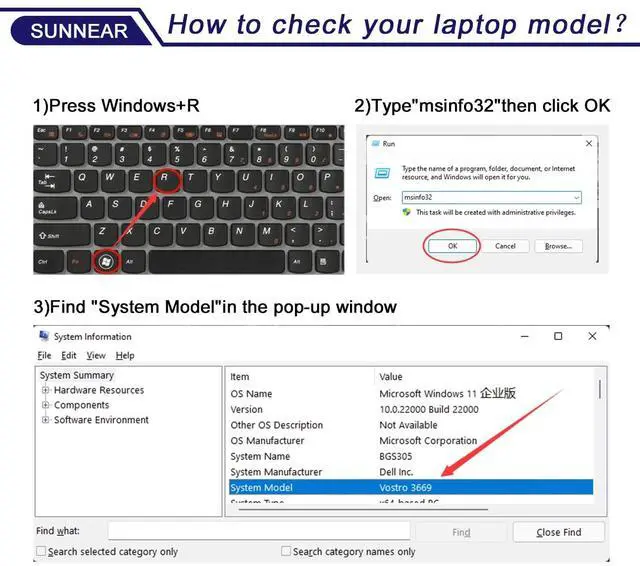


How to check your laptop model?

Step 1. Press Win + R

Step 2. Type"msinfo32" click OK

Step 3. Find "System Model"in the pop-up window

Step 4. check if the computer model is compatible with the battery.
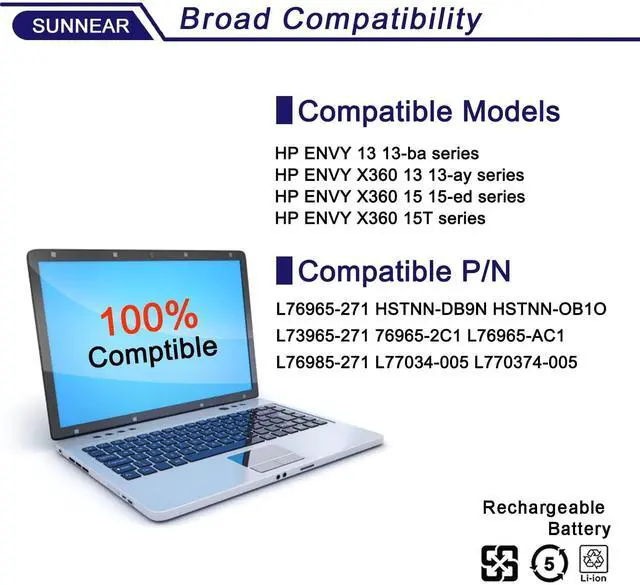
COMPATIBLE MODELS(use "Ctrl+F" to find your model quickly):
What initial checks and procedures should be performed upon receiving a new battery?
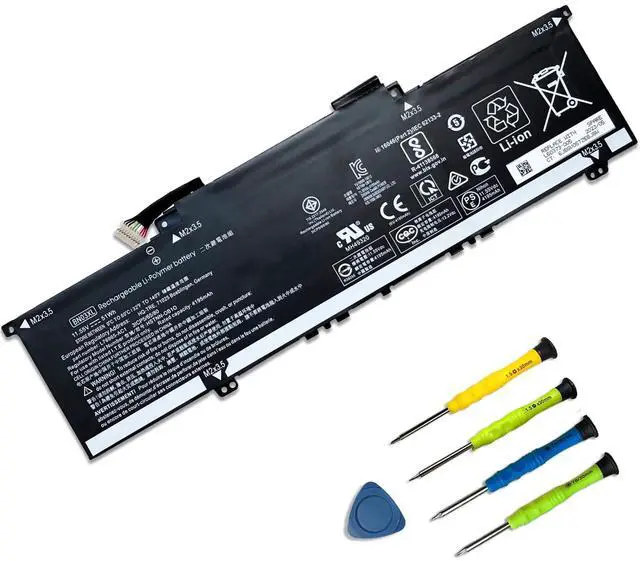
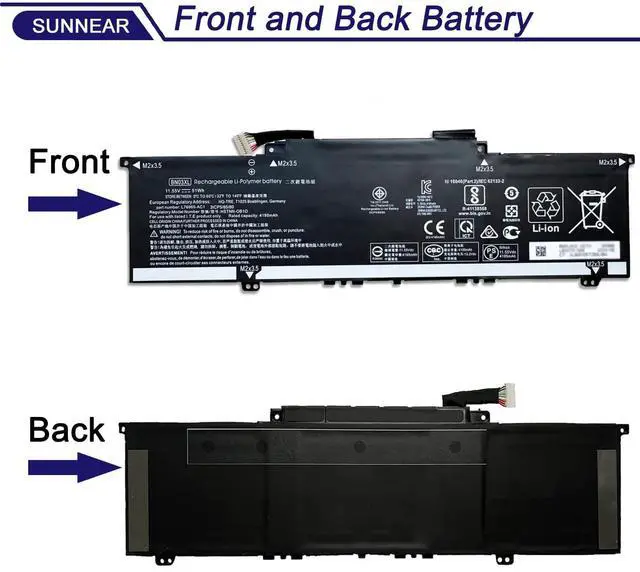
After unpacking, check the battery for physical damage (such as cracks or leakage) and verify its compatibility with your device. Carefully read the accompanying safety manual and operating instructions.
What to do if your laptop won't power on after replacing the battery?
Check battery installation and clean contacts. Try starting with power adapter only to isolate issue. Ensure adapter works and internal hardware (like RAM) is secure. Reset BIOS/UEFI to defaults if needed.
What are the correct steps to take if a laptop battery is bulging?
Power off and unplug device. Wearing gloves, carefully remove battery in open area without bending/piercing. Place in non-flammable container. Contact e-waste center or professional service. Do not discard or disassemble.
Battery Maintenance Methods for Optimal Use
For optimal battery health, conduct a full power cycle each month. Avoid prolonged adapter connection during use. Protect from impacts, disassembly, crushing, or piercing. Keep away from fire and water.
What can you do if the battery performance does not meet expectations?
Contact SUNNEAR for assistance. We offer a one-year support on all battery products.


How to check your laptop model?
Step 1. Press Win + R
Step 2. Type"msinfo32" click OK
Step 3. Find "System Model"in the pop-up window
Step 4. check if the computer model is compatible with the battery.
COMPATIBLE MODELS(use "Ctrl+F" to find your model quickly):
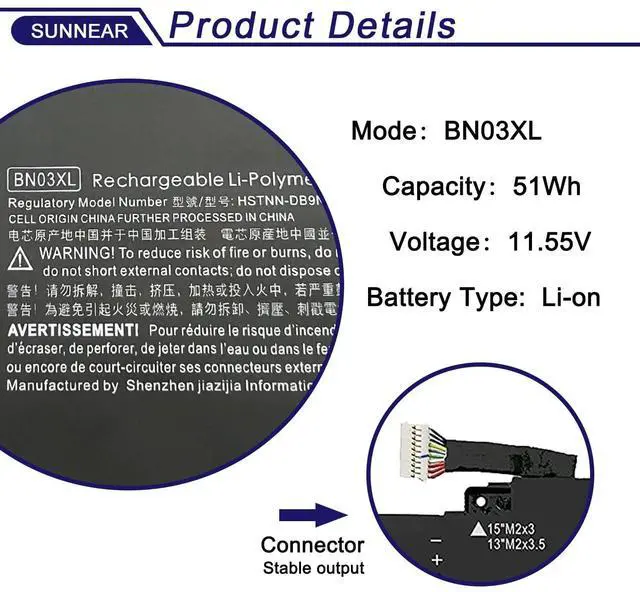
| Compatible Part Number: | BN03XL L76965-271 HSTNN-DB9N HSTNN-OB1O L73965-271 L76965-2C1 L76965-AC1 L76985-271 L77034-005 L770374-005. |
|---|---|
| Compatible Laptop Models: | HP Pavilion 14-eh0000 series: 14-eh0008TU 14-eh0028TU 14-eh0003TX 14-eh0016TX 14-eh0023TX Series |
| Compatible Laptop Models: | HP ENVY X360 13-AY 13-AY0000 series: 13-ay0065AU 13-ay0136AU 13-ay0522AU 13-AY0006CA 13-ay0007ca 13-AY0055CL 13-ay0001la 13-ay0201la 13-ay0008na 13-ay0009na 13-ay0001nc 13-ay0002nd 13-ay0003nf 13-ay0360ng 13-AY0010NR 13-ay0021nr |
| Compatible Laptop Models: | HP ENVY X360 13-BA 13-BA0000 series: 13-BA0001CA 13-BA0045CL 13-ba1124la 13-BA0010NR 13-BA0025OD 13-ba0001TU 13-BA0047WM |
| Compatible Laptop Models: | HP ENVY X360 13-BD0033DX 13-bd0060TU 13-bd0500TU 13-bd0525TU 13-bd1000TU series |
| Compatible Laptop Models: | HP ENVY X360 13T-BA0000 13T-BA100 Series |
| Compatible Laptop Models: | HP ENVY X360 13T-BD000 13T-BD100 Series |
| Compatible Laptop Models: | HP ENVY X360 13M-BD0023DX 13M-BD0033DX 13M-BD0063DX Series |
| Compatible Laptop Models: | HP ENVY X360 13Z-AY000 13Z-AY100 Series |
| Compatible Laptop Models: | HP ENVY X360 15 2020 series |
| Compatible Laptop Models: | HP ENVY X360 15-ED0000 series: 15-ED0003CA 15-ed0001la 15-ED1052MS 15-ED0007NA 15-ED0047NR 15-ED0006TX 15-ED1055WM |
| Compatible Laptop Models: | HP ENVY X360 15-ee0500AU 15-EE0003CA 15-EE1083CL 15-EE0257NG 15-EE0047NR Series |
| Compatible Laptop Models: | HP ENVY X360 15-EU0XXX 15-EU0003CA 15-EU0033DX 15-EU0097NR Series: HP ENVY X360 15.6 inch 2-in-1 15-EU0000 |
| Compatible Laptop Models: | HP ENVY X360 15-ES0003CA 15-ES0097NR 15-es0000TX 15-es1000TU Series: HP ENVY X360 15.6 inch 2-in-1 15-ES0000 |
| Compatible Laptop Models: | HP ENVY X360 15M-ED0013DX 15M-ED1013DX Series |
| Compatible Laptop Models: | HP ENVY X360 15M-ES0013DX 15M-ES1013DX Series |
| Compatible Laptop Models: | HP ENVY X360 15M-EU0023DX Series: HP ENVY X360 15.6 inch 2-in-1 15M-EU0000 |
|---|---|
| Compatible Laptop Models: | HP ENVY X360 15Z-EE000 15Z-EE100 15Z-EU000 Series: HP ENVY X360 15.6 inch 2-in-1 15Z-EE100, HP ENVY X360 15.6 inch 2-in-1 15Z-EU000 |
| Compatible Laptop Models: | HP ENVY X360 15T-ED000 15T-ED100 Series |
| Compatible Laptop Models: | HP ENVY X360 15T-ES000 15T-ES100 Series: HP ENVY X360 15.6 inch 2-in-1 15T-ES000 HP ENVY X360 15.6 inch 2-in-1 15T-ES100 |
| Note1 | Some compatible computer models are 2-in-1 configurations. |
| Note2 | If necessary, open your computer to see the correct computer model and check if it is compatible with this battery. |
What initial checks and procedures should be performed upon receiving a new battery?
After unpacking, check the battery for physical damage (such as cracks or leakage) and verify its compatibility with your device. Carefully read the accompanying safety manual and operating instructions.
What to do if your laptop won't power on after replacing the battery?
Check battery installation and clean contacts. Try starting with power adapter only to isolate issue. Ensure adapter works and internal hardware (like RAM) is secure. Reset BIOS/UEFI to defaults if needed.
What are the correct steps to take if a laptop battery is bulging?
Power off and unplug device. Wearing gloves, carefully remove battery in open area without bending/piercing. Place in non-flammable container. Contact e-waste center or professional service. Do not discard or disassemble.
Battery Maintenance Methods for Optimal Use
For optimal battery health, conduct a full power cycle each month. Avoid prolonged adapter connection during use. Protect from impacts, disassembly, crushing, or piercing. Keep away from fire and water.
What can you do if the battery performance does not meet expectations?
Contact SUNNEAR for assistance. We offer a one-year support on all battery products.
