






H5CKD Battery Safety Charging
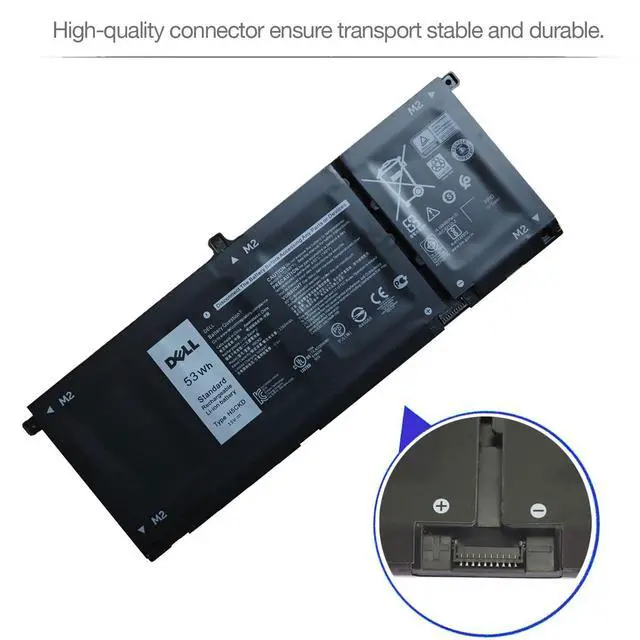
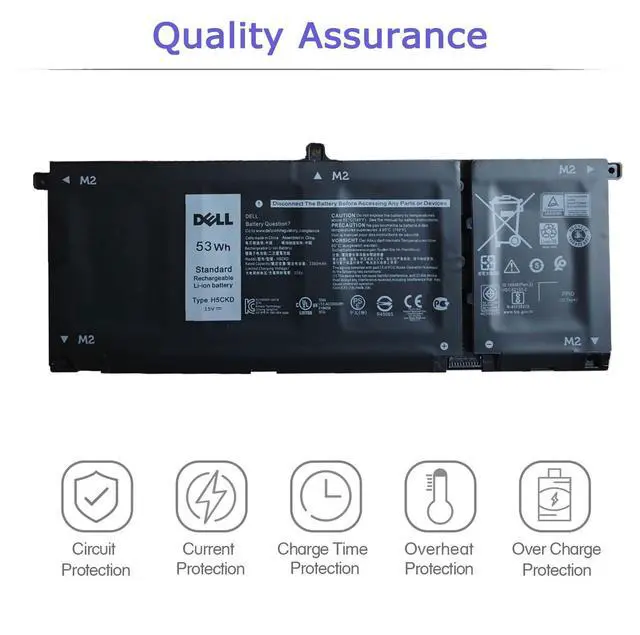
Grade A cell ensure fast charges and low power consumption; Built-in circuit protection ensures both safety and reliability.

H5CKD Battery Smart Control Chip
All of our batteries are brand new and are 100% compatible to meet OEM specifications for safety and efficiency

H5CKD Battery 100% Brand New
Built in smart control chip conveniently offers Quicker charging, lower power consumption and longer discharge time.

- Specifications:
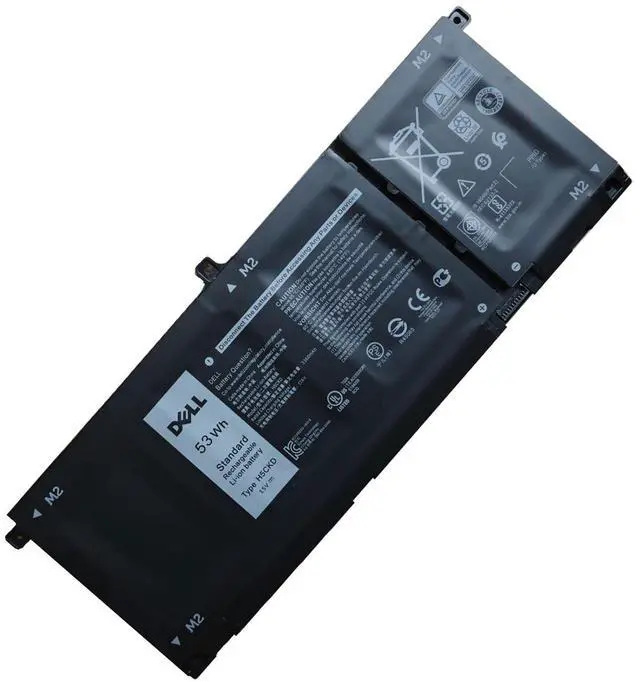
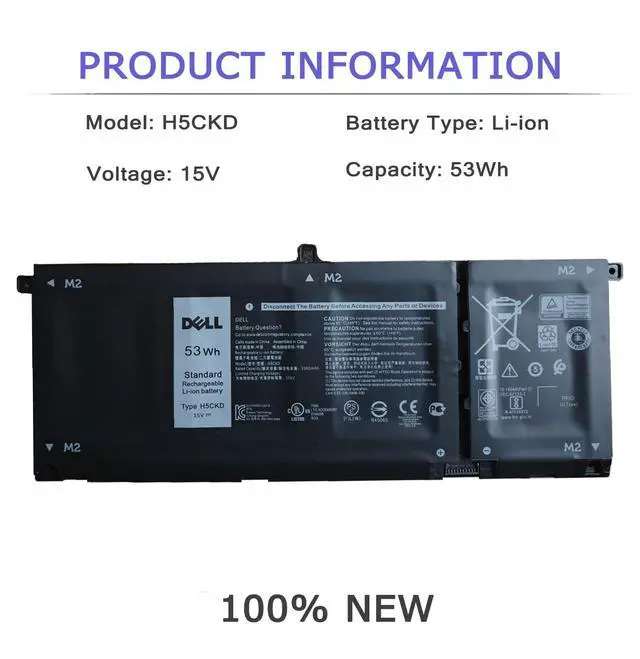
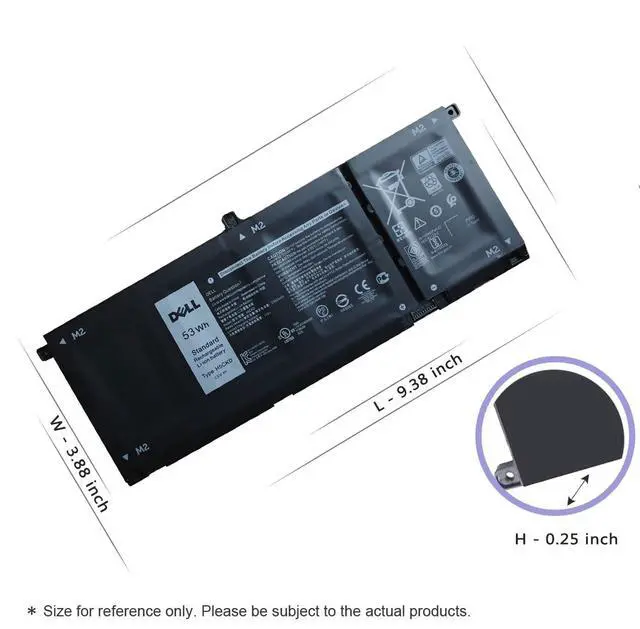
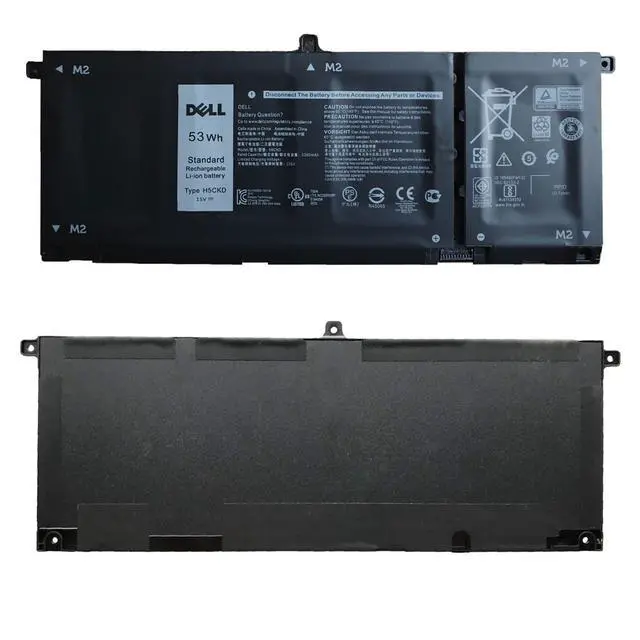
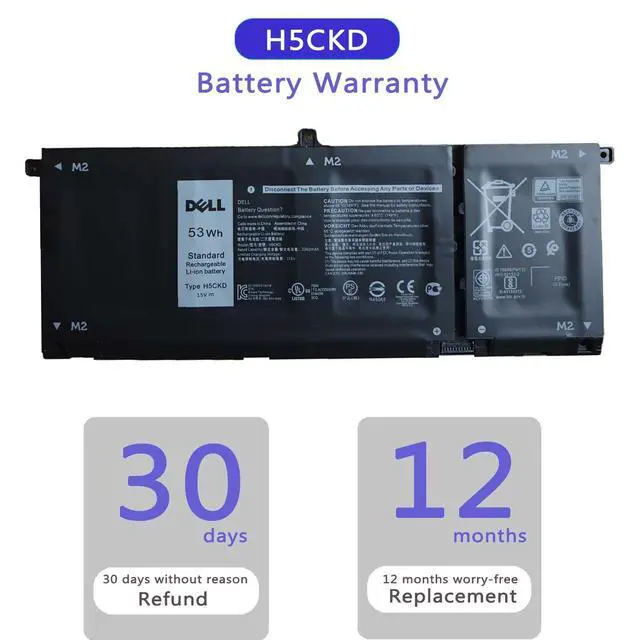
Battery information: H5CKD / 15V / 53Wh
- Compatible Part Number:
H5CKD 07T8CD 7T8CD 0TXD03 TXD03 09077G 9077G
- Compatible Laptop Models:
(Use "Ctrl"+"F" to find your model)
- Dell Latitude 3410 3510 Series
- Dell Vostro 5300 5401 Series
- Dell Vostro 5402 5501 5502 Series
- Dell Inspiron 5300 5301 Series
- Dell Inspiron 5400 2-in-1 Series
- Dell Inspiron 5406 2-in-1 7405 2-in-1 Series
- Dell Inspiron 5502 5508 5509 5408 5409 5501 5401 5402 Series
- Dell Inspiron 7300 2-in-1 Silver(NOT fit for Dell Inspiron 7300 2-in-1 Black)
- Dell Inspiron 7306 2-in-1 Silver (NOT fit for Dell Inspiron 7306 2-in-1 Black)
- Dell Inspiron 7500 2-in-1 Silver (NOT fit for Dell Inspiron 7500 2-in-1 Black)
- Dell Inspiron 7506 2-in-1 Silver (NOT fit for Dell Inspiron 7506 2-in-1 Black)
-H5CKD/JK6Y6 battery for -- Dell 17 7500/7506 2-in-1 Silver Edition
- 3HWPP(ASIN: B0D1DN944S) battery for -- Dell 17 7500/7506 2-in-1 Black Edition
- Battery care instructions:
1. Please use up the new battery to about 10-20% full charge and repeat 3-5 times to check whether there is a problem and stabilize the battery capacity.
2. Remember not to discharge the battery to 0%, otherwise it is easy to damage the battery.
3. After the battery is exhausted, please charge it in time. If it is not charged for a long time, the battery may be damaged.
4. If the battery is not used for a long time and needs to be stored above 70%, the storage time should not exceed 3 months.
5. If you use the charger frequently, please use the battery power regularly, and use it more than once a week.
6. Please use the original charger or famous brand charger, inferior charger will affect the normal charging of the battery.
7. Regularly clean the fan dust, increase the heat dissipation effect, reduce the power consumption, and effectively extend the battery life.
- How do I get my laptop to recognize a new battery?
1. Unplug all external devices from the laptop.
2. Take out the battery.
3. Press the power button of the laptop for about 10-15 seconds.
4. Insert the battery and restart the computer.
5. Connect the AC adapter and check if your machine can detect the battery again.
 for Dell Latitude 5401 5410 5411 5501 5510 5511 Precision 3541 3551 |  for Latitude 5580 5280 5288 5488 5590 5591 5490 5491 5495 Precision 15 3520 3530 |  for DELL Latitude E5270 E5470 E5570 Precision 3510 Series |  for Dell Latitude 7490 7390 7280 7290 7380 |  for Dell Latitude 5400 5500, Precision 3540 3550, Inspiron 7590 7591 7791 2n1 |  for Latitude 7400 7300, Latitude 5300 5310 2-in-1, Inspiron 7300 7306 2n1 Black | |
|---|---|---|---|---|---|---|
| Customer Reviews | — | — | — | — | — | — |
| Price | — | — no data | — no data | — | — | — |
| Voltage | 15.2V | 7.6V | 7.6V | 7.6V | 7.6V | 7.6V |
| Capacity | 68Wh | 68Wh | 62Wh | 60Wh | 68Wh | 60Wh |
| Circuit Protection | ? | ? | ? | ? | ? | ? |
| Current Protection | ? | ? | ? | ? | ? | ? |
| Over Heat Protection | ? | ? | ? | ? | ? | ? |
| Over Charge Protection | ? | ? | ? | ? | ? | ? |
| Charge Time Protection | ? | ? | ? | ? | ? | ? |
H5CKD Battery Safety Charging
Grade A cell ensure fast charges and low power consumption; Built-in circuit protection ensures both safety and reliability.

H5CKD Battery Smart Control Chip
All of our batteries are brand new and are 100% compatible to meet OEM specifications for safety and efficiency
H5CKD Battery 100% Brand New
Built in smart control chip conveniently offers Quicker charging, lower power consumption and longer discharge time.
- Specifications:
Battery information: H5CKD / 15V / 53Wh
- Compatible Part Number:
H5CKD 07T8CD 7T8CD 0TXD03 TXD03 09077G 9077G
- Compatible Laptop Models:
(Use "Ctrl"+"F" to find your model)
- Dell Latitude 3410 3510 Series
- Dell Vostro 5300 5401 Series
- Dell Vostro 5402 5501 5502 Series
- Dell Inspiron 5300 5301 Series
- Dell Inspiron 5400 2-in-1 Series
- Dell Inspiron 5406 2-in-1 7405 2-in-1 Series
- Dell Inspiron 5502 5508 5509 5408 5409 5501 5401 5402 Series
- Dell Inspiron 7300 2-in-1 Silver(NOT fit for Dell Inspiron 7300 2-in-1 Black)
- Dell Inspiron 7306 2-in-1 Silver (NOT fit for Dell Inspiron 7306 2-in-1 Black)
- Dell Inspiron 7500 2-in-1 Silver (NOT fit for Dell Inspiron 7500 2-in-1 Black)
- Dell Inspiron 7506 2-in-1 Silver (NOT fit for Dell Inspiron 7506 2-in-1 Black)
-H5CKD/JK6Y6 battery for -- Dell 17 7500/7506 2-in-1 Silver Edition
- 3HWPP(ASIN: B0D1DN944S) battery for -- Dell 17 7500/7506 2-in-1 Black Edition
- Battery care instructions:
1. Please use up the new battery to about 10-20% full charge and repeat 3-5 times to check whether there is a problem and stabilize the battery capacity.
2. Remember not to discharge the battery to 0%, otherwise it is easy to damage the battery.
3. After the battery is exhausted, please charge it in time. If it is not charged for a long time, the battery may be damaged.
4. If the battery is not used for a long time and needs to be stored above 70%, the storage time should not exceed 3 months.
5. If you use the charger frequently, please use the battery power regularly, and use it more than once a week.
6. Please use the original charger or famous brand charger, inferior charger will affect the normal charging of the battery.
7. Regularly clean the fan dust, increase the heat dissipation effect, reduce the power consumption, and effectively extend the battery life.
- How do I get my laptop to recognize a new battery?
1. Unplug all external devices from the laptop.
2. Take out the battery.
3. Press the power button of the laptop for about 10-15 seconds.
4. Insert the battery and restart the computer.
5. Connect the AC adapter and check if your machine can detect the battery again.
for Dell Latitude 5401 5410 5411 5501 5510 5511 Precision 3541 3551 | for Latitude 5580 5280 5288 5488 5590 5591 5490 5491 5495 Precision 15 3520 3530 | for DELL Latitude E5270 E5470 E5570 Precision 3510 Series | for Dell Latitude 7490 7390 7280 7290 7380 | for Dell Latitude 5400 5500, Precision 3540 3550, Inspiron 7590 7591 7791 2n1 | for Latitude 7400 7300, Latitude 5300 5310 2-in-1, Inspiron 7300 7306 2n1 Black | |
|---|---|---|---|---|---|---|
| Customer Reviews | — | — | — | — | — | — |
| Price | — | — no data | — no data | — | — | — |
| Voltage | 15.2V | 7.6V | 7.6V | 7.6V | 7.6V | 7.6V |
| Capacity | 68Wh | 68Wh | 62Wh | 60Wh | 68Wh | 60Wh |
| Circuit Protection | ? | ? | ? | ? | ? | ? |
| Current Protection | ? | ? | ? | ? | ? | ? |
| Over Heat Protection | ? | ? | ? | ? | ? | ? |
| Over Charge Protection | ? | ? | ? | ? | ? | ? |
| Charge Time Protection | ? | ? | ? | ? | ? | ? |