


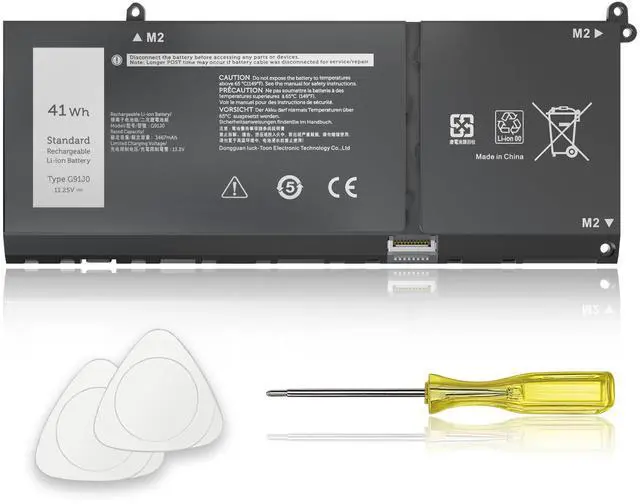
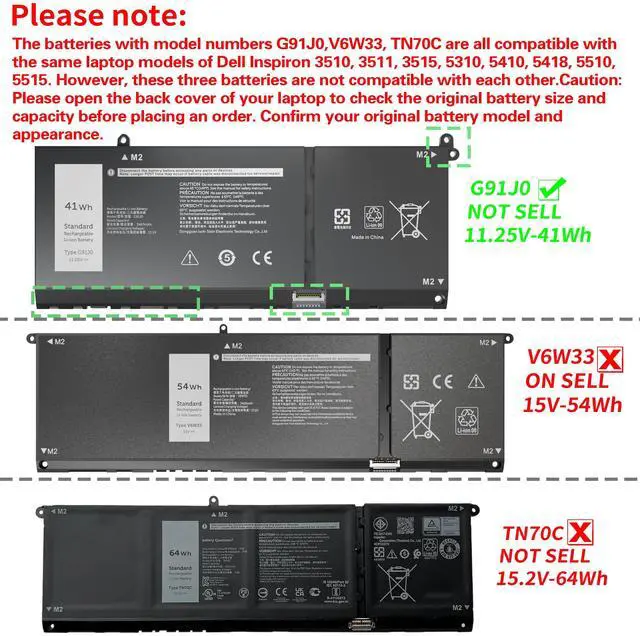
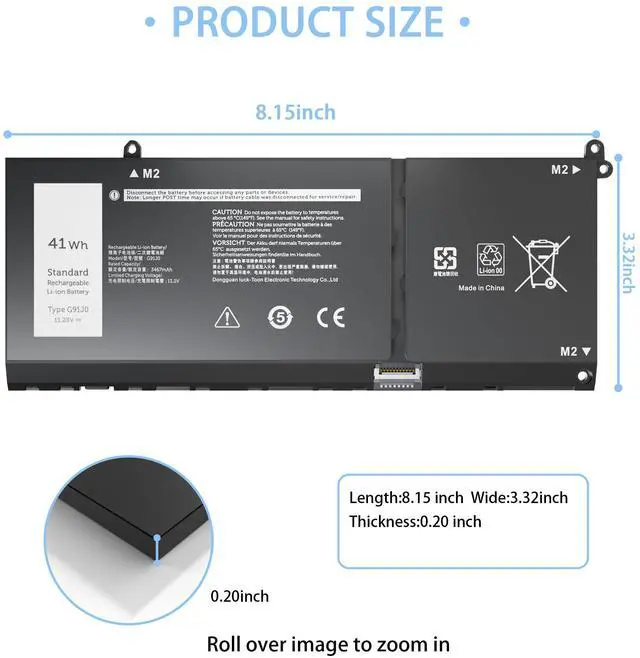
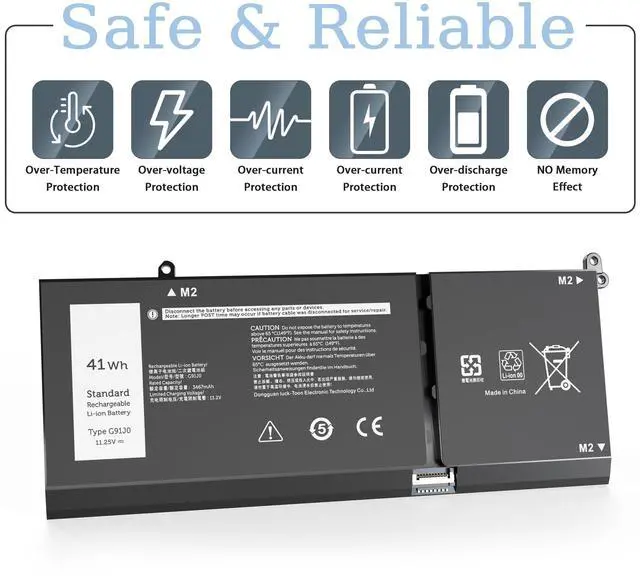
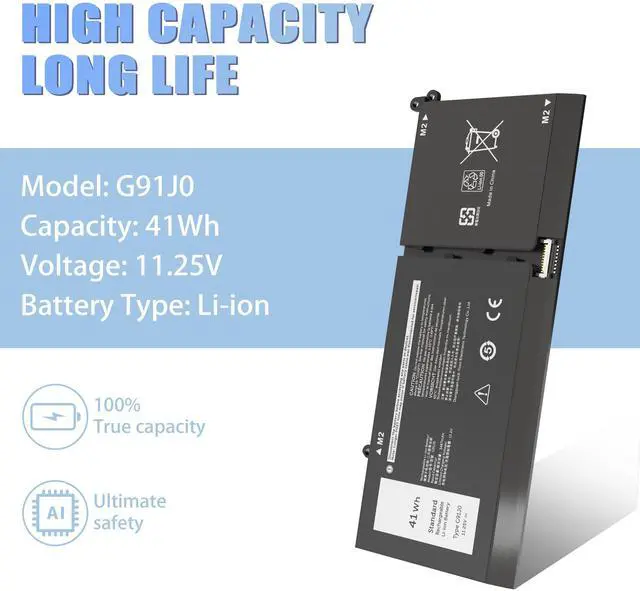
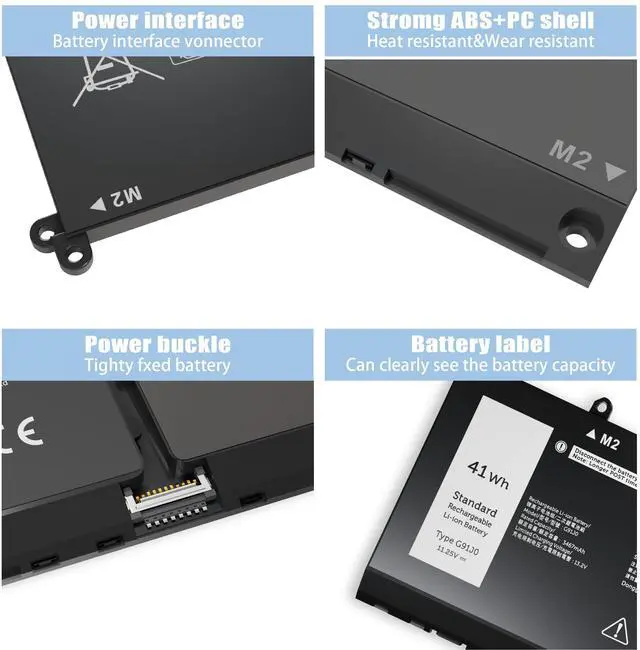


Compatible Laptop Models (Use "Ctrl+F” to find your model quickly)

How should I do if we received the item doesn't work?
Our item have 12 months replace a new one and 60 days moeny back guarrante. Vnyunqwe Inc 24/7 email. Any questions please contact seller
What do we need to pay attention to using batteries for the first time?
1.The battery must be full charged before first use
2.You need to turn off your laptop and disconnect the power when you install a new battery
3.Do Discharge the new battery use to 5%/7%(not to 0%) and then charge to 95%, and cycle 3-4 times
How should I do if the battery is not recognized?
When the computer is turned on, if it is not recognized, it is recommended to update the BIOS settings or please disconnecting the old battery, and holding down the power button for 20 seconds, then connect the new battery
How should I charge my laptop battery?
It is suggested to charge the battery before the power runs out completely. It is best to charge when the remaining power is about 5-10%, and the battery should be charged in a relatively dry place
How should I preserve my laptop battery when I don’t use it?
The ideal preservation method is to charge the battery to about 40%.the battery should be used once a month, which can not only good preservation of the battery but also prevent the battery from being damaged by the complete loss of power


Compatible Laptop Models (Use "Ctrl+F” to find your model quickly)
| Compatible Models | Replacement For Dell Inspiron 15 3510 3511 3515 3520 3525 3530 3535 Series |
|---|---|
| Compatible Models | Replacement For Dell Inspiron 13 5310 5320 5330 Series |
| Compatible Models | Replacement For Dell Inspiron 14 5410 5415 5418 5420 5425 5430 5435 Series |
| Compatible Models | Replacement For Dell Inspiron 14 Plus 7420 Series |
| Compatible Models | Replacement For Dell Inspiron 15 5510 5515 5518 Series |
| Compatible Models | Replacement For Dell Inspiron 16 5625 5630 5635 Series |
| Compatible Models | Replacement For Dell Inspiron 14 5410 2-in-1 Series, Inspiron 14 7415 2-in-1 Series, Inspiron 14 7420 2-in-1 Series, Inspiron 14 7425 2-in-1 Series, Inspiron 14 7430 2-in-1 Series, Inspiron 14 7435 2-in-1 Series, Inspiron 16 7620 2-in-1 Series |
| Compatible Models | Replacement For Dell Latitude 3320 3330 3420 3520 Series |
| Compatible Models | Replacement For Dell Vostro 15 3510 3511 3515 3520 3525 Series |
| Compatible Models | Replacement For Dell Vostro 13 5310 5320 Series |
| Compatible Models | Replacement For Dell Vostro 14 3420 3425 5410 5415 Series |
| Compatible Models | Replacement For Dell Vostro 15 5510 5515 Series |
| Compatible Models | Replacement For Dell Vostro 5620 5625 Series |

How should I do if we received the item doesn't work?
Our item have 12 months replace a new one and 60 days moeny back guarrante. Vnyunqwe Inc 24/7 email. Any questions please contact seller
What do we need to pay attention to using batteries for the first time?
1.The battery must be full charged before first use
2.You need to turn off your laptop and disconnect the power when you install a new battery
3.Do Discharge the new battery use to 5%/7%(not to 0%) and then charge to 95%, and cycle 3-4 times
How should I do if the battery is not recognized?
When the computer is turned on, if it is not recognized, it is recommended to update the BIOS settings or please disconnecting the old battery, and holding down the power button for 20 seconds, then connect the new battery
How should I charge my laptop battery?
It is suggested to charge the battery before the power runs out completely. It is best to charge when the remaining power is about 5-10%, and the battery should be charged in a relatively dry place
How should I preserve my laptop battery when I don’t use it?
The ideal preservation method is to charge the battery to about 40%.the battery should be used once a month, which can not only good preservation of the battery but also prevent the battery from being damaged by the complete loss of power