





How to check your laptop model?

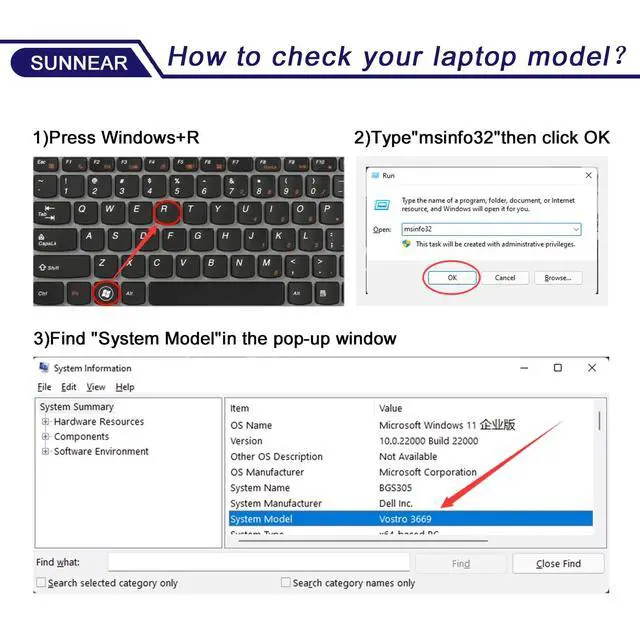
Step 1. Press Win + R

Step 2. Type"msinfo32" click OK

Step 3. Find "System Model"in the pop-up window

Step 4. check if the computer model is compatible with the battery.
COMPATIBLE MODELS(use "Ctrl+F" to find your model quickly):
What initial checks and procedures should be performed upon receiving a new battery?
After unpacking, check the battery for physical damage (such as cracks or leakage) and verify its compatibility with your device. Carefully read the accompanying safety manual and operating instructions.
What to do if your laptop won't power on after replacing the battery?
Check battery installation and clean contacts. Try starting with power adapter only to isolate issue. Ensure adapter works and internal hardware (like RAM) is secure. Reset BIOS/UEFI to defaults if needed.
What are the correct steps to take if a laptop battery is bulging?
Power off and unplug device. Wearing gloves, carefully remove battery in open area without bending/piercing. Place in non-flammable container. Contact e-waste center or professional service. Do not discard or disassemble.
Battery Maintenance Methods for Optimal Use
For optimal battery health, conduct a full power cycle each month. Avoid prolonged adapter connection during use. Protect from impacts, disassembly, crushing, or piercing. Keep away from fire and water.
What can you do if the battery performance does not meet expectations?
Contact SUNNEAR for assistance. We offer a one-year support on all battery products.


How to check your laptop model?
Step 1. Press Win + R
Step 2. Type"msinfo32" click OK
Step 3. Find "System Model"in the pop-up window
Step 4. check if the computer model is compatible with the battery.
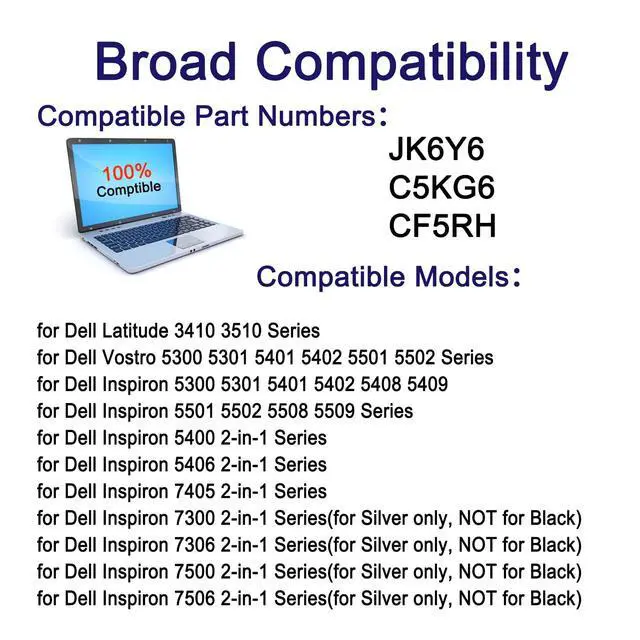
COMPATIBLE MODELS(use "Ctrl+F" to find your model quickly):
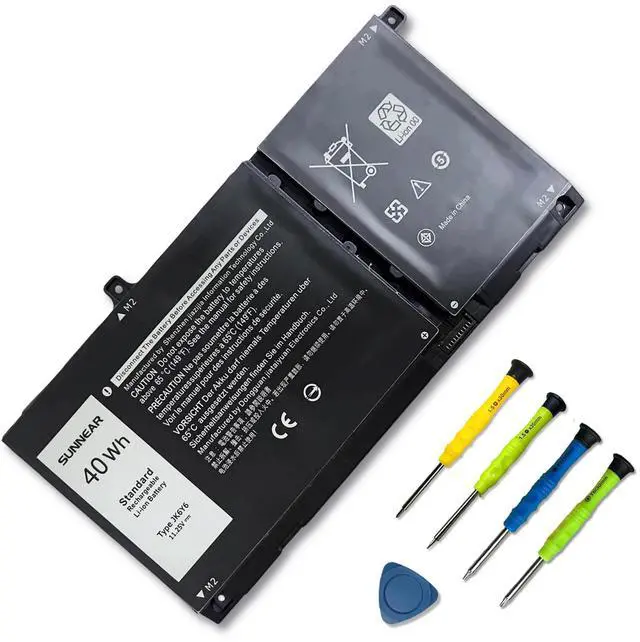
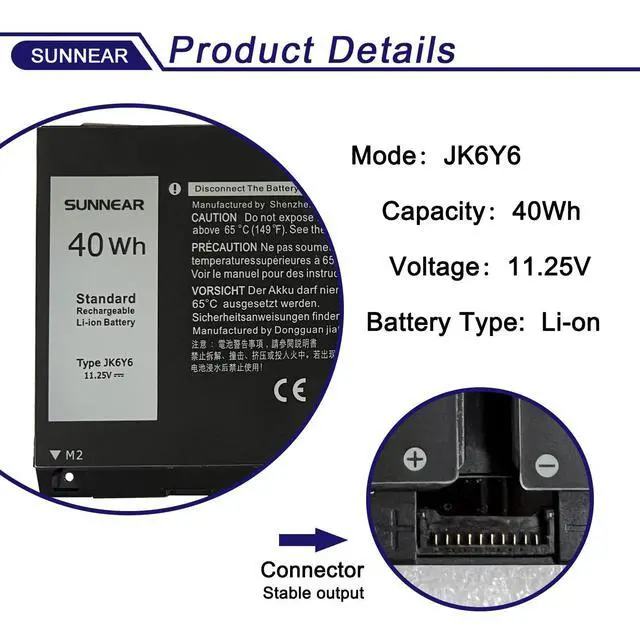
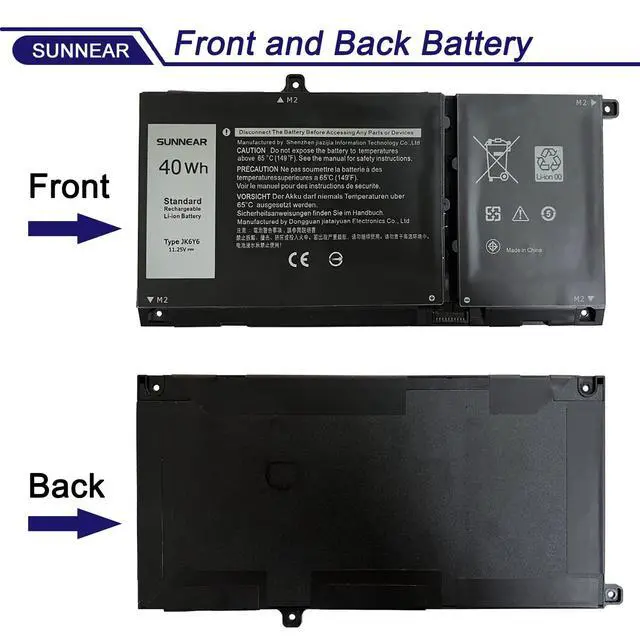
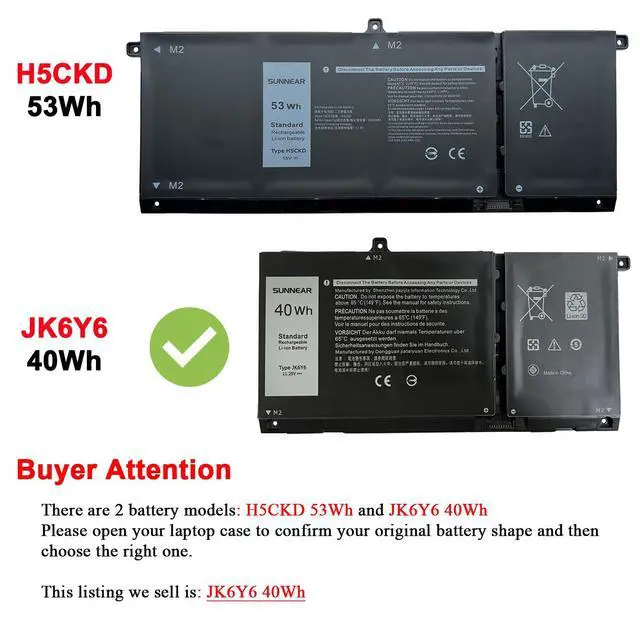
| Compatible Part Number: | 40Wh JK6Y6 C5KG6 CF5RH H5CKD |
|---|---|
| Compatible Laptop Models: | 40Wh JK6Y6 for Dell Latitude 3410 3510 Series |
| Compatible Laptop Models: | 40Wh JK6Y6 for Dell Vostro 5300 5301 5401 5402 5501 5502 Series |
| Compatible Laptop Models: | 40Wh JK6Y6 for Dell Inspiron 5300 5301 5401 5402 5408 5409 5501 5502 5508 5509 Series |
| Compatible Laptop Models: | 40Wh JK6Y6 for Dell Inspiron 5400 2-in-1 Series |
| Compatible Laptop Models: | 40Wh JK6Y6 for Dell Inspiron 5406 2-in-1 Series |
| Compatible Laptop Models: | 40Wh JK6Y6 for Dell Inspiron 7405 2-in-1 Series |
| Compatible Laptop Models: | 40Wh JK6Y6 for Dell Inspiron 7300 2-in-1 Silver Series (NOT fit for Dell Inspiron 7300 2-in-1 Black Series) |
| Compatible Laptop Models: | 40Wh JK6Y6 for Dell Inspiron 7306 2-in-1 Silver Series (NOT fit for Dell Inspiron 7306 2-in-1 Black Series) |
| Compatible Laptop Models: | 40Wh JK6Y6 for Dell Inspiron 7500 2-in-1 Silver Series (NOT fit for Dell Inspiron 7500 2-in-1 Black Series) |
| Compatible Laptop Models: | 40Wh JK6Y6 for Dell Inspiron 7506 2-in-1 Silver Series (NOT fit for Dell Inspiron 7506 2-in-1 Black Series) |
What initial checks and procedures should be performed upon receiving a new battery?
After unpacking, check the battery for physical damage (such as cracks or leakage) and verify its compatibility with your device. Carefully read the accompanying safety manual and operating instructions.
What to do if your laptop won't power on after replacing the battery?
Check battery installation and clean contacts. Try starting with power adapter only to isolate issue. Ensure adapter works and internal hardware (like RAM) is secure. Reset BIOS/UEFI to defaults if needed.
What are the correct steps to take if a laptop battery is bulging?
Power off and unplug device. Wearing gloves, carefully remove battery in open area without bending/piercing. Place in non-flammable container. Contact e-waste center or professional service. Do not discard or disassemble.
Battery Maintenance Methods for Optimal Use
For optimal battery health, conduct a full power cycle each month. Avoid prolonged adapter connection during use. Protect from impacts, disassembly, crushing, or piercing. Keep away from fire and water.
What can you do if the battery performance does not meet expectations?
Contact SUNNEAR for assistance. We offer a one-year support on all battery products.
