



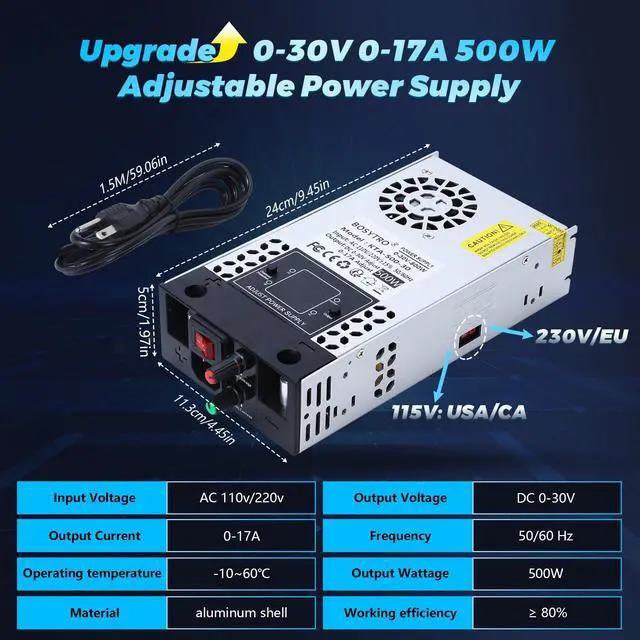
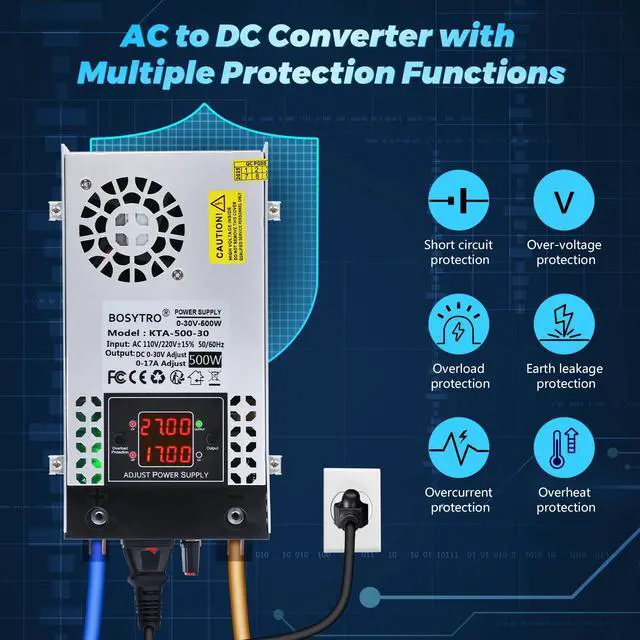
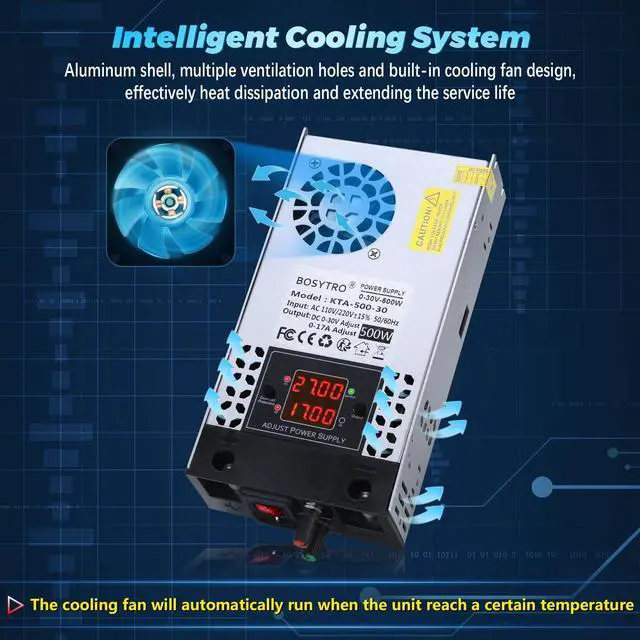



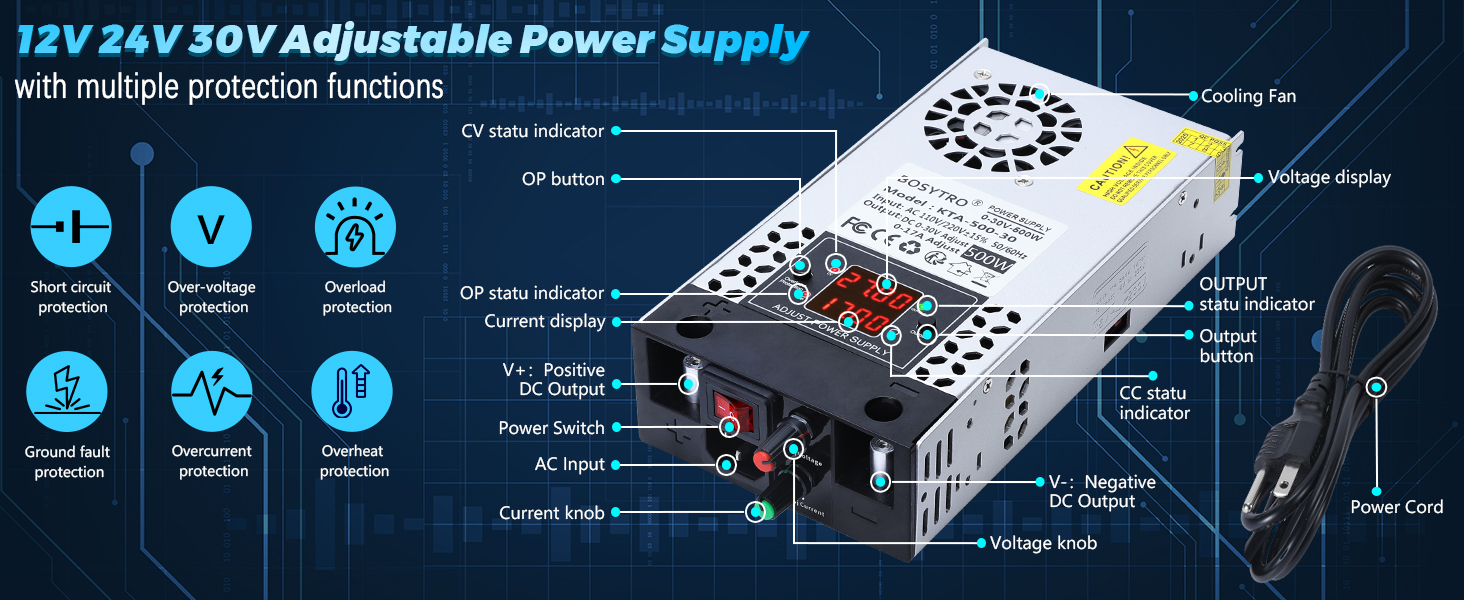
0-30V 0-17A 500W Adjustable DC Power Supply
Output Memory Function: when enabled, the power supply will automatically retain last settings after power-off/restart
How To Get Memory Function:Press and hold the OUTPUT button for 3 seconds to enable the Output Memory function. Press and hold for 3 seconds again to disable it.
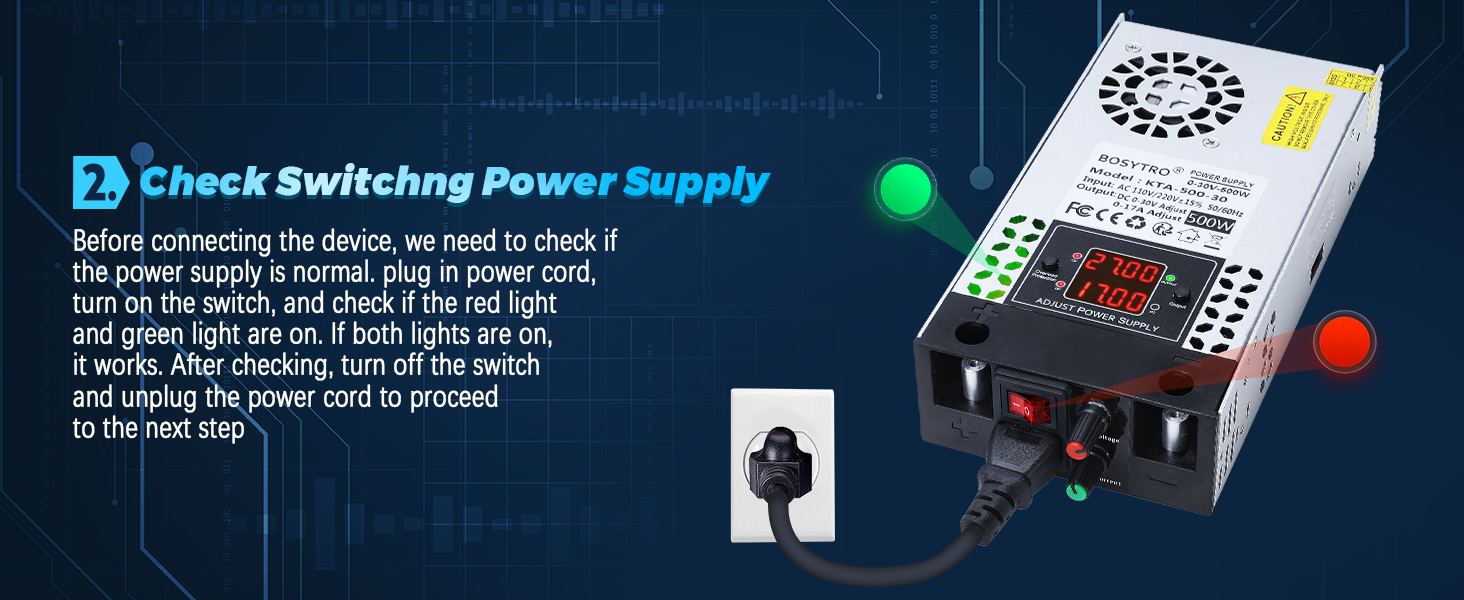
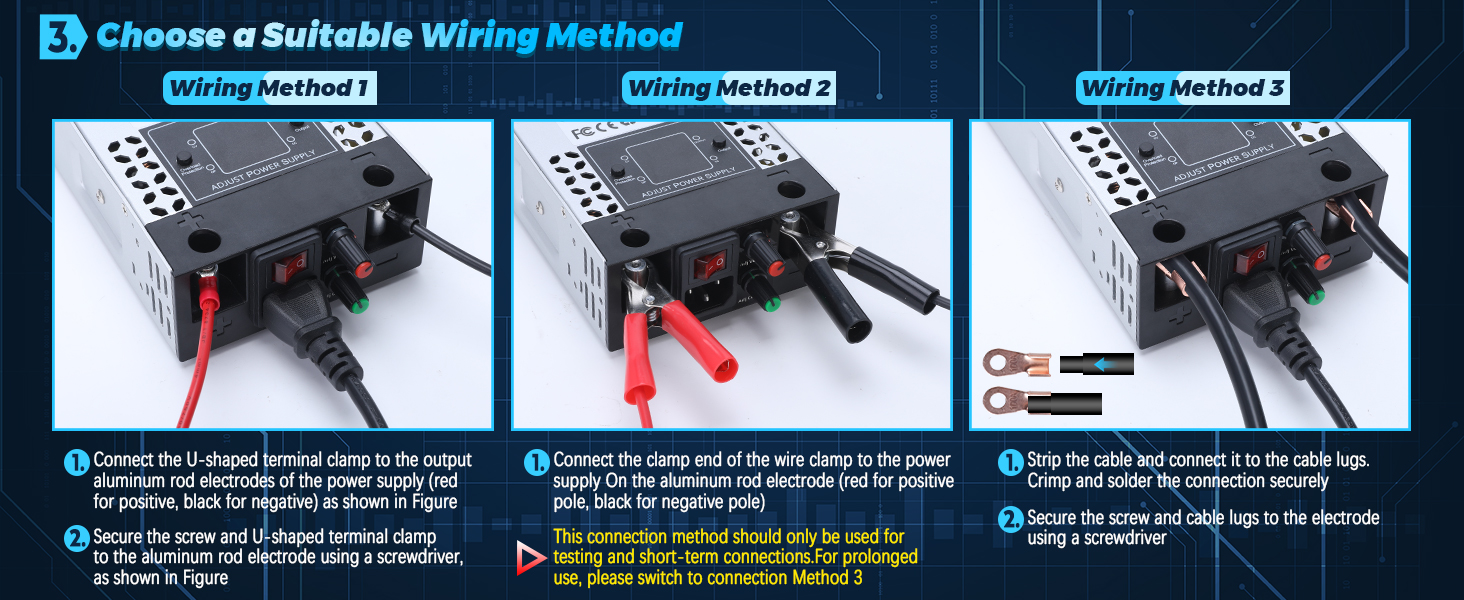
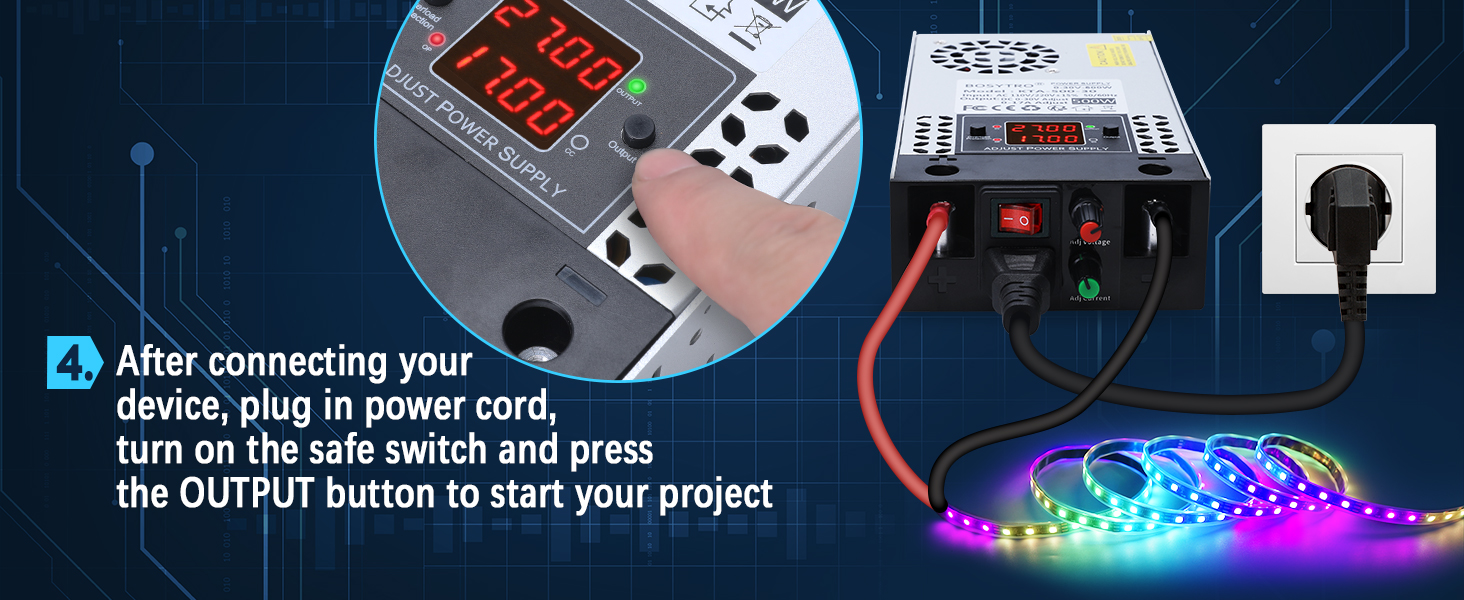
More Detail of Upgrade AC to DC Power Converter
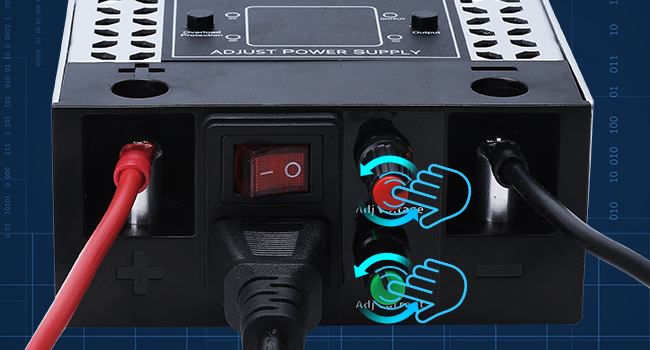
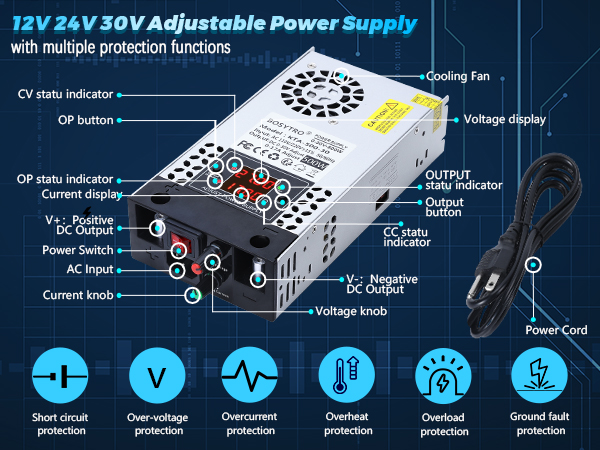
Adjustable Voltage and Current Power Supply
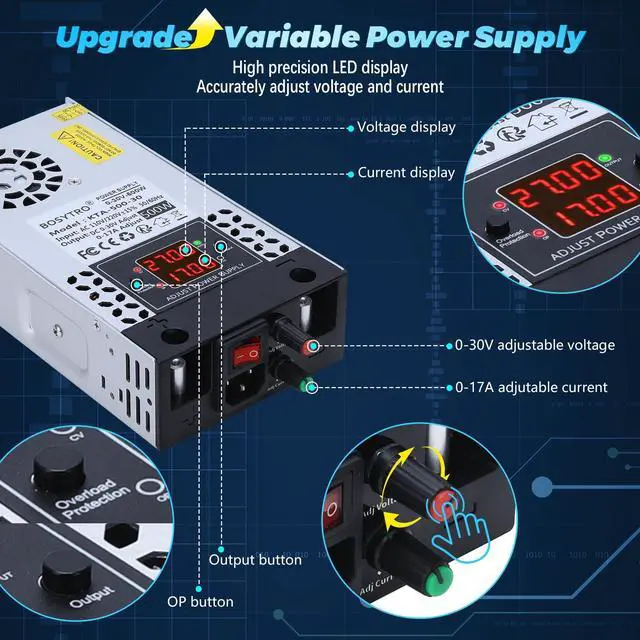
This Upgraded adjustable power supply support 0.01V/0.01A precision adjustment; Turn the knob to adjust directly. Press the knob to cycle through adjustment step values (0.01 ?? 0.1 ?? 1 V/A), enabling both fine-tuning and rapid coarse adjustment.The setting will be saved after 5 seconds
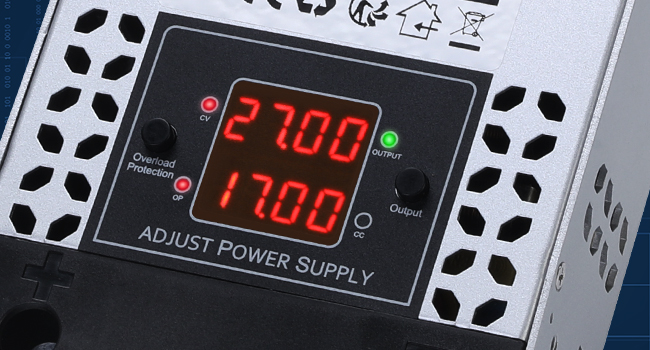
High-Precision Led displays
4 digit digital tube, dual display for voltage and current, with memory function to retain last settings after power-off/restart, avoid repetitive adjustments, the upgrade dc power supply increase a OP and OUTPUT switch for more safe operation and protect both device and unit.
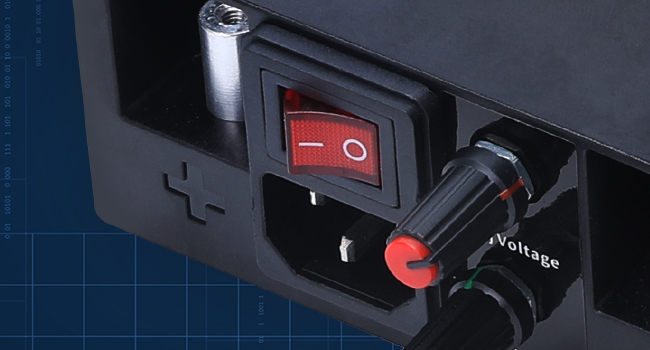
Upgrade AC Input and Safe Switch
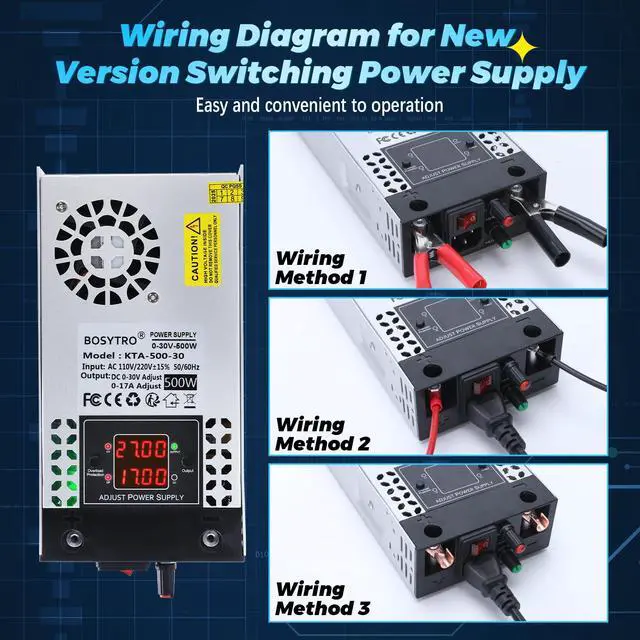
The new version switching power supply upgrade the AC input and safe switch, it's more secure, faster and convenient to operate.
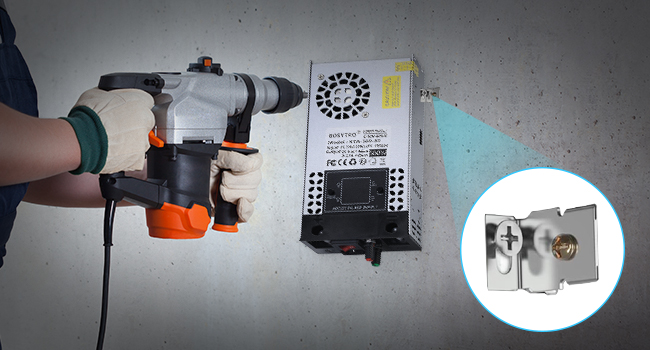
Equipped with Installation Bracket
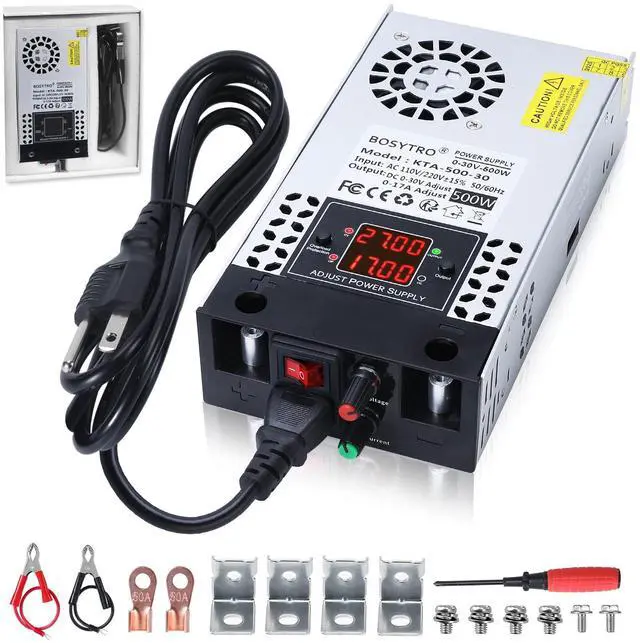
This 0-30V 0-17A 500W power supply includes 4 mounting brackets for easy installation on the wall
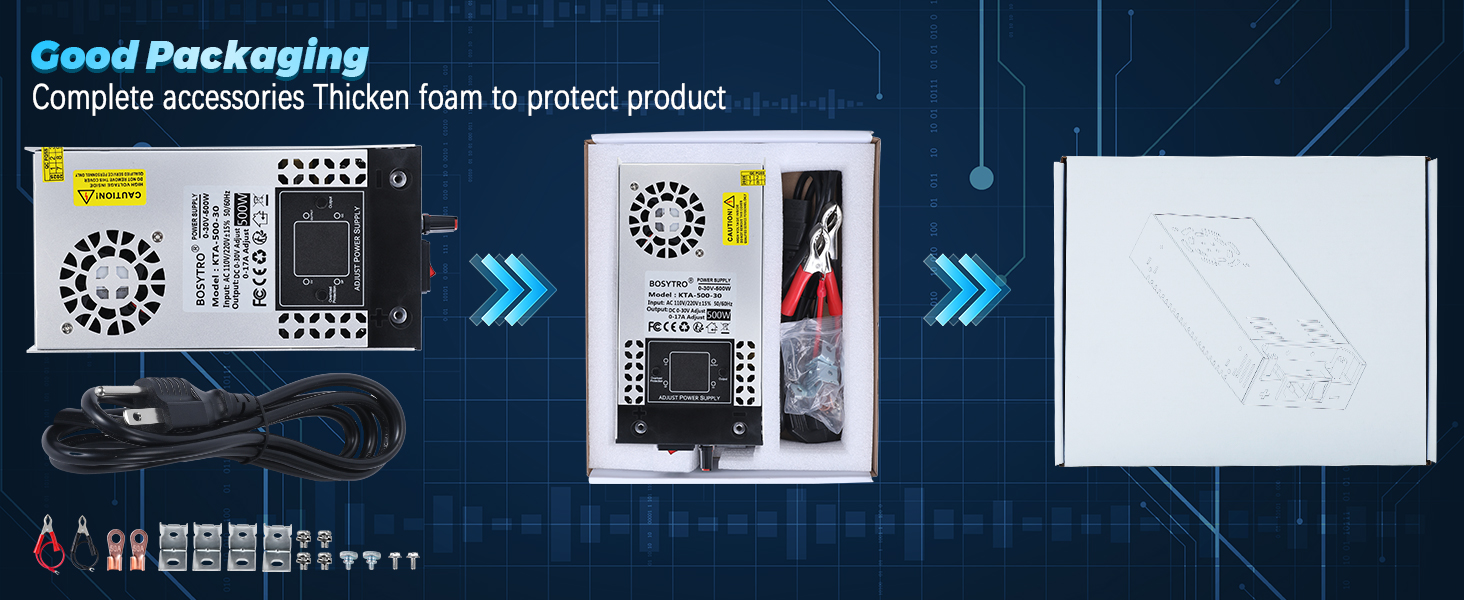
Well Package of Adjutable DC Power Supply
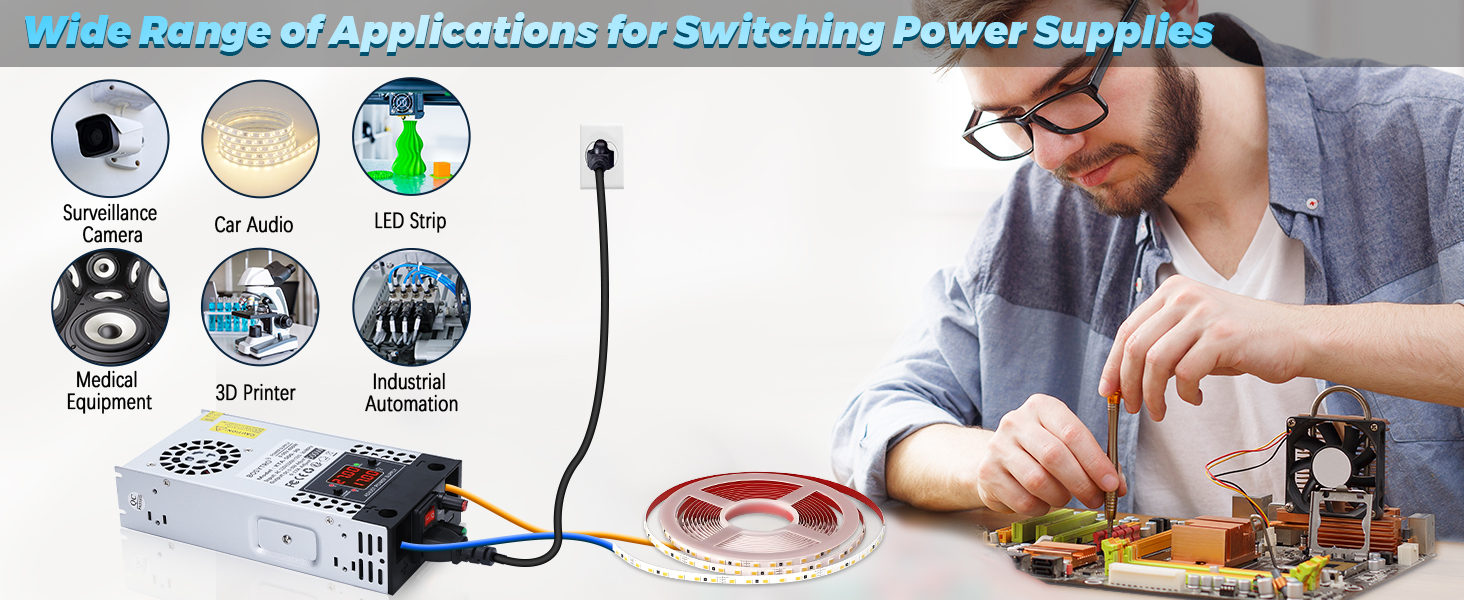
Wide Application
Note:
Do not used for charging battery
Please select a power supply with a rating twice the motor's rated power when used with motors
Use sufficiently thick output wires according to the output current
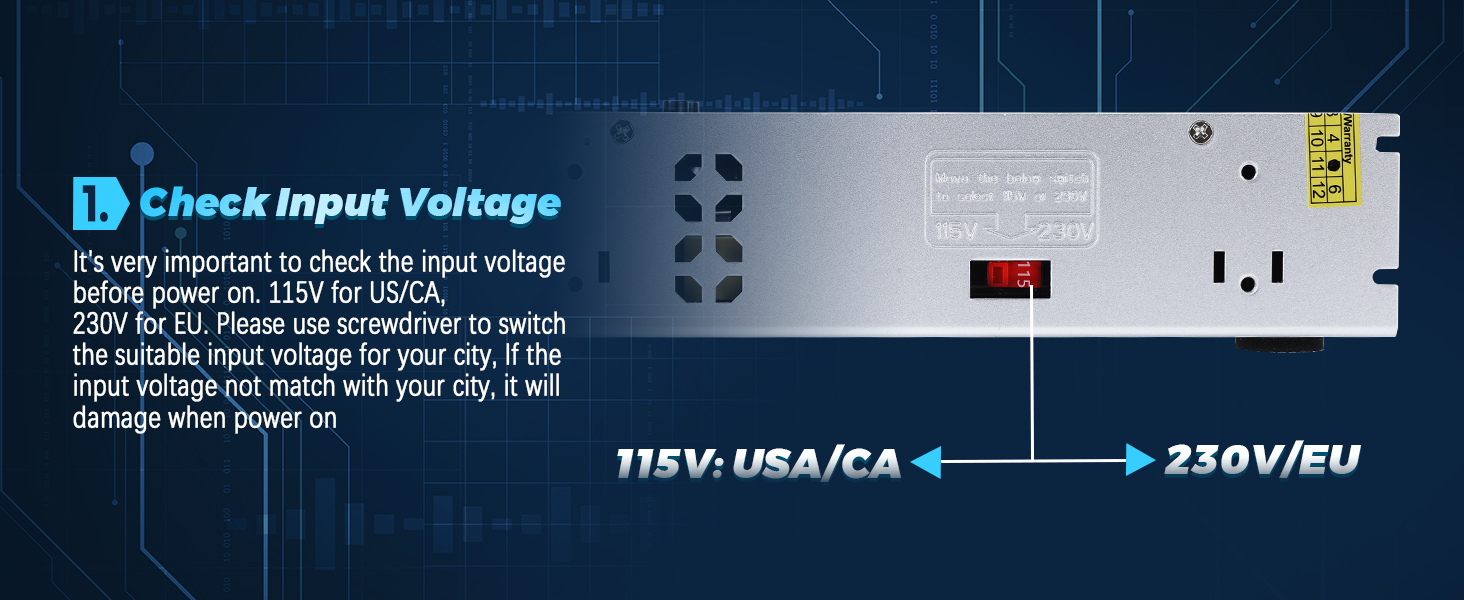
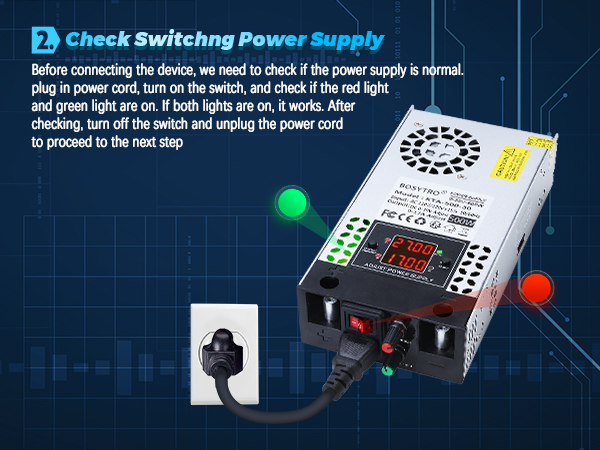
The power supply does not turn on (the green and red indicator lights on the power board are not on)
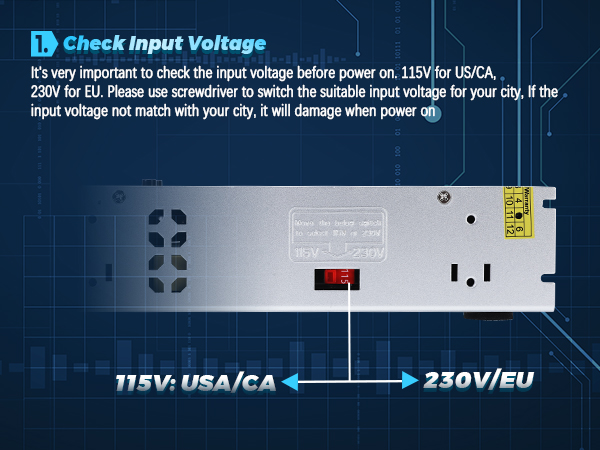
Check the power cord, if the input voltage is correct, if the safety switch is turned on, and if the fuse is intact.
No Output Voltage
Check whether the "OUTPUT" button is turned on, whether the output connection wire is intact and conducting, and whether the voltage or current is normally and stably output
Constant Voltage Mode
The power supply outputs a constant voltage according to the set value, and the current is supplied according to the actual needs of the load
The Power Supply Cannot Output the Current That Set by the User
The set current value limits the maximum output current, not the actual load current.
Green Signal Light Blinking
Indicates overload. Reduce the load current to restore normal operation.
0-30V 0-17A 500W Adjustable DC Power Supply
Output Memory Function: when enabled, the power supply will automatically retain last settings after power-off/restart
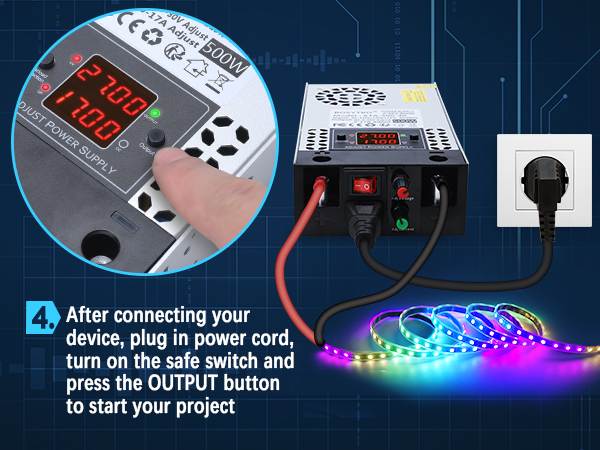
How To Get Memory Function:Press and hold the OUTPUT button for 3 seconds to enable the Output Memory function. Press and hold for 3 seconds again to disable it.
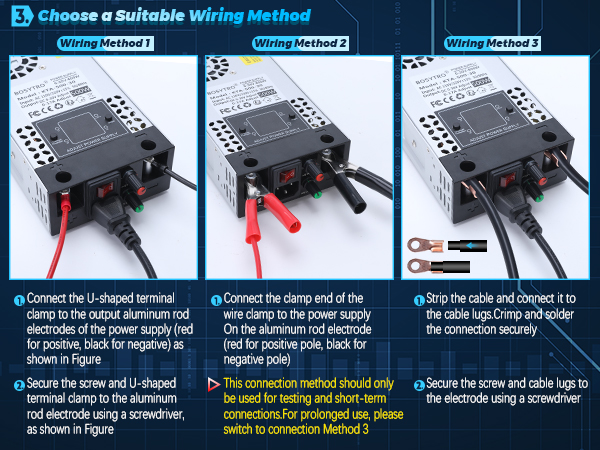
Operation Steps
More Detail of Upgrade AC to DC Power Converter
Adjustable Voltage and Current Power Supply
This Upgraded adjustable power supply support 0.01V/0.01A precision adjustment; Turn the knob to adjust directly. Press the knob to cycle through adjustment step values (0.01 ?? 0.1 ?? 1 V/A), enabling both fine-tuning and rapid coarse adjustment.The setting will be saved after 5 seconds
High-Precision Led displays
4 digit digital tube, dual display for voltage and current, with memory function to retain last settings after power-off/restart, avoid repetitive adjustments, the upgrade dc power supply increase a OP and OUTPUT switch for more safe operation and protect both device and unit.
Upgrade AC Input and Safe Switch
The new version switching power supply upgrade the AC input and safe switch, it's more secure, faster and convenient to operate.
Equipped with Installation Bracket
This 0-30V 0-17A 500W power supply includes 4 mounting brackets for easy installation on the wall
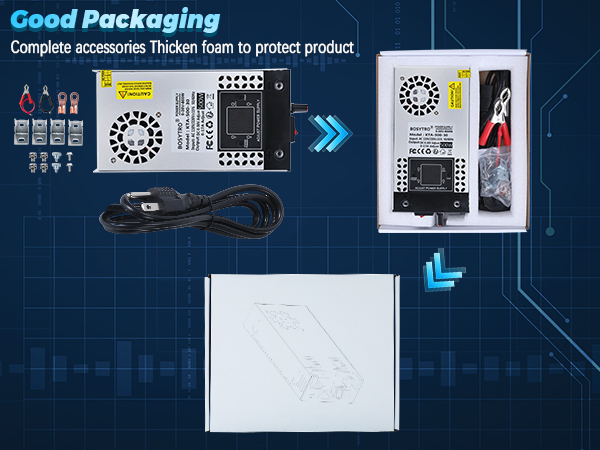
Well Package of Adjutable DC Power Supply
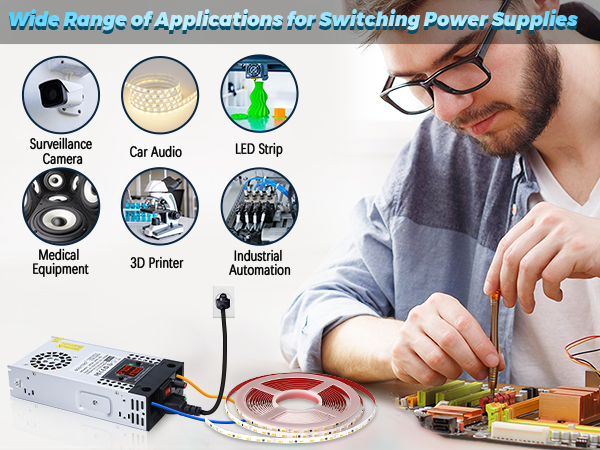
Wide Application
Note:
Do not used for charging battery
Please select a power supply with a rating twice the motor's rated power when used with motors
Use sufficiently thick output wires according to the output current
The power supply does not turn on (the green and red indicator lights on the power board are not on)
Check the power cord, if the input voltage is correct, if the safety switch is turned on, and if the fuse is intact.
No Output Voltage
Check whether the "OUTPUT" button is turned on, whether the output connection wire is intact and conducting, and whether the voltage or current is normally and stably output
Constant Voltage Mode
The power supply outputs a constant voltage according to the set value, and the current is supplied according to the actual needs of the load
The Power Supply Cannot Output the Current That Set by the User
The set current value limits the maximum output current, not the actual load current.
Green Signal Light Blinking
Indicates overload. Reduce the load current to restore normal operation.