




 here!
I’m your shopping assistant for PC builds, upgrades, and everything tech.
Got questions? Ask away!
Start a conversation
here!
I’m your shopping assistant for PC builds, upgrades, and everything tech.
Got questions? Ask away!
Start a conversationShipped by Hebei XG Technology Co., Ltd.


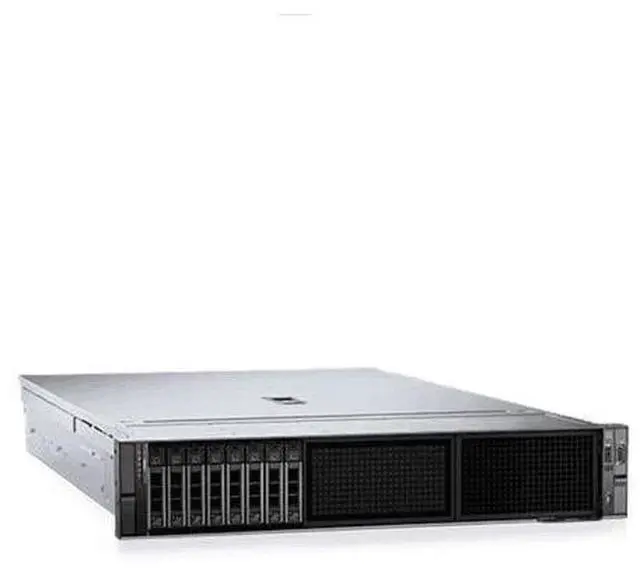
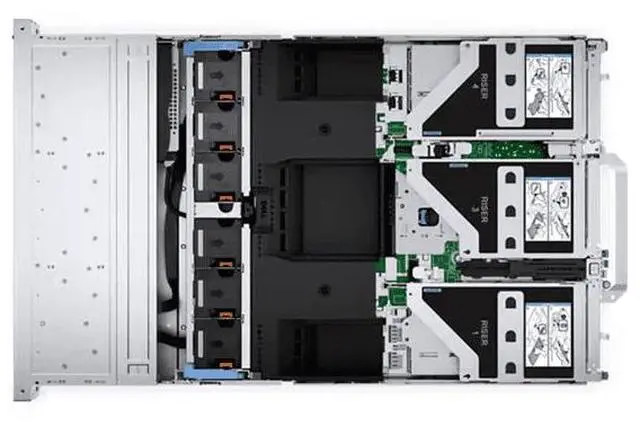
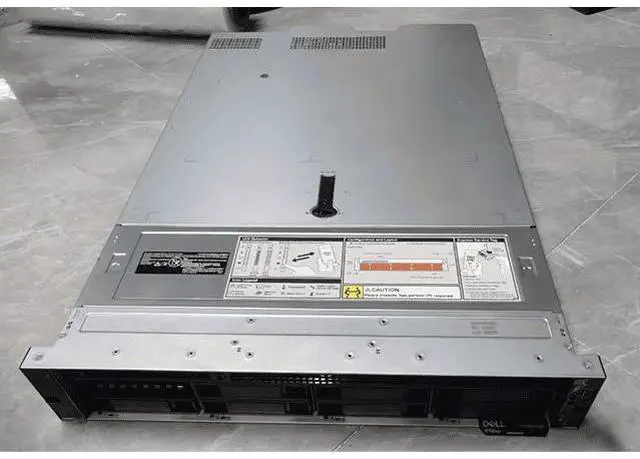
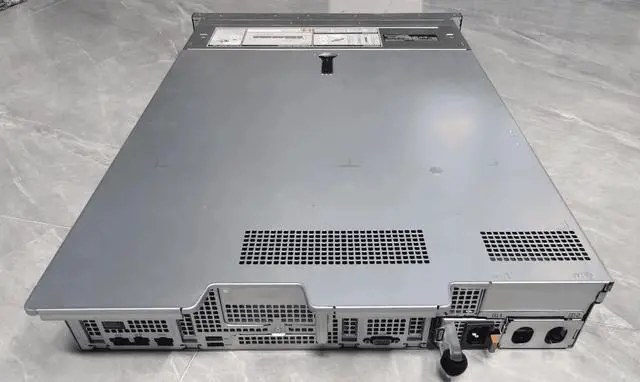
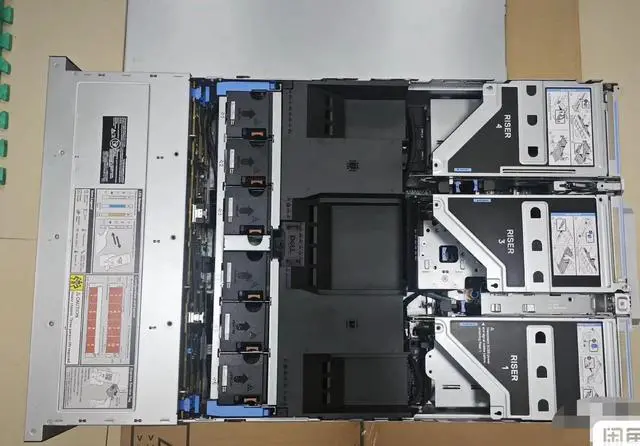
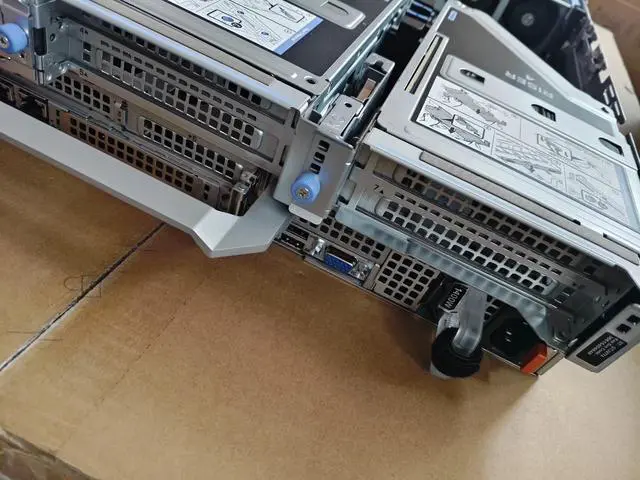
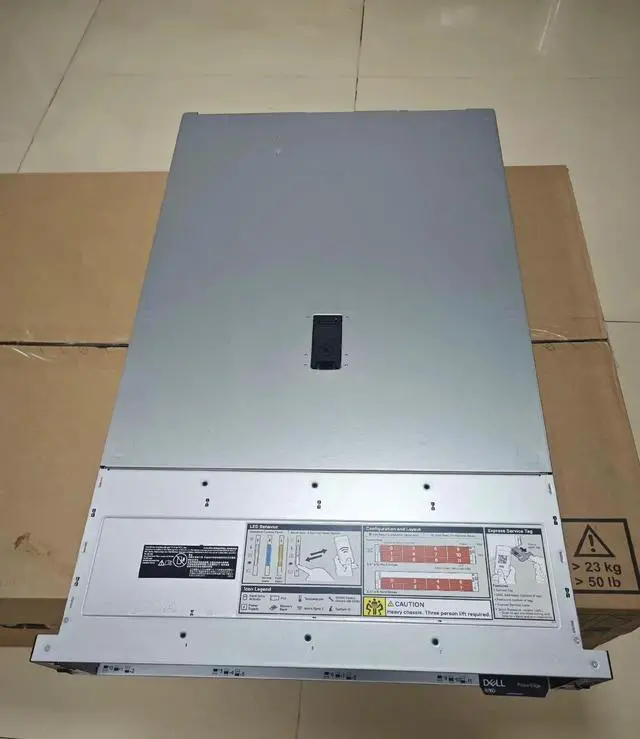



Any questions? Ask CelesteSM will help you find out quickly.
1. Customization Freedom:The lack of pre - installed CPU, heatsink, disk, RAID card, and power supply allows users to completely customize the server according to their specific requirements. Whether it's for a small - scale startup's basic operations or a large enterprise's complex data - processing tasks, you can choose the exact components to meet your needs.
2. Energy - Efficient Design:Being a low - power server, the Dell R760 is designed to consume less energy without sacrificing performance. This makes it an ideal choice for data centers or businesses aiming to reduce their power consumption and operational costs while maintaining reliable computing capabilities.
3. High - Performance Potential:Despite not having a pre - installed CPU, the R760 server is built to support high - end processors, promising significant computing power. It can handle demanding applications such as virtualization, artificial intelligence, and large - scale database management once the right CPU is installed.
4. Storage Flexibility:Without a pre - installed disk, users have the flexibility to select from a wide range of storage options. You can choose high - speed SSDs for quick data access in applications that require low latency, or opt for large - capacity HDDs for cost - effective long - term data storage.
5. Cost - Effective Solution:Starting with a server that has no pre - installed components means you only invest in what you need. This can significantly reduce the initial purchase cost, especially for those on a tight budget. As your business grows, you can gradually add components like a RAID card, disk, and power supply to scale up the server's capabilities.
The Dell PowerEdge R760 is a 24-bay 2.5-inch barebones rack server built for IT teams, system integrators, and businesses that want to configure their own CPU, storage, RAID, and power setup for tailored infrastructure deployments.
| Attribute | Value |
|---|---|
| Best For | Rack-mounted enterprise and data-center deployments on the Dell PowerEdge R760 platform |
| Model Identifiers | Dell PowerEdge R760 (Model R760) |
| CPU And Socket | Rack server platform with LGA 3647 CPU socket (requires processors compatible with LGA 3647) |
Q: Should I choose the Dell PowerEdge R760 or the older PowerEdge R750?
A: Choose the PowerEdge R760 if you want a newer 2U platform for virtualization, database, or mixed enterprise workloads and you plan to build around current Xeon generations, DDR5, and broader Gen5-era I/O. Dell positions the R760 as its mainstream 2U server for mixed workloads, database and analytics, and VDI. In third-party testing, the R760 showed clear gains over the R750 in throughput and performance-per-dollar when both were configured as modern dual-socket enterprise servers. The main trade-off is that an R750 can still be a practical lower-cost option for organizations standardizing on previous-generation DDR4 and existing parts, but the R760 is the stronger fit for a fresh deployment or longer upgrade runway.
Q: Is the PowerEdge R760 better than the PowerEdge R660 for a 24-bay 2.5-inch build?
A: Yes, the R760 is the better choice if your priority is storage density, expansion headroom, or a more versatile 2U chassis. Dell's platform guides show the R760 supports substantially more front-drive capacity and more PCIe expansion than the 1U R660, including 24 x 2.5-inch drive layouts and up to 24 NVMe drives on supported configurations. The R660 makes more sense when rack density is the main goal and your deployment can live within a 1U thermal and expansion envelope. For a barebones 24-bay custom build like this listing, the R760 aligns more directly with the storage-first use case.
Q: Should I buy this barebones PowerEdge R760 or a ready-to-run configured server?
A: Buy the barebones R760 if you already have a parts plan and want control over CPU, storage, RAID, power supplies, and thermal design. That is especially useful for custom virtualization, database, or NVMe-heavy builds where the exact component mix matters. Choose a pre-configured server if faster deployment, validated part compatibility, and simpler procurement matter more than customization. The trade-off is straightforward: barebones gives more flexibility and can avoid paying for unwanted parts, while a configured system reduces integration work and lowers the chance of mismatched components.
Q: Should I choose the PowerEdge R760 or the lower-tier PowerEdge R760xs?
A: Choose the standard R760 when you want the broader feature set: more memory capacity, more expansion flexibility, and stronger fit for mixed workloads that may grow over time. Dell positions the R760xs as a feature-optimized, right-sized option for more common virtualization, software-defined storage, and medium-density VM or VDI deployments, while the R760 sits higher for mainstream enterprise versatility. If your goal is a 24-bay custom build with more room for premium CPUs, memory, or I/O choices, the standard R760 is usually the better match. The R760xs is the more practical choice when staying within a more constrained configuration target matters more than maximum platform flexibility.
Q: Should I choose the PowerEdge R760 or move up to a GPU-focused PowerEdge R760xa?
A: Choose the R760 for general-purpose enterprise compute, storage-rich builds, and balanced virtualization or database deployments. Move up to the R760xa if your design centers on heavier accelerator use such as AI, model training, inferencing, or graphics-oriented VDI. Dell separates these roles clearly in its server lineup: the R760 is the mainstream versatile 2U platform, while the R760xa is the accelerated-computing variant. For a 24-bay barebones server intended to be customized around storage and conventional dual-socket workloads, the standard R760 is usually the more natural fit; the R760xa is the better choice only when GPU density is a primary requirement from the start.
Q: Who is this barebones Dell PowerEdge R760 best suited for?
A: This server is best suited for IT teams, integrators, and experienced buyers who want to choose their own CPUs, storage, RAID, and power supplies. It is not a ready-to-run system, so it fits buyers who already know the target workload and need a custom rack server platform rather than a preconfigured deployment.
Q: Does this Dell R760 come with the main parts needed to run right away?
A: No. Based on the product listing, it does not include a CPU, heatsink, disks, RAID card, or power supply. Buyers should expect a full build process and should confirm compatible processors, cooling, memory, storage, and power components before purchase.
Q: Is this a good choice for virtualization, database, or other heavy server workloads?
A: Yes, the R760 platform is designed for demanding enterprise workloads once it is fully configured. Dell positions the PowerEdge R760 for mixed workload standardization, database and analytics, and virtual desktop infrastructure, with support for up to two Intel Xeon Scalable processors and high memory capacity. The trade-off is that this listing is only the chassis platform, so actual performance depends entirely on the parts you add.
Q: Is the 24-bay 2.5-inch layout a good fit for storage-focused builds?
A: It can be a strong fit for dense SSD or mixed-drive configurations because the product listing specifies 24 front 2.5-inch bays, and Dell documents that the R760 platform supports up to 24 x 2.5-inch SAS, SATA, or NVMe storage options depending on configuration. The main trade-off is that storage flexibility does not mean storage is included, and buyers still need to verify backplane, controller, and drive compatibility for the exact build.
Q: Is this a cost-effective option if I already have server parts or a planned configuration?
A: Yes, it can be cost-effective for buyers who already have compatible parts or want to avoid paying for unwanted factory components. A barebones server lets you allocate budget to the exact CPU, storage, RAID, and power setup you need. The trade-off is that compatibility planning is more important, and the total build cost can rise quickly if you still need to source all core components.
Q: Who is a barebones Dell PowerEdge R760 best suited for?
A: A barebones R760 is best for IT teams, labs, and buyers who already plan to choose their own CPU, memory, storage, RAID, and power configuration. It makes the most sense when you need an enterprise 2U platform for virtualization or storage-heavy workloads and want control over the final build. It is less suitable for buyers who need a ready-to-run server out of the box.
Q: Is this Dell R760 a good choice for virtualization?
A: Yes, the R760 platform is generally a strong fit for virtualization, but this listing is only a chassis-level starting point. Because it has no CPU, storage, RAID card, heatsink, or power supply, its real virtualization value depends on how you configure memory capacity, processor count, storage layout, and hypervisor compatibility.
Q: What are the main trade-offs of buying this R760 barebones instead of a complete server?
A: The main advantage is configuration control: you only buy the components you want. The trade-off is that total cost, setup time, and compatibility work all shift to the buyer. You must source essential parts separately, confirm platform compatibility, and budget for memory, CPUs, cooling, storage, RAID, and power supplies before the server can be deployed.
Q: Is the 24-bay 2.5-inch R760 a good fit for storage-focused builds?
A: It can be a good fit if you want a high-density 2.5-inch layout and plan to choose your own SSD or HDD mix. The key trade-off is drive form factor: 24 bays gives strong density and flexibility, but 2.5-inch bays are usually better aligned with SSD-heavy or performance-oriented storage builds than low-cost, high-capacity 3.5-inch bulk storage.
Q: Is this a good buy if I want a low-power server?
A: Only if your goal is a modern enterprise platform and you understand that actual power use will depend mostly on the CPUs, memory population, storage devices, add-in cards, and power supplies you install. A barebones R760 may be a better value than a fully configured unit for custom builds, but it is not automatically a low-power finished system just because the listing starts without major components.


