







About Us
- SINEFINE was founded in 2018 and we are a factory dedicated to providing our customers with the highest quality products. Sinefine pursues continuous research and development and innovation, suggestions are welcome!
- Our main business: Computer acceessories, PCIe expansion card
- Our concept: Pursuit of quality, friendly after-sales, continuous innovation.
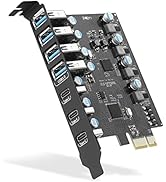
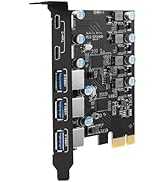
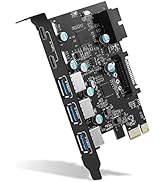
USB 3.0 PCIE CARD
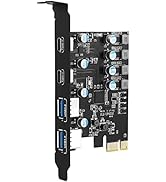
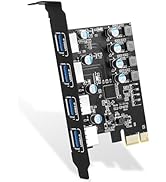
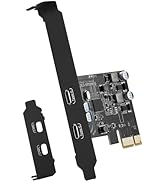
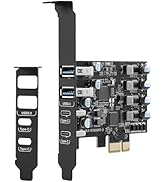
USB 3.0 PCIE CARD
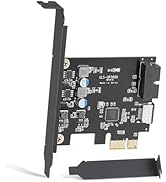
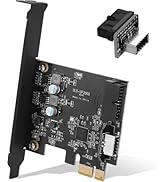
USB 3.0 PCIE CARD
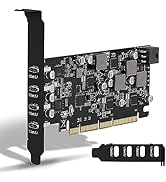
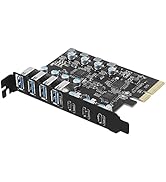
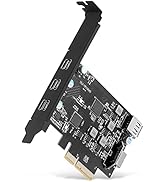
USB 3.2 GEN 2 PCIE CARD
When did we start?
2018
Why do we love what we do?
We believe that computer notebooks are the products that everyone uses everyday, and we are the ones who make the office life hassle-free through well-designed and well-made computer accessory products!
What makes our products unique?
Each SINEFINE product is thoughtfully designed with both functionality and aesthetics in mind. We understand that the right tools can make a significant difference in one's work and personal life. We value innovation and constantly seek ways to improve and evolve our product range.

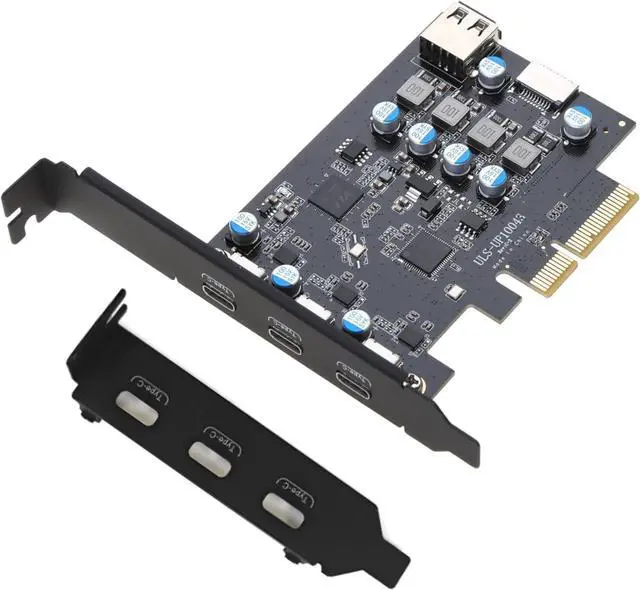
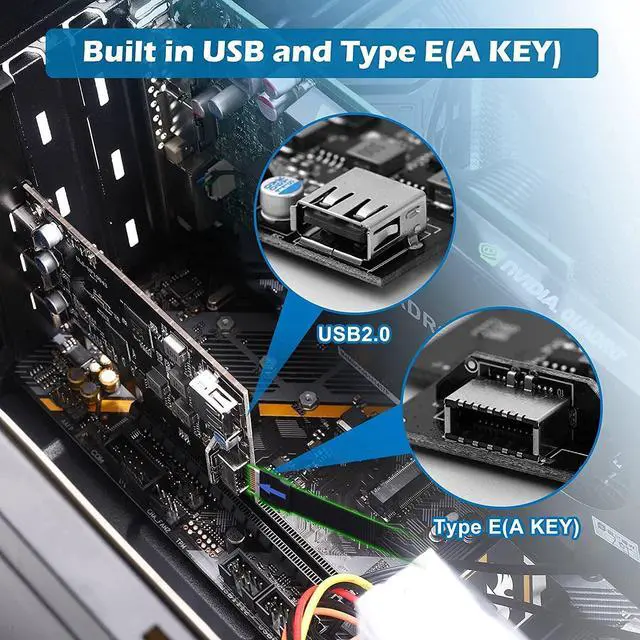
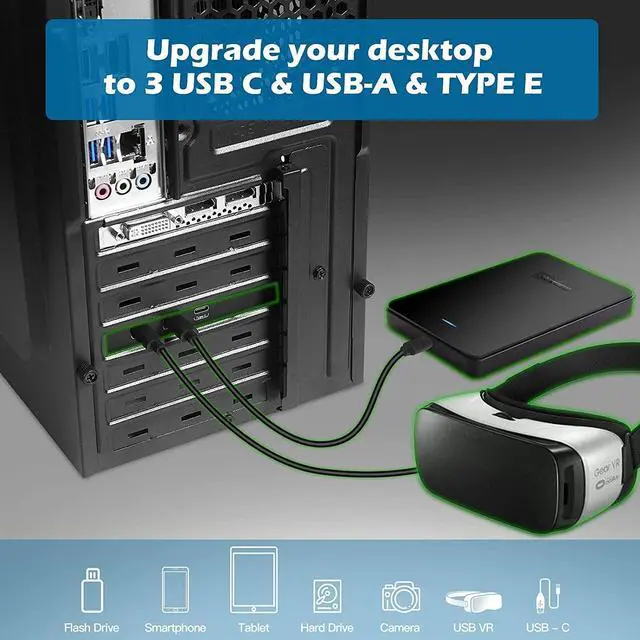
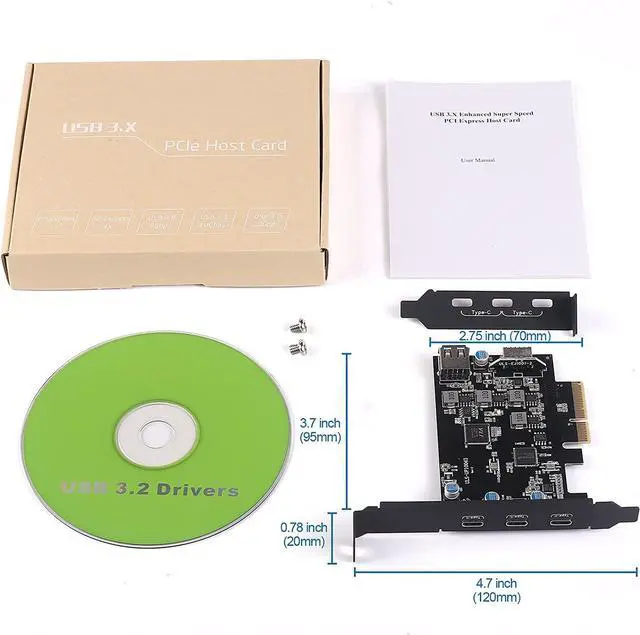
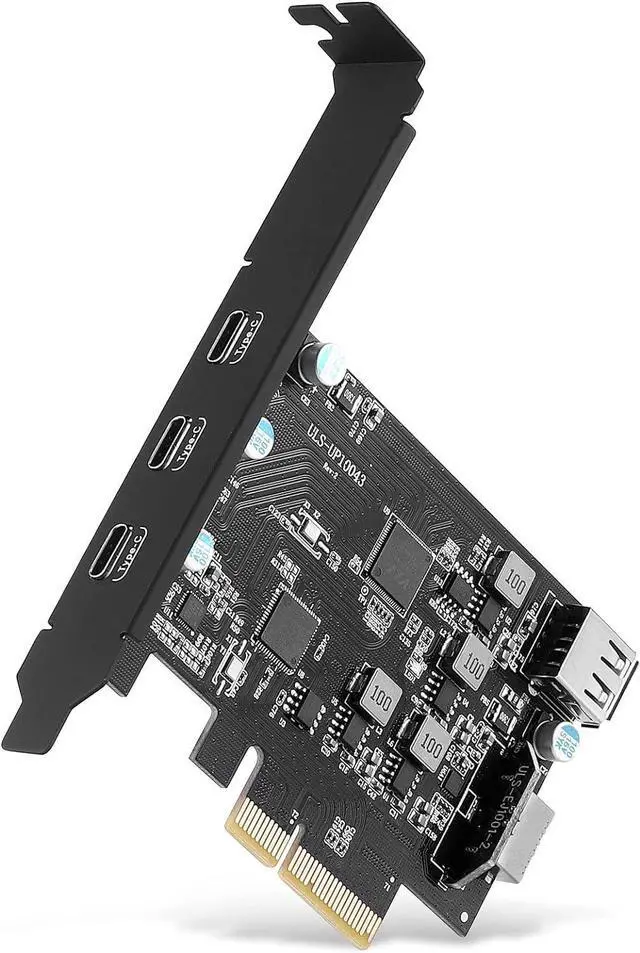
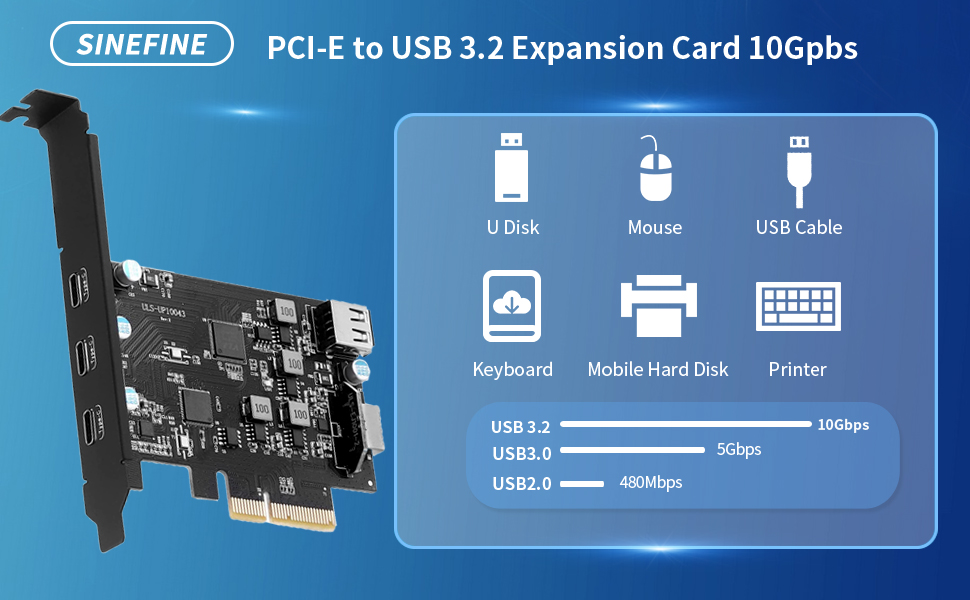
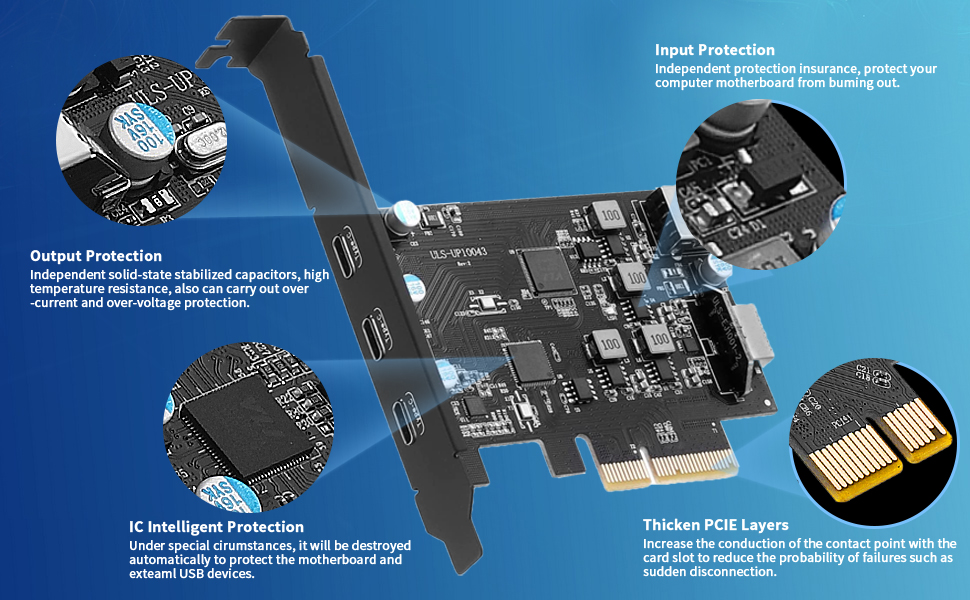
SINEFINE PCI-E to USB 3.2 Expansion Card,3.2 gen2 10Gpbs (3X USB C, 1x USB A, 1x USB Type E A Key)
NOTE:
- Not equipped with Low-profile bracket.The overall size of the PCI-E card is 3.43(in) in length and 3.15 (in) in height,The height of the iron sheet is 0.71 (in),It doesn't apply to small computers and server chassis, such as 1U and 2U.
- After reviewing the product details,Please check the port size of the computer chassis baffle to avoid poor installation and excessively small PCI-E expansion cards.
- Please make sure the power has been disconnected before installation
- Do not use in a humid environment, otherwise it will affect the connection of the device.
- If the product itself is damaged, it is still within the 360-day-warrant-y period, you can directly contact our Online support for maintenance.
Technical Specifications:
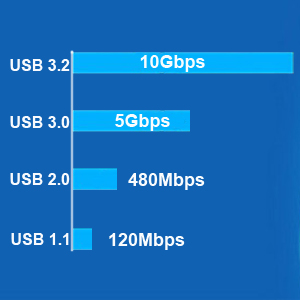
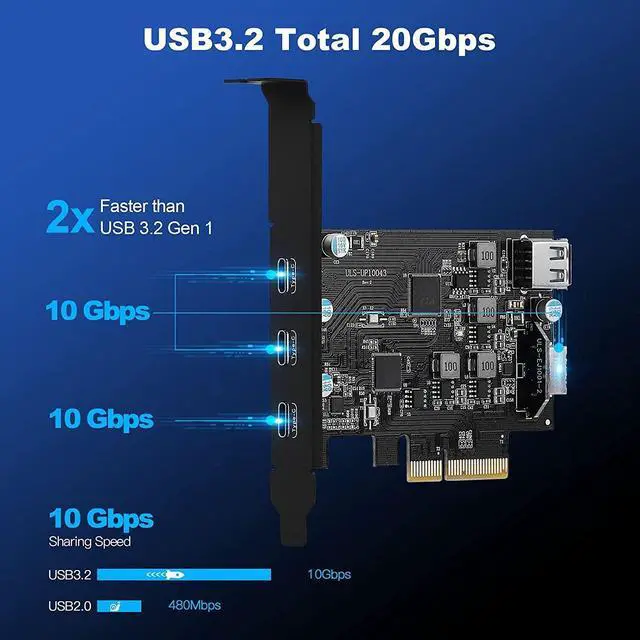
USB 3.2 Gen 2 10Gbps Super Speed
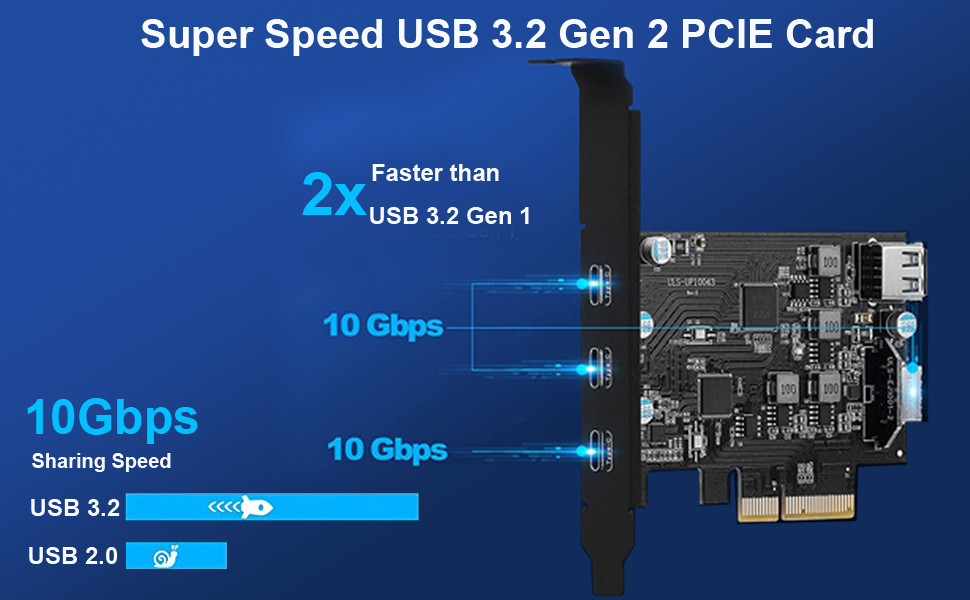
- USB 3.2 Gen 2 standard, Each USB port will get 10Gbps max speed.
- Backward compatible with USB3.0 5Gbps, USB 2.0 480Mbps and USB 1.1 12Mbps.
- Light up high resolution USB 3.2 graphic adapters, easy stream Pro HD video source.
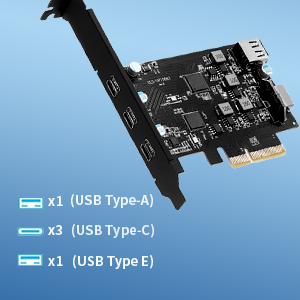
USB 3.2 Gen 2 5 Ports
- Connect keyboard, mouse, external hard drives, CD/DVD drives, webcams,usb printers, scanners, game controllers,USB VR, digital cameras, etc
- Not support delivery power and video output

Support Windows and Mac OS
- No need to install drivers on Windows 11, 10, 8.x (32/64bit) and Windows Server 2012, 2012R2, 2016, 2019, 2022 systems.
- Need to Install Driver on Windows XP, Vista, 7 (32/64bit) and Windows Server 2003, 2003R2, 2008, 2008R2 (32/64bit) systems.
- Plug and Play on most Linux kernels.
- Support MAC OS 10.8.2 Above
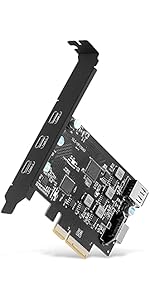 UP10043 | 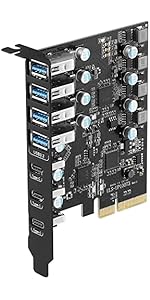 UP10073 | 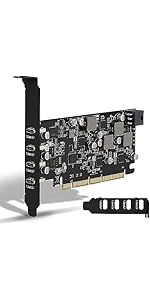 UP10148 |  UP7000 |  UP7300 | |
|---|---|---|---|---|---|
| Customer Reviews | — | — | — | — | — |
| Price | — | — | — | — | — |
| USB Ports: | 3X USB-C ,1X USB-A and 1x USB Type E | 4X USB-A and 3X USB-C | 4X USB-C | 7X USB-A | 4X USB-A and 3X USB-C |
| USB Speed: | USB 3.Gen 2 10Gbps | USB 3.Gen 2 10Gbps | USB 3.Gen 2 10Gbps | USB 3.0 5Gbps | USB 3.0 5Gbps |
| PCIE Interface: | PCIE x4, x8, x16 | PCIE x4, x8, x16 | PCIE x4, x8, x16 | PCIE x1, x4, x8, x16 | PCIE x1, x4, x8, x16 |
| Compatible PC | Standard Size PCs | Standard Size PCs | Standard Size PCs | Standard Size PCs | Standard Size PCs |
| Power delivery | No | No | 45W | No | No |
| Video Output | No | No | No | No | No |
| Compatible System: | Windows XP, Vista, 7, 8, 8.1, 10(32/64bit), Windows Server 2003, 2003R2, 2008, 2008R2, 2012, 2012R2, 2016, 2019(32/64bit), Mac Pro 4.1,5.1,7.1(model 2009~2020),Linux,Ubuntu 20.04 system . | Windows XP, Vista, 7, 8, 8.1, 10(32/64bit), Windows Server 2003, 2003R2, 2008, 2008R2, 2012, 2012R2, 2016, 2019(32/64bit), Mac Pro 4.1,5.1,7.1(model 2009~2020),Linux,Ubuntu 20.04 system . | Windows XP, Vista, 7, 8, 8.1, 10(32/64bit), Windows Server 2003, 2003R2, 2008, 2008R2, 2012, 2012R2, 2016, 2019(32/64bit), Mac Pro 4.1,5.1,7.1(model 2009~2020),Linux,Ubuntu 20.04 system . | Windows XP, Vista, 7, 8, 8.1, 10(32/64bit), Windows Server 2003, 2003R2, 2008, 2008R2, 2012, 2012R2, 2016, 2019(32/64bit), Mac Pro 4.1,5.1,7.1(model 2009~2020),Linux,Ubuntu 20.04 system . | Windows XP, Vista, 7, 8, 8.1, 10(32/64bit), Windows Server 2003, 2003R2, 2008, 2008R2, 2012, 2012R2, 2016, 2019(32/64bit), Mac Pro 4.1,5.1,7.1(model 2009~2020),Linux,Ubuntu 20.04 system . |
Compatible Devices
Support Motherboard:
- Dell Motherboard : Dell Server R710; Dell XPS; Dell T20 multimedia server; Dell OptiPlex 3080; DELL XPS 8930; Dell Precision T3600 Workstation E5-2690;
- HP : Z4 G4 Workstation; HP Reverb G2; HP Z800; HP reverb G2; HP elite 8100; HP N54L Server;
- Asus : Asus Maximus VIII 64 gigs of ram Q7700K CPU EVGA 1000 Gold; Asus Dark Hero VIII AMD 5090x
- Gigabyte : Gigabyte B560M HD2; Gigabyte GA-990FX-Gaming mobo; Gigabyte M68MT-D3 mobo,AMD X4 840 CPU
- Mac: 2008 Mac Pro 3.1; 2009 Mac Pro; 2009 Mac Pro 4,1 and 5,1; iMac2010; Mac Pro 2010; 2010 5,1 Mac Pro; Mac Pro 5,1 Mid 2010 running macOS Mojave; Mac Pro 5.1; Mac Pro 7.1 Catalina 10.15; Mac Pro 2012; Mac Pro 2019; M1 MacBook 2020; Mac Pro 2020;
- MSI: MSI 550; MSI X470 Gaming Plus Max;
- Corsair: Corsair obsidian 5000D; corsair 4000d; Corsair 4000d airflow; Corsair 220t
- Others:SuperMicro edge ; VMware ESXi ; Pop-os 20.10 and 21.04 (Linux) ; Legion Tower 5i; hackintosh; Logitech C920 ; NZXT H510 Elite; MOBO ASRock X370 Taichi ; Intel Ghost Canyon ; Medion MS-7800 ; be quiet! PURE BASE 600; ATX mobo ;Debian Gnu/Linux ; alienware aurora r7
Not Support Motherboard:
- Gigabyte NEW Z690 GAMING X DDR4
- MSI X60E
- Alienware Area-51
- Asus B660
- Asus B350
Frequently Asked Questions (FAQs)
1. Question : I installed the card, but it doesn't show up in device manager. Nor does it work with any of the USB devices I have plugged in. Driver installation claiming device missing?
- the card is not seated correctly, if you remove it and reinstall it so it is seated correctly in the slot, it may correct the problem.
- the card is broken and you will have to return it for a replacement.
- did you turn off your computer when you installed it. If so, try shutting down and restarting your computer.
- The computer motherboard driver is not fully installed, update the driver of the computer motherboard.
- May not be compatible with this motherboard, please provide the motherboard model number to our engineering to facilitate the solution
2. Question: Mouse or keyboard plugged into these ports will go to sleep?
- These devices shut down when the computer goes to sleep, so if your M&K is plugged into these ports, you can't use it to wake up your machine
3. Question: The USB-A slot is too close to the top of the expansion slot. You'll have to make some minor adjustments to get your USB's in and out
Because they will hit the upper part of the chassis slot every time
- Don't secure the expansion card down, you need to insert a USB-A end from the motherboard board slot and then secure the card down again
4. Question: The card works very slowly. Over 100 MByte/s not included - versus the theoretically possible 400+ MByte/
- Please uninstall the included CD driver via Device Manager completely, reboot it, and then use the driver available via Windows Update.
- Please check if your external device is a USB 3.2 device.
- Replace the PCIE slot on your motherboard and see if the problem disappears.
5. Why 10Gbps speed not achieved?
- Please contact the manufacturer of the motherboard and check the following information.
- PCI-E slot protocol requires PCIe version 3.0 or higher.
- The lanes assigned to the PCI-E interface are x4 or higher (The lanes assigned to the PCI-E interface are x4 or higher. (x1,x2 channels are also available, but the speed will not be reached).
- When using a USB pcie card, USB devices have performance limitations on the throughput/performance of the card's data transfer. This depends on the USB protocol and cable material of the end device.you can check if your external USB device supports 10Gbps bandwidth by consulting your external USB device vendor.
6. Why is this USB 3.2 port detected as USB 3.1 by the computer system?
- According to the latest USB-IF standard: the USB-A ports on this card is USB 3.2 Gen 2x1 = USB 3.1 Gen 2 = USB 10Gbps
SINEFINE PCI-E to USB 3.2 Expansion Card,3.2 gen2 10Gpbs (3X USB C, 1x USB A, 1x USB Type E A Key)
NOTE:
- Not equipped with Low-profile bracket.The overall size of the PCI-E card is 3.43(in) in length and 3.15 (in) in height,The height of the iron sheet is 0.71 (in),It doesn't apply to small computers and server chassis, such as 1U and 2U.
- After reviewing the product details,Please check the port size of the computer chassis baffle to avoid poor installation and excessively small PCI-E expansion cards.
- Please make sure the power has been disconnected before installation
- Do not use in a humid environment, otherwise it will affect the connection of the device.
- If the product itself is damaged, it is still within the 360-day-warrant-y period, you can directly contact our Online support for maintenance.
Technical Specifications:
USB 3.2 Gen 2 10Gbps Super Speed
- USB 3.2 Gen 2 standard, Each USB port will get 10Gbps max speed.
- Backward compatible with USB3.0 5Gbps, USB 2.0 480Mbps and USB 1.1 12Mbps.
- Light up high resolution USB 3.2 graphic adapters, easy stream Pro HD video source.
USB 3.2 Gen 2 5 Ports
- Connect keyboard, mouse, external hard drives, CD/DVD drives, webcams,usb printers, scanners, game controllers,USB VR, digital cameras, etc
- Not support delivery power and video output
Support Windows and Mac OS
- No need to install drivers on Windows 11, 10, 8.x (32/64bit) and Windows Server 2012, 2012R2, 2016, 2019, 2022 systems.
- Need to Install Driver on Windows XP, Vista, 7 (32/64bit) and Windows Server 2003, 2003R2, 2008, 2008R2 (32/64bit) systems.
- Plug and Play on most Linux kernels.
- Support MAC OS 10.8.2 Above
UP10043 | UP10073 | UP10148 | UP7000 | UP7300 | |
|---|---|---|---|---|---|
| Customer Reviews | — | — | — | — | — |
| Price | — | — | — | — | — |
| USB Ports: | 3X USB-C ,1X USB-A and 1x USB Type E | 4X USB-A and 3X USB-C | 4X USB-C | 7X USB-A | 4X USB-A and 3X USB-C |
| USB Speed: | USB 3.Gen 2 10Gbps | USB 3.Gen 2 10Gbps | USB 3.Gen 2 10Gbps | USB 3.0 5Gbps | USB 3.0 5Gbps |
| PCIE Interface: | PCIE x4, x8, x16 | PCIE x4, x8, x16 | PCIE x4, x8, x16 | PCIE x1, x4, x8, x16 | PCIE x1, x4, x8, x16 |
| Compatible PC | Standard Size PCs | Standard Size PCs | Standard Size PCs | Standard Size PCs | Standard Size PCs |
| Power delivery | No | No | 45W | No | No |
| Video Output | No | No | No | No | No |
| Compatible System: | Windows XP, Vista, 7, 8, 8.1, 10(32/64bit), Windows Server 2003, 2003R2, 2008, 2008R2, 2012, 2012R2, 2016, 2019(32/64bit), Mac Pro 4.1,5.1,7.1(model 2009~2020),Linux,Ubuntu 20.04 system . | Windows XP, Vista, 7, 8, 8.1, 10(32/64bit), Windows Server 2003, 2003R2, 2008, 2008R2, 2012, 2012R2, 2016, 2019(32/64bit), Mac Pro 4.1,5.1,7.1(model 2009~2020),Linux,Ubuntu 20.04 system . | Windows XP, Vista, 7, 8, 8.1, 10(32/64bit), Windows Server 2003, 2003R2, 2008, 2008R2, 2012, 2012R2, 2016, 2019(32/64bit), Mac Pro 4.1,5.1,7.1(model 2009~2020),Linux,Ubuntu 20.04 system . | Windows XP, Vista, 7, 8, 8.1, 10(32/64bit), Windows Server 2003, 2003R2, 2008, 2008R2, 2012, 2012R2, 2016, 2019(32/64bit), Mac Pro 4.1,5.1,7.1(model 2009~2020),Linux,Ubuntu 20.04 system . | Windows XP, Vista, 7, 8, 8.1, 10(32/64bit), Windows Server 2003, 2003R2, 2008, 2008R2, 2012, 2012R2, 2016, 2019(32/64bit), Mac Pro 4.1,5.1,7.1(model 2009~2020),Linux,Ubuntu 20.04 system . |
Compatible Devices
Support Motherboard:
- Dell Motherboard : Dell Server R710; Dell XPS; Dell T20 multimedia server; Dell OptiPlex 3080; DELL XPS 8930; Dell Precision T3600 Workstation E5-2690;
- HP : Z4 G4 Workstation; HP Reverb G2; HP Z800; HP reverb G2; HP elite 8100; HP N54L Server;
- Asus : Asus Maximus VIII 64 gigs of ram Q7700K CPU EVGA 1000 Gold; Asus Dark Hero VIII AMD 5090x
- Gigabyte : Gigabyte B560M HD2; Gigabyte GA-990FX-Gaming mobo; Gigabyte M68MT-D3 mobo,AMD X4 840 CPU
- Mac: 2008 Mac Pro 3.1; 2009 Mac Pro; 2009 Mac Pro 4,1 and 5,1; iMac2010; Mac Pro 2010; 2010 5,1 Mac Pro; Mac Pro 5,1 Mid 2010 running macOS Mojave; Mac Pro 5.1; Mac Pro 7.1 Catalina 10.15; Mac Pro 2012; Mac Pro 2019; M1 MacBook 2020; Mac Pro 2020;
- MSI: MSI 550; MSI X470 Gaming Plus Max;
- Corsair: Corsair obsidian 5000D; corsair 4000d; Corsair 4000d airflow; Corsair 220t
- Others:SuperMicro edge ; VMware ESXi ; Pop-os 20.10 and 21.04 (Linux) ; Legion Tower 5i; hackintosh; Logitech C920 ; NZXT H510 Elite; MOBO ASRock X370 Taichi ; Intel Ghost Canyon ; Medion MS-7800 ; be quiet! PURE BASE 600; ATX mobo ;Debian Gnu/Linux ; alienware aurora r7
Not Support Motherboard:
- Gigabyte NEW Z690 GAMING X DDR4
- MSI X60E
- Alienware Area-51
- Asus B660
- Asus B350
Frequently Asked Questions (FAQs)
1. Question : I installed the card, but it doesn't show up in device manager. Nor does it work with any of the USB devices I have plugged in. Driver installation claiming device missing?
- the card is not seated correctly, if you remove it and reinstall it so it is seated correctly in the slot, it may correct the problem.
- the card is broken and you will have to return it for a replacement.
- did you turn off your computer when you installed it. If so, try shutting down and restarting your computer.
- The computer motherboard driver is not fully installed, update the driver of the computer motherboard.
- May not be compatible with this motherboard, please provide the motherboard model number to our engineering to facilitate the solution
2. Question: Mouse or keyboard plugged into these ports will go to sleep?
- These devices shut down when the computer goes to sleep, so if your M&K is plugged into these ports, you can't use it to wake up your machine
3. Question: The USB-A slot is too close to the top of the expansion slot. You'll have to make some minor adjustments to get your USB's in and out
Because they will hit the upper part of the chassis slot every time
- Don't secure the expansion card down, you need to insert a USB-A end from the motherboard board slot and then secure the card down again
4. Question: The card works very slowly. Over 100 MByte/s not included - versus the theoretically possible 400+ MByte/
- Please uninstall the included CD driver via Device Manager completely, reboot it, and then use the driver available via Windows Update.
- Please check if your external device is a USB 3.2 device.
- Replace the PCIE slot on your motherboard and see if the problem disappears.
5. Why 10Gbps speed not achieved?
- Please contact the manufacturer of the motherboard and check the following information.
- PCI-E slot protocol requires PCIe version 3.0 or higher.
- The lanes assigned to the PCI-E interface are x4 or higher (The lanes assigned to the PCI-E interface are x4 or higher. (x1,x2 channels are also available, but the speed will not be reached).
- When using a USB pcie card, USB devices have performance limitations on the throughput/performance of the card's data transfer. This depends on the USB protocol and cable material of the end device.you can check if your external USB device supports 10Gbps bandwidth by consulting your external USB device vendor.
6. Why is this USB 3.2 port detected as USB 3.1 by the computer system?
- According to the latest USB-IF standard: the USB-A ports on this card is USB 3.2 Gen 2x1 = USB 3.1 Gen 2 = USB 10Gbps
About Us
- SINEFINE was founded in 2018 and we are a factory dedicated to providing our customers with the highest quality products. Sinefine pursues continuous research and development and innovation, suggestions are welcome!
- Our main business: Computer acceessories, PCIe expansion card
- Our concept: Pursuit of quality, friendly after-sales, continuous innovation.
USB 3.0 PCIE CARD
USB 3.0 PCIE CARD
USB 3.0 PCIE CARD
USB 3.2 GEN 2 PCIE CARD
When did we start?
2018
Why do we love what we do?
We believe that computer notebooks are the products that everyone uses everyday, and we are the ones who make the office life hassle-free through well-designed and well-made computer accessory products!
What makes our products unique?
Each SINEFINE product is thoughtfully designed with both functionality and aesthetics in mind. We understand that the right tools can make a significant difference in one's work and personal life. We value innovation and constantly seek ways to improve and evolve our product range.