




 here!
here!
I’m your shopping assistant for PC builds, upgrades, and everything tech.
Got questions? Ask away!
Start a conversation
here!
I’m your shopping assistant for PC builds, upgrades, and everything tech.
Got questions? Ask away!
Start a conversation



Any questions? Ask CelesteSM will help you find out quickly.

Battery Questions ? How to con tact us ?
1. Click "Futurosp" on the detailed product page, then click "Ask a Ques tion."
2. Our after-sales con tact information is printed on the box you receive.

 TF03XL TF03041XL Battery |  HT03XL L11119-855 Battery |  BK03XL Battery |  LK03XL L09281-855 Battery |  CS03XL Battery |  PK03XL 789116-005 Battery |  SH03XL 859356-855Battery | |
|---|---|---|---|---|---|---|---|
Customer Reviews | — | — | — | — | — | — | — |
Price | — | — | — | — | — | — | — |
Model | For HP Pavilion X360 15-CC... | For HP Pavilion 15-CS 15-CR... | For HP Pavilion X360 14-BA... | for HP Envy X360 15M-CN0XXX .. | For HP Elitebook 840 G3 840 G4 | For HP Spectre X360 13-4003DX | for HP Spectre X360 13-AC0XX.. |
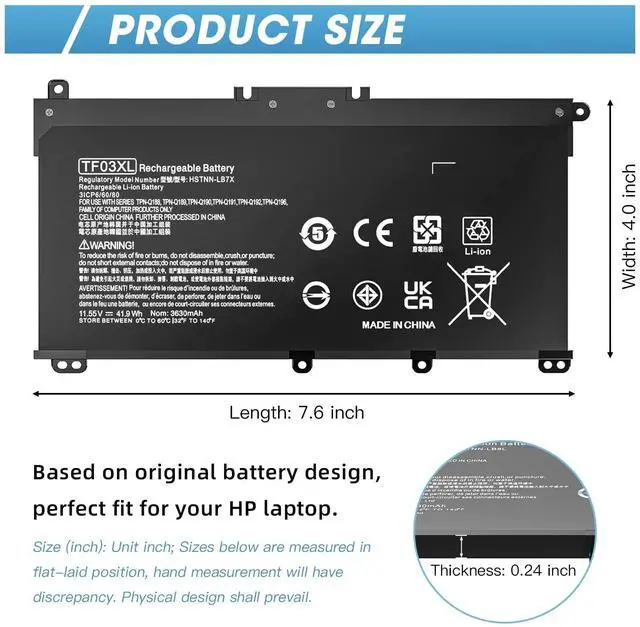
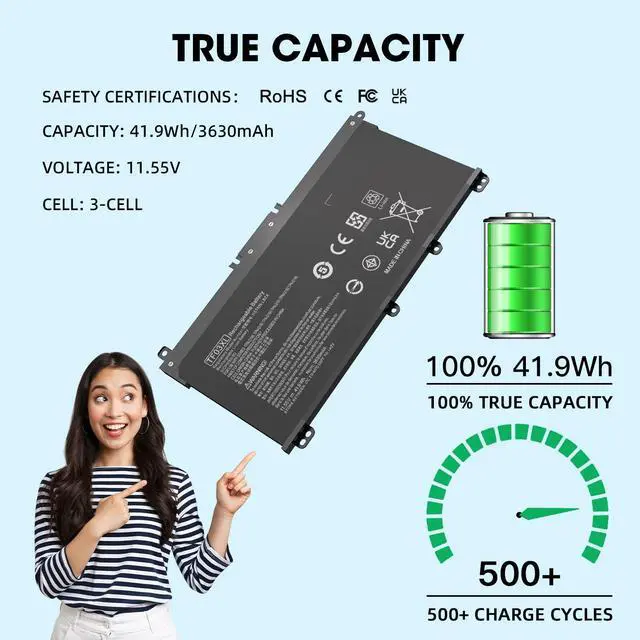
Capacity | 41.9Wh | 41.9Wh | 41.7Wh | 55.8Wh | 46.5Wh | 56Wh | 57.9Wh |
Voltage | 11.55V | 11.55V | 11.55V | 11.55V | 11.4V | 11.4V | 11.55V |
Li-ion | ? | ? | ? | ? | ? | ? | ? |
Posive Custo mer Service | ? | ? | ? | ? | ? | ? | ? |
There are two ways to choose the right battery. Which two methods are they ?
1. Search battery model: Remove the laptop case to check and confirm the shape of the original battery. (Recommended ?)
2. Search laptop model: Pressing [Window] + [R] key and entering [msinfo32] or [dxdiag]. Click OK to find "System Model".
Why can't the battery be fully charged ?
Sometimes the battery may not show full charge (100%) even if the power adapter is connected for a long time. The battery may stop charging after reaching 93% to 99% charge. This is a normal phenomenon.
What factors affect battery life ?
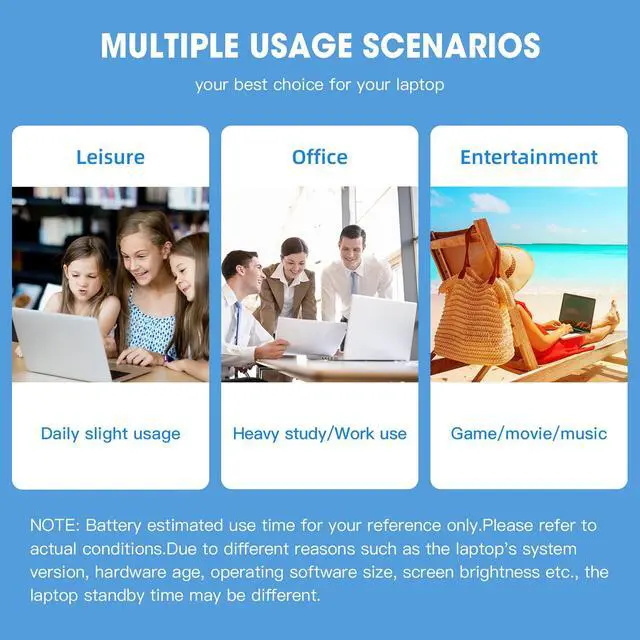
Battery life is related to factors such as the CPU processor speed of the laptop, the brightness of the application screen, the external port of the wireless device, and the battery itself.
How to store laptop and battery for a long time, such as 2 months ?
The battery must be charged to 70-80% or more. It will self-discharge if left idle for a long time. A humid environment will accelerate discharge. Once the battery is exhausted and not recharged in time, it will cause permanent damage to the battery.
Will the battery drain if the laptop is placed in sleep mode ?
It is best not to put your laptop into sleep mode in a low power state (<20%) for more than 48 hours. This may drain the battery beyond recovery, or it may leave it in a state unrecognized by the laptop.


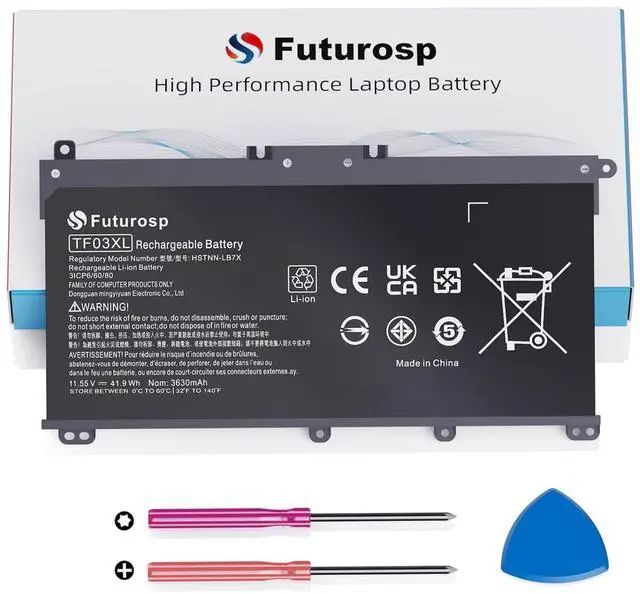
| HP Part Numbers(Battery Model) | TF03XL TF03041XL TF03041 920070-855 920046-421 920046-121 920070-856 920046-541 920046-855 920070-421 HSTNN-LB7J HSTNN-IB7Y HSTNN-LB7X TPN-Q190 TPN-Q188 TPN-Q189 TPN-Q191 TPN-Q192 TPN-Q196 TF03XLPN-Q188 |
|---|---|
| HP Pavilion 14M-CD Series | 14M-CD0XXX 14M-CD1XXX 14M-CD0001DX 14M-CD0003DX 14M-CD0005DX 14M-CD0006DX |
| HP Pavilion 14-CD Series | 14-CD0XXX 14-CD1XXX 14-CD2XXX 14-CD0002NE 14-CD0003DX 14-CD0008LA 14-CD0012LA 14-CD0017NS 14-CD0056TX 14-CD1007NE 14-CD1021LA 14-CD1042NR 14-CD1055CL 14-CD1075NR 14-CD2053CL |
| HP Pavilion 14-BK Series | 14-BK0XX 14-BK061ST 14-BK063ST 14-BK091ST |
| HP Pavilion 14-BF Series | 14-BF0XX 14-BF1XX 14-BF033TX 14-BF034TX 14-BF035TX 14-BF036TX 14-BF037TX 14-BF038TX 14-BF039TX 14-BF040TX 14-BF040WM 14-BF041TX 14-BF042TX 14-BF043TX 14-BF044TX 14-BF045TX 14-BF046TX 14-BF047TX 14-BF048TX 14-BF049TX 14-BF050TX 14-BF050WM 14-BF053TX 14-BF055TX 14-BF102TX 14-BF108TX 14-BF109TX 14-BF110TX 14-BF111TX 14-BF112TX 14-BF113TX 14-BF114TX 14-BF115TX 14-BF116TX 14-BF117TX 14-BF118TU 14-BF118TX 14-BF119TX 14-BF120TU 14-BF120TX 14-BF121TX 14-BF125TX 14-BF146TX |
| HP Pavilion 15-CC Series | 15-CC0XX 15-CC1XX 15-CC5XX 15-CC6XX 15-CC005NG 15-CC005NI 15-CC005NK 15-CC005NL 15-CC005NM 15-CC005NO 15-CC005TU 15-CC005TX 15-CC005UR 15-CC006NC 15-CC006NG 15-CC006NI 15-CC006NK 15-CC006NL 15-CC006NO 15-CC006NX 15-CC006TX 15-CC006UR 15-CC007NC 15-CC007NG 15-CC007NT 15-CC007NX 15-CC007TX 15-CC007UR 15-CC008NC 15-CC008NO 15-CC008NT 15-CC008NX 15-CC016UR 15-CC017NG 15-CC018CA 15-CC019NG 15-CC020NG 15-CC020NR 15-CC020NZ 15-CC020TU 15-CC021TU 15-CC023CL 15-CC023D 15-CC023NA 15-CC050WM 15-CC051WM |
| HP Pavilion 15-CC Series | 15-CC055OD 15-CC060WM 15-CC112CL 15-CC123CL 15-CC123D 15-CC152OD 15-CC154CL 15-CC159NR 15-CC178CL 15-CC183CL 15-CC184CL 15-CC187CL 15-CC195CL 15-CC501NX 15-CC502NE 15-CC508LA 15-CC523CA 15-CC553CL 15-CC561ST 15-CC563ST 15-CC610MS 15-CC665CL |
| HP Pavilion 15-CD Series | 15-CD0XX 15-CD004LA 15-CD006LA 15-CD040WM 15-CD075NR |
| HP Pavilion 15-CK Series | 15-CK0XX 15-CK074NR 15-CK075NR |
| HP Pavilion 17-AR Series | 17-AR0XX 17-AR050WM 17-AR007CA |
Battery Questions ? How to con tact us ?
1. Click "Futurosp" on the detailed product page, then click "Ask a Ques tion."
2. Our after-sales con tact information is printed on the box you receive.

TF03XL TF03041XL Battery | HT03XL L11119-855 Battery | BK03XL Battery | LK03XL L09281-855 Battery | CS03XL Battery | PK03XL 789116-005 Battery | SH03XL 859356-855Battery |
|---|---|---|---|---|---|---|
| Customer Reviews | ||||||
— | — | — | — | — | — | — |
| Price | ||||||
| — | — | — | — | — | — | — |
| Model | ||||||
| For HP Pavilion X360 15-CC... | For HP Pavilion 15-CS 15-CR... | For HP Pavilion X360 14-BA... | for HP Envy X360 15M-CN0XXX .. | For HP Elitebook 840 G3 840 G4 | For HP Spectre X360 13-4003DX | for HP Spectre X360 13-AC0XX.. |
| Capacity | ||||||
| 41.9Wh | 41.9Wh | 41.7Wh | 55.8Wh | 46.5Wh | 56Wh | 57.9Wh |
| Voltage | ||||||
| 11.55V | 11.55V | 11.55V | 11.55V | 11.4V | 11.4V | 11.55V |
| Li-ion | ||||||
| ? | ? | ? | ? | ? | ? | ? |
| Posive Custo mer Service | ||||||
| ? | ? | ? | ? | ? | ? | ? |
There are two ways to choose the right battery. Which two methods are they ?
1. Search battery model: Remove the laptop case to check and confirm the shape of the original battery. (Recommended ?)
2. Search laptop model: Pressing [Window] + [R] key and entering [msinfo32] or [dxdiag]. Click OK to find "System Model".
Why can't the battery be fully charged ?
Sometimes the battery may not show full charge (100%) even if the power adapter is connected for a long time. The battery may stop charging after reaching 93% to 99% charge. This is a normal phenomenon.
What factors affect battery life ?
Battery life is related to factors such as the CPU processor speed of the laptop, the brightness of the application screen, the external port of the wireless device, and the battery itself.
How to store laptop and battery for a long time, such as 2 months ?
The battery must be charged to 70-80% or more. It will self-discharge if left idle for a long time. A humid environment will accelerate discharge. Once the battery is exhausted and not recharged in time, it will cause permanent damage to the battery.
Will the battery drain if the laptop is placed in sleep mode ?
It is best not to put your laptop into sleep mode in a low power state (<20%) for more than 48 hours. This may drain the battery beyond recovery, or it may leave it in a state unrecognized by the laptop.


