






Welcome to A AMANDA
We are a professional laptop battery manufacture. Dedicated to producing high quality products. To each of our customers with high quality products. Wish you have a happy shopping experience and thank you for your trust!


Why should I choose this battery?
- Safe and Long Battery Life
- Grade "A" Cells - Top Quality Battery Cells
- Providing a Satisfying Shopping Experience
A AMANDA Service:
- 30 days Refund
- 24 x 7 Email Support
- Free replacement battery within 12 months
- If there is any quality problem with this product
- Please feel free to contact AMANDA team via "Your Orders" in account.
- We take full ownership and responsibility for the quality of our products and will do our very best to solve your problem quickly and efficiently!
Product Specification

Replace Part Number:
NYFJH 0WNRC 00WNRC GW0K9 0GW0K9
Compatible Laptop Models: (Use"Ctrl+ F" Find your Model)
- for Dell Precision 7530 P74F Series
- for Dell Precision 7730 P34E Series
- for Dell Precision 7540 Series
- for Dell Precision 7740 Series
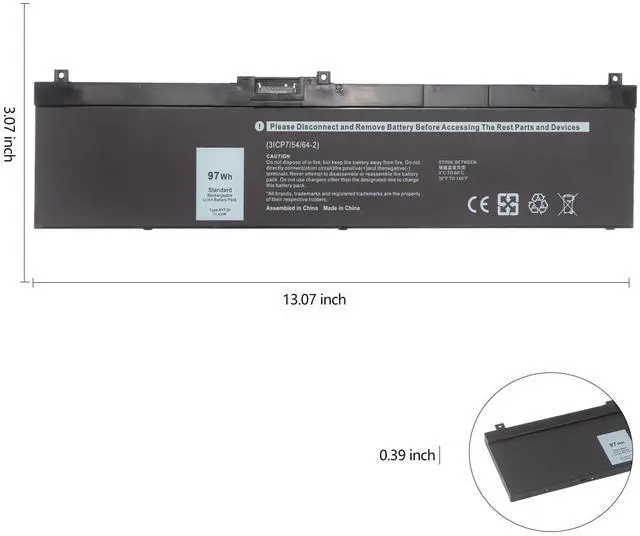
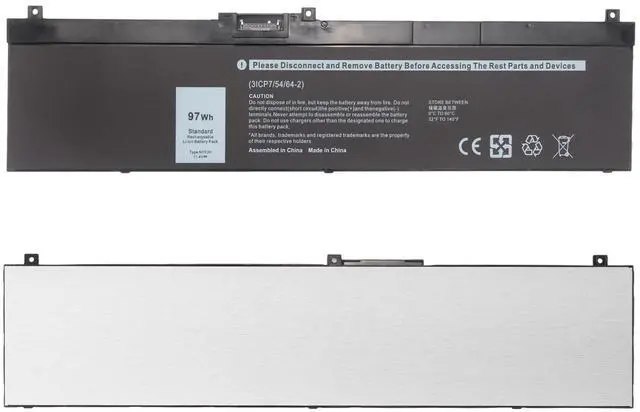
NOTE: There are 2 battery models fit for the listed laptop: NYFJH 97Wh and 5TF10 64Wh. Please open your laptop case to confirm your original battery shape and then choose the right one.
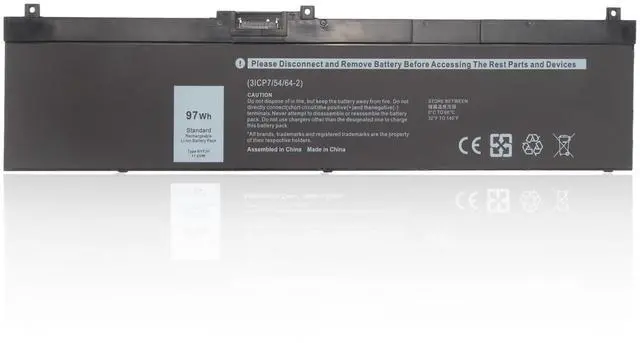
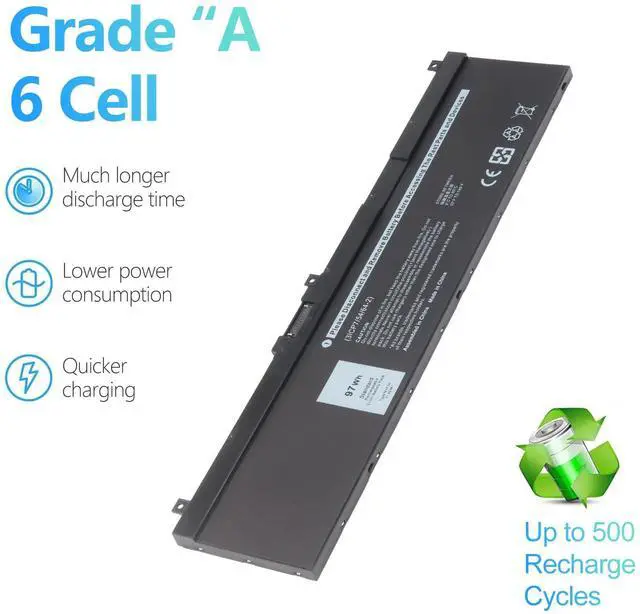
This listing we are selling is: NYFJH 97Wh

How to Install a New Battery:
1. You need to turn off your laptop and disconnect the power.
2. Firstly disconnect the connection between the old battery and the motherboard, then unscrew the old battery screws one by one and carefully save each screw.
3. Remove the old battery, carefully install the new battery on the battery case, screw in the screw, and connect the wiring of the new battery.
4. If you don't understand the above steps, please search for the video about laptop battery installation on YouTube. Maybe it will help you.

Laptop Battery Maintenance Tips
1. Discharge the new battery use to 5%(not to 0%) and then charge to 95%, and cycle 3-4 times.
2. Do not disassemble, crush or puncture. Do not dispose of in fire or water.
3. If you remove battery for a long time, charge more than 80% at least one time within one months.
4. Don't connect adapter for a long time while using the battery. It may damage the battery.
5. When using the battery, care should be taken to prevent exposure and moisture.

Grade "A" Cells - Top Quality Battery
Safe and Long Battery Life
100% Ture capacity
Extended battery life
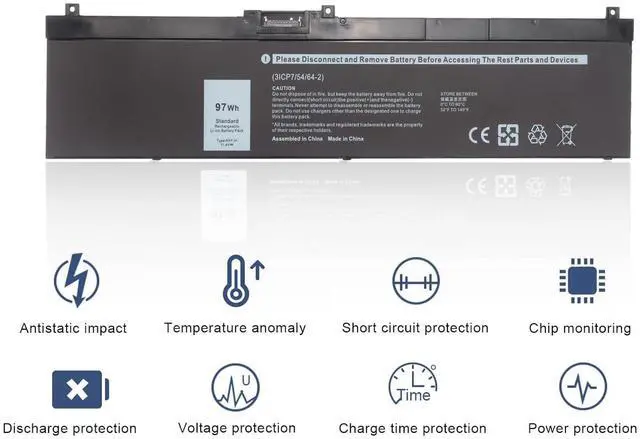
Overheating protection
Overcurrent protection
Overvoltage protection
Overcharge discharge protection
Short circuit protection

AMANDA BATTERY STORE
Save the life of your laptop……

Amanda is professional seller of laptop battery, and dedicated to producing high quality products. To each of our customers with high quality products.
Our batteries use 100% compatible 'grade A' cells for a safe way to let your laptop run like new. We are strict quality control processes so all products are built to function optimally.
Wish you have a happy shopping experience and thank you for your trust!
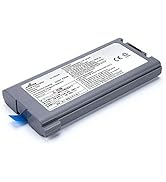
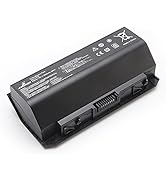
More Amanda Laptop Battery
Why should I choose AMANDA battery?
Safe and Long Battery Life
Grade 'A' Cells - Top Quality Battery Cells
Providing a Satisfying Shopping Experience
What does A AMANDA service include?
30 days Return
24 x 7 Email Support
Free replacement battery within 12 months
How to find us?
Before purchasing: You can click seller's name to ask us (blue words after 'sold-by')
After purchasing: Find us via order.

Welcome to A AMANDA
We are a professional laptop battery manufacture. Dedicated to producing high quality products. To each of our customers with high quality products. Wish you have a happy shopping experience and thank you for your trust!
A AMANDA Service:
Why should I choose this battery?
- Safe and Long Battery Life
- Grade "A" Cells - Top Quality Battery Cells
- Providing a Satisfying Shopping Experience
- 30 days Refund
- 24 x 7 Email Support
- Free replacement battery within 12 months
- If there is any quality problem with this product
- Please feel free to contact AMANDA team via "Your Orders" in account.
- We take full ownership and responsibility for the quality of our products and will do our very best to solve your problem quickly and efficiently!
Product Specification
| Battery Model: | NYFJH |
| Battery Capacity: | 97Wh 8070mAh |
| Battery Output: | 11.4V |
| Battery Cell: | 6-cell |
| Battery Type: | Li-polymer |
| Battery Condition: | Brand New |
Replace Part Number:
NYFJH 0WNRC 00WNRC GW0K9 0GW0K9
Compatible Laptop Models: (Use"Ctrl+ F" Find your Model)
- for Dell Precision 7530 P74F Series
- for Dell Precision 7730 P34E Series
- for Dell Precision 7540 Series
- for Dell Precision 7740 Series
NOTE: There are 2 battery models fit for the listed laptop: NYFJH 97Wh and 5TF10 64Wh. Please open your laptop case to confirm your original battery shape and then choose the right one.
This listing we are selling is: NYFJH 97Wh
How to Install a New Battery:
1. You need to turn off your laptop and disconnect the power.
2. Firstly disconnect the connection between the old battery and the motherboard, then unscrew the old battery screws one by one and carefully save each screw.
3. Remove the old battery, carefully install the new battery on the battery case, screw in the screw, and connect the wiring of the new battery.
4. If you don't understand the above steps, please search for the video about laptop battery installation on YouTube. Maybe it will help you.
Laptop Battery Maintenance Tips
1. Discharge the new battery use to 5%(not to 0%) and then charge to 95%, and cycle 3-4 times.
2. Do not disassemble, crush or puncture. Do not dispose of in fire or water.
3. If you remove battery for a long time, charge more than 80% at least one time within one months.
4. Don't connect adapter for a long time while using the battery. It may damage the battery.
5. When using the battery, care should be taken to prevent exposure and moisture.
Grade "A" Cells - Top Quality Battery
Safe and Long Battery Life
100% Ture capacity
Extended battery life
Overheating protection
Overcurrent protection
Overvoltage protection
Overcharge discharge protection
Short circuit protection
AMANDA BATTERY STORE
Save the life of your laptop……
Amanda is professional seller of laptop battery, and dedicated to producing high quality products. To each of our customers with high quality products.
Our batteries use 100% compatible 'grade A' cells for a safe way to let your laptop run like new. We are strict quality control processes so all products are built to function optimally.
Wish you have a happy shopping experience and thank you for your trust!
More Amanda Laptop Battery
Why should I choose AMANDA battery?
Safe and Long Battery Life
Grade 'A' Cells - Top Quality Battery Cells
Providing a Satisfying Shopping Experience
What does A AMANDA service include?
30 days Return
24 x 7 Email Support
Free replacement battery within 12 months
How to find us?
Before purchasing: You can click seller's name to ask us (blue words after 'sold-by')
After purchasing: Find us via order.