

Your Browsing History

Meet Your Seller

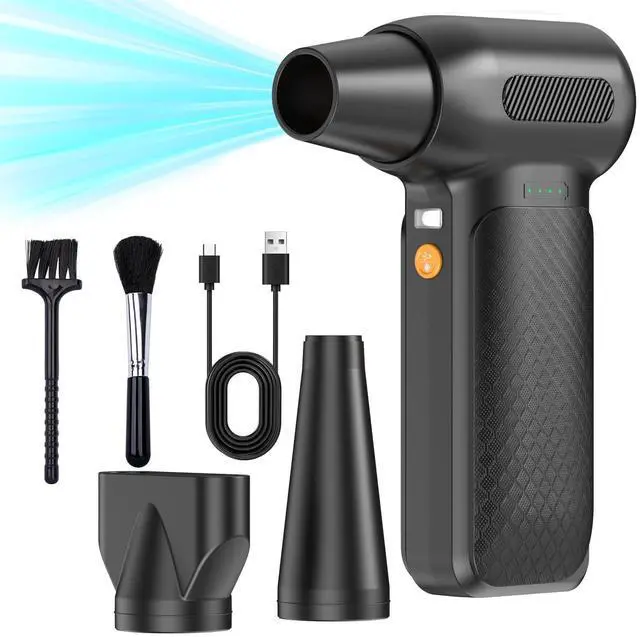
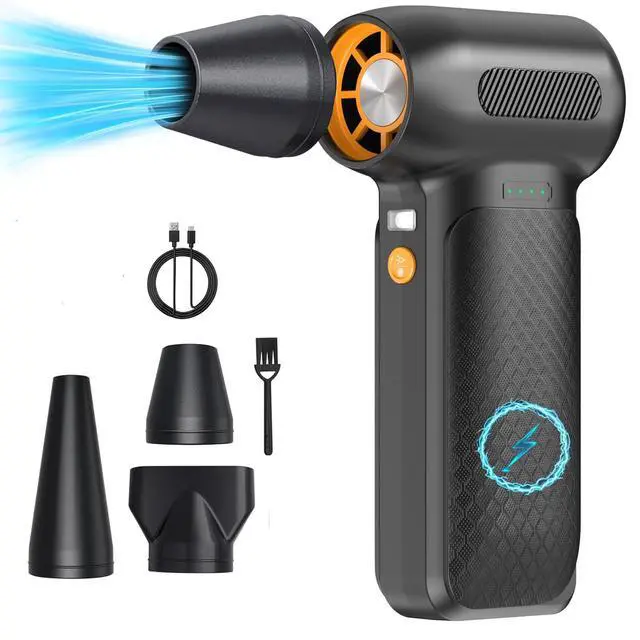




X3 PRO Compressed Air Duster-150000RPM Super Power Electric Air Duster, 4-Gear Adjustable Mini Blower with Fast Charging, Dust Blower for Computer, Keyboard, House, Outdoor and Car
Limited time offer, ends 08/02 By Bloomify
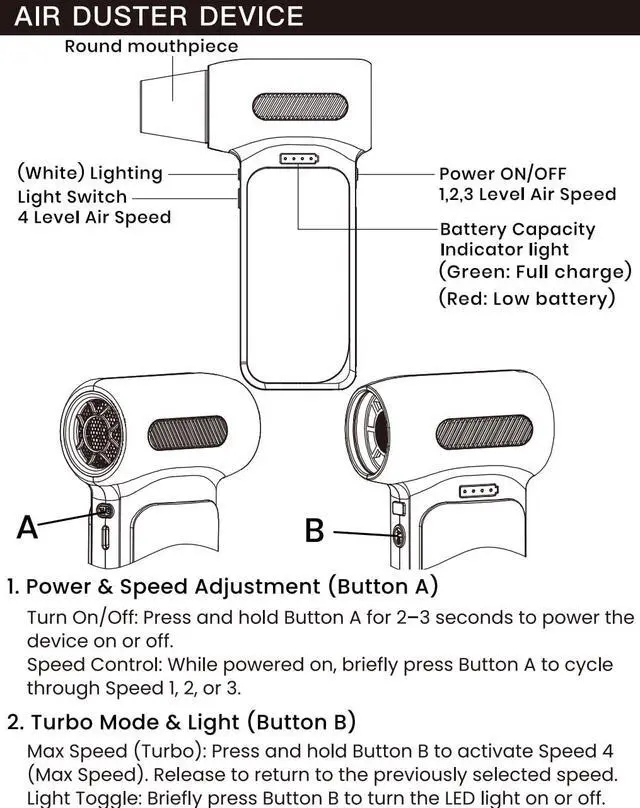
- Powerful Turbo Fan:ADDBITCOLOR X3 PRO electric air duster reaches speeds of up to 150,000 RPM, effectively removing dust and debris. It features three adjustable speed settings to suit different cleaning tasks.
- Economical and Reusable: Built from durable materials with a long-lasting battery, the ADDBITCOLOR X3 PRO is a sustainable alternative to disposable air cans, enhancing your cleaning experience.
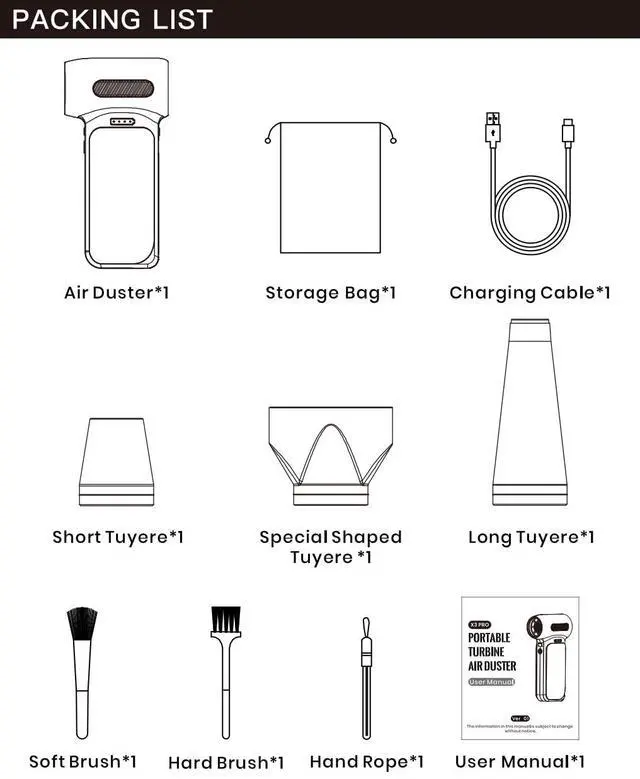
- Portable and Lightweight: Weighing only 0.7 lb, this compact air duster is easy to carry. The included lanyard ensures convenient use both indoors and outdoors.
- Wide Application: ADDBITCOLOR X3 PRO electric air duster comes with 4 nozzles, making it suitable for a variety of scenes, such as pc, keyboards, or other electronic devices. It also serves well for home clean and car duster.
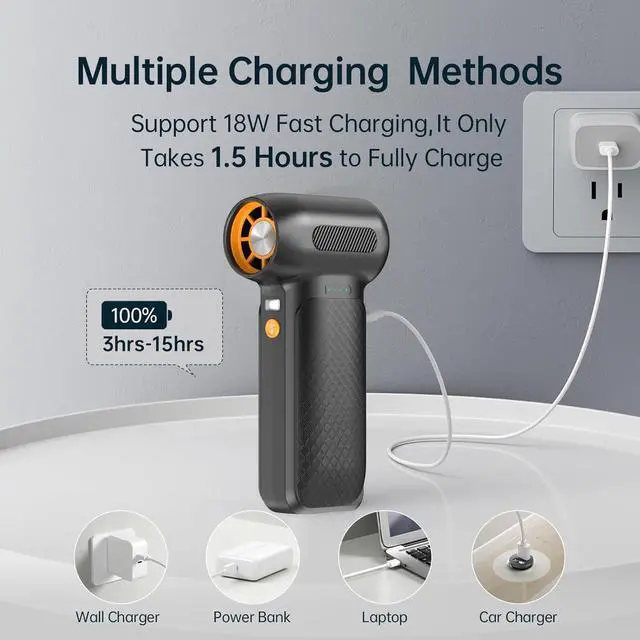
- 1.5 Hours Fast Charging: ADDBITCOLOR X3 PRO electric air duster recharges in just 1.5 hours with a type-C cable. Enjoy up to 180 minutes of use on the lowest setting, with four charging options to suit your needs.To ensure optimal performance of your X3 PRO, please fully charge the battery before use.
+
+
Overview
Specs
Reviews

Any questions? Our AI beta will help you find out quickly.
Try me now
X3 PRO Compressed Air Duster-150000RPM Super Power Electric Air Duster, 4-Gear Adjustable Mini Blower with Fast Charging, Dust Blower for Computer, Keyboard, House, Outdoor and Car
DISPOSING OF THE PRODUCT
Precautions when disposing of the product:The batteries used in this product are recyclable and renewableresources. When disposing of the battery, please hand it over toa battery collector for recycling, which should be handled byprofessional bodies. Before discarding the battery, it must beremoved from the product, and the product must bedisconnected from power. The batteries should be disposedof safely
Battery removal steps:
Use professional tools to pry off the switch cover.Pull out the battery lead terminal from the motherboard.Then use professional iron scissors to cut the case and removethe battery.
Troubleshoot
Not working?
The battery may be low, so please charge the battery.
The light does not shine.
Please ensure that the adapter is properly plugged into thepower outlet and that the power charging cable is correctlyconnected to the machine's Type-C port.
Contact us for any questions, we will help you solve yourissues. you'll get a mysterious gift, for your questions willhelp us to improve our product better.
Warranty & Returns
Warranty, Returns, And Additional Information
Warranty
- Please contact the Seller directly for warranty information. Warranty information may also be found on the Manufacturer's website.
- CONTACT
Return Policies
- Return for refund within: 30 days
- Return for replacement within: 30 days
- This item is covered by Bloomify Return Policy
Manufacturer Contact Info
- For a directory of all our manufacturers, please click below.
- Manufacturers Directory
LOADING...