• $57.99
  • Free 30-day Returns
  • Sold by Lookatworld

    Shipped by Lookatworld

    Price alert
    Shop it at NeweggBusiness.

    Meet Your Seller

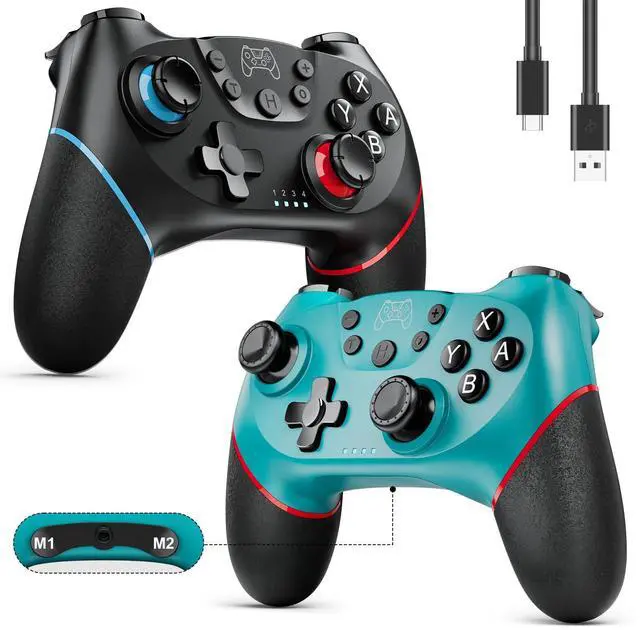
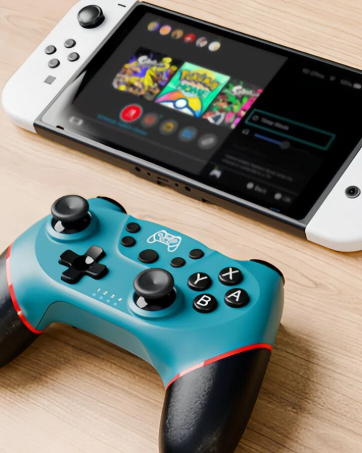
    Switch Controllers, 2 Pack Wireless Pro Controller for Switch 2/Lite/OLED with Mappable Buttons, Hall Effect Gaming Controller for PC/Android with Motion Control/Vibration/Turbo/Wake Up

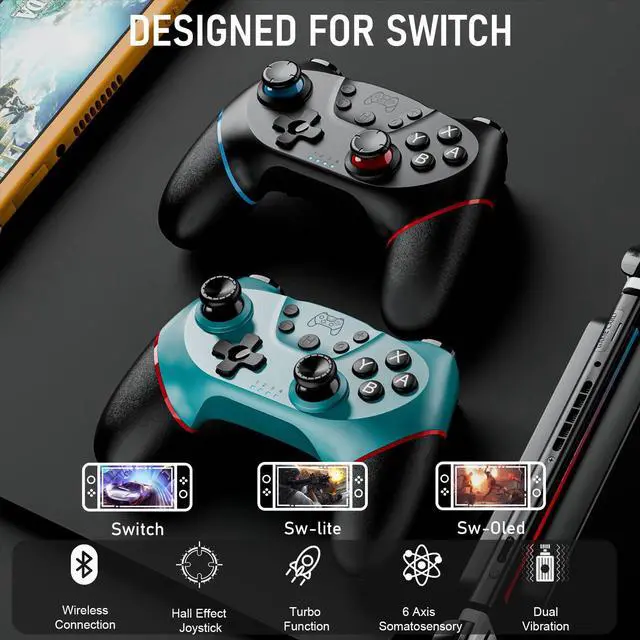
    • FLUID PAIRING & WIDE COMPATIBILITY - Diswoe wireless controller is compatible with Switch/Switch2/Lite/OLED, Windows PC, and Android phone (NOTE: PC connection MUST be wired). The pairing isnt prone to be disrupted, offering a smooth sync-up without any lag or delay. Support one-key wake-up after the first pairing(NO NFC/Amiibo,When paired with switch 2, wake-up and audio functions are not supported).
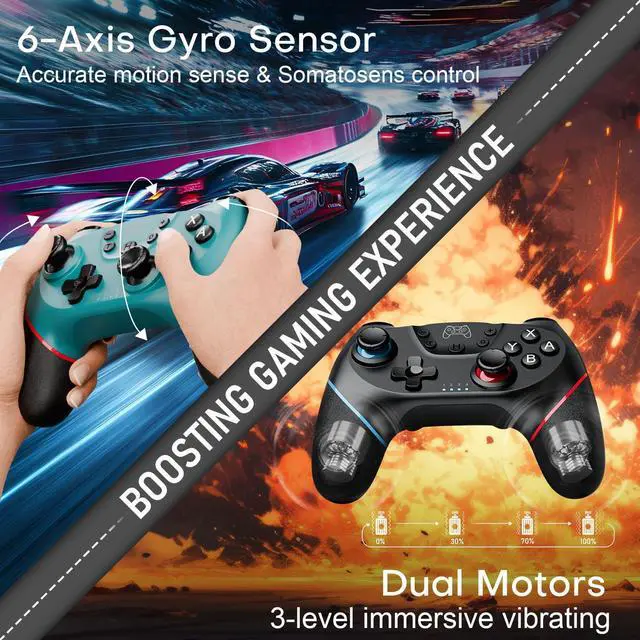
    • BOOSTING GAMING EXPERIENCE - The 6-axis gyro sensor of this switch pro controller excels in detecting minor tilts for quick&precise aiming and manipulation. Built-in dual motors support 4-level vibration (zero/weak/medium/strong), offering immersive feedback on scenes like collision, explosion, etc. Hall Effect joystick prevails in avoiding the sensor abrasion and the drift hassle.
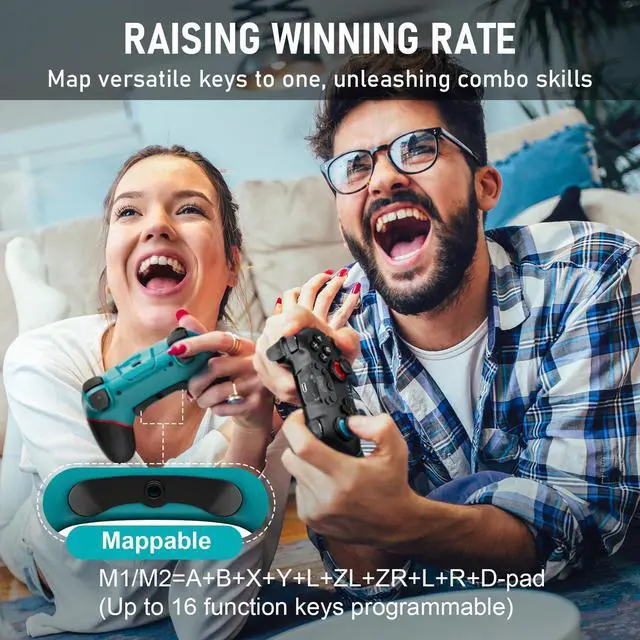
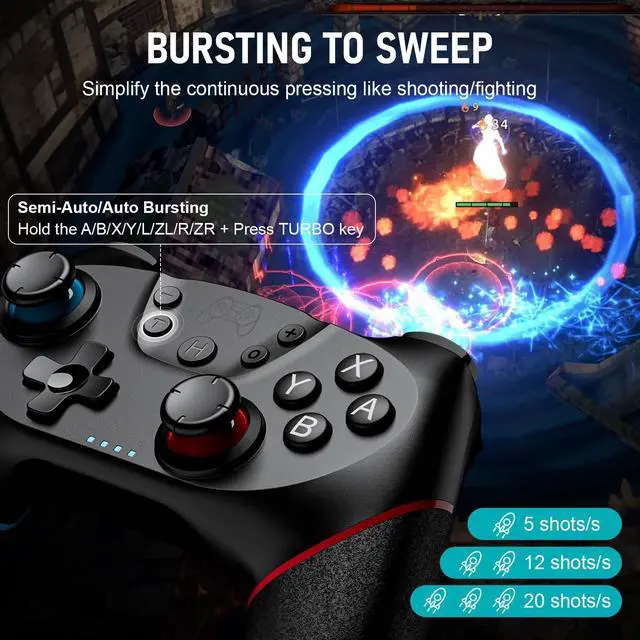
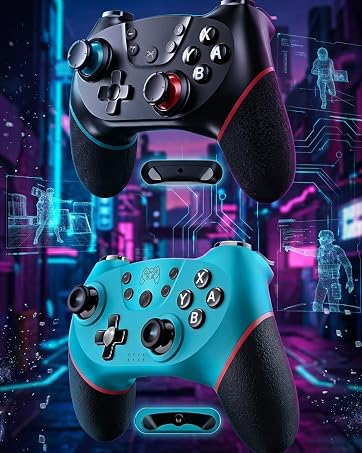
    • RAISING WINNING RATE - Diswoe switch controllers have two mappable buttons. They provide single/multiple-key programming up to 16 modes, helping unleash flexible combo skills by pressing just one key. 3-level Turbo functions(5/12/20 shots/s) simplify pressing like continuous shooting and fighting, powering your victory in the game.
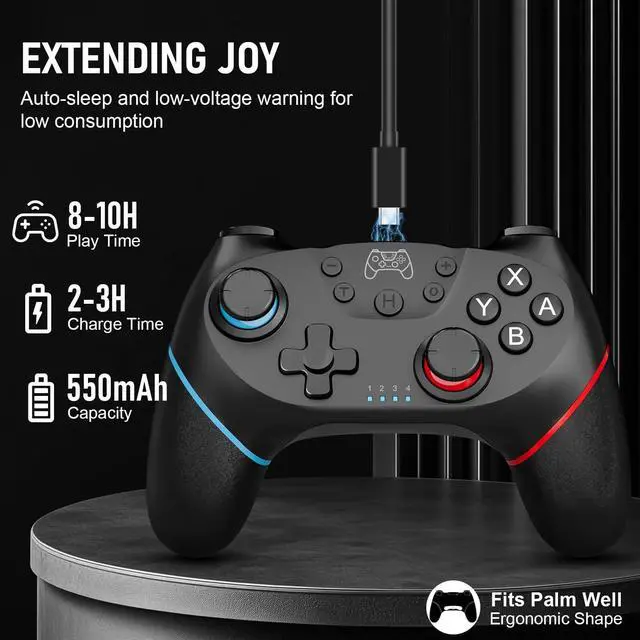
    • EXTENDING JOY - This wireless pro controller for switch features auto-sleep and low-voltage warning for low consumption, with a single 2-3H full charge sustaining 8-10H. Matched with the soft rubber material, lightweight, and ergonomic shape, it fits the palm well without slipping while alleviating grip fatigue for extended use.
    +
    +
    Overview
    Specs
    Reviews

    Any questions? Ask CelesteSM will help you find out quickly.

    2 Pack Controller for Switch from DISWOE

    2 pack switch controller for nintendo switch controllers pro wireless for Switch Lite OLED PC

    WIRELESS CONTROLLER DESIGNED FOR SWITCH/LITE/OLED

    Package Included:

    1. Wireless Switch Controller*2
    2. USB-C Charging Cable*2
    3. User Manual*2

    2 Pack Wireless Controllers for Switch/Lite/OLED

    wireless switch controllers with 3-level vibrations 3-speed turbos 6-Gyro Sensor for fun gaming

    ENHANCED FEATURES FOR IMMERSIVE GAMING

    6-Gyro Sensor

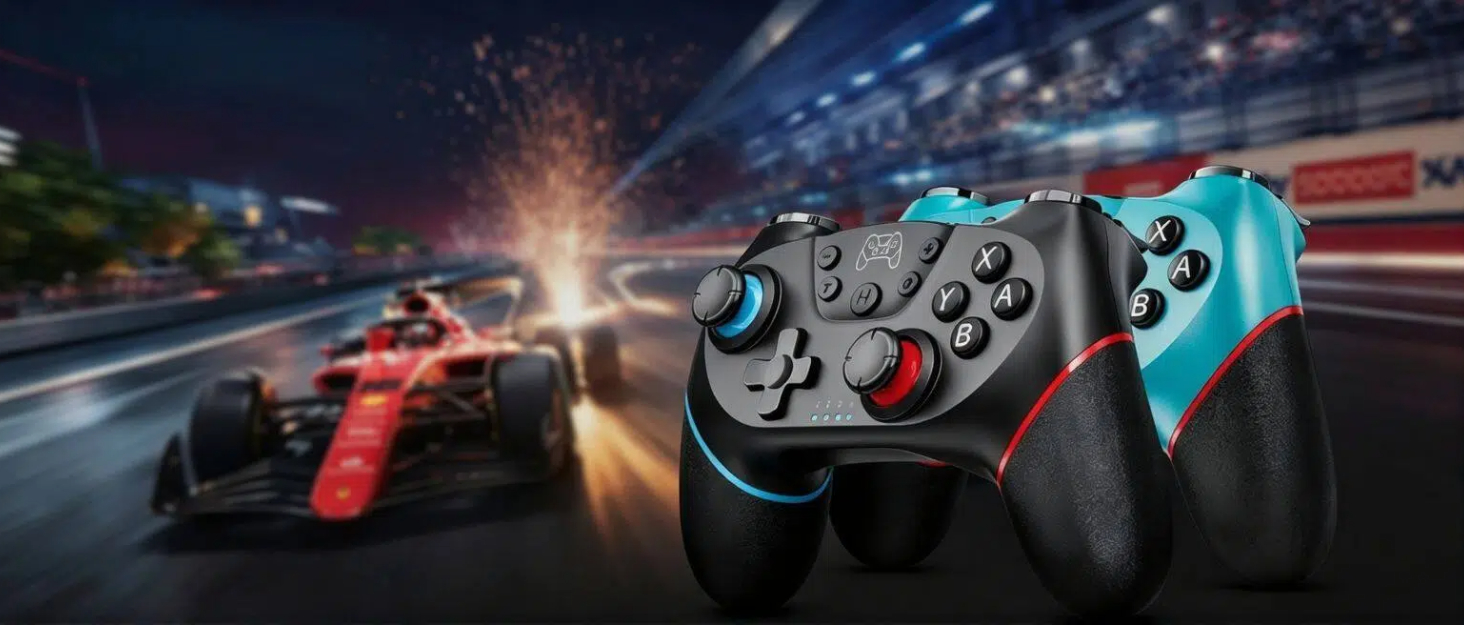
    • Swiftly sense the tiny tilts of the controller and respond with somatosensory aiming and accurate manipulation, perfect for motion-sensing games especially like racing.

    Dual Motors

    • 3-level vibrations(weak/medium/strong) support strong shock on scenes like collision and explosion;
    • You can set the vibrating intensity on the console(the default intensity is medium-70%):
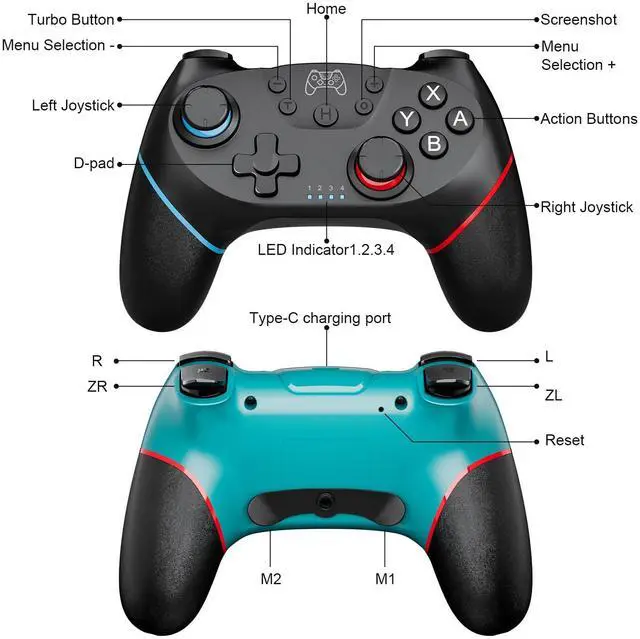
    • Hold the T key and push the LEFT stick up/down to increase/decrease the intensity(once for one level).

    Bursting Turbo

    • Semi-/Auto Turbo functions with 3 optional speed (5/12/20shots/s) provide continuous shooting, simplifying repetitive pressings and reducing the buttons' abrasion;
    • Hold the A/B/X/Y/L/ZL/R/ZR + Press T key to set(the default speed is 12times/s).;
    • Adjust the speed: Hold the T key and push the RIGHT stick up/down to speed up/down.

    Pro Controllers for Switch/Switch Lite/Switch OLED/PC/Android Phone with 2 Mappable Buttons

    pro controller for nintendo switch with 2 mappable buttons to program many keys to one for combos

    COMEBINE ALL INTO ONE

    Map Buttons to M1/M2 Key

    1. Hold the M1/M2 and press "+"/"-" > the controller vibrates for 0.5s > the LED lights flash SLOWLY = being on the mapping state;
    2. Press the function keys you want to map, such as joystick(up/down/left/right), D-pad, A/B/X/Y and L/R/ZL/ZR/L3/R3 > the LED lights flash RAPIDLY= the function keys’ input succeeds;
    3. ( A total of 16 function keys can be mapped. When it’s more than 16, the input won’t succeed. )
    4. Press the M1/M2 again > the controller vibrates for 0.5s > the LED lights will be back to the original state = the mapping is ended.

    Clear the Mapping Function

    1. Hold the M1/M2 and press "+"/"-" = enter the programming state of M1/M2;
    2. Press the M1/M2 again = successfully clear the setting.

    To restore the macro programming function to the factory setting:

    Press and hold the "TURBO" key and programming key M1 (or M2) at the same time for 5s, the joystick will vibrate for 0.5s, M1 and M2 will be restored to the factory setting function, M1=A, M2=B.

    2 Pack Pro Controller Compatible with SWITCH/LITE/OLED/PC

    switch pro controller for nintendo 2 pack hall effect controllers for Switch Lite OLED PC android

    VERSATILE DEVICES AVAILABLE

    Pairing with Switch

    1. on the console: Home Screen > System Settings > Airplane Modes > Controllers > Change grip/order
    2. on the controller: Long press the Home button for 3 seconds > LED lights flash + the controller vibrates > success

    Pairing with PC - Wired Mode

    1. Use a USB cable to connect the controller to the PC;
    2. Long press “+” and “-” for 3 seconds > Controller vibrates for 0.5s > LED light 1 flashes then LED light 2 flashes> enter N-S PRO mode(Default to Windows X-input mode);
    3. “XBOX 360 controller” shows up on the PC > Hold "H" button for about 3 seconds > the LED light 2 will be always on > PC mode entering succeed( from X-input to D-input mode).

    Steam Mode

    1. After connecting to PC, open the steam;
    2. LED light 1 will be on;
    3. The steam mode will be recognized automatically.

    Pro Controller for Switch Game - EASY START, EXTENDED JOY

    Wireless bluetooth controller for Switch Lite OLED supports one key to wake up after first pairing

    One Press for Wake-up

    • After the initial successful pairing, press the HOME Key once to wake up your console and start the relaxing journey.
    • Wireless Range: 10m/32.8feet

    switch controller wireless for nintendo with 550mAh rechargeable battery for 8-10H playing time

    Rechargeable 550mAh Battery

    • This controller from DISWOE features auto-sleep and low-voltage warning for low consumption and long powering life. Sustains a 8-10H gaming after a single full charge(2-3H).
    • (USB-Type C cable included)

    Diswoe pro controller switch with ergonomic grip made of anti-slip soft rubber for long-time gaming

    Ergonomic Design

    • The grip part is made of anti-slip&sweat-proof soft rubber, lightweight with perfect shape, fitting the palm well to alleviate the gripping fatigue.

    DISWOE Wireless Controller with Quality Buttons for Switch/Switch Lite/Switch OLED

    Diswoe wireless switch controller has hall effect joystick linear trigger precise d-pad screenshot

    QUALITY BUTTONS, COMFORTABLE HAND FEELING

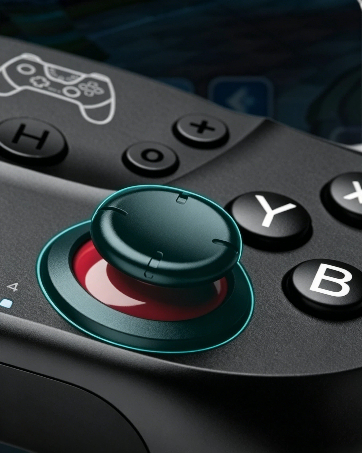
    Hall Effect Joystick

    • Electromagnetic-induction-based Hall Effect Joystick responds sensitively and accurately to the motions. It does an outstanding job of avoiding the sensor abrasion issue and the drift hassle.

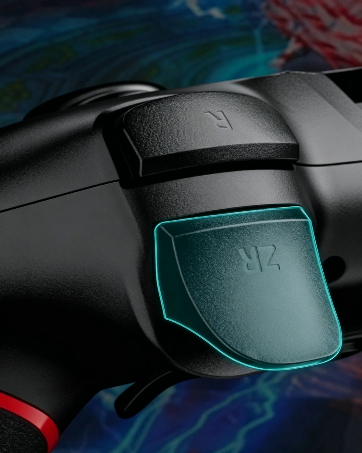
    Responsive Linear Trigger

    • Improve the extent of accuracy and comfort in the game, bringing superior experience.

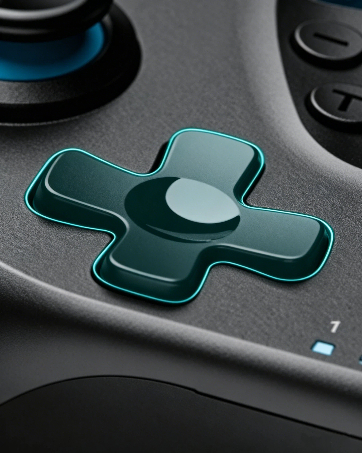
    Precise D-pad

    • Smooth control of the direction.

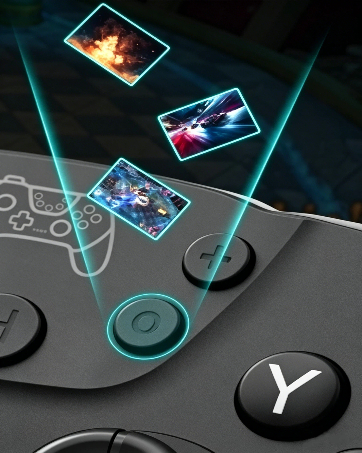
    Screenshot

    • Just one click to share highlights in the game.

    2 Pack Controller for Switch from DISWOE

    2 pack switch controller for nintendo switch controllers pro wireless for Switch Lite OLED PC

    WIRELESS CONTROLLER DESIGNED FOR SWITCH/LITE/OLED

    Package Included:

    1. Wireless Switch Controller*2
    2. USB-C Charging Cable*2
    3. User Manual*2

    2 Pack Wireless Controllers for Switch/Lite/OLED

    wireless switch controllers with 3-level vibrations 3-speed turbos 6-Gyro Sensor for fun gaming

    ENHANCED FEATURES FOR IMMERSIVE GAMING

    6-Gyro Sensor

    • Swiftly sense the tiny tilts of the controller and respond with somatosensory aiming and accurate manipulation, perfect for motion-sensing games especially like racing.

    Dual Motors

    • 3-level vibrations(weak/medium/strong) support strong shock on scenes like collision and explosion;
    • You can set the vibrating intensity on the console(the default intensity is medium-70%):
    • Hold the T key and push the LEFT stick up/down to increase/decrease the intensity(once for one level).

    Bursting Turbo

    • Semi-/Auto Turbo functions with 3 optional speed (5/12/20shots/s) provide continuous shooting, simplifying repetitive pressings and reducing the buttons' abrasion;
    • Hold the A/B/X/Y/L/ZL/R/ZR + Press T key to set(the default speed is 12times/s).;
    • Adjust the speed: Hold the T key and push the RIGHT stick up/down to speed up/down.

    Pro Controllers for Switch/Switch Lite/Switch OLED/PC/Android Phone with 2 Mappable Buttons

    pro controller for nintendo switch with 2 mappable buttons to program many keys to one for combos

    COMEBINE ALL INTO ONE

    Map Buttons to M1/M2 Key

    1. Hold the M1/M2 and press "+"/"-" > the controller vibrates for 0.5s > the LED lights flash SLOWLY = being on the mapping state;
    2. Press the function keys you want to map, such as joystick(up/down/left/right), D-pad, A/B/X/Y and L/R/ZL/ZR/L3/R3 > the LED lights flash RAPIDLY= the function keys’ input succeeds;
    3. ( A total of 16 function keys can be mapped. When it’s more than 16, the input won’t succeed. )
    4. Press the M1/M2 again > the controller vibrates for 0.5s > the LED lights will be back to the original state = the mapping is ended.

    Clear the Mapping Function

    1. Hold the M1/M2 and press "+"/"-" = enter the programming state of M1/M2;
    2. Press the M1/M2 again = successfully clear the setting.

    To restore the macro programming function to the factory setting:

    Press and hold the "TURBO" key and programming key M1 (or M2) at the same time for 5s, the joystick will vibrate for 0.5s, M1 and M2 will be restored to the factory setting function, M1=A, M2=B.

    2 Pack Pro Controller Compatible with SWITCH/LITE/OLED/PC

    switch pro controller for nintendo 2 pack hall effect controllers for Switch Lite OLED PC android

    VERSATILE DEVICES AVAILABLE

    Pairing with Switch

    1. on the console: Home Screen > System Settings > Airplane Modes > Controllers > Change grip/order
    2. on the controller: Long press the Home button for 3 seconds > LED lights flash + the controller vibrates > success

    Pairing with PC - Wired Mode

    1. Use a USB cable to connect the controller to the PC;
    2. Long press “+” and “-” for 3 seconds > Controller vibrates for 0.5s > LED light 1 flashes then LED light 2 flashes> enter N-S PRO mode(Default to Windows X-input mode);
    3. “XBOX 360 controller” shows up on the PC > Hold "H" button for about 3 seconds > the LED light 2 will be always on > PC mode entering succeed( from X-input to D-input mode).

    Steam Mode

    1. After connecting to PC, open the steam;
    2. LED light 1 will be on;
    3. The steam mode will be recognized automatically.

    Pro Controller for Switch Game - EASY START, EXTENDED JOY

    Wireless bluetooth controller for Switch Lite OLED supports one key to wake up after first pairing

    One Press for Wake-up

    • After the initial successful pairing, press the HOME Key once to wake up your console and start the relaxing journey.
    • Wireless Range: 10m/32.8feet

    switch controller wireless for nintendo with 550mAh rechargeable battery for 8-10H playing time

    Rechargeable 550mAh Battery

    • This controller from DISWOE features auto-sleep and low-voltage warning for low consumption and long powering life. Sustains a 8-10H gaming after a single full charge(2-3H).
    • (USB-Type C cable included)

    Diswoe pro controller switch with ergonomic grip made of anti-slip soft rubber for long-time gaming

    Ergonomic Design

    • The grip part is made of anti-slip&sweat-proof soft rubber, lightweight with perfect shape, fitting the palm well to alleviate the gripping fatigue.

    DISWOE Wireless Controller with Quality Buttons for Switch/Switch Lite/Switch OLED

    Diswoe wireless switch controller has hall effect joystick linear trigger precise d-pad screenshot

    QUALITY BUTTONS, COMFORTABLE HAND FEELING

    Hall Effect Joystick

    • Electromagnetic-induction-based Hall Effect Joystick responds sensitively and accurately to the motions. It does an outstanding job of avoiding the sensor abrasion issue and the drift hassle.

    Responsive Linear Trigger

    • Improve the extent of accuracy and comfort in the game, bringing superior experience.

    Precise D-pad

    • Smooth control of the direction.

    Screenshot

    • Just one click to share highlights in the game.

    Specification:

    Item: Wireless Switch Controllers from Diswoe - 2 Pack

    Connection2.4GHz Wireless Bluetooth(Range: 10m/32.8feet)

    Compatibility: for Switch/Switch Lite/Switch OLED/Windows PC/Android Phone

    NOTE: PC Connection ONLY with Cable

    One Key Wake up: Press the HOME key once after the first pairing

    Screenshot: Press the CAPTURE key once

    Trigger: Linear Trigger

    Joystick: Hall Effect Joystick

    Motion-Sensing: 6-Axis Gyro Sensor

    Mappable Buttons: YES, M1+M2

    M1/M2= A+B+X+...+L+R+D-pad, a total of 16 modes available

    Turbo: YES, 3 levels(5 / 12 / 20 shots/s)

    Vibration: YES, 4 levels(none/weak/medium/strong)

    NFC/Amiibo: Doesn't Support

    Battery Capacity: 550mAh

    Working Time: 8-10H

    Charging Time: approx. 3.5H

    Charging: USB-C Fast-Charging

    Net Weight: approx. 210g

    Controller Size: 157*110*57 mm

    Package Included:

    Wireless Switch Controller*2

    USB-C Charging Cable*2

    User Manual*2

    Warranty & Returns

    Warranty, Returns, And Additional Information

    Warranty

    • Please contact the Seller directly for warranty information. Warranty information may also be found on the Manufacturer's website.
    • CONTACT

    Return Policies

    Manufacturer Contact Info

    LOADING...