


















360-Degree Audio Capture
Upgrade Boundary Condenser Microphone
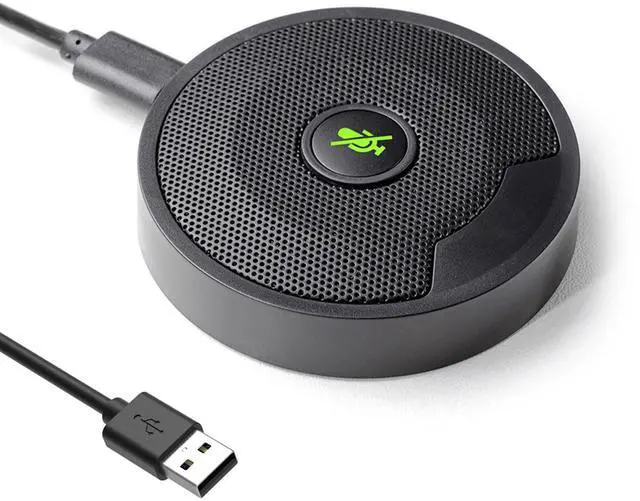
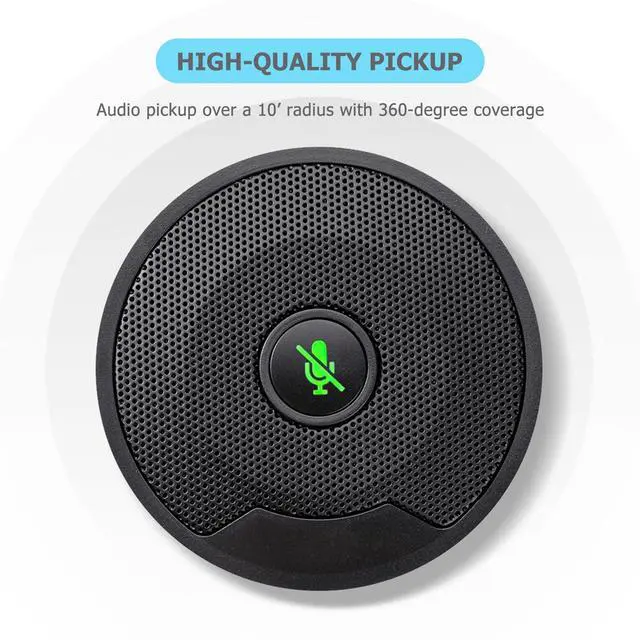
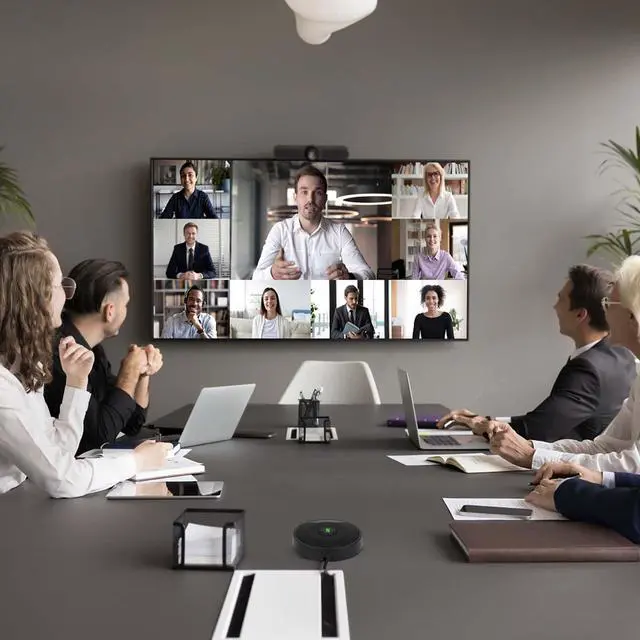
New omnidirectional boundary mic captures clear audio from every participant, eliminating the need for multiple mics in large rooms. Its design minimizes echoes and reverb, ensuring crisp, understandable speech. Simply connect via USB to any device for seamless, time-saving conference calls.

Crystal Clear Sound Call
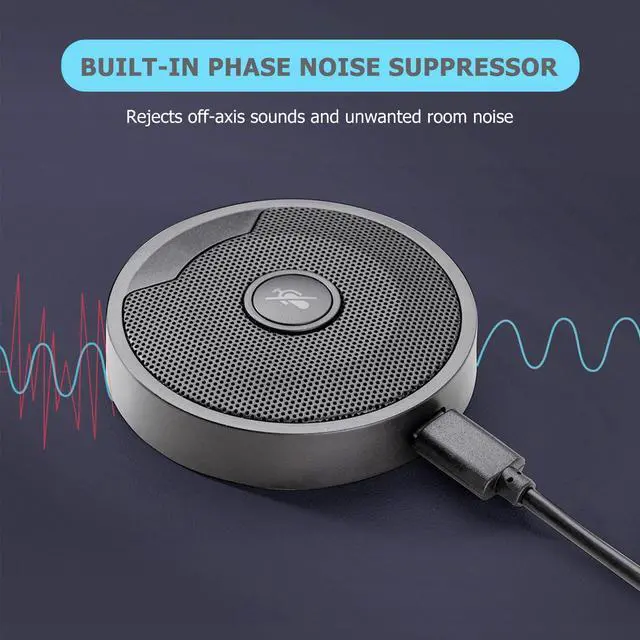
Clear sound reinforcement, no more background noise in conference calls. Tuned to perfection, pickup delivers clear and banishing feedback screeches.

Touch-Sensitive Controls
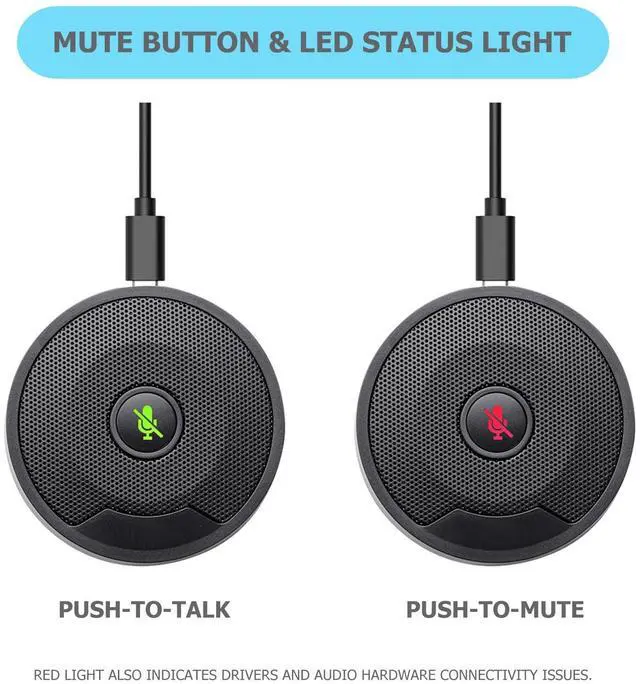
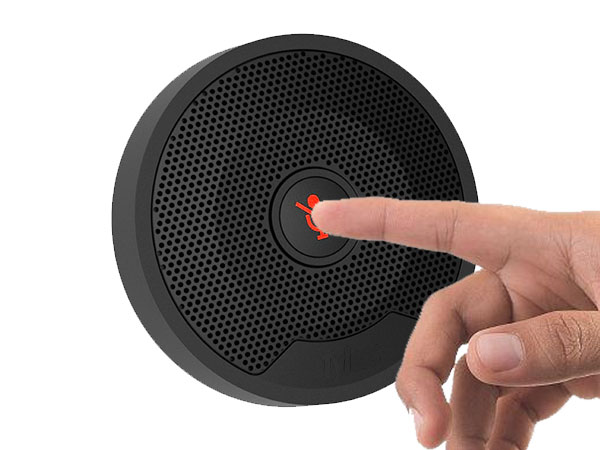
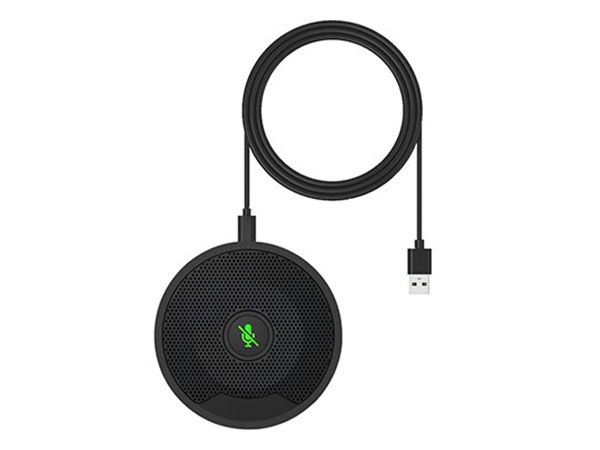
Effortless muting and talking with smart, portable microphones. Stay in control with LED status, push-to-mute, and talk features.

Low Profile, High Durability
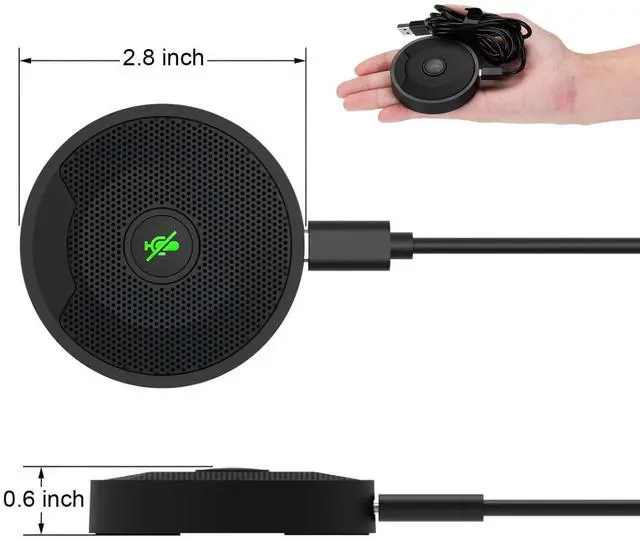
Robust ABS housing in sleek black, perfect for everyday use. Perfect fit for your low-profile conference setup

Sleek Mics for Small Spaces
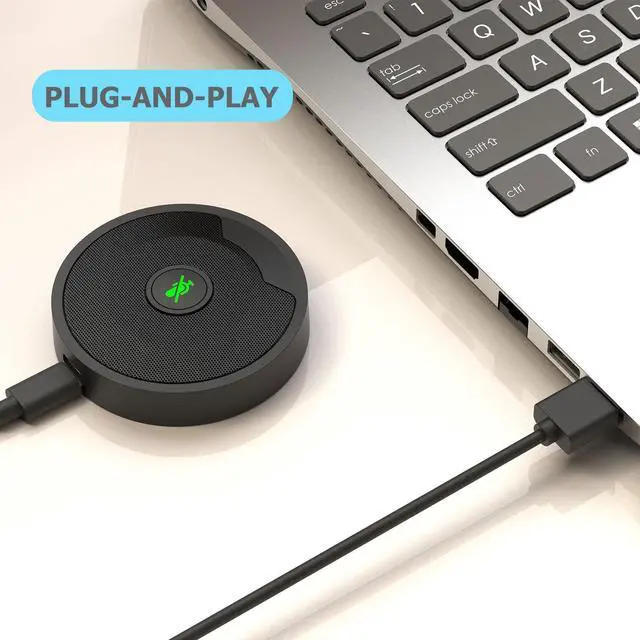
Plug and play with 6.5ft USB C, perfect for compact spaces. Sturdy, sleek, and ready for smaller conferences.
- Omnidirectional boundary microphone is often used in meeting rooms, classroom , courtroom and conference rooms, their ability to pick up audio from multiple sources has also made them useful in churches, sports arenas, stage presentations, small musical ensembles, and even recording studios.
- The design provides real sound acoustic space in an almost perfect format. Sound reflections are virtually eliminated, and this helps to achieve purity. Better than the laptop and desktop computer orignal microphone.
High Definition Sound & Noise-Cancelling Technology, No Speaker

DricRoda Omnidirectional Microphone
 UM10 |  UM10 |  UM02 |  M200 | |
|---|---|---|---|---|
Customer Reviews | — | — | — | — |
Price | — | — | — | — |
Connector Type | Micro USB 2.0 | USB Type C | Micro USB 2.0 | 3.5mm Jack |
Polar Pattern | Omnidirectional | Omnidirectional | Omnidirectional | Omnidirectional |
Cable Length | 6.5 feet | 6.5 feet | 6.5 feet | 5.9 feet |
Microphone Form Factor | Boundary | Boundary | Table Array, Boundary | Table Array, Boundary |
Frequency Response | 100HZ- 16KHZ | 100HZ- 16KHZ | 100HZ- 16KHZ | 50Hz-16kHz |
S/N ratio | >60dB | >60dB | >60dB | 90db |
Device Type | Input , No Speaker | Input , No Speaker | Input , No Speaker | Input , No Speaker |
Is the conference mic compatible with commonly used video conferencing apps or software?
This conference mic works right out of the box with software like Zoom, Microsoft Teams, Skype, Google Meet, and more on PCs and laptops. It's compatible with video conferencing apps like GoToMeeting, WebEx, Hangouts, Fuze, VoIP, and Zoom, and more.
What is the installation process like for the boundary microphone on Windows and macOS?
The boundary microphone offers an easy plug-and-play installation on both Windows PC and macOS. It is compatible with Windows 7, 8, 10, and 11, as well as Mac OS 10.10 and above. There is no need to download any additional drivers or software
What is the recommended placement for a boundary microphone to ensure optimal audio quality?
Optimal placement for a boundary microphone is on a flat surface like a conference table, 2 to 7 feet from the audio source. However, the "best" position can vary with each room, so it's advised to experiment to find the ideal setup for your space.
Is it easy to control the mute function during meetings?
During meetings, the mute button is easily accessible and simple to operate. It has a green light for push-to-talk and a red light for push-to-mute. If the red light is on, it indicates a connectivity issue with drivers or audio hardware.
Why are USB conference microphones a better option than the built-in microphones on laptops or desktops?
Laptop and desktop microphones often muffle voices, so USB conference microphones improve audio quality. These are important for hybrid work from home or in the office because effective communication is vital for a company's success.

Upgrade Boundary Condenser Microphone
New omnidirectional boundary mic captures clear audio from every participant, eliminating the need for multiple mics in large rooms. Its design minimizes echoes and reverb, ensuring crisp, understandable speech. Simply connect via USB to any device for seamless, time-saving conference calls.
Crystal Clear Sound Call
Clear sound reinforcement, no more background noise in conference calls. Tuned to perfection, pickup delivers clear and banishing feedback screeches.
Touch-Sensitive Controls
Effortless muting and talking with smart, portable microphones. Stay in control with LED status, push-to-mute, and talk features.
Low Profile, High Durability
Robust ABS housing in sleek black, perfect for everyday use. Perfect fit for your low-profile conference setup
Sleek Mics for Small Spaces
Plug and play with 6.5ft USB C, perfect for compact spaces. Sturdy, sleek, and ready for smaller conferences.
| Audio Pickup Radius | Max 3.1m/10ft |
|---|---|
| Polar Pattern | Omnidirectional |
| Sensitivity | -42+/-3dB |
| Frequency Response | 100HZ- 16KHZ |
| S/N ratio | >60dB |
| Plug Type | 2m/6.5ft USB A to Type-C cable |
| Weight | 140g/4.9oz. |
| Dimensions | 70mm (2.8") x 70mm (2.8") x 15mm (0.6") |
- Omnidirectional boundary microphone is often used in meeting rooms, classroom , courtroom and conference rooms, their ability to pick up audio from multiple sources has also made them useful in churches, sports arenas, stage presentations, small musical ensembles, and even recording studios.
- The design provides real sound acoustic space in an almost perfect format. Sound reflections are virtually eliminated, and this helps to achieve purity. Better than the laptop and desktop computer orignal microphone.
High Definition Sound & Noise-Cancelling Technology, No Speaker
Mute Button
usb microphone
DricRoda Omnidirectional Microphone
UM10 | UM10 | UM02 | M200 |
|---|---|---|---|
| Customer Reviews | |||
| — | — | — | — |
| Price | |||
| — | — | — | — |
| Connector Type | |||
| Micro USB 2.0 | USB Type C | Micro USB 2.0 | 3.5mm Jack |
| Polar Pattern | |||
| Omnidirectional | Omnidirectional | Omnidirectional | Omnidirectional |
| Cable Length | |||
| 6.5 feet | 6.5 feet | 6.5 feet | 5.9 feet |
| Microphone Form Factor | |||
| Boundary | Boundary | Table Array, Boundary | Table Array, Boundary |
| Frequency Response | |||
| 100HZ- 16KHZ | 100HZ- 16KHZ | 100HZ- 16KHZ | 50Hz-16kHz |
| S/N ratio | |||
| >60dB | >60dB | >60dB | 90db |
| Device Type | |||
| Input , No Speaker | Input , No Speaker | Input , No Speaker | Input , No Speaker |
Is the conference mic compatible with commonly used video conferencing apps or software?
This conference mic works right out of the box with software like Zoom, Microsoft Teams, Skype, Google Meet, and more on PCs and laptops. It's compatible with video conferencing apps like GoToMeeting, WebEx, Hangouts, Fuze, VoIP, and Zoom, and more.
What is the installation process like for the boundary microphone on Windows and macOS?
The boundary microphone offers an easy plug-and-play installation on both Windows PC and macOS. It is compatible with Windows 7, 8, 10, and 11, as well as Mac OS 10.10 and above. There is no need to download any additional drivers or software
What is the recommended placement for a boundary microphone to ensure optimal audio quality?
Optimal placement for a boundary microphone is on a flat surface like a conference table, 2 to 7 feet from the audio source. However, the "best" position can vary with each room, so it's advised to experiment to find the ideal setup for your space.
Is it easy to control the mute function during meetings?
During meetings, the mute button is easily accessible and simple to operate. It has a green light for push-to-talk and a red light for push-to-mute. If the red light is on, it indicates a connectivity issue with drivers or audio hardware.
Why are USB conference microphones a better option than the built-in microphones on laptops or desktops?
Laptop and desktop microphones often muffle voices, so USB conference microphones improve audio quality. These are important for hybrid work from home or in the office because effective communication is vital for a company's success.
Twinkle Twinkle Holiday Heart!
The holiday magic waits!
Holiday Gift Ideas!
Cozy Meals, Happy Feels!
Clean Like a Pro!