




 here!
here!
I’m your shopping assistant for PC builds, upgrades, and everything tech.
Got questions? Ask away!
Start a conversation
here!
I’m your shopping assistant for PC builds, upgrades, and everything tech.
Got questions? Ask away!
Start a conversation


Any questions? Ask CelesteSM will help you find out quickly.
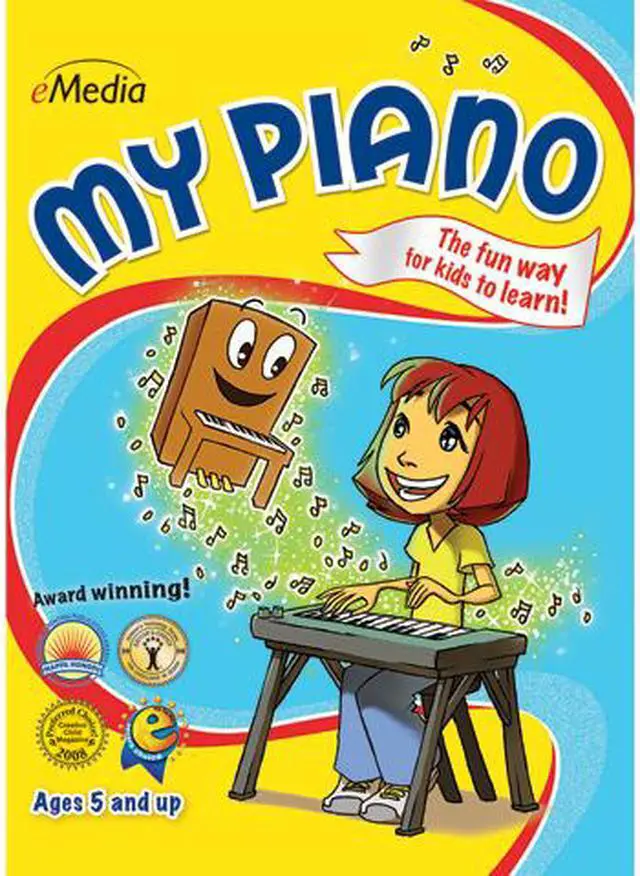
Learning how to play the piano helps encourage a child’s self-discipline, confidence, and creativity. In eMedia My Piano, an animated character named Pam the Piano leads kids through over 100 lessons by Irma Irene Justicia, M.A., who has taught at the renowned Juilliard School of Music. eMedia's exclusive animated keyboard shows kids where to put their fingers as the live recorded audio plays. Interactive Feedback technology points out any playing mistakes, shows what should have been played, and provides an overall score (MIDI keyboard required). In addition, the included music games for kids keep them having fun as they learn.
 The Fun Way to Learn!Now it’s easy for kids ages five and up to learn how to play the piano! An animated character named Pam the Piano guides kids through over 100 lessons by former Juilliard School of Music instructor Irma Irene Justicia, M.A. Games make learning fun, and kids will learn songs that they can share with their friends!
 Animated KeyboardThe animated keyboard shows color-coded fingerings as the music plays, so kids can easily follow along. Double-clicking on any chord or note will also show them where to put their fingers.
 Interactive FeedbackWhen used with a MIDI keyboard, kids get feedback on notes and rhythms they played wrong, and find out what they should have played instead. There’s also an overall score to show them how well they did on the song.
 Full-Motion VideosThe lessons are easy to follow with eMedia’s large-format videos, featuring split-screens and close-ups that guide kids through songs and playing techniques.
 Interactive GamesGames help children learn chords and songs by reviewing what they learned in the lessons. By interacting with the playful characters and scenes, kids will have fun while learning music!
 Audio and MIDI TracksAudio playback for selected lessons include piano only, voice only, and full audio including both piano and voice. Play along with tracks that you can speed up or slow down, including colorful MIDI accompaniments, metronome tick, left-hand part, right-hand part, and the two-handed performance.
eMedia My Piano is downloadable Mac software that teaches children ages 5 and up piano through more than 100 lessons, animated finger guidance, instructional videos, and interactive games.
| Attribute | Value |
|---|---|
| Best For | Children ages 5 and up learning piano through guided lessons, interactive games, and practice tools |
| Learning And Practice Features | More than 100 lessons with an animated keyboard, color-coded fingerings, full-motion instructional videos, interactive games, and note-and-rhythm feedback when used with a MIDI keyboard |
| Audio And Recording | Includes piano, voice, and combined audio options, adjustable-speed play-along tracks, a metronome, and performance recording through the computer’s built-in or an external microphone |
| Platform And Requirements | For Mac; requires Mac OS X 10.4 or later |
| Delivery | Download |
| Model Identifiers | eMedia My Piano (Mac); model EK12097DLM |


