






Any questions? Our AI beta will help you find out quickly.
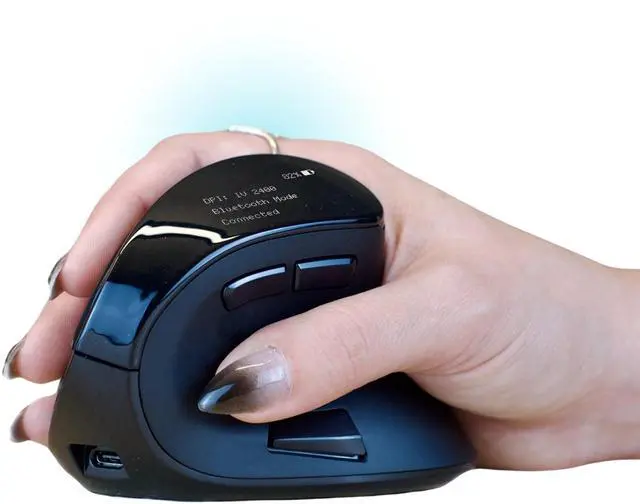
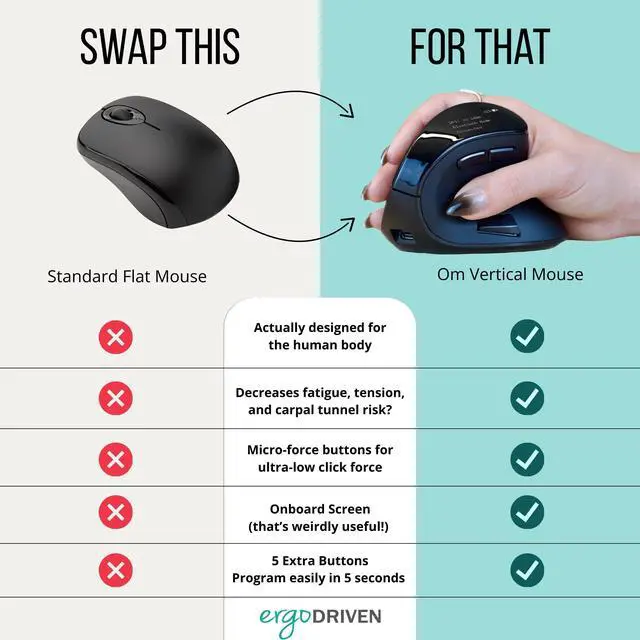
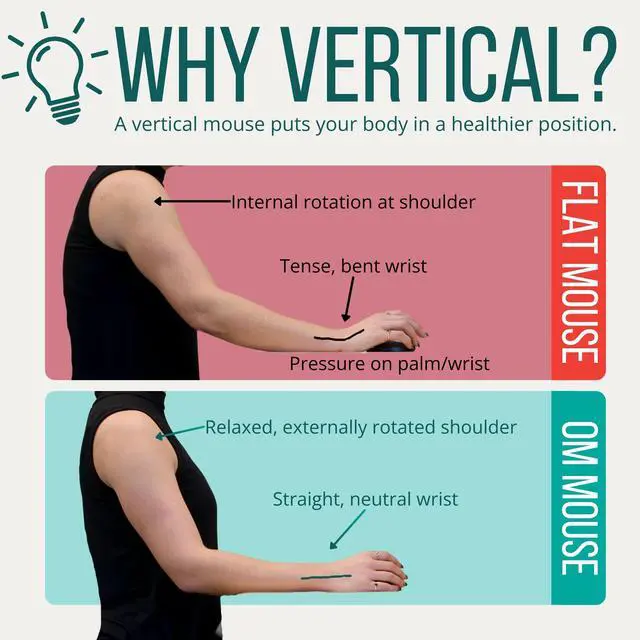
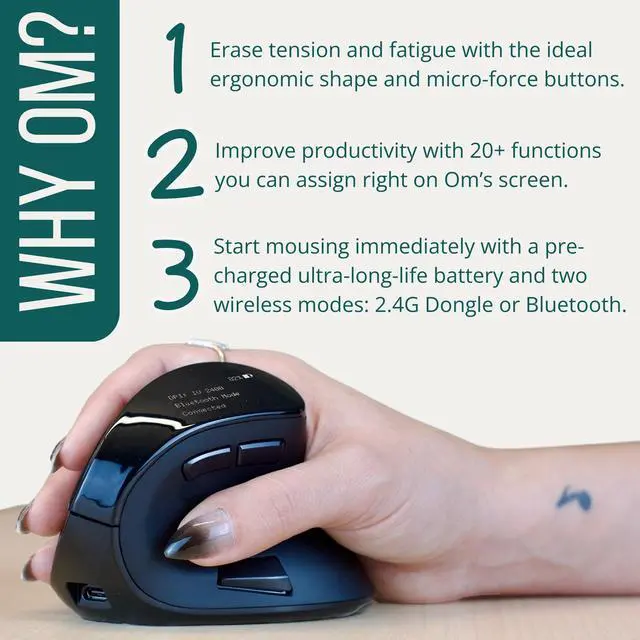
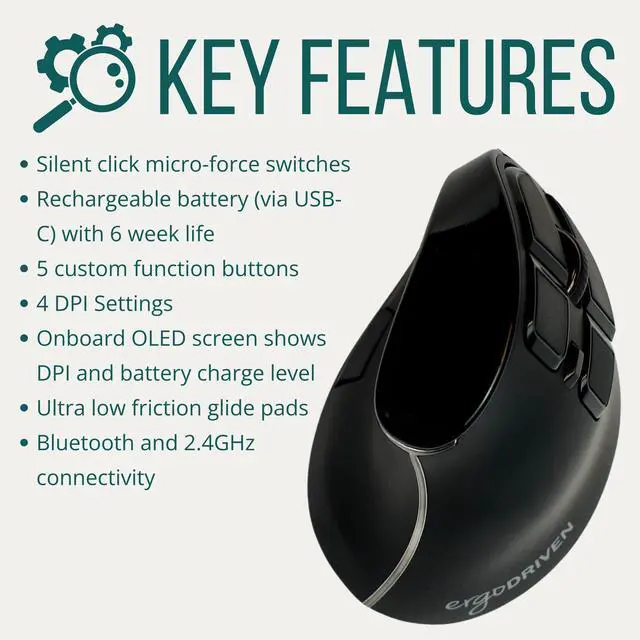
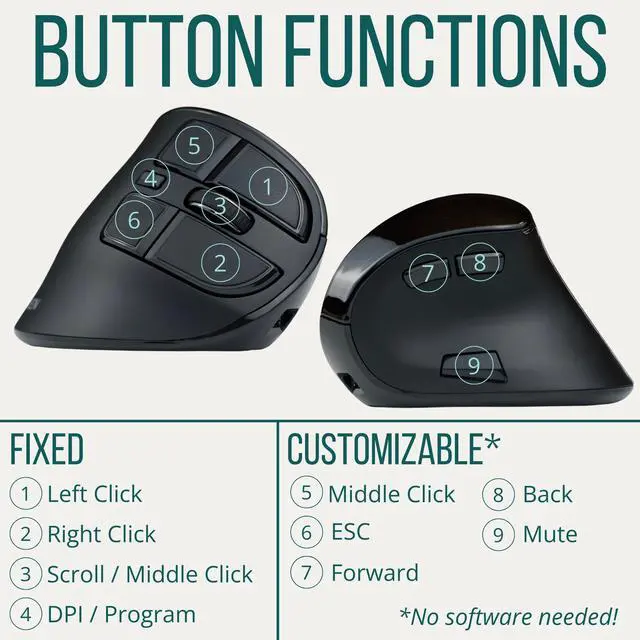
Nobody wants fatigue or pain from work. And that's exactly what the standard flat mouse position causes. But the good news is an easy change can solve the problem instantly! Using a vertical mouse, or "handshake" mouse, is better for your wrist and your shoulder, and even reduces the risk of developing carpal tunnel syndrome. Do you work at a computer? Then your mousing position is critically important. And a vertical mouse is the best! Mousing in a vertical "handshake" position aligns your wrist and shoulder in a healthy position. You can experience this improved position right now! Pin your elbows at your sides, then roll your wrists out to face your palms up toward the sky. Do you feel your shoulders rotating away from your chest? That new shoulder position is external rotation. And external rotation is the healthiest position for your shoulders to occupy under load or for long durations. It makes everything stable and well-organized, because its how your shoulders are designed to be used. And it protects against tense shoulders, back pain, and neck pain. Om helps put your shoulder in a healthy position - and it also aligns your wrist and forearm. When you mouse in a conventional flat position, your forearm is twisting with the two bones crossed over, requiring the muscles of your elbow and wrist to be either fully elongated or fully shortened, depending on the muscle. Then your wrist has to bend back to place your hand above the mouse, creating tension and increasing the likelihood of muscle knots and pain. And since flat mousing puts your shoulder into a weaker position, you're more likely compensate and find stability by putting weight on your wrist, increasing the risk of developing carpal tunnel syndrome. But when you use a vertical mouse in the vertical handshake position, your forearm and wrist are aligned, easing tension and pressure through the whole chain. And because you're in a strong, stable position, you're much less likely to put too much weight on your wrist. That's what makes a vertical mouse the most ergonomic mouse. Om makes sure you feel good while you work, and after. -Is it hard to switch to a vertical mouse? If you're coming from a traditional flat mouse, Om will feel a little bit different (in a good way!). You might even feel a touch clumsy for a few minutes. But we've found that within half an hour with Om, most people are mousing confidently - and in a much healthier position! -How do I set up my Om? Om ships with at least 50% battery charge level, enough to last for weeks. So you don't need to plug it in, or find batteries and a screwdriver! Just select your connection mode with the switch on the bottom (2.4GHz or Bluetooth). Then either plug the dongle into your computer (for 2.4GHz) or pair from your computer (Bluetooth) and you're done! If you're excited to get even more from your vertical wireless mouse, we've added some stuff you'll love. Om comes equipped with an OLED screen so you can monitor your DPI setting and battery level. Om also has 5 customizable buttons. But you don't need to download any software to use them. You can quickly and easily assign 20+ custom functions right on the mouse, using the OLED screen. It's so easy to customize the buttons that, here at the office, we assign different functions to the buttons throughout the day just for specific tasks. For example, if a task requires a lot of copy/paste, in