




 here!
here!
I’m your shopping assistant for PC builds, upgrades, and everything tech.
Got questions? Ask away!
Start a conversation
here!
I’m your shopping assistant for PC builds, upgrades, and everything tech.
Got questions? Ask away!
Start a conversation
![Main image of USB C to Dual HDMI Adapter with 3.5mm Jack, USB C Adapter, Supports 4K@60Hz and Dual 4K@30Hz, for MacBook Pro, MacBook Air, iPad Pro, XPS, and More [Compatible with Thunderbolt 3 Ports]](https://c1.neweggimages.com/productimage/nb640/AE04S2212250FZF7C32.jpg)
![Alt view image 2 of 7 - USB C to Dual HDMI Adapter with 3.5mm Jack, USB C Adapter, Supports 4K@60Hz and Dual 4K@30Hz, for MacBook Pro, MacBook Air, iPad Pro, XPS, and More [Compatible with Thunderbolt 3 Ports]](https://c1.neweggimages.com/productimage/nb640/AE04S2212250FZFDW22.jpg)
![Alt view image 3 of 7 - USB C to Dual HDMI Adapter with 3.5mm Jack, USB C Adapter, Supports 4K@60Hz and Dual 4K@30Hz, for MacBook Pro, MacBook Air, iPad Pro, XPS, and More [Compatible with Thunderbolt 3 Ports]](https://c1.neweggimages.com/productimage/nb640/AE04S2212250FZFQVB7.jpg)
![Alt view image 4 of 7 - USB C to Dual HDMI Adapter with 3.5mm Jack, USB C Adapter, Supports 4K@60Hz and Dual 4K@30Hz, for MacBook Pro, MacBook Air, iPad Pro, XPS, and More [Compatible with Thunderbolt 3 Ports]](https://c1.neweggimages.com/productimage/nb640/AE04S2212250FZFTQ33.jpg)
![Alt view image 5 of 7 - USB C to Dual HDMI Adapter with 3.5mm Jack, USB C Adapter, Supports 4K@60Hz and Dual 4K@30Hz, for MacBook Pro, MacBook Air, iPad Pro, XPS, and More [Compatible with Thunderbolt 3 Ports]](https://c1.neweggimages.com/productimage/nb640/AE04S2212250FZFVV87.jpg)
![Alt view image 6 of 7 - USB C to Dual HDMI Adapter with 3.5mm Jack, USB C Adapter, Supports 4K@60Hz and Dual 4K@30Hz, for MacBook Pro, MacBook Air, iPad Pro, XPS, and More [Compatible with Thunderbolt 3 Ports]](https://c1.neweggimages.com/productimage/nb640/AE04S2212250FZG6LA7.jpg)
![Alt view image 7 of 7 - USB C to Dual HDMI Adapter with 3.5mm Jack, USB C Adapter, Supports 4K@60Hz and Dual 4K@30Hz, for MacBook Pro, MacBook Air, iPad Pro, XPS, and More [Compatible with Thunderbolt 3 Ports]](https://c1.neweggimages.com/productimage/nb640/AE04S2212250FZGJ0A7.jpg)



Any questions? Ask CelesteSM will help you find out quickly.

USB C to Dual HDMI 2.0 4K 60Hz Adapter Multi Monitor Splitter - USB-C to Dual Port HDMI Converter
1.USB C to Dual HDMI ,a 4k HDMI Cable 2 ft included: The adapter helps your Laptop/iPad/Phones display the content to 2 monitors by its HDMI output, and the maximum resolution up to 4K @60Hz, crystal clear with zero lag . Using 2 monitors in work absolutely can boost your work efficiency to an up level. This Thunderbolt 3 to HDMI is plug-and-play, with no additional driver installation needed.
2.Wide Compatibility: The USB C to HDMI Cable are compatible with thunderbolt 3 or thunderbolt 4 devices. For example: MacBook / MacBook Pro 2020/2019/2018/2017 Apple iMac / iMac Pro , Google Chromebook Pixel, Samsung, Dell , Asus, Hp, Lenovo, XPS Samsung S9, S9 Plus, S8, S8 Plus, Note 9, Note 8, Huawei New version phones and many other Type-C smartphones and laptops WHICH SUPPORT VIDEO TRANSFER.
3.Extend Two Screen for Windows system: The requirements is your windows laptop with a Type-C/USB C port and must supports video transfer (The primary must be intel CPU, not Celeron CPU). the adapter can provide Extend Two Screens Mode or Extend One Screen Mode and Mirror Mode. How to set the mode please kindly see the detail page.
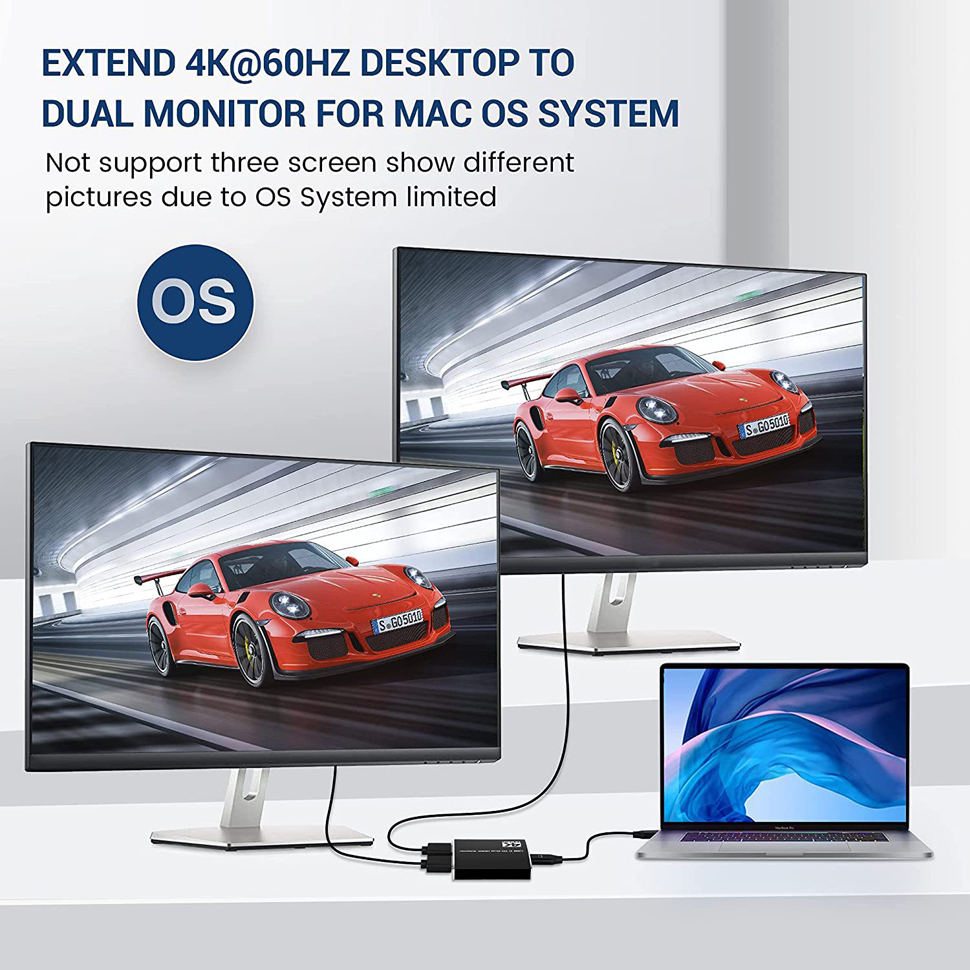
4.Extend One Screen for MacOS: On MacOS device, both monitors will display the same screen but different from the macOS device, the adapter also supports mirror mode on MacOS. By the way, if your device is a smartphone/iPad with USB C port WHICH SUPPORT VIDEO TRANSFER, use the adapter can only get Mirror Mode. The good design is the adapter equipped a type-c charging port, make the charger of the laptop plug in, then your laptop will never shutdown from low power .
5.Two improved Functionality: The first improvement for this USB C HDMI Adapter is equipped with a AUX 3.5mm output, which can be used for watching video with headphones or speakers. . The second improvement is with a Type C charging port, can give a fast charging of maximum 100W for your laptop when plugged in a charger which should be the one that comes with your laptop .warm tips, ESTONE USB C to 2 HDMI Adapter is USB-bus powered - no charger required.

Compatible Devices Include:
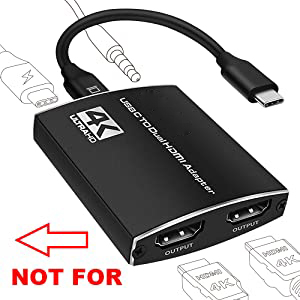
Please read the above necessary feature and incompatible devices carefully before purchasing.
However, it will be difficult to list all the incompatible devices, if you are confused you can contact ESTONE by email. The first time you use it please plug the interface tightly, if this USB C TO HDMI is not compatible with your device, you can return it or contact ESTONE. Thank you for not giving a negative review about incompatible.
Maximum Supported Resolutions:
How to set a extend mode at windows system?
Pleas press the [windows] and [P] key at the same time, select [Extension] in the pop-up box that appears to enter the extend mode.
1. Right-click on a black space on the desktop and select [Display setting] from the drop-down menu that appears.
2. Click [Identification] to identify the serial number of the notebook and monitor.
3. Observe the positional relationship between 1 and 2, if 1 appears on the notebook, 2 is the display; if 2 is on the right of 1, drag the content you want to display on 2 directly to the right. If 2 is on the left of 1, you need to drag the displayed content to the left.
How to set a extend one screen mode at MacOS?
1. [Setting] to [Display] to click the [mirror display] box to switch to Extend mode
2. then you can drag a window of website/movie to the rightest side of your desktop screen until it disappeared on your desktop screen and show up on the external monitor screen.
Attention: The Adapter ONLY support extend one screen on Apple MacOS which is limited by MacOS itself, that is to say the two output monitors will display the same content at MacOS.

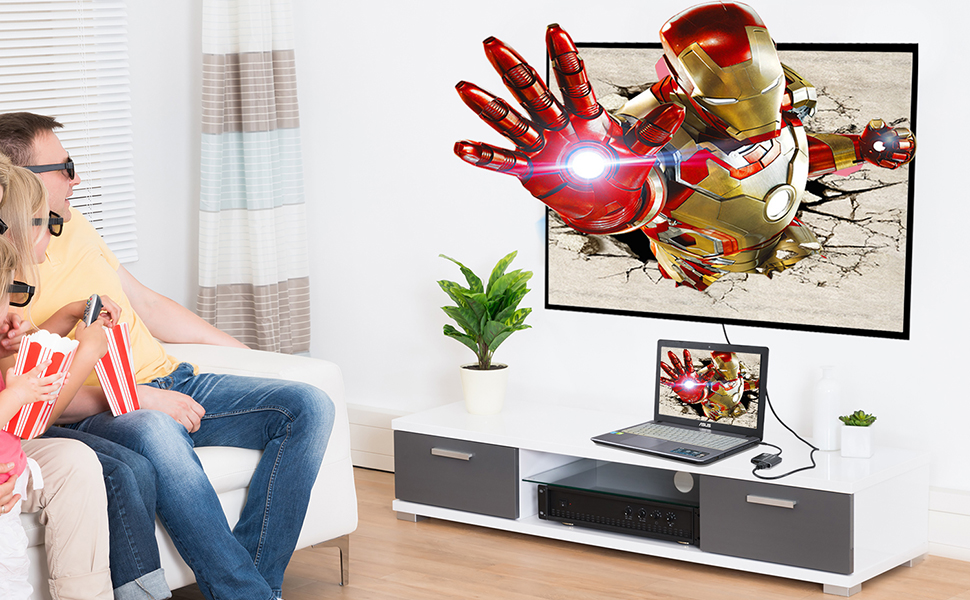
USB C to Dual HDMI Adapter allows you extend the screen of your windows laptop into 2 monitors. and up to 4K @60Hz for extending one screen and 4K @30Hz for extending two screens. The ability to maximise your usage requirements.
Attention: The Adapter ONLY extend one screen on Apple MacOS which is limited by MacOS itself.

It offers an easy setup, plug-and-play installation with no drivers or software required.
This adapter has built-in a signal processing chipset for High quality video output, accompanied by a certain amount of heat in use is a normal phenomenon. it has a design to prevent overheating.

ESTONE Thunderbolt 3 to HDMI is lightweight, convenient for you to carry around. The aluminium casing dissipates heat quickly and will never fade.
The compact design with fashionable grey is suitable for all occasions.


