




Plug and play, read all the standard 1D bar codes, but it can't read any barcode from Screen and any type 2D barcode,like QR code,PDF417,etc.
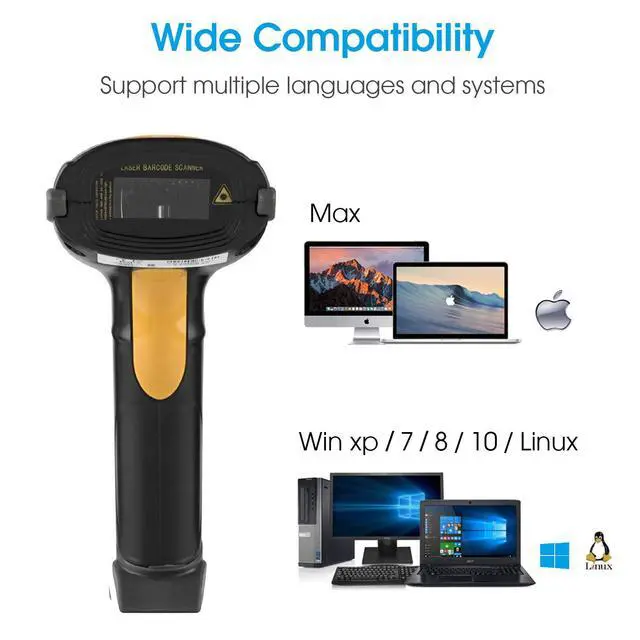
Work with all versions of Windows, Mac and Linux
Works with Word, Excel, Novell, and all common software etc
Only work on device that has USB port, not for iPad, google tablet, smart phone etc.

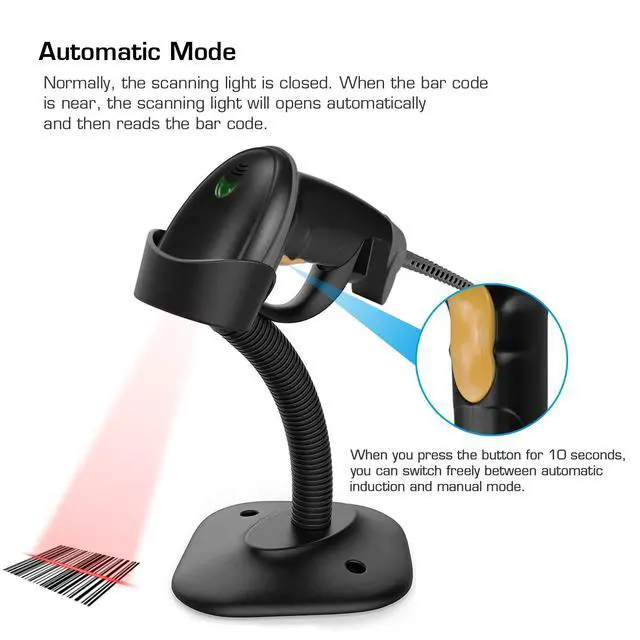
Automatic or Manual Scanning Mode
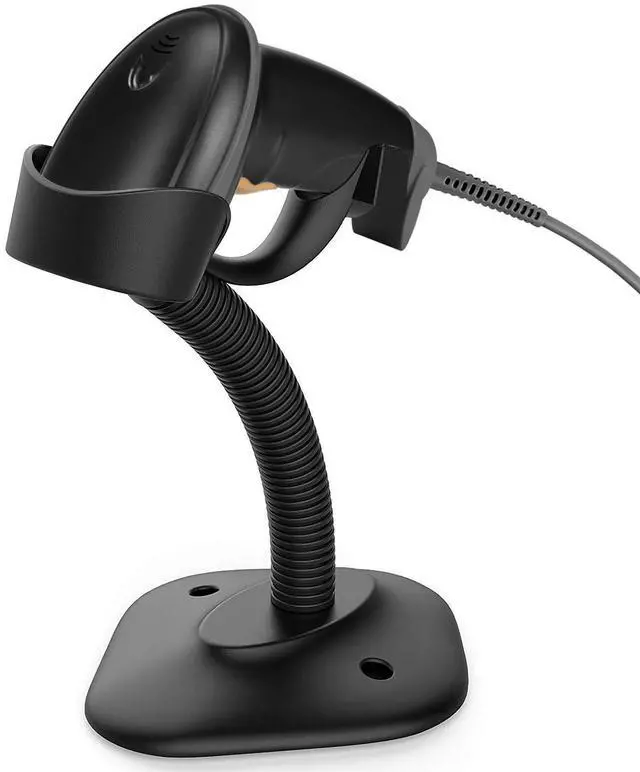
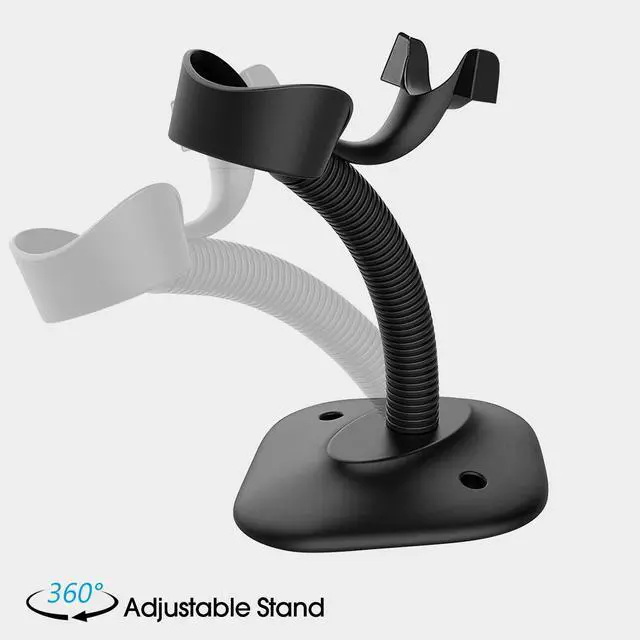
It is Designed Not Only with an Adjustable Stand Which is Convenienct for Automatically Scanning Barcodes, But also with a Comfortable Handle for Manually Use
Decode Capability:
Code11, Code39, Code93, Code32, Code128, Coda Bar, UPC-A, ? UPC-E, ISBN, EAN-8, EAN-13, JAN. EAN/UPC Add-on2/5 MSI/Plessey,

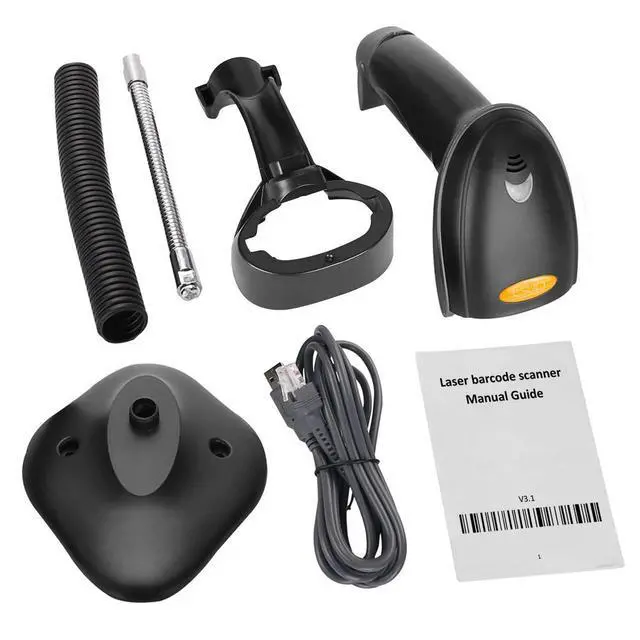
Package Includes:
1 x USB Barcode Scanner
1 x USB Cable
1 x Adjustable Stand
1 x Manual

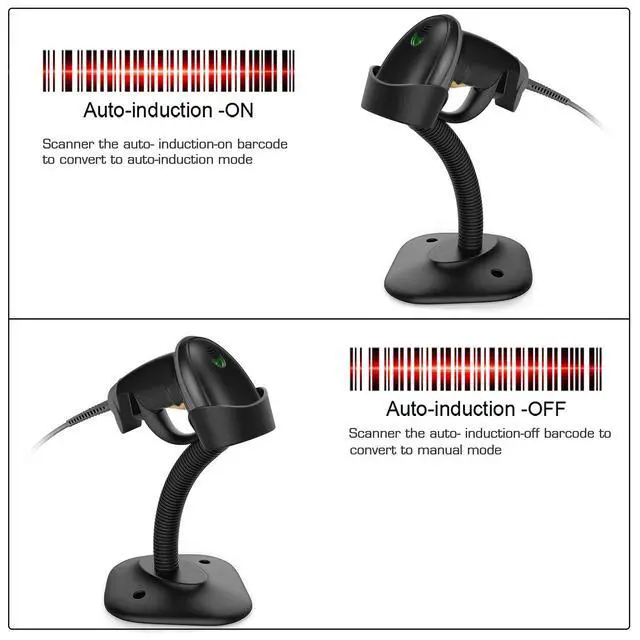
When you scan the auto- induction-on bar code on the manual, it can be converted into auto-induction mode .
When you scan the auto- induction-off bar code on the manual, it can be converted into manual mode.
you can switch freely between automatic induction and manual mode
Multi-function

Angle adjustable
Adjust the angle and height according to the need.
Non-slip base
Non-slip base makes the stand stable, not easy to slide.

Over 300 Configuration Options:
Support customized prefix and suffix
Support Insert,delete prefix and suffix
Enable/Disable Code ID and More
Add keyboard keys (TAB, CR&LF, etc.) to the scanning operation.

Compatible System:
Compatible with Windows, Mac OS, Linux.Work with Word, Excel, Novell, Quickbook, InFlow etc.
Only work on device that has USB port, not for iPad, tablet, smart phone .
Plug and play, read all the standard 1D bar codes, but it can't read any barcode from Screen and any type 2D barcode,like QR code,PDF417,etc.
Work with all versions of Windows, Mac and Linux
Works with Word, Excel, Novell, and all common software etc
Only work on device that has USB port, not for iPad, google tablet, smart phone etc.
Automatic or Manual Scanning Mode
It is Designed Not Only with an Adjustable Stand Which is Convenienct for Automatically Scanning Barcodes, But also with a Comfortable Handle for Manually Use
Decode Capability:
Code11, Code39, Code93, Code32, Code128, Coda Bar, UPC-A, ? UPC-E, ISBN, EAN-8, EAN-13, JAN. EAN/UPC Add-on2/5 MSI/Plessey,
Package Includes:
1 x USB Barcode Scanner
1 x USB Cable
1 x Adjustable Stand
1 x Manual
When you scan the auto- induction-on bar code on the manual, it can be converted into auto-induction mode .
When you scan the auto- induction-off bar code on the manual, it can be converted into manual mode.
you can switch freely between automatic induction and manual mode
Multi-function
Angle adjustable
Adjust the angle and height according to the need.
Non-slip base
Non-slip base makes the stand stable, not easy to slide.
Over 300 Configuration Options:
Support customized prefix and suffix
Support Insert,delete prefix and suffix
Enable/Disable Code ID and More
Add keyboard keys (TAB, CR&LF, etc.) to the scanning operation.
Compatible System:
Compatible with Windows, Mac OS, Linux.Work with Word, Excel, Novell, Quickbook, InFlow etc.
Only work on device that has USB port, not for iPad, tablet, smart phone .