





Q1: When i want to connect with homekit, what i need to pay attention?
A1: Use your electronic product of iPhone, iPad, or iPod touch to add an accessory to the Home app. Before you set up your accessory. Please check these things:
Make sure that it's powered on and near by.
Make sure your electronic product of iPhone, iPad, or iPod touch has WiFi on and 2.4G routing isconnected.
Q2: How to reset the device to factory mode?
A2: Turn on and off continually the power of the device three times (each interval is about 5s). If the device indicator will be flashing white, then it means the device is in factory mode.
Q3: If I have added the device through Home app, but now I want to use CozyLife app and intelligent speaker tocontrol devices, what should I do?
A3: Please reset the device to "factory mode” according to ”QA2”,download and open the CozyLife app to enter the“Me” view and find the user guide for the corresponding smart speaker.
Note:
Before using the smart speaker, please log in to your account on Alexa, Google Assistant, Tmall Genie or Xiaomi.

Smart Color Changing Table Lamp:
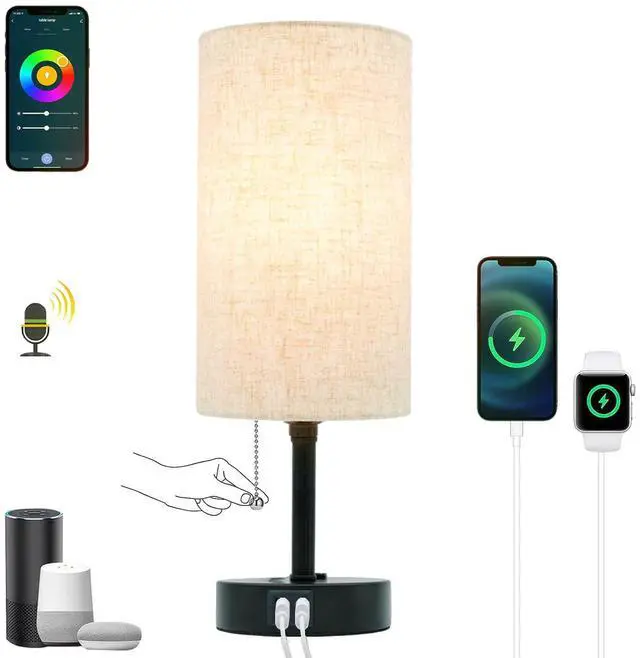
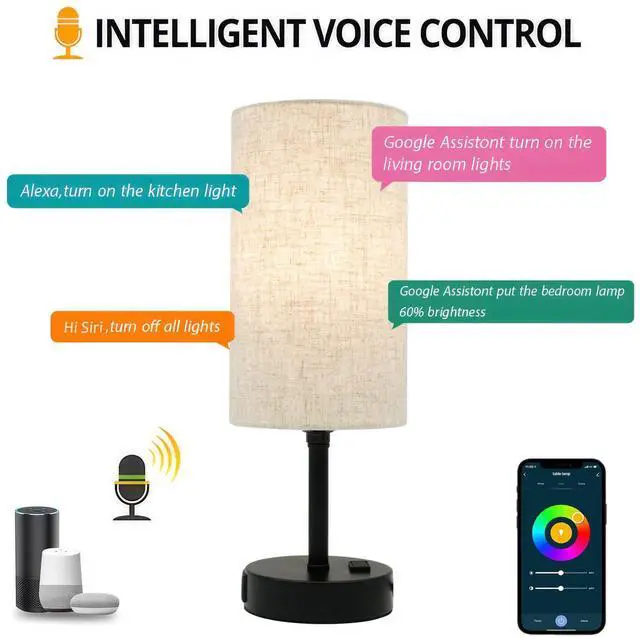
Personalize your RGB light with more than 16 million colors and a monochrome palette. Our smart table lamp will be voice controled by Siri, Alexa, Google Assistant
Smart Voice Control Bedside Lamp:
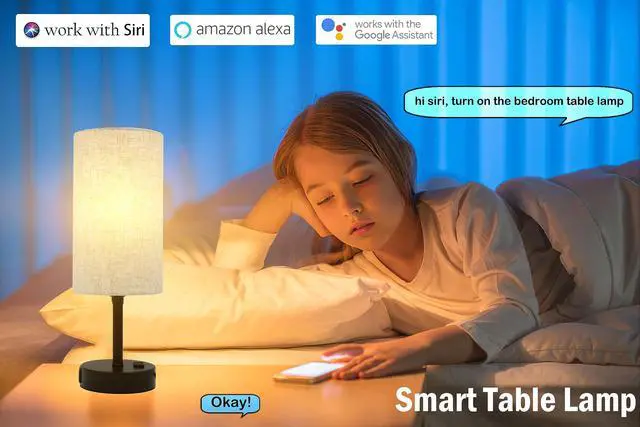
Smart Homekit table lamp with a linen material shade, pull-out chain switch. Unique voice cotronl function table lamp suit for bedroom, children bedroom, livingroom, study room, home office room
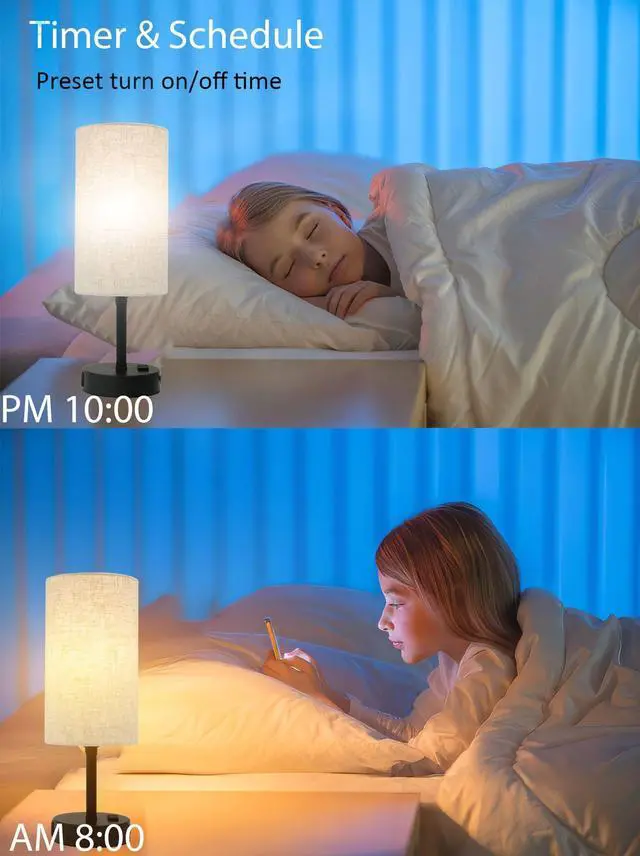
Schedule and Timer Smart Table Lamp:
A indispensable schedule and timer to build your smart home life by using this smart table lamp. Set up the trun on/off time to let the lamp open and close automatically

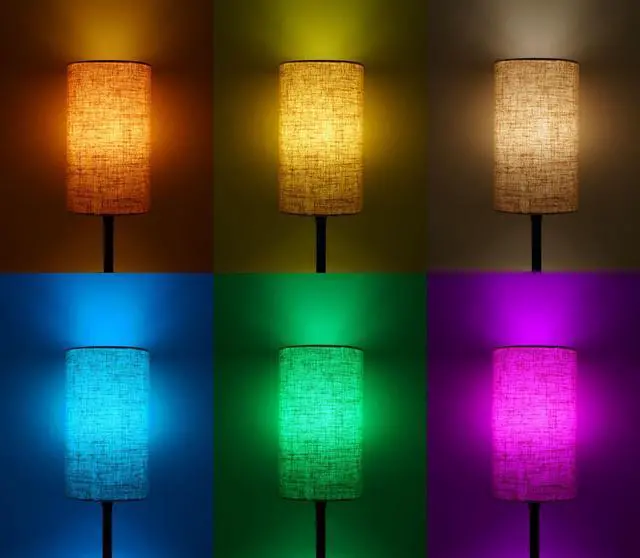
16 Millions RGB Colors Table Lamp
You can connect with siri, Alexa, Google Assistant to voice cotrol the table lamp and change its color, handmade bamboo table lamp is also can connect with smart home life

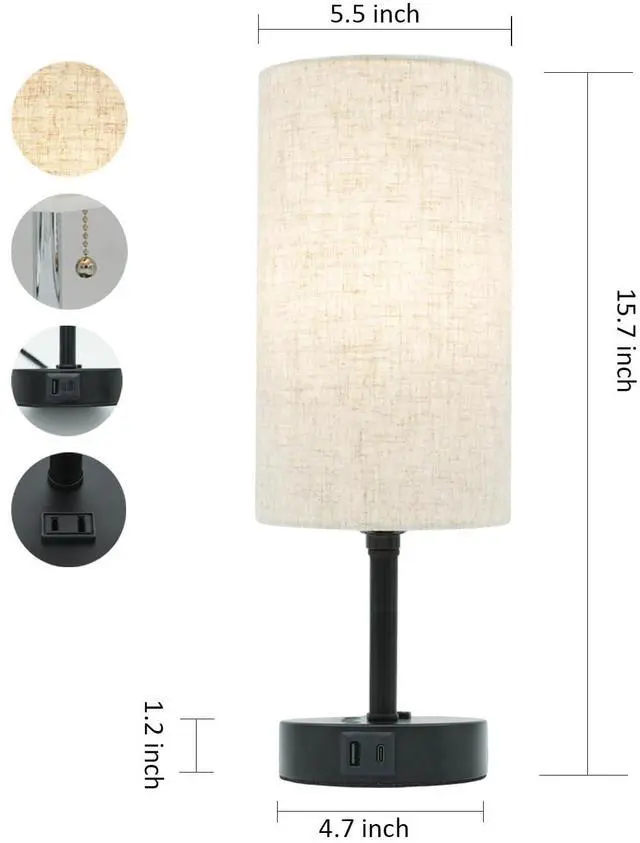
USB & Type-c Charging Ports
No need to worry about the charging adapter. you can charge your phone and smartphones or watch which is powered by type-c chargig ports

Two Pin AC Outlet
This smart table lamp is also has a AC adapter, it is also can charge for you computer or another table lamp, a very functional smart table lamp for bedroom

Homekit Table Lamp
Smart Connection
Smart table lamp is compatible with Apple HomeKit, Siri, Alexa, Google Assistant
Homekit Lamp with Charger
Multi-functional smart table lamp is not only for lighting, it also comes with 1 USB ports, 1 Type-c charging ports and 1 two pin AC out lets
Dimmable Table Lamp
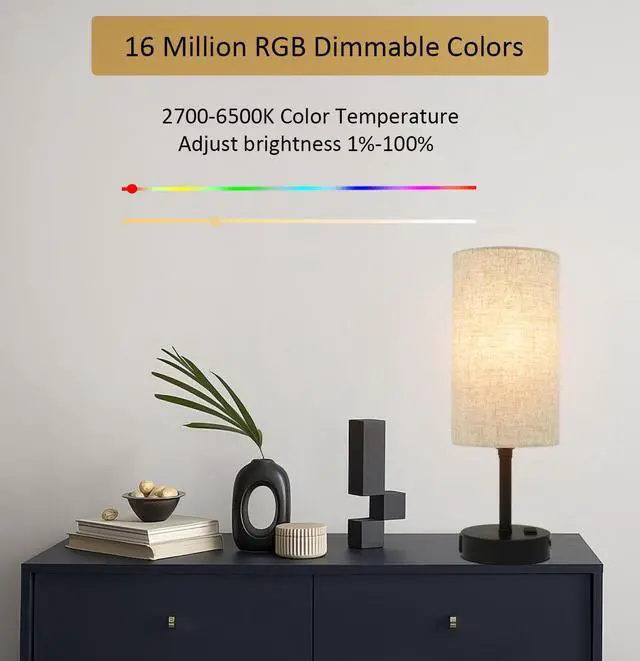
Homekit dimmer lamp has 2700-6500K color temperature from warm light to cold light, 16 million colors, adjust the light brightness from 1% to 100%
Package Content
- 1 X Pull-out Chain Table Lamp
- 1 X Smart Bulb
- 1 X Manual Book

Color: RGB+C+W (colorful+cold+warm)
Light Luminous Flux: 800LM
Color Temperature:2700-6500K
Voltage: AC100-240V 50/60Hz
Working Temperature:-25~55?
Bulb Dimension: D:60MM H:114MM

Homekit Smart Table lamp
Start to build your smart home life
Q1: When i want to connect with homekit, what i need to pay attention?
A1: Use your electronic product of iPhone, iPad, or iPod touch to add an accessory to the Home app. Before you set up your accessory. Please check these things:
Make sure that it's powered on and near by.
Make sure your electronic product of iPhone, iPad, or iPod touch has WiFi on and 2.4G routing isconnected.
Q2: How to reset the device to factory mode?
A2: Turn on and off continually the power of the device three times (each interval is about 5s). If the device indicator will be flashing white, then it means the device is in factory mode.
Q3: If I have added the device through Home app, but now I want to use CozyLife app and intelligent speaker tocontrol devices, what should I do?
A3: Please reset the device to "factory mode” according to ”QA2”,download and open the CozyLife app to enter the“Me” view and find the user guide for the corresponding smart speaker.
Note:
Before using the smart speaker, please log in to your account on Alexa, Google Assistant, Tmall Genie or Xiaomi.
Smart Color Changing Table Lamp:
Personalize your RGB light with more than 16 million colors and a monochrome palette. Our smart table lamp will be voice controled by Siri, Alexa, Google Assistant
Smart Voice Control Bedside Lamp:
Smart Homekit table lamp with a linen material shade, pull-out chain switch. Unique voice cotronl function table lamp suit for bedroom, children bedroom, livingroom, study room, home office room
Schedule and Timer Smart Table Lamp:
A indispensable schedule and timer to build your smart home life by using this smart table lamp. Set up the trun on/off time to let the lamp open and close automatically
16 Millions RGB Colors Table Lamp
You can connect with siri, Alexa, Google Assistant to voice cotrol the table lamp and change its color, handmade bamboo table lamp is also can connect with smart home life
USB & Type-c Charging Ports
No need to worry about the charging adapter. you can charge your phone and smartphones or watch which is powered by type-c chargig ports
Two Pin AC Outlet
This smart table lamp is also has a AC adapter, it is also can charge for you computer or another table lamp, a very functional smart table lamp for bedroom
Homekit Table Lamp
Smart Connection
Smart table lamp is compatible with Apple HomeKit, Siri, Alexa, Google Assistant
Homekit Lamp with Charger
Multi-functional smart table lamp is not only for lighting, it also comes with 1 USB ports, 1 Type-c charging ports and 1 two pin AC out lets
Dimmable Table Lamp
Homekit dimmer lamp has 2700-6500K color temperature from warm light to cold light, 16 million colors, adjust the light brightness from 1% to 100%
Package Content
- 1 X Pull-out Chain Table Lamp
- 1 X Smart Bulb
- 1 X Manual Book
Color: RGB+C+W (colorful+cold+warm)
Light Luminous Flux: 800LM
Color Temperature:2700-6500K
Voltage: AC100-240V 50/60Hz
Working Temperature:-25~55?
Bulb Dimension: D:60MM H:114MM
Homekit Smart Table lamp
Start to build your smart home life