







What should I do if the screen flickers or goes black when connecting to a monitor?
Try using a high-quality HDMI cable.
Switch to a different input port on the monitor.
Adjust the resolution and refresh rate in your display settings.(1080P)
What should I do if the audio output is low or poor in quality?
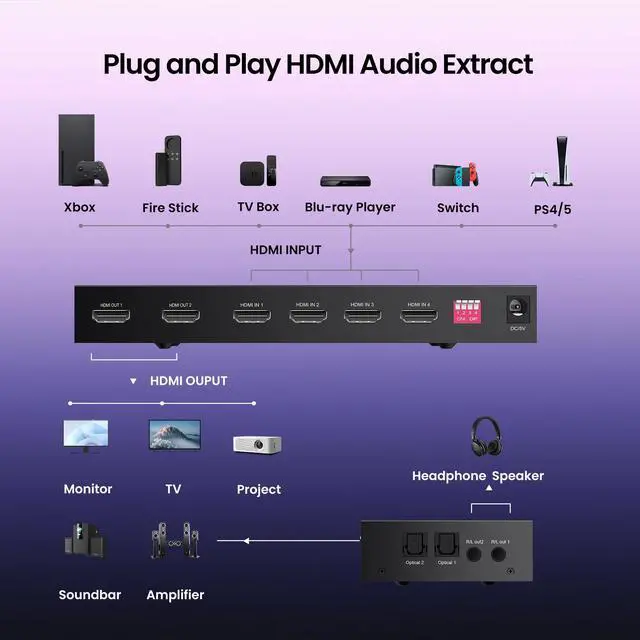
Use external speakers or headphones for better sound.
Check and adjust your system’s audio output settings.
What should I do if the device is not compatible with my monitor or TV?
Try connecting to a different monitor or TV model.
Use a high-quality connection cable.
Manually set the resolution and refresh rate to match the external display.
Why is my TV screen red or showing no signal?
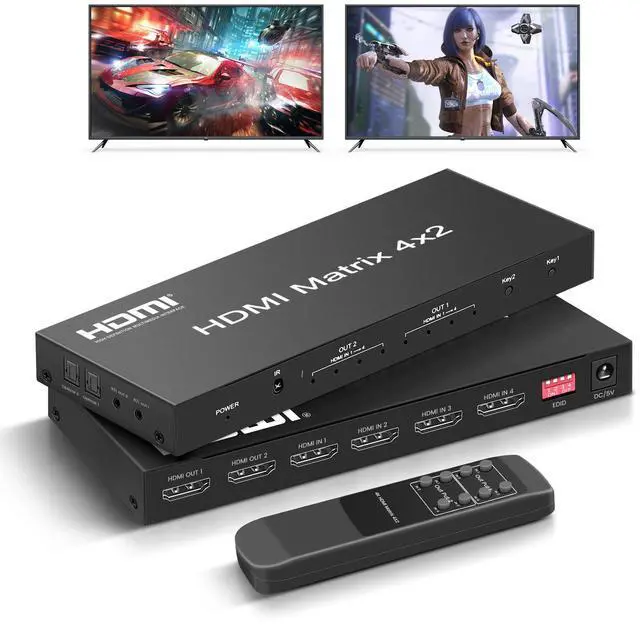
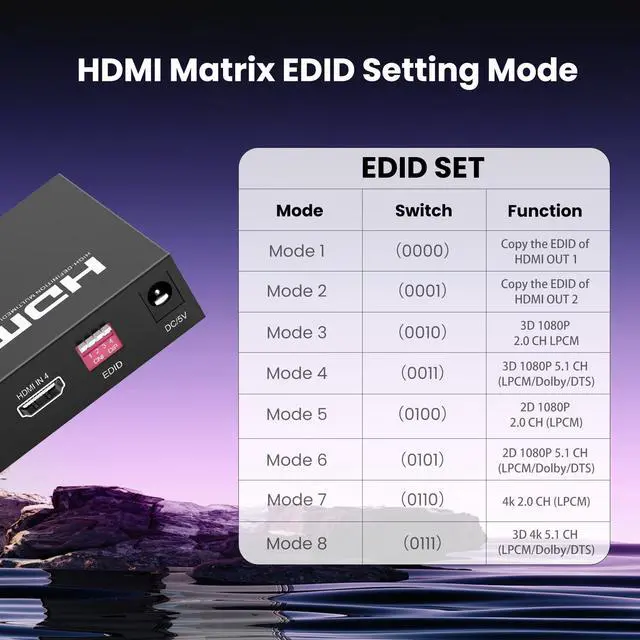
This can happen due to EDID mismatch. Please toggle the EDID switch on the matrix or restart connected devices.
Can I send one input to both TVs at once?
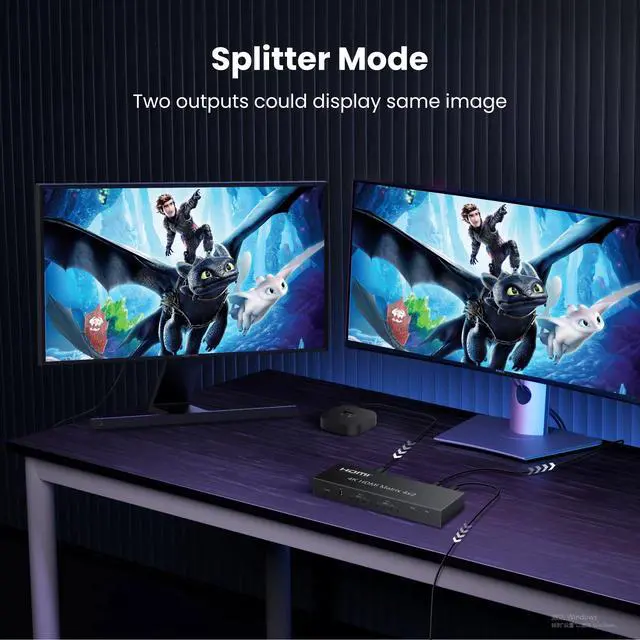
Yes, you can mirror one input signal to both outputs simultaneously.


What should I do if the screen flickers or goes black when connecting to a monitor?
Try using a high-quality HDMI cable.
Switch to a different input port on the monitor.
Adjust the resolution and refresh rate in your display settings.(1080P)
What should I do if the audio output is low or poor in quality?
Use external speakers or headphones for better sound.
Check and adjust your system’s audio output settings.
What should I do if the device is not compatible with my monitor or TV?
Try connecting to a different monitor or TV model.
Use a high-quality connection cable.
Manually set the resolution and refresh rate to match the external display.
Why is my TV screen red or showing no signal?
This can happen due to EDID mismatch. Please toggle the EDID switch on the matrix or restart connected devices.
Can I send one input to both TVs at once?
Yes, you can mirror one input signal to both outputs simultaneously.