
Your Browsing History




Any questions? Our AI beta will help you find out quickly.
| Brand | FileMaker |
|---|---|
| Model | TT768LL/A |
| Name | Pro 10 Advanced Upgrade English |
|---|---|
| Type | Utilities |
| Version | Upgrade |
| Operating Systems Supported | Windows & Mac OS |
| System Requirements | Mac OS X 10.5 PowerPC G4 (867MHz+), Power PC G5, Intel-based Mac, 512MB of RAM FileMaker Pro 10 - CD drive Pro 10 Advanced - DVD drive Mac OS X 10.4.11 PowerPC G4, G5 or Intel-based Mac 256 MB of RAM FileMaker Pro 10 - CD drive Pro 10 Advanced - DVD drive Windows Vista Ultimate, Business, Home (Service Pack 1)* 800 MHz or faster 512 MB of RAM SVGA (1024x768) or higher resolution video adapter and display FileMaker Pro 10 - CD drive Pro 10 Advanced - DVD drive Windows XP Professional, Home Edition (Service Pack 3)* Pentium III 700MHz or faster 256MB of RAM SVGA (1024 x 768) or higher resolution video adapter and display FileMaker Pro 10 - CD drive Pro 10 Advanced - DVD drive |
| Packaging | Retail |
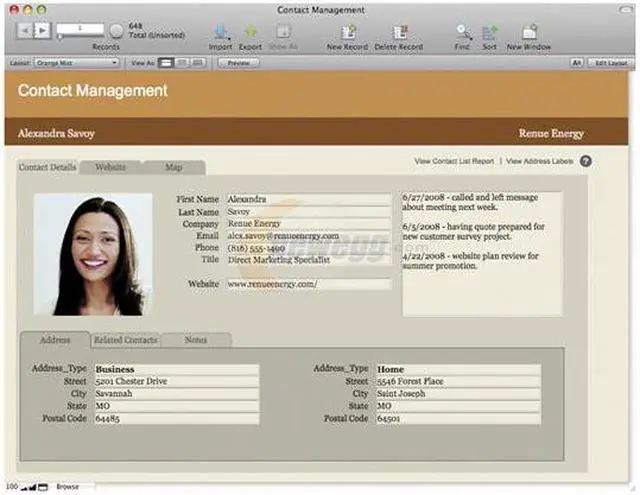
| Feature | FileMaker Pro 10 Advanced includes all the features of FileMaker Pro 10 plus a suite of advanced development and customization tools. Design and develop more powerful and more customized database applications today with FileMaker Pro 10 Advanced! If you design databases for yourself or your group, or you want to get more out of the new features in FileMaker Pro 10, then FileMaker Pro 10 Advanced is for you. Design and develop databases faster and easier Customize your database application even more by renaming, adding, or deleting menu and toolbar items with Custom Menus. Create standalone, runtime applications that don't require users to have FileMaker Pro. Debug and troubleshoot more efficiently Pinpoint problem areas by reviewing scripts step-by-step in the Script Debugger. Monitor fields, variables, expressions, and even test calculation formulas with the Data Viewer, as well as temporarily disable script steps to test portions of your scripts. Modify and maintain with ease Update databases faster by importing multiple tables or by using copy and paste to move fields, tables, scripts, and script steps. Get comprehensive information on database schema and options, like fields, web viewers, layouts, Custom Menus, and more with the Database Design Report. |
|---|
| First Listed on Newegg | February 03, 2009 |
|---|