here!
I’m your shopping assistant for PC builds, upgrades, and everything tech.
Got questions? Ask away!
Start a conversation
here!
I’m your shopping assistant for PC builds, upgrades, and everything tech.
Got questions? Ask away!
Start a conversation


| Best Seller Ranking | #34 in Mini-PC Barebone |
|---|
| Brand | Firebat |
|---|---|
| Model | R2 |
| Part Number | 0000172#FBMP |
| Color | Silver |
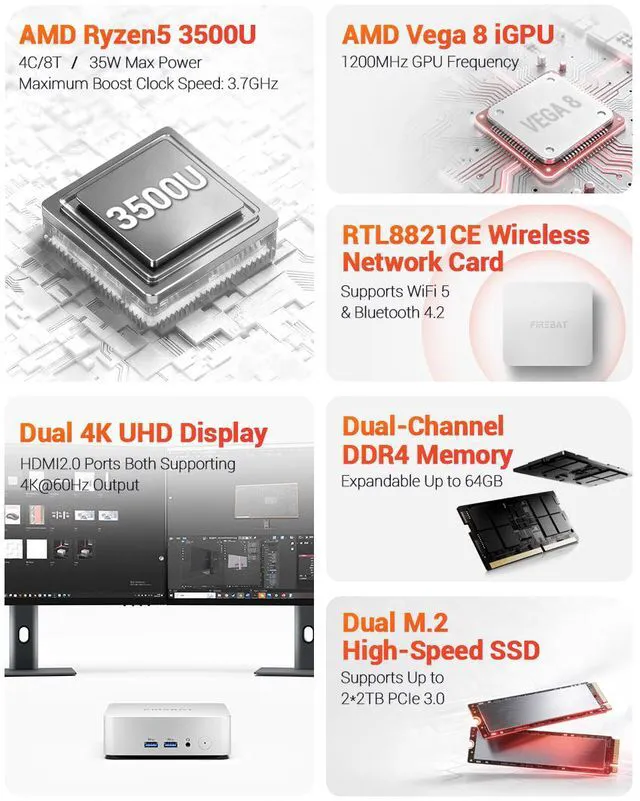
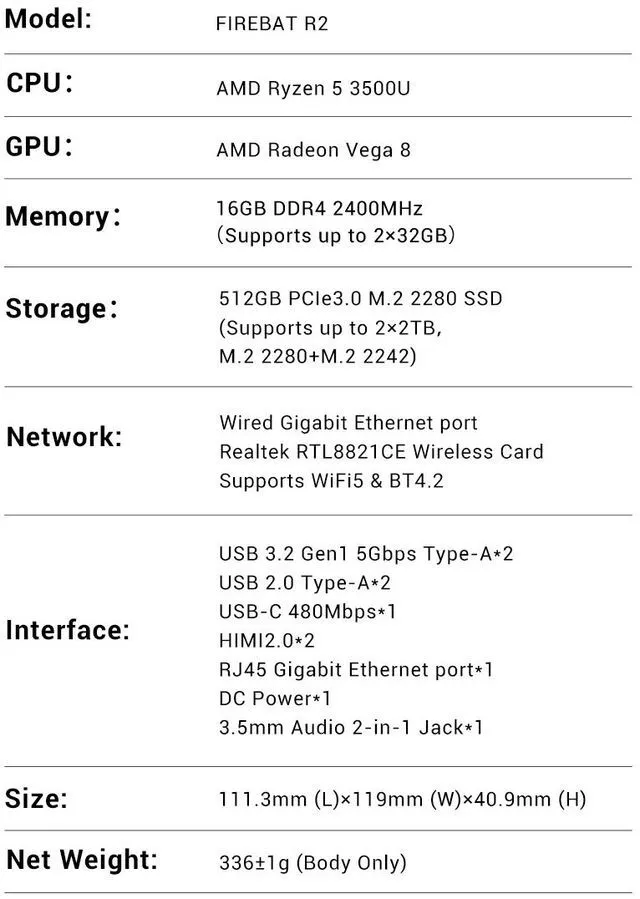
| CPU Type | AMD Ryzen 5 3500U |
|---|---|
| CPU Cores | 4-Core |
| Memory installed | 16GB DDR4 |
|---|
| Storage Installed | 512GB SSD |
|---|
| Max LAN Speed | 1Gbps |
|---|---|
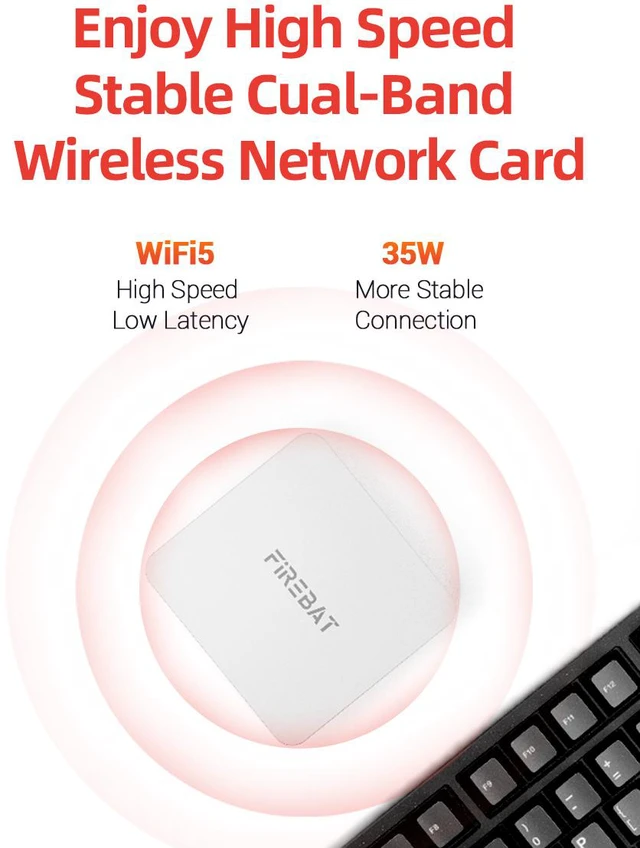
| Wireless LAN | 802.11ac |
| WiFi Generation | Wi-Fi 5 |
| Bluetooth | Bluetooth 4.2 |
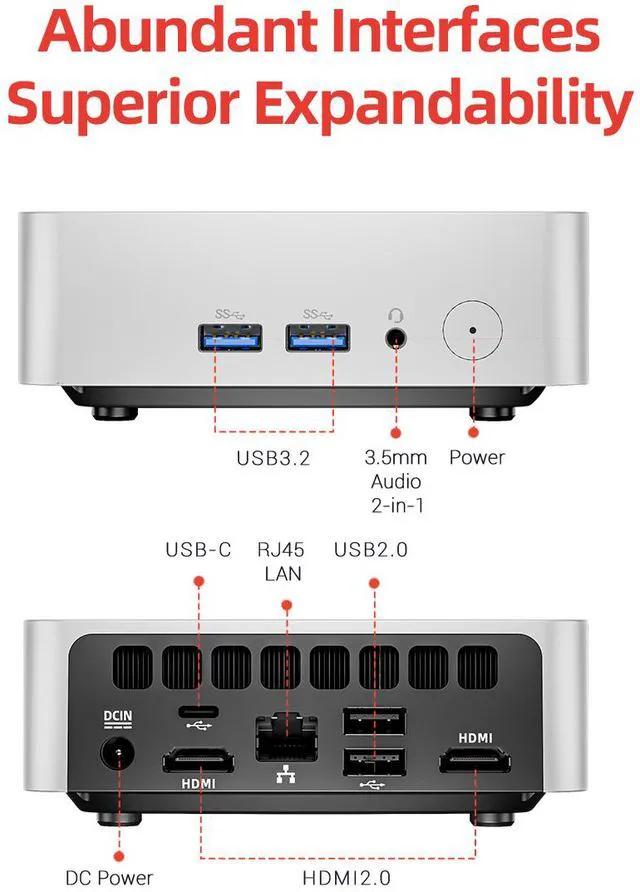
| HDMI | 2 x HDMI 2.0 |
|---|
| Power Supply | 65W, 19V/3.42A |
|---|
| Dimensions | 119 x 111.3 x 40.9mm |
|---|---|
| Weight | 400g |
| Packaging | R2 Mini PC VESA Mount HDMI Cable User Guide Power adapter |
|---|
| First Listed on Newegg | September 08, 2026 |
|---|
We want to ensure your holiday shopping this year is hassle-free. That’s why we’re automatically extending our return policies on almost every product! For purchases placed between November 1st, 2026 and December 31, 2026 you will have until January 31, 2027 to return your product.
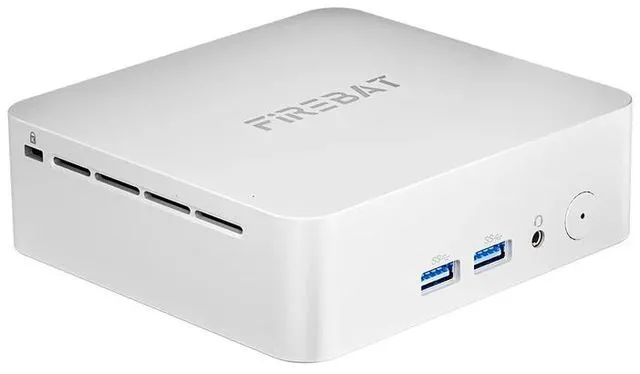
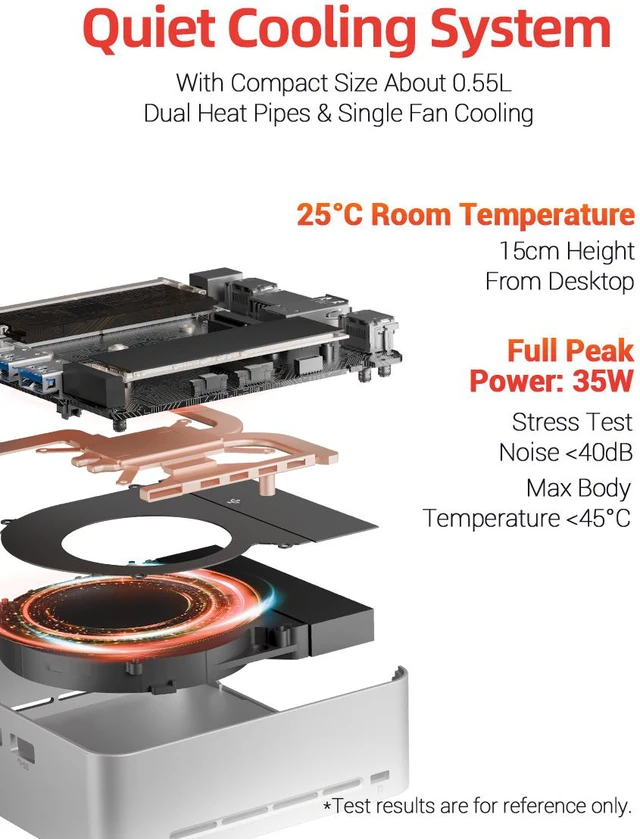
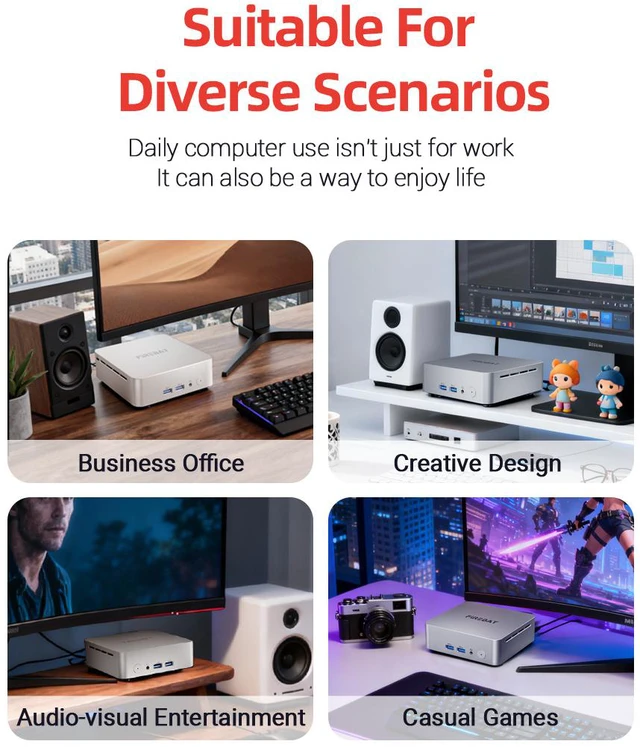
The Firebat R2 is a compact Windows 11 mini PC with an AMD Ryzen 5 3500U processor, 16GB DDR4 RAM, and a 512GB SSD. It is suitable for home offices, students, and small businesses needing responsive daily productivity, web browsing, media streaming, and multitasking in a space-saving desktop.
| Attribute | Value |
|---|---|
| Best For | Daily office, home workspace, student study, and small-office use with multitasking, media streaming, and dual-screen setups |
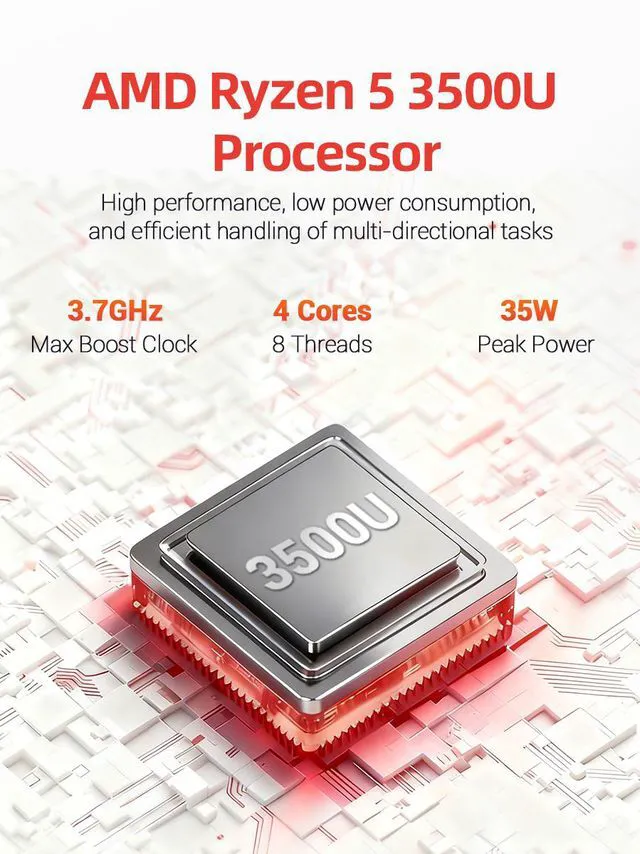
| Processor And Core Count | AMD Ryzen 5 3500U processor with 4 cores for everyday computing and multitasking |
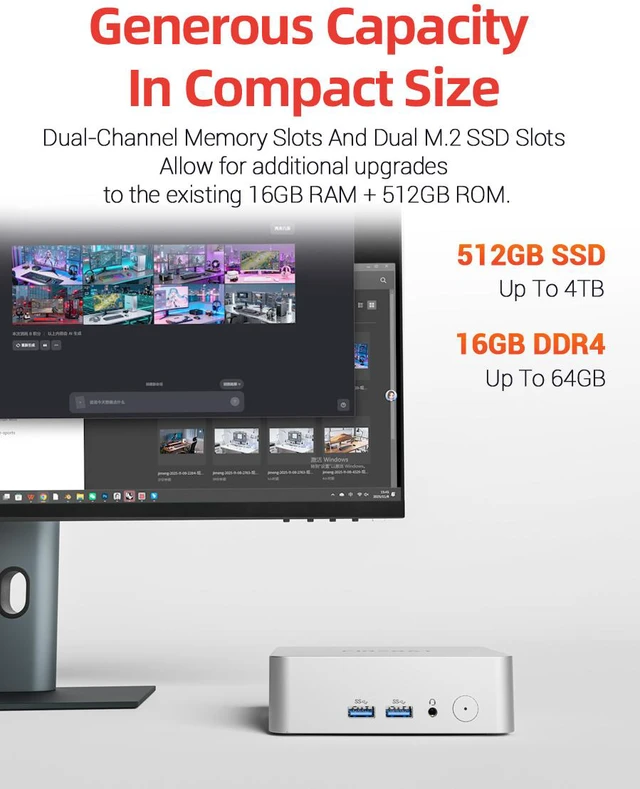
| Memory Configuration | 16GB DDR4 installed memory |
| Storage And Expansion | 512GB SSD for system and application storage |
| Display And Video Output | Two HDMI 2.0 outputs for connecting dual HDMI displays |
| Wired And Wireless Networking | 1Gbps maximum wired LAN speed with Wi-Fi 5 (802.11ac) and Bluetooth 4.2 wireless connectivity |
| Power And Efficiency | 65W power supply rated at 19V/3.42A |
| Physical Design And Mounting | Silver compact chassis measuring 119 x 111.3 x 40.9mm and weighing 400g, with VESA mounting support |
| Included Accessories | Power adapter, HDMI cable, user guide, and R2 Mini PC |
| Model Identifiers | Firebat R2, part number 0000172#FBMP |
Q: Is the Firebat R2 better than an Intel N150 mini PC?
A: Choose the Firebat R2 when multitasking, light gaming, or integrated-graphics performance matters more than minimum power consumption. Its Ryzen 5 3500U provides 4 cores and 8 threads with Radeon Vega 8 graphics, while the Intel N150 has 4 cores and 4 threads. Testing and community reports generally find similar single-core performance, but the Firebat R2 has more CPU threads and a stronger iGPU. Choose an N150 system when lower platform power use, newer media features, or Intel-specific software support are higher priorities.
Q: Should I choose the Firebat R2 or a Ryzen 3 3300U mini PC?
A: The Firebat R2 is the more suitable choice for multitasking because the Ryzen 5 3500U has 4 cores and 8 threads, while the Ryzen 3 3300U uses 4 cores and 4 threads. The R2 also pairs the processor with 16GB of RAM and a 512GB SSD, making it a better-equipped option for office work, browser-heavy use, and light content creation. A Ryzen 3 3300U system makes sense when it is substantially cheaper and the workload is limited to basic web, streaming, and document use.
Q: Is a Ryzen 3 4300U mini PC a better buy than the Firebat R2?
A: Choose a Ryzen 3 4300U system when newer CPU architecture and slightly stronger general CPU performance are more important than thread count and integrated graphics. The Ryzen 3 4300U is a newer Zen 2 processor and has been measured at roughly 9% higher multi-threaded CPU performance in PassMark, but it has 4 cores and 4 threads. The Firebat R2 is preferable for heavier multitasking and light graphics workloads because its Ryzen 5 3500U has 8 threads and Radeon Vega 8 graphics.
Q: Should I upgrade from the Firebat R2 to a Ryzen 5 5500U mini PC?
A: Upgrade to a Ryzen 5 5500U mini PC when you regularly run demanding multitasking workloads, compile software, edit media, or want more long-term performance headroom. The Ryzen 5 5500U uses 6 cores and 12 threads and is significantly faster than the 4-core, 8-thread Ryzen 5 3500U in CPU comparisons. Keep the Firebat R2 when your usage is mainly office applications, streaming, web browsing, remote work, and light gaming, since its 16GB RAM, 512GB SSD, and compact chassis already cover those tasks.
Q: Is the Firebat R2 suitable for portable use, or should I choose a larger performance-focused mini PC?
A: Choose the Firebat R2 for a compact, travel-friendly setup: it measures 119 x 111.3 x 40.9 mm, weighs about 400 g, includes a 65W power adapter, and supports two HDMI displays. Choose a larger mini PC with a Ryzen 5 5500U or newer processor when sustained CPU performance, heavier multitasking, or more demanding creative workloads matter more than minimum size and weight. The Firebat R2 is positioned for office work, home media, student use, and small-office deployments rather than high-end gaming or workstation workloads.
Q: Is this mini PC suitable for office work, note-taking, web browsing, and online meetings?
A: Yes. The Firebat R2 is suitable for everyday office work, note-taking, web browsing, document editing, media streaming, and multitasking. Its 16GB of RAM, 512GB SSD, Ryzen 5 3500U processor, and pre-installed Windows 11 support common productivity workloads. A monitor, keyboard, mouse, and any meeting camera or headset must be connected separately.
Q: Can the Firebat R2 run two monitors at the same time?
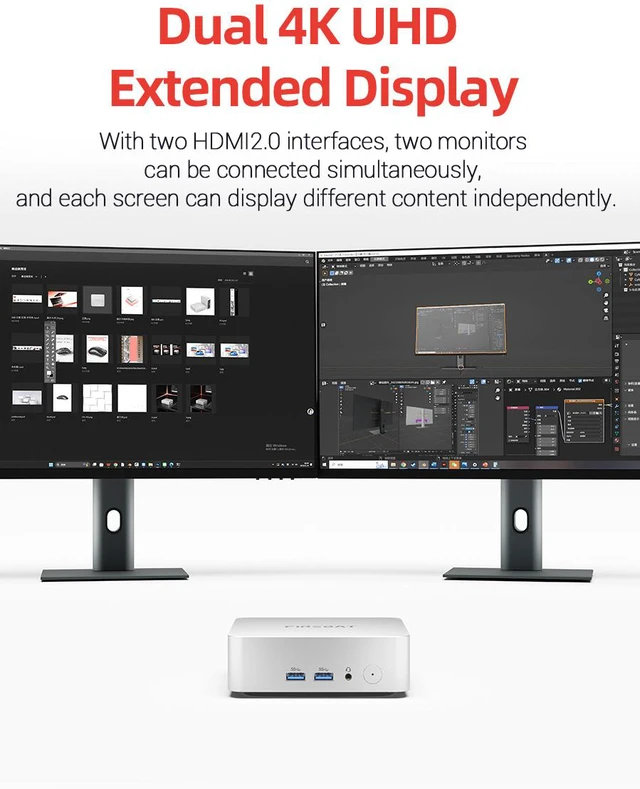
A: Yes. The Firebat R2 has two HDMI 2.0 ports and is designed to support a dual-monitor setup. You can use Windows display settings to extend the desktop across both screens. The actual result may also depend on the monitors, HDMI cables, and display settings.
Q: Is this mini PC practical for travel or moving between workspaces?
A: It is practical to move between workspaces because it measures 119 x 111.3 x 40.9 mm and weighs about 400 g. However, it is not a self-contained laptop: you also need access to a monitor or portable display, keyboard, mouse, and power outlet. It is best for travel between locations that already have peripherals or for use with a portable monitor.
Q: Who is the Firebat R2 best suited for?
A: The Firebat R2 is best suited for students, home users, office workers, small offices, and compact desk setups that need Windows 11, responsive multitasking, media playback, and dual-screen productivity. Its main trade-offs are the lack of a built-in display, keyboard, battery, and webcam, plus performance that is better suited to everyday computing than demanding gaming, advanced video editing, or other heavy workloads.
Q: Can the Firebat R2 be mounted behind a monitor or used in a space-saving setup?
A: Yes. The package includes a VESA mount, so the mini PC can be attached to a compatible VESA-equipped monitor or mounting surface. This can reduce desk clutter, but compatibility depends on the monitor’s VESA pattern, available mounting space, and the included mounting hardware.
Q: Is the Firebat R2 suitable for school, office work, and everyday multitasking?
A: Yes. Its Ryzen 5 3500U, 16GB RAM, 512GB SSD, and Windows 11 configuration is suitable for web-based schoolwork, documents, video streaming, and general multitasking. It is not intended for demanding professional workloads.
Q: Is the Firebat R2 good for gaming?
A: It is best for light gaming rather than modern, graphics-intensive games. The Ryzen 5 3500U uses older integrated Radeon Vega graphics, so lighter games may be playable with reduced settings, while newer AAA games, demanding 3D applications, and high-resolution gaming are poor fits.
Q: Is the Firebat R2 worth buying compared with newer Ryzen mini PCs?
A: It can be reasonable for inexpensive everyday computing, but its Ryzen 5 3500U is an older processor. Newer Ryzen mini PCs generally offer stronger graphics and longer performance headroom, so the R2 makes the most sense when compact size and a low purchase price matter more than gaming or future-proofing.
Q: Can the Firebat R2 be used with two monitors?
A: Yes. The Firebat R2 has two HDMI 2.0 ports and is designed to support a dual-display setup. Actual resolution and refresh-rate support can depend on the monitors, cables, operating system, and workload.