Your Browsing History
Meet Your Seller
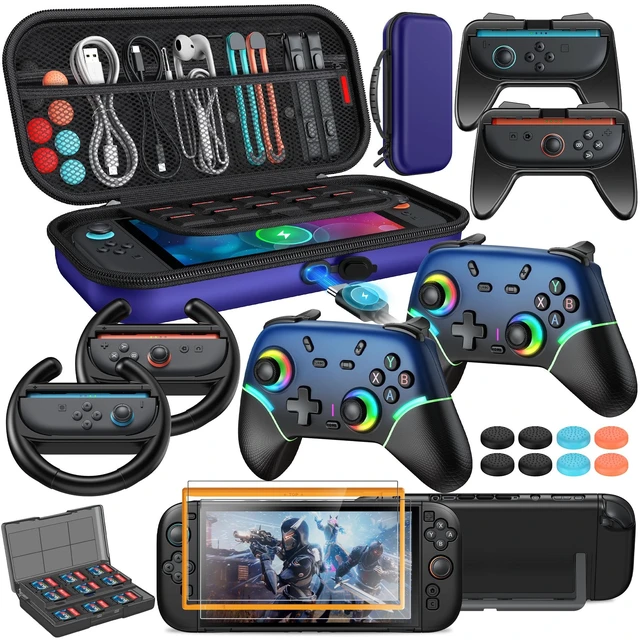
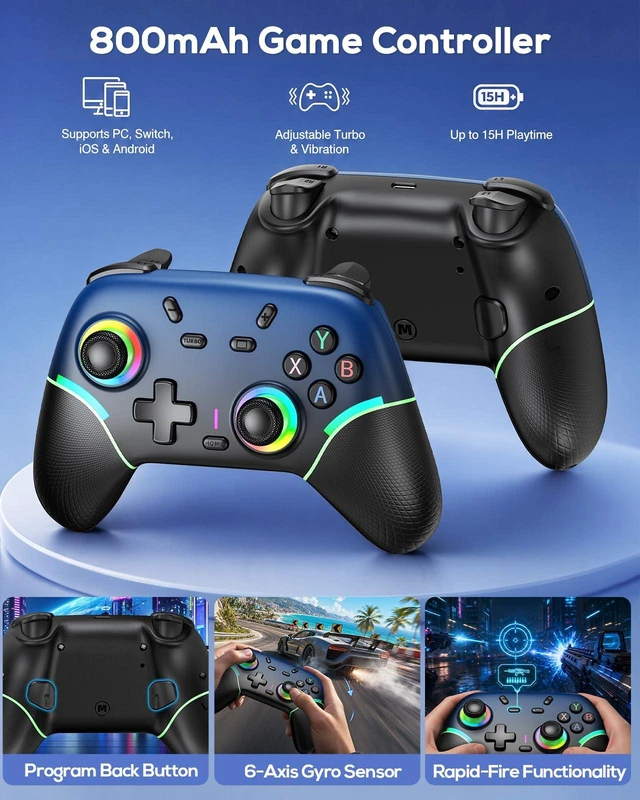
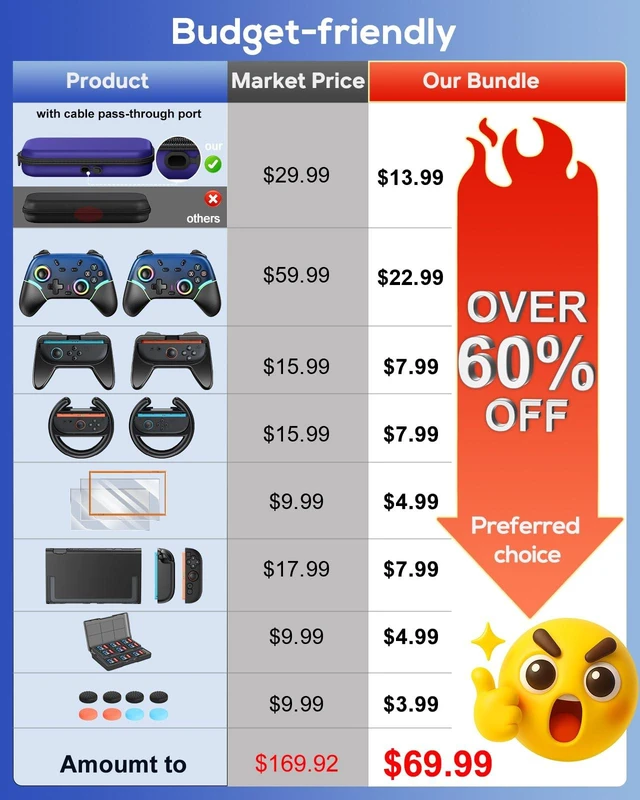
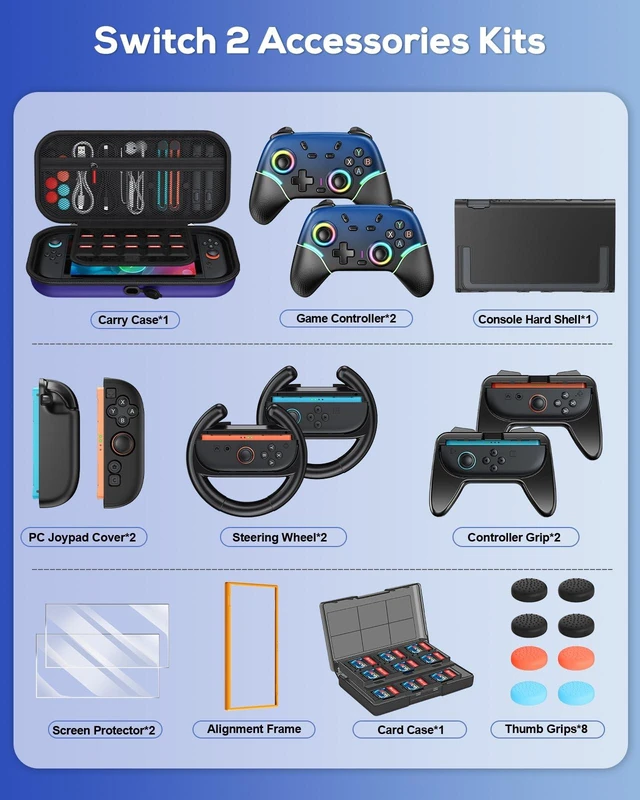
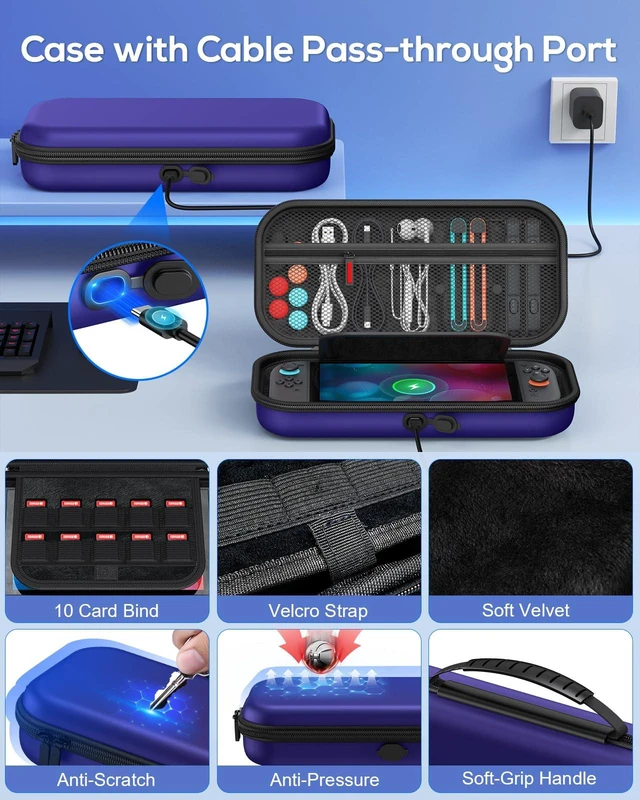
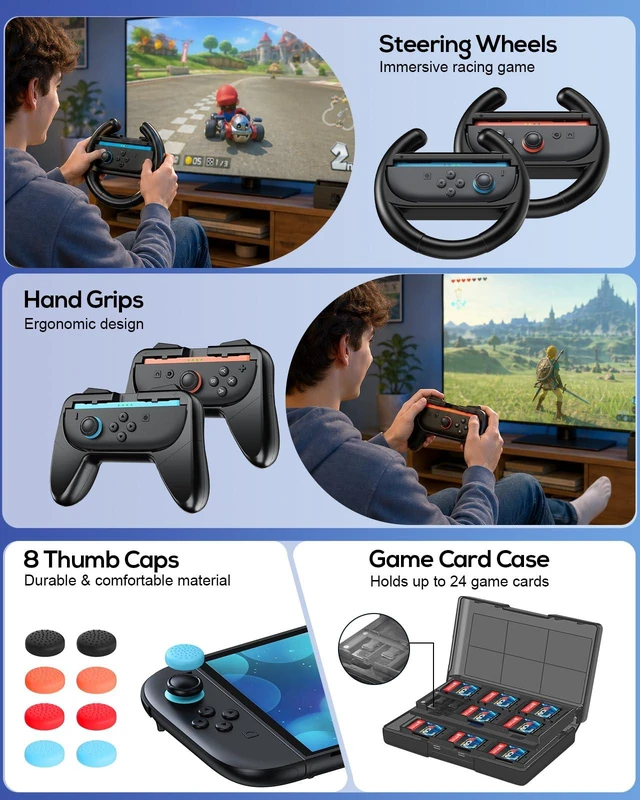
FYOUNG Switch 2 Accessories with Pro Style Controller,Bundle for Nintendo 2 | Case Bundle for Nintendo Switch 2 Console, 23 IN 1 Kit: Carrying Case, Protective Shell, Grip, Steering Wheel
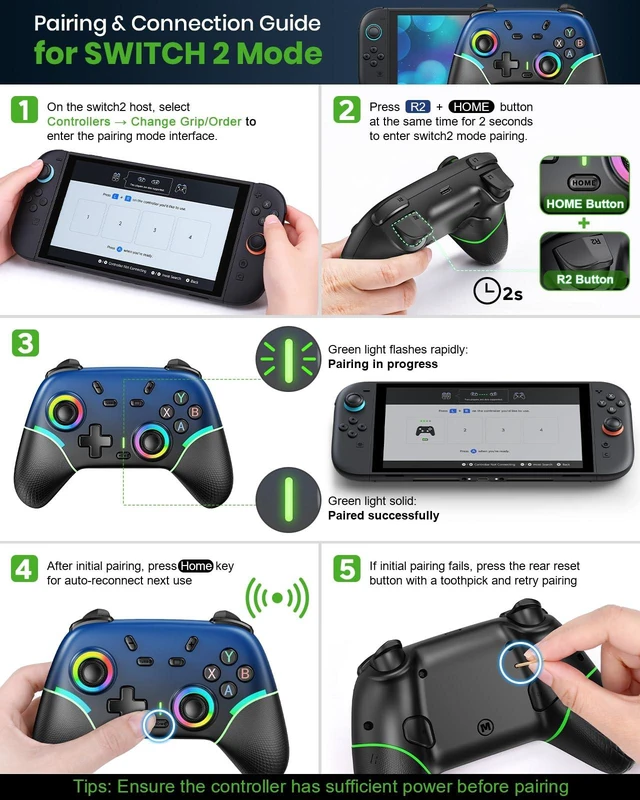
- Switch/Switch 2 pairing mode: After receiving the controller, connect it to a power source first to make sure it has enough charge before pairing.Select Controllers-Change Grip/order, press R2+ Homebutton for 2 seconds to enter switch mode pairing, the LED light will flash green quickly, and the corresponding LED light will be green and long-lighted for successful pairing.If you have successfully connected, directly press the Home button, LED light will flash green slowly and connect back automatically. , -.
- Controller Pairing Troubleshooting Guide: Pairing failures may be triggered by a Switch 2 system update. Please troubleshoot with the steps below before repairing:1. Fully power off the console by longpressing the power button, restart and retry pairing. Skip remaining steps if pairing succeeds. 2. Delete old controller connection records. Ensure the total number of devices (including the new controller) is at most 4, then repair. 3. Charge the controller before pairing to ensure sufficient battery power. 4. If the controller freezes, lags or is unresponsive, use a toothpick to press its back reset button for a hard reset, then repair
+
+
Overview
Specs
Reviews
Any questions? Ask CelesteSM will help you find out quickly.
Try me now
Accessories
Warranty & Returns
Warranty, Returns, And Additional Information
Warranty
- Please contact the Seller directly for warranty information. Warranty information may also be found on the Manufacturer's website.
- CONTACT
Return Policies
- Return for refund within: 30 days
- Return for replacement within: 30 days
- This item is covered by Artbloont Return Policy
Manufacturer Contact Info
- For a directory of all our manufacturers, please click below.
- Manufacturers Directory
LOADING...