


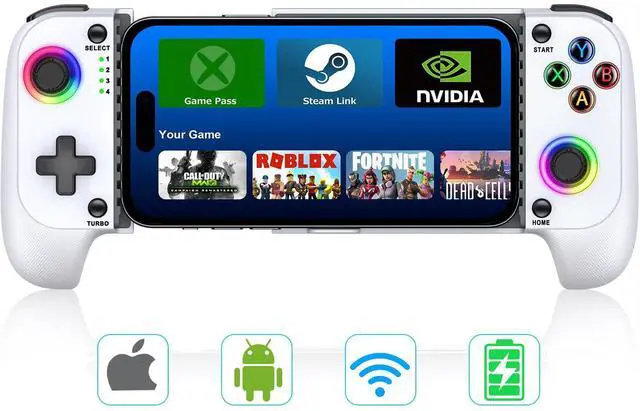
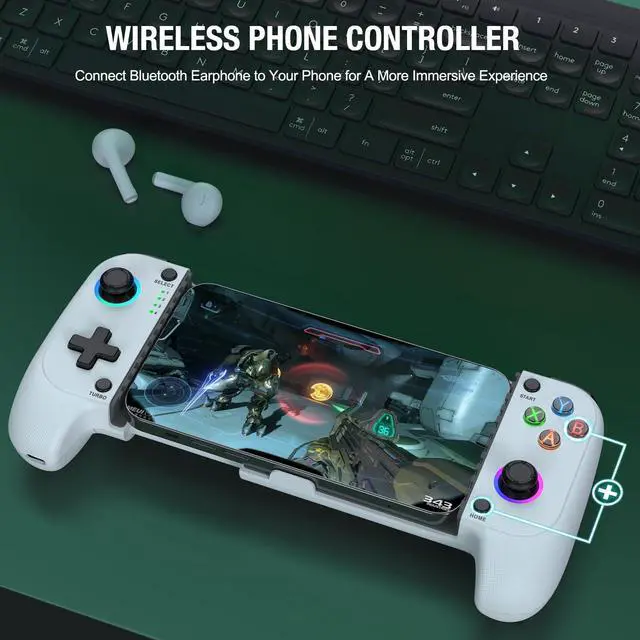
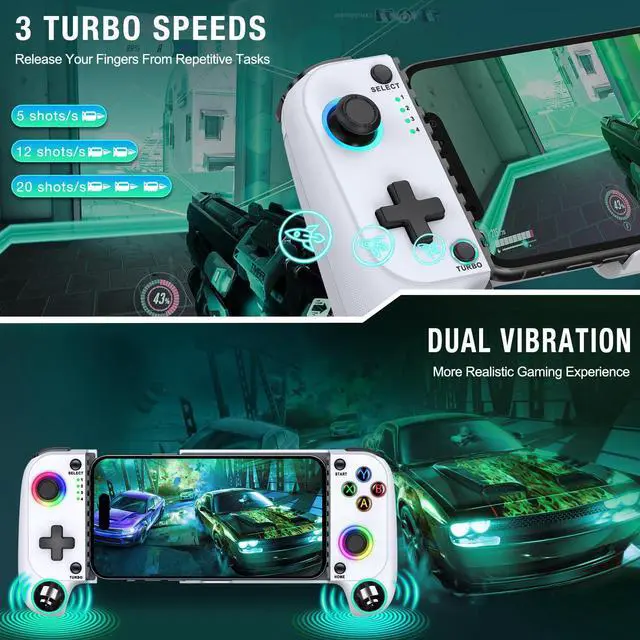


video game controller
Merchant Video


How do I easily pair this game controller with my device via Bluetooth?
1. Hold down the B key firmly and don't let go, tap the Home key — you'll notice the left LED 4th light flashing rapidly.
2. Switch on Bluetooth. For iOS users, look for "DUALSHOCK 4 Wireless Controller", Android users, choose "Wireless Controller."
How do I customize the RGB lighting on my game controller?
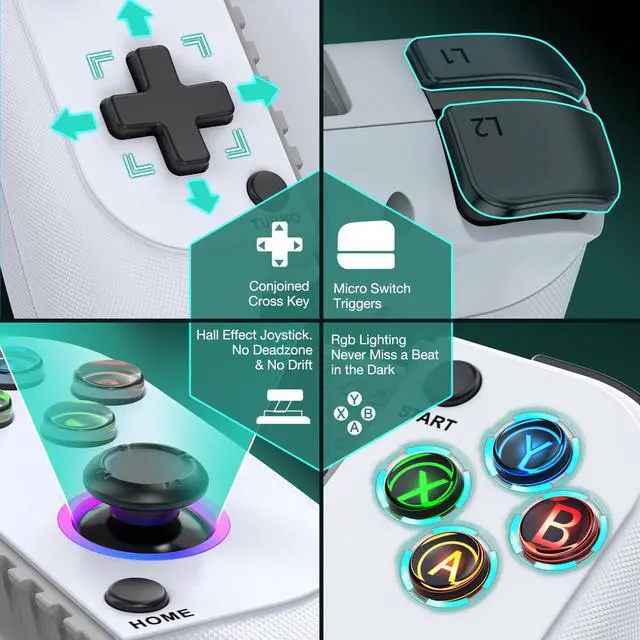
1. Ajust joystick RGB light: Just hold down the Turbo button and simultaneously tap the right joystick button.
2. Ajust ABXY buttons RGB light: Hold down the Turbo button, and give the left joystick button a tap
Is it comfortable for extended use?
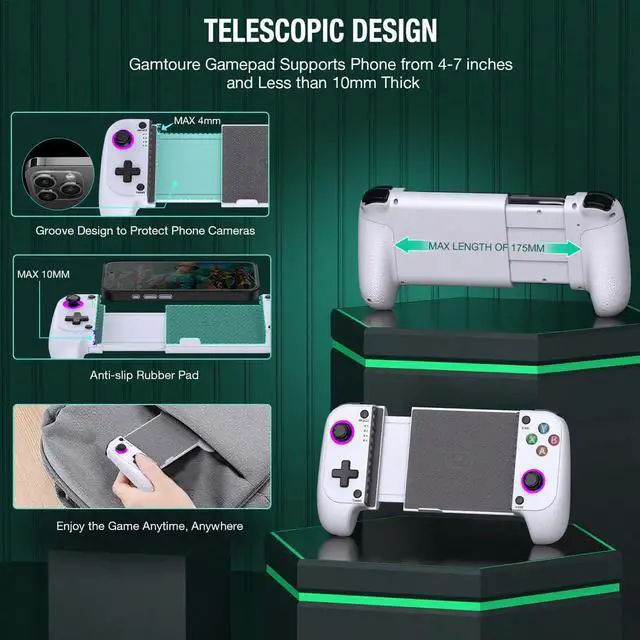
Comfort is key! Gamtoure mobile controller boasts an ergonomic design, with soft-touch grips that reduce fatigue even during those long gaming hauls. It fits naturally in your hands for hours of comfortable play.
Does it work seamlessly with major cloud gaming services?
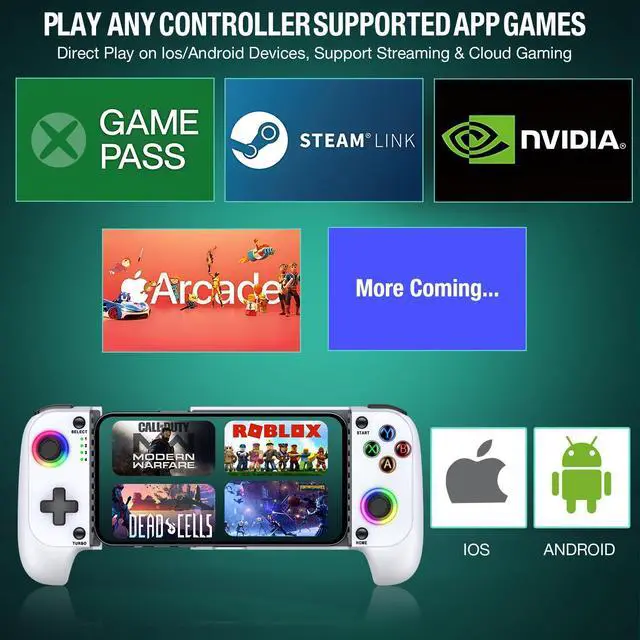
Absolutely! Gamtoure controller flawlessly integrates with all the big hitters in cloud gaming, like Xbox Game Pass, PlayStation Remote Play, Steam Link, GeForce NOW, Apple Arcade for all you MFi fans out there, plus Google Stadia and Rainway.
Is this gamepad compatible with the latest and most popular mobile games?
You bet! Our gamepad is seamlessly integrated with top titles like PUBG mobile, Among Us, Brawlhalla, Asphalt 9, Cyberpunk 2077, Destiny 2, and so much more – all with console-quality controls right at your fingertips.

Mastering Gaming's Artistry
From nostalgia to innovation, Gamtoure controllers journey with you through game limitless worlds

Unleash your gaming prowess with Gamtoure – where classic meets cutting-edge.
Designed for the Nintendo devotee and mobile gaming virtuoso, our controllers enhance every play session.Born from a love for gaming, we craft accessories that fit like a glove, ensuring every move is performed with precision.
Join us on an adventure through limitless game realms, where Gamtoure is your ultimate co-pilot.
How did we get started?
Our journey started with a simple yet powerful mission: to empower gamers to define their own style and embrace their individuality.
Why do we love what we do?
We understand the thrill of conquering a challenging game and the joy of accomplishing something incredible in a virtual world. Our work allows us to be a part of your gaming journey, helping you create unforgettable memories and experiences.
What makes our products unique?
At Gamtoure, we believe in embracing the latest trends and pushing the boundaries of technology.We are not just sellers; we are gamers at heart.
Mastering Gaming's Artistry
From nostalgia to innovation, Gamtoure controllers journey with you through game limitless worlds
Unleash your gaming prowess with Gamtoure – where classic meets cutting-edge.
Designed for the Nintendo devotee and mobile gaming virtuoso, our controllers enhance every play session.Born from a love for gaming, we craft accessories that fit like a glove, ensuring every move is performed with precision.
Join us on an adventure through limitless game realms, where Gamtoure is your ultimate co-pilot.
How did we get started?
Our journey started with a simple yet powerful mission: to empower gamers to define their own style and embrace their individuality.
Why do we love what we do?
We understand the thrill of conquering a challenging game and the joy of accomplishing something incredible in a virtual world. Our work allows us to be a part of your gaming journey, helping you create unforgettable memories and experiences.
What makes our products unique?
At Gamtoure, we believe in embracing the latest trends and pushing the boundaries of technology.We are not just sellers; we are gamers at heart.
video game controller
Merchant Video


How do I easily pair this game controller with my device via Bluetooth?
1. Hold down the B key firmly and don't let go, tap the Home key — you'll notice the left LED 4th light flashing rapidly.
2. Switch on Bluetooth. For iOS users, look for "DUALSHOCK 4 Wireless Controller", Android users, choose "Wireless Controller."
How do I customize the RGB lighting on my game controller?
1. Ajust joystick RGB light: Just hold down the Turbo button and simultaneously tap the right joystick button.
2. Ajust ABXY buttons RGB light: Hold down the Turbo button, and give the left joystick button a tap
Is it comfortable for extended use?
Comfort is key! Gamtoure mobile controller boasts an ergonomic design, with soft-touch grips that reduce fatigue even during those long gaming hauls. It fits naturally in your hands for hours of comfortable play.
Does it work seamlessly with major cloud gaming services?
Absolutely! Gamtoure controller flawlessly integrates with all the big hitters in cloud gaming, like Xbox Game Pass, PlayStation Remote Play, Steam Link, GeForce NOW, Apple Arcade for all you MFi fans out there, plus Google Stadia and Rainway.
Is this gamepad compatible with the latest and most popular mobile games?
You bet! Our gamepad is seamlessly integrated with top titles like PUBG mobile, Among Us, Brawlhalla, Asphalt 9, Cyberpunk 2077, Destiny 2, and so much more – all with console-quality controls right at your fingertips.