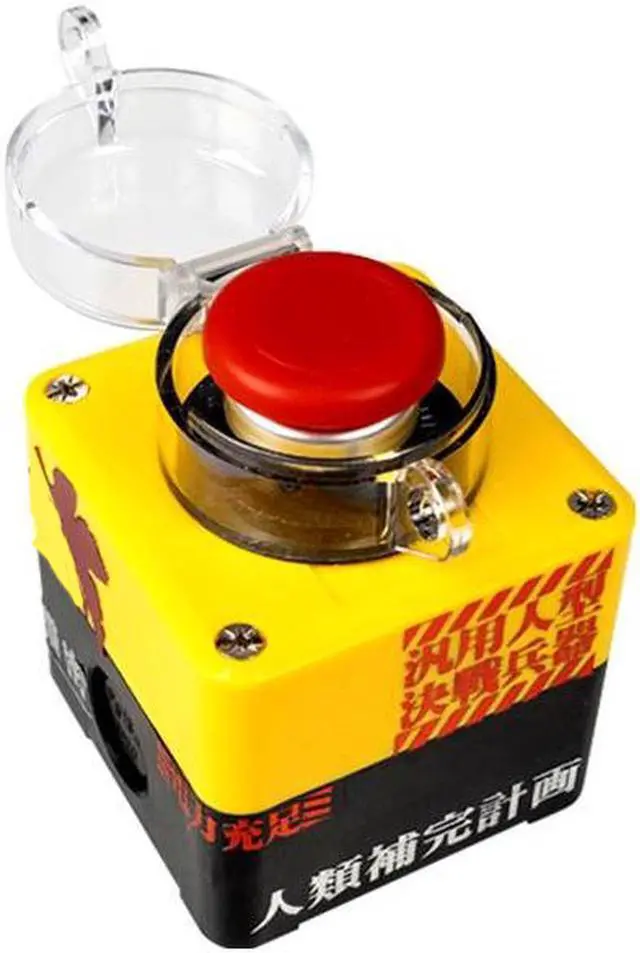
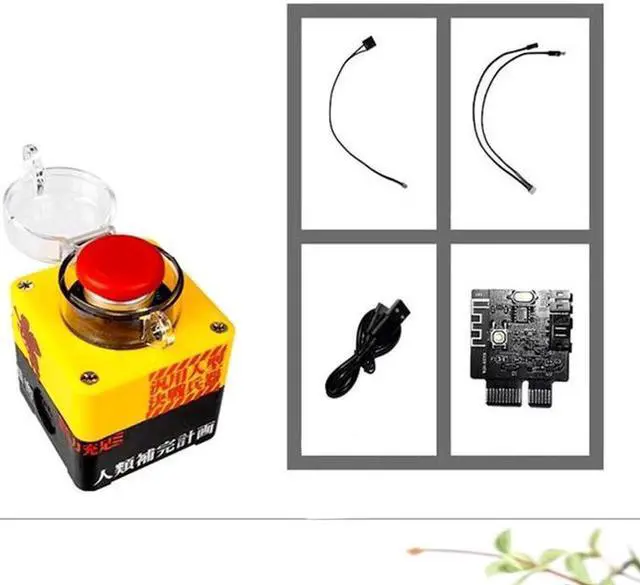
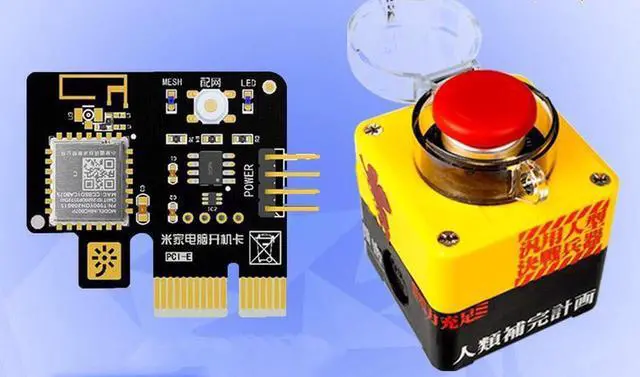
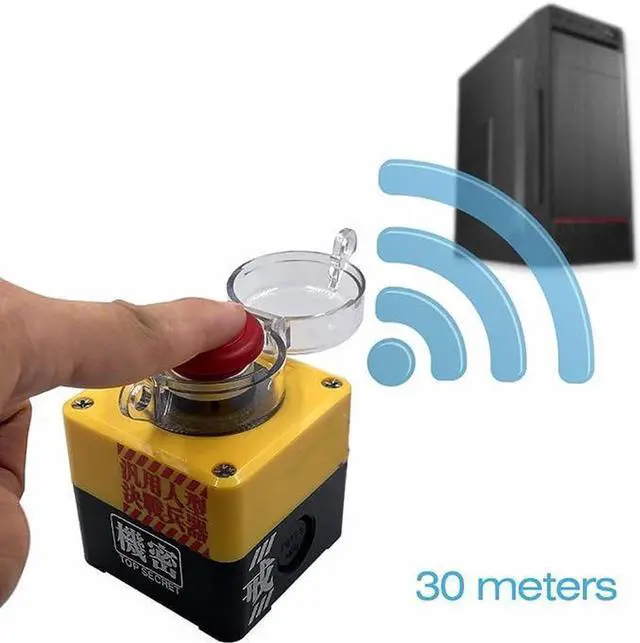
Connect mode 1 : Compatible with all PCIE Slots. Connect mode 2 : compatible with Motherboard 9 Pin USB port(must set USB uncut power in BIOS) Easy pair: The blue LED will be on when power on in first time.Press the button to pair, it means pairing successfully when the light off.
Rechargeable: Rechargeable with Type-C cable, half a year battery life once charged.
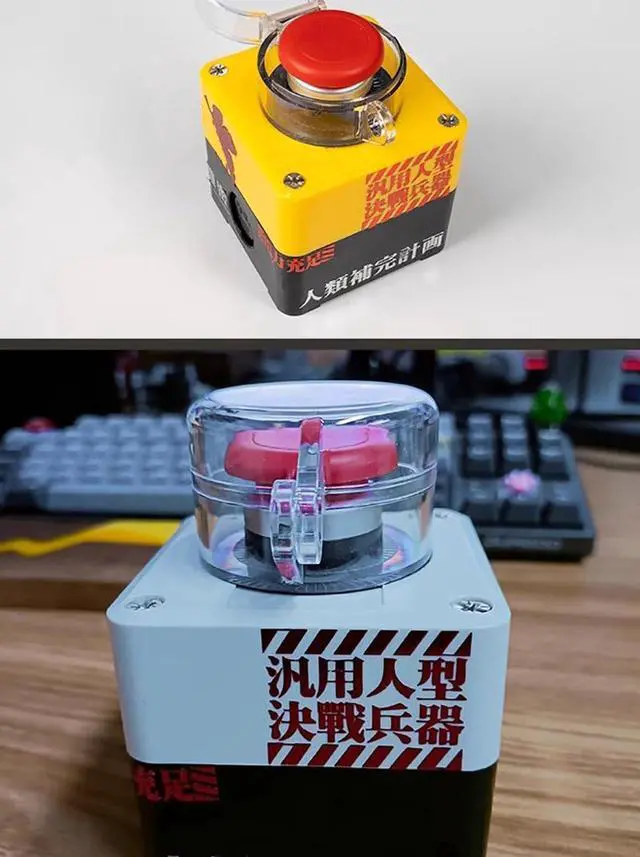
High quality stickers: The material and cutting of the stickers use advanced craftsmanship, please make sure the stickers are firmly attached to the buttons. Otherwise the sharp part may sting you.
Note: Must use a switch extension cable if your power cable is integrated.
+
+
Overview
Specs
Reviews
Any questions? Our AI mode will help you find out quickly.
Try me now
Wireless Desktop Power Button for PC (Laptop Incompatible), Atomic Nuclear Bomb Rocket Launch, Big Red Button (Yellow)
Learn more about the Detailed Specifications
Details
Type
Plastic, Push Button, Wireless
Brand
GGSMLIDH
Switch Function
ON-OFF
Model
Part Number
B003
Details
Voltage
12
Housing Material
Plastic
Mounting Style
PCIE/USB
Size/Dimensions
9.906 cm x 10.4902 cm x 15.5956 cm
Material
Plastic
Standards/Certifications
IP57, No
Horsepower
5 amps
Operating Temperature
-70 degrees_celsius to 100 degrees_celsius
Color/Finish
Yellow
Operating Frequency
waste
Actuation Type
Push Button
Duty
Desktop Computers
Compatibility/Fitment
Desktop Computers
Resolution
1
Display Type
B003
Color Display
Yellow
Features
Desktop Computers
Additional Information
First Listed on Newegg
August 03, 2026
There are no reviews yet.
Do you own this product?
Warranty & Returns
Warranty, Returns, And Additional Information
Warranty
Please contact the Seller directly for warranty information. Warranty information may also be found on the Manufacturer's website.